
When we talk about document management in construction, we're not just talking about filing. We're talking about the lifeblood of a project: a system for organizing, sharing, and controlling every single file, from the first blueprint to the final closeout package. It's about making sure everyone—in the office, on-site, and everywhere in between—is on the same page, all the time.
Why Disorganized Documents Are a Wrecking Ball for Construction Projects
Let’s get real. Chaos on a construction project often boils down to a single, misplaced document. This isn't just an administrative annoyance; it’s a direct hit to your budget, your schedule, and your company's reputation. A messy system is like a loose thread—pull it, and the whole project can unravel.
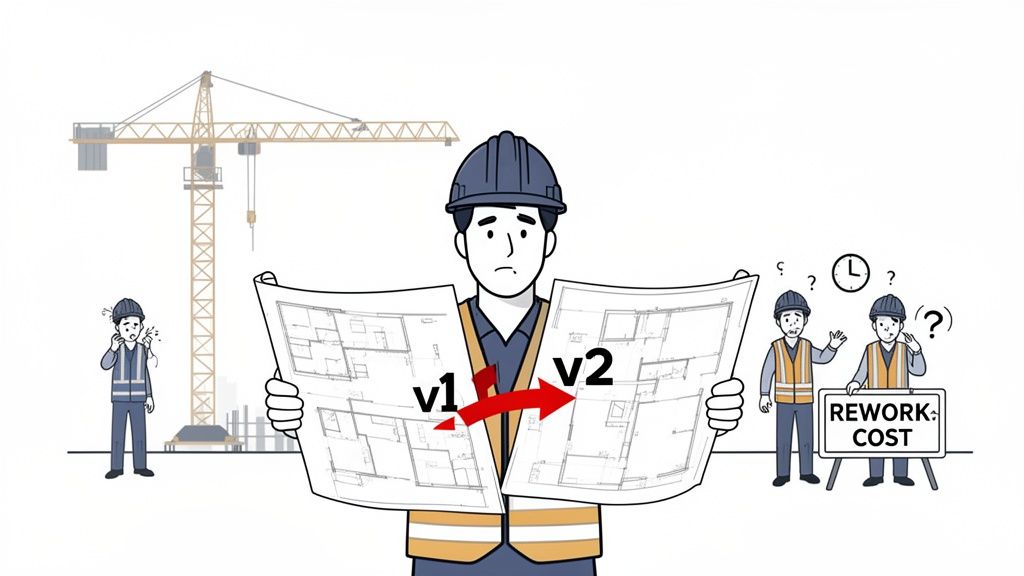
Think about this all-too-common scenario. A structural engineer emails an updated blueprint—let's call it Revision B—to the project manager. The PM forwards it to the foreman, but the steel subcontractor is still pulling from an old shared folder and sees only Revision A. For two full days, they're fabricating beams based on completely outdated specs.
By the time someone spots the mistake, it's too late. This isn’t a small hiccup. It's the start of an expensive, cascading failure.
The Real-World Cost of One Wrong Version
The first domino to fall is rework. The wrong beams have to be scrapped, and new ones made from scratch. You've just doubled your material and labor costs for that part of the job. But it doesn't stop there. This one version control error sets off a chain reaction:
- Schedule Delays: The project timeline gets pushed back, and you might start racking up penalty fees for missing key deadlines.
- Budget Overruns: It's not just the rework. Now you're paying for crews to sit idle and for equipment rentals to be extended.
- Resource Misallocation: The teams that were supposed to come in after the steel crew are now stuck waiting, throwing the entire workflow into disarray.
- Client Disputes: Try explaining these delays and extra costs to a client. It kills trust and can easily lead to heated arguments or even legal battles.
This isn't just theory. Rework stemming from poor document management can eat up as much as 30% of a project's total budget. That’s a massive hit in an industry where margins are already tight. A bad document system doesn't just waste a little time; it actively drains your profits.
The root of the problem is the absence of a "single source of truth." When your crucial files are scattered across email chains, personal hard drives, and forgotten server folders, nobody can be sure they're looking at the right information.
The Damage Goes Beyond Rework
Shoddy document practices create problems that ripple out far beyond a single project. The constant fire-fighting means your project managers are buried in paperwork instead of overseeing quality and progress on site. And when it's time for project closeout? It becomes a frantic scavenger hunt for warranties, as-built drawings, and compliance forms.
In the end, this disorganization hits your bottom line and tarnishes your reputation. It's a massive, preventable risk that needs a smart solution. You can start building a more bulletproof system by exploring some foundational document management best practices that bring consistency and clarity from the very beginning.
Building Your Digital Document Framework
Before you even think about software, you need a blueprint for your data. A powerful tool is only as good as the system you build around it, and a chaotic digital setup is just as frustrating and costly as a messy paper-based one. The goal here is to create a logical, standardized framework that anyone on your team—from the PM to a new sub—can understand and use from day one.
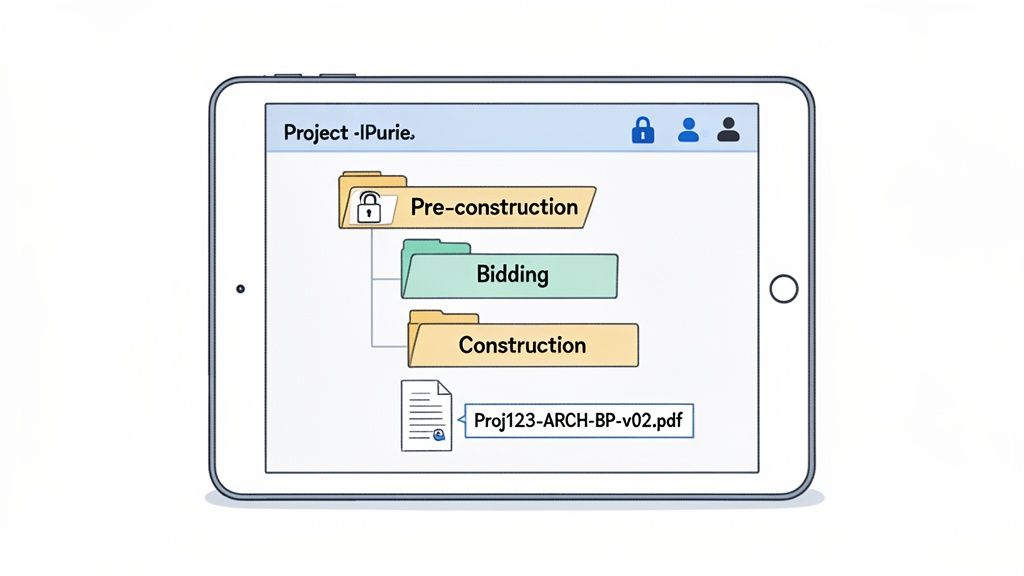
This foundational work in document management for construction is what separates the pros from the amateurs. It ensures consistency across every single project, making files predictable and easy to find. It’s the difference between a clean, efficient digital job site and a digital landfill where documents go to die.
Standardize Your Folder Structure
I’ve found the most effective approach is to build a master folder template that mirrors the actual lifecycle of a construction project. Think about it—you don't just dump everything into one box on-site, so why do it digitally? Instead of generic folder names, you create a structure that tells the story of the project.
Once you have this template, you can simply copy it for every new job, giving you instant consistency.
Here’s a logical structure I've used successfully on countless projects:
- 01_Pre-Construction: This is where we keep everything that happens before we break ground—site surveys, geotechnical reports, early bids, and initial contracts.
- 02_Design & Permitting: All drawing versions, BIM models, spec books, and every permit application and approval lives here. No exceptions.
- 03_Construction: This is the big one. It has subfolders for everything happening in the field: RFIs, Submittals, Change Orders, Daily Reports, and all Safety Documentation.
- 04_Financials: Keeps the money talk organized. All prime contracts, purchase orders, invoices, and payment applications go in here.
- 05_Closeout: The final home for the essentials needed to hand over the project, like as-built drawings, warranties, O&M manuals, and final lien waivers.
This kind of setup just makes sense. It’s intuitive, and it drastically cuts down the time people spend searching for what they need.
To help you get started, here's a quick breakdown of what to include in your structure.
Essential Document Categories for Construction Projects
This table outlines the critical document types to include in your folder structure, organized by project phase. Think of it as a cheat sheet for building a rock-solid foundation.
| Project Phase | Key Document Types | Purpose and Key Stakeholders |
|---|---|---|
| Pre-Construction | Bids, Estimates, Contracts, Site Surveys, Geotechnical Reports | Establishing project feasibility and scope. Key for owners, estimators, and project managers. |
| Design & Permitting | Blueprints, BIM Models, Specifications, Permit Applications | Defining the project's technical details. Crucial for architects, engineers, and permitting authorities. |
| Construction | RFIs, Submittals, Change Orders, Daily Reports, Safety Logs | Documenting day-to-day progress and changes on-site. Used daily by PMs, supers, and subs. |
| Financials | Invoices, Purchase Orders, Payment Applications, Budget Reports | Tracking all project costs and payments. Essential for accounting, project managers, and owners. |
| Closeout | As-Built Drawings, Warranties, O&M Manuals, Lien Waivers | Finalizing the project and handing it over to the owner. Critical for facility managers and owners. |
Having this level of organization from the start prevents a massive headache down the road when you're trying to find a single warranty document buried in thousands of files.
Create a Clear File Naming Convention
A good folder structure is only half the battle. If you don't enforce a strict file naming convention, you'll inevitably end up with chaos. I've seen it a hundred times: files named "Final_Blueprint_V2_USE_THIS_ONE.pdf" that cause real confusion and lead to rework. A clear, consistent naming system is non-negotiable.
Here’s a simple formula that works wonders:
ProjectID-Discipline-DocType-Description-Version
For example, a file named 123-ARC-DWG-LobbyLayout-V3 tells you everything you need to know at a glance:
- ProjectID: 123
- Discipline: Architectural (ARC)
- DocType: Drawing (DWG)
- Description: Lobby Layout
- Version: 3
This disciplined approach completely eliminates guesswork. It means that when someone searches for a drawing, they find the right one without having to open five different files. It's a small habit that prevents huge mistakes.
Establish Smart User Permissions
Not everyone on a project needs to see every single file. The window installer doesn't need access to sensitive financial contracts, and the owner definitely shouldn't be able to accidentally delete the latest set of structural drawings. Setting up role-based permissions is a must for security and preventing human error.
Define clear access levels from the get-go:
- Admins: Full control. They can create, edit, and delete anything and everything.
- Project Managers: Can view and edit most project files but might have restricted access to sensitive, company-level financials.
- Subcontractors: Can only view and upload documents directly related to their scope, like their submittals or RFIs. Nothing more, nothing less.
- Clients/Owners: Typically get view-only access to things like progress reports, key drawings, and financial summaries.
Getting this groundwork done before you choose a platform is crucial. To see how these principles come to life, take a look at our guide on construction document management software, where we show how the right tools are built on a solid framework like this one.
Choosing Your Cloud-Based Construction Hub
Once you have a solid plan for organizing your files, the next step is picking the right tech to make it all happen. For any modern construction project with crews split between the office and the job site, a cloud-based platform isn't just a nice-to-have. It’s a necessity. This central hub is where your entire project will live and breathe.
This shift to digital isn't just a trend; it's a fundamental change in how our industry works. The construction sector’s move to cloud-based document management is completely changing how teams collaborate. In fact, cloud deployments now hold a massive 62.35% share of the construction management software market.
That market, valued at $10.64 billion in 2025, is expected to jump to $16.62 billion by 2030. What's driving it? The simple, undeniable need for anywhere-access to project data. You can dig deeper into this shift toward construction cloud platforms on archdesk.com.
More Than Just Basic Cloud Storage
I've seen many contractors try to get by with generic cloud storage drives, thinking they're saving a buck. While it's a step up from paper, this approach quickly creates its own headaches. You end up with siloed information, zero real-time collaboration, and a version control nightmare that looks just like the email chaos you were trying to escape.
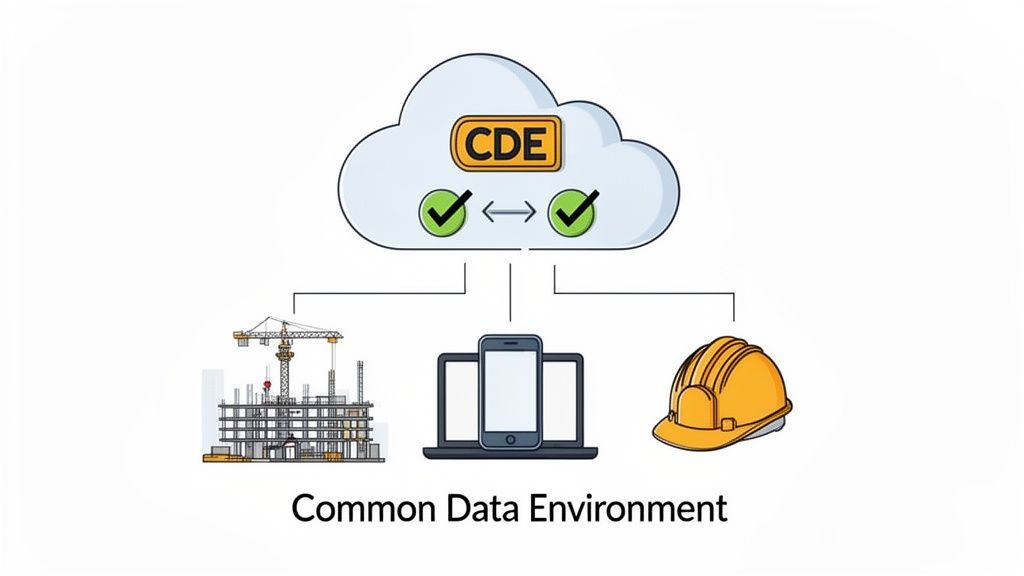
A dedicated construction platform is a different beast entirely. It’s built around the concept of a Common Data Environment (CDE), which serves as the single source of truth for every piece of project information. Everyone—from the architect to the subcontractor—accesses the same up-to-the-minute files from one place.
Let's break down the real-world difference:
| Feature | Generic Cloud Storage | Dedicated Construction Platform |
|---|---|---|
| Version Control | A manual, error-prone mess. Relies on file names like "Final_V3_USE_THIS.pdf". | Automatic. Every revision is tracked with a clear audit trail. |
| Mobile Access | You can view files, but it's often clunky, especially for large drawings. | Optimized for the field, with tools for markups, photos, and daily reports. |
| Workflows | Non-existent. It’s just a digital filing cabinet. | Built-in workflows for RFIs, submittals, and change orders. |
| Permissions | Limited to basic "view" or "edit" roles. | Granular control over who can see, edit, and approve specific documents. |
The difference is night and day. A purpose-built system doesn’t just store your files; it actively helps you run your projects.
The Non-Negotiable Features
When you're evaluating your options, it's easy to get distracted by flashy features that you'll never actually use. Instead, focus on the core functions that solve the biggest headaches in document management for construction.
Here’s what I consider absolute must-haves:
- A True Common Data Environment (CDE): This is non-negotiable. It ensures everyone is working from the same playbook, which cuts down on confusion and rework.
- Robust Version Control: The system has to automatically track document revisions, showing who changed what and when. This is your best defense against costly mistakes.
- Seamless Mobile Access: Your team in the field needs to pull up the latest drawings on a tablet just as easily as someone in the office can on a desktop. No excuses.
- Integrated Workflows: Look for built-in processes for handling RFIs, submittals, and change orders. This is what keeps a project moving forward without constant delays.
A great platform should feel like an extension of your team, not another piece of software you have to fight with. It should simplify communication and provide clarity, not add another layer of complexity.
By investing in the right cloud-based hub, you're not just buying software; you're buying a more efficient, predictable, and profitable way to build. To get a better handle on this, check out our complete guide on the benefits of a cloud-based document management system.
Putting Your Document Workflows on Autopilot
A solid system for document management in construction does more than just hold your files—it should actively work for you. The real magic happens when you start automating the tedious, repetitive tasks that bog down your team and create frustrating bottlenecks. This is where you leap from just being organized to being truly efficient.
Think about the high-volume stuff that eats up hours every single week, like managing RFIs, submittals, and change orders. Each one kicks off a chain of communication, reviews, and approvals that can grind a project to a halt if someone drops the ball. Automating these workflows is your insurance policy against things falling through the cracks.
Poor document management has been a silent profit killer in our industry for decades. Get this—up to 30% of project costs can come directly from rework because of bad information. That’s how a straightforward build turns into a nightmare of delays and disputes. It’s exactly why automation is no longer a luxury, especially as the construction market continues to grow. You can find more data on this trend at mordorintelligence.com.
An Automation Example: Subcontractor Onboarding
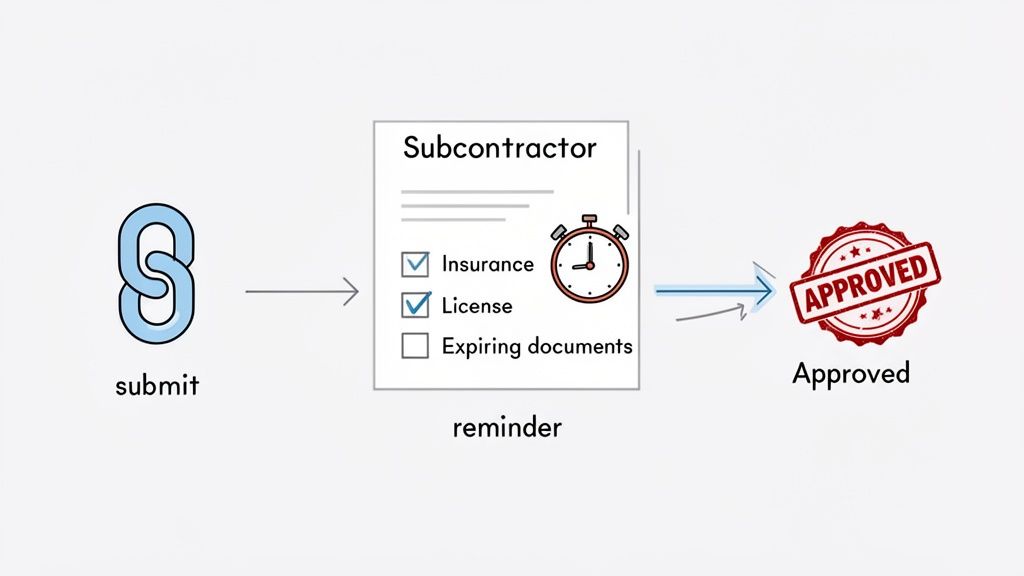
Let's look at a classic headache where automation makes a world of difference: subcontractor onboarding. We've all been there, chasing down insurance certificates, licenses, and safety forms. It’s a manual, frustrating process.
With an automated workflow, the game completely changes.
Instead of sending a dozen emails and making phone calls, you create a single, secure online portal for each sub. From there, you can build a workflow that handles the entire collection process without you lifting a finger:
- Initial Request: The system fires off an automated email with a link to their portal, clearly listing every document they need to provide.
- Document Upload: The sub uploads their files directly. The system can even be set to check for things like expiration dates on insurance certificates, flagging anything that’s out of date.
- Review and Approval: Once submitted, the documents are automatically routed to your compliance manager for a quick look.
- Automated Nudges: If a document is missing or gets rejected, the system automatically follows up. No more playing phone tag.
This isn’t about installing some complex technology; it’s about building a smart, repeatable process that frees up countless hours of administrative time.
The goal of automation is to get project managers out of the "traffic cop" business. A good workflow ensures information gets to the right people at the right time, without constant nagging and follow-up.
Setting Up Your First Automated Workflow
Getting your first workflow up and running is probably easier than you think. Most modern construction management platforms, like Procore or Autodesk Construction Cloud, have visual workflow builders that let you set simple "if this, then that" rules.
For example, you could create a workflow for RFIs. When a question is submitted from the field, it could be automatically assigned to the right architect or engineer based on keywords in the request.
Once they answer, the response is automatically sent back to the person who asked and logged permanently in the system. Just like that, you’ve created a perfect audit trail and slashed response times, which is key to keeping your crews on site productive and moving forward.
Keeping Your System Sharp for the Long Haul
Getting a new document management system up and running is a huge accomplishment, but the real work starts after launch day. A perfectly organized system can unravel into a digital mess faster than you'd think if you don't stay on top of it. True success isn't about that initial setup; it's about making smart document habits a core part of your company culture.
The end game is to create a system that your team doesn't just tolerate, but one they actually like using because it genuinely makes their jobs easier. This takes consistent effort to ensure every project benefits from the clarity and control you've worked so hard to build.
Run Regular System Check-Ups
You wouldn't let a job site go without regular quality inspections, and your digital job site is no different. You need to peek under the hood every so often. I recommend scheduling a quick audit every quarter, or at least twice a year, to see how things are going.
Are people actually following the file naming rules? Are documents ending up in the right folders?
These check-ups aren't about playing "gotcha." They're about finding the little hiccups before they become big problems. It’s your chance to see where your process might be causing friction or where a team might need a little extra guidance.
On one project, we noticed during an audit that the site team was constantly saving daily reports to the wrong project subfolder. Our first instinct was to just retrain them, but after digging in, we realized the folder structure was confusing on their mobile app. A quick tweak to their user permissions and the folder view fixed the issue permanently.
Never Stop Training and Supporting Your Team
Your system is only as good as the people who use it every day. Training can't be a one-time thing you did when you launched the software. New folks join the team, and even your most experienced pros can use a refresher when new features roll out.
Keep the training focused and relevant to each person's role.
- Project Managers: Show them the shortcuts for approving workflows and pulling up-to-the-minute reports.
- Subcontractors: Don't overwhelm them. Just give them the simple, direct path to upload submittals and answer RFIs.
- Site Supers: Focus on what they do on the go, like uploading daily logs and site photos straight from their phones.
A team that feels confident using the system is a team that won't go rogue and create their own messy workarounds.
A rock-solid document management system gives you an unbreakable audit trail. Every single action—every view, download, or edit—needs to be logged. This isn't just about security; it's your definitive proof of who did what and when, which is invaluable if a dispute ever arises.
Create a Clear-Cut Archiving Plan
When a project wraps up, you can't just let tens of thousands of files hang around in your active workspace. A cluttered system gets slow, and people have a hard time finding what they need. You need a simple, mandatory process for archiving every completed project.
This means moving all the final, official documents—like as-builts, warranties, O&M manuals, and final lien waivers—into a dedicated, read-only archive folder. Doing this not only tidies up your day-to-day workspace but also creates a permanent, tamper-proof record you can pull up years later for legal or reference needs. It’s the final, crucial step to officially closing the book on a well-run project.
Common Questions About Construction Document Management
Even with the best plan on paper, questions always pop up when you're trying to put a new system to work in the real world. This is where theory crashes into the reality of deadlines, busy teams, and the daily chaos of a job site. Let's dig into some of the most common questions and hurdles people face when trying to get their construction documents in order.
How Do We Get Subs and Partners to Actually Use Our System?
This is the big one. Getting buy-in from your trade partners and subcontractors can feel like an uphill battle. The trick is to make it incredibly easy for them to participate and, frankly, make it a requirement. No one wants to learn a complicated new piece of software for just one project.
Your approach needs to be about making their life easier, not harder.
- Pick an Easy-to-Use Platform: Look for a system with a dead-simple portal for outside collaborators. They should be able to drag, drop, and upload without needing a degree in computer science or a 2-hour training session.
- Give Them a Simple Cheat Sheet: During their onboarding, hand them a one-page guide. More importantly, show them what’s in it for them. Link their document submissions directly to faster approvals on submittals or quicker payments on their invoices.
- Put It in the Contract: This is the most direct way to ensure compliance. Make using your document system a standard clause in your subcontractor agreements. This sets the expectation from the very beginning that this is just how you do business together.
When your partners realize the system actually helps them get paid faster, you’ll see that initial resistance melt away pretty quickly.
What’s the Single Biggest Mistake to Avoid When Going Digital?
The most common—and most expensive—mistake is taking a messy paper process and just making it a messy digital one. I've seen it a hundred times: a company scans thousands of old documents and just dumps them all into a cloud drive. All they've really done is trade their physical filing cabinets for a digital junk drawer.
The tool isn't the solution; the strategy is. You have to do the prep work and define your framework before you roll out any new software.
If you don't have a solid foundation—things like standardized folder templates, a clear file naming convention, and well-defined user permissions—your shiny new digital system is set up to fail. It will inevitably become just as disorganized as the paper mess you were trying to escape, and you'll have wasted a lot of time and money.
How Does This Actually Help with Project Closeout?
A well-organized document system completely changes the game for project closeout. It turns what is often a months-long scramble into a smooth, straightforward process. Instead of a last-minute scavenger hunt for missing warranties or as-builts, everything you need for the final handover is already neatly organized and waiting for you.
With a proper system in place, you can pull together a complete, professional turnover package in a matter of hours, not weeks. All your as-built drawings, warranties, O&M manuals, and compliance paperwork are in one central spot. Even better, the system creates an unchangeable audit trail, showing a clear record of who touched what document and when. That digital proof is invaluable for clearing up any post-project disputes or proving compliance years down the road.
Ready to stop chasing documents and start building smarter workflows? Superdocu makes it easy to collect, track, and manage all your project paperwork in one secure place. Start your free trial today and see how simple construction document management can be.