
If you're still chasing down client files through endless email chains, you know the pain. It’s a messy, insecure, and frustrating dance of follow-ups and forgotten attachments. This old-school method doesn't just waste your time; it creates a clunky, unprofessional experience for your clients and leaves sensitive data vulnerable.
It’s time for a better way.
Why Your Email Inbox Isn't a Filing Cabinet
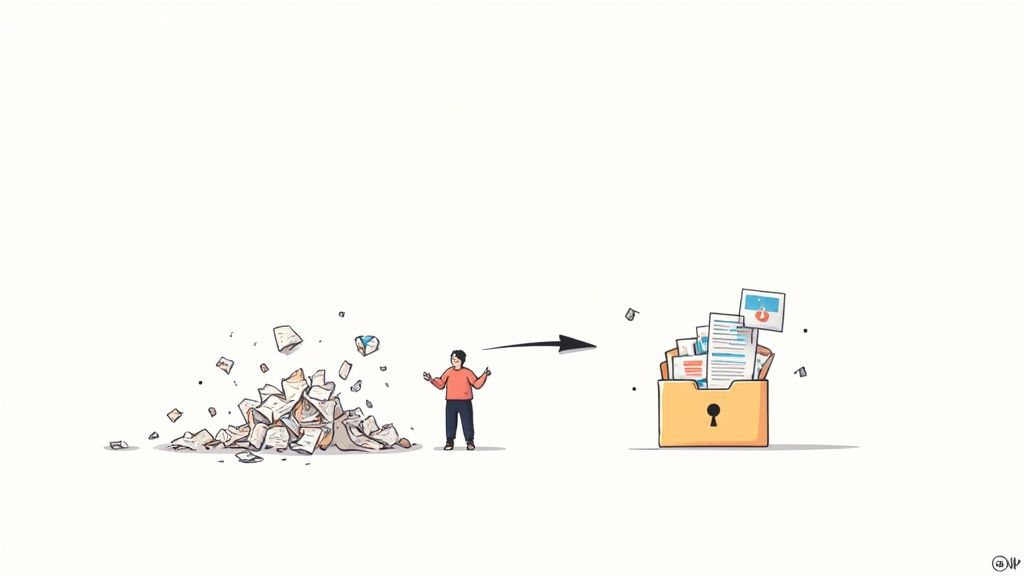
Sending a long list of requested files in an email and just hoping for the best is a common but broken process. Think about it from the client's perspective: a wall of text, confusing instructions, and no easy way to track what they've sent. This inevitably leads to a frustrating cycle of back-and-forth corrections, misplaced files, and security risks.
A dedicated system to collect documents flips this entire experience on its head. It turns a chaotic chore into a smooth, professional process that builds client trust right from the start.
Building a Modern Document Collection System
Moving away from email isn't just about getting a new tool; it's about changing your approach. A truly effective system is built on a few key ideas.
- Clarity Comes First: You need a solid plan. Know exactly which documents you need for every single scenario before you even think about hitting send.
- Let Automation Do the Heavy Lifting: Stop manually sending reminders. A good system handles the tedious follow-ups for you, freeing up your team for more important work.
- Security is Non-Negotiable: Client data is precious. Get sensitive files out of vulnerable inboxes and into a secure, encrypted environment.
This isn't just a niche improvement; it's part of a huge shift. The global market for document management was valued at USD 8.70 billion in 2024 and is only expected to grow. Businesses are waking up to the cost of disorganization.
When you systematize how you collect documents, you're doing more than just tidying up. You are reclaiming countless administrative hours, tightening up your compliance, and creating a standout client experience that your competitors can't match.
Adopting this mindset is the first step toward a more efficient, secure future for your business. For more foundational tips, you can learn how to properly request files from clients. This guide will show you exactly how to build that system from the ground up.
Old vs New Ways to Collect Documents
The difference between chasing files over email and using a modern system is night and day. Here's a quick breakdown of what that change actually looks like in practice.
| Feature | Manual Process (Email) | Automated System |
|---|---|---|
| Client Experience | Confusing, fragmented, and frustrating. | Clear, centralized, and professional portal. |
| Time Spent | Hours wasted on manual follow-ups and organization. | Minutes spent setting up; automation does the rest. |
| Security | High risk of data breaches and phishing. | End-to-end encryption and secure access controls. |
| Tracking Progress | Impossible to see status at a glance; requires manual tracking. | Real-time dashboard shows exactly what's missing. |
| File Validation | Files often incorrect, requiring back-and-forth. | Rules ensure the right format and data are submitted. |
| Reminders | Manual, inconsistent, and easy to forget. | Automated and scheduled based on your rules. |
As you can see, a dedicated system isn't just a minor upgrade—it fundamentally changes how you work, improving efficiency and security across the board.
Designing Your Document Collection Workflow
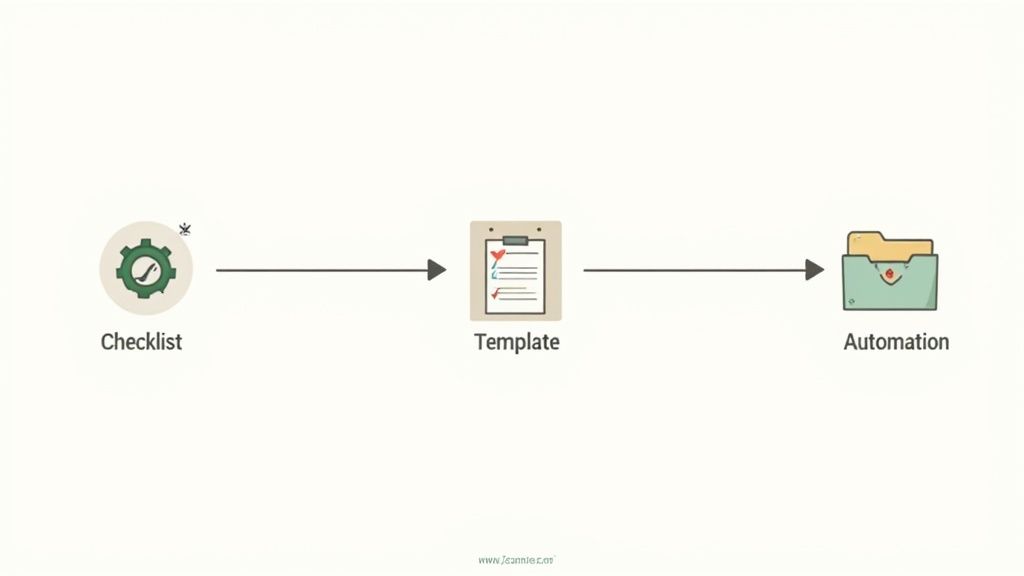
Before you ever hit "send" on a document request, you need a solid game plan. A well-thought-out workflow is the secret ingredient that separates a smooth, professional process from a chaotic mess of follow-up emails and frustrated clients.
Start by taking a hard look at how you do things now, even if your current "process" is just a series of ad-hoc emails.
Where are the biggest headaches? Is it chasing down missing signatures? Maybe it's the constant back-and-forth because someone sent you a blurry photo of their ID instead of a clean scan. Pinpointing these pain points is the key, as it tells you exactly what your new system needs to fix.
The whole point is to build a repeatable, consistent process you can rely on every single time you need to collect documents. Getting this right not only saves you a ton of time but also makes you look incredibly organized and professional.
Build Your Master Checklists
Every request begins with a simple question: what do I actually need? Instead of trying to remember every single file for every new client or hire, create master checklists for your most common scenarios. This is a total game-changer for consistency.
Think about the different situations your business handles on a daily basis. Onboarding a new employee requires a completely different set of documents than processing a real estate transaction.
- New Hire Onboarding: You'll likely need a signed employment agreement, an I-9 form with supporting IDs, W-4 tax forms, and direct deposit information.
- Mortgage Application: This list would be much longer, including recent pay stubs, bank statements for the last two months, tax returns for the past two years, and a photo ID.
By mapping these out ahead of time, you create a source of truth for your team. Nothing gets missed, and you can stop relying on memory.
Create Reusable Request Templates
With your checklists ready, the next move is to build them into reusable templates. A template is more than just a list of files; it's the entire communication package, ready to go in just a few clicks.
A great template includes clear instructions, specific file requirements, and friendly, professional messaging for each document. This ensures your clients know exactly what to do, which drastically cuts down on errors and follow-up.
For instance, your "New Client Onboarding" template wouldn't just ask for a "photo ID." It would specify, "Please upload a clear, color copy of your government-issued photo ID. Make sure all four corners are visible and there is no glare." This level of detail makes a huge difference.
Building out a library of these templates is one of the most powerful things you can do to improve how you collect documents. For a deeper dive, our guide on improving the document collection process offers more strategies to turn this manual chore into an efficient, scalable operation.
How to Ask for Documents Effectively
Once your workflow is mapped out, you’re ready to actually ask for the documents. This is where the rubber meets the road. How you ask can be the difference between getting everything right the first time and spending a week chasing down corrections.
Your goal should be to make the request so clear and simple that it’s almost impossible for your client to mess it up.
Ditch the Jargon and Be Specific
First things first: drop the confusing industry jargon and long, intimidating paragraphs. Use simple, direct language for every single instruction.
Instead of a vague request like "send your ID," get specific: "Please upload a clear, color photo of the front of your driver's license." That tiny change removes all ambiguity and cuts down on the most common submission mistakes right away.
Crafting the Perfect Request
A professional request is about more than just the words you use. Sending it from a branded, secure portal builds immediate trust and makes your business look sharp and organized. It’s a clear signal to clients that you take their data security seriously—a huge concern for almost everyone these days.
This professional approach is quickly becoming the standard. In fact, the market for document collection software is projected to hit nearly USD 1.2 billion by 2025, a boom driven by the growing demand for secure, centralized systems. You can learn more about this trend by exploring the latest document collection software research.
Beyond branding, you need to dial in the technical details that prevent headaches down the line. Here are a few things every request should have:
- Set File Format Rules: If you need a PDF, say so. Only accepting the formats you can actually work with saves you from the tedious task of converting messy JPGs or dealing with incompatible files.
- Establish Size Limits: Prevent massive, unnecessary files from clogging up your storage. Set a reasonable maximum file size, like 10MB, for each upload.
- Provide Clear Examples: Don't assume people know what you mean. For something like a bank statement, add a note: "Please ensure the statement clearly shows your name, the bank's logo, and the full account number."
These small guardrails guide your clients toward a perfect submission, making the process smoother for everyone involved.
A Request Template You Can Steal
Putting it all together, a great request message is clear, concise, and helpful. It sets expectations without being overwhelming. You can adapt this structure for pretty much any scenario.
Hi [Client Name],
To move forward with your [Project/Application], please upload the following documents through our secure portal by [Date].
- Photo ID: A clear, color scan of the front of your driver's license (PDF or JPG).
- Proof of Address: Your most recent utility bill (PDF only).
- Signed Agreement: Please review and sign the attached services agreement.
Clicking the link below will take you to your personal checklist. Thank you!
This simple format gives the client everything they need to succeed. Crafting the right email is crucial, and you can explore more options by checking out our guide on how to write a sample email requesting information. It’s a small effort that pays off with faster, more accurate submissions every time you collect documents.
Putting Reminders and Deadlines on Autopilot

Let's be honest: manually chasing clients for documents is one of the biggest time-sucks in any business. Those endless "just checking in" emails are not only tedious for you, but they can also make your clients feel like you're nagging them.
This is exactly where automation becomes your secret weapon. It can turn that constant, manual follow-up into a smart, hands-off system that just works. Instead of setting calendar alerts or relying on memory, you can build an automated reminder schedule that runs quietly in the background. It’s about giving every client a gentle, professional nudge at just the right time, keeping their submissions on track without you lifting a finger.
Designing a Smart Reminder Sequence
A truly smart reminder sequence is more than just a single alert on the due date. It’s a thoughtfully timed series of messages designed to guide your client toward getting you what you need. From my experience, a multi-touchpoint schedule is the most effective.
- Initial Confirmation: The moment you send the request, an email should go out confirming it. This tells them the process has started and gives them a direct link back to their portal.
- Mid-Point Nudge: For requests with a longer runway—say, a week or more—a friendly check-in halfway to the deadline works wonders.
- Pre-Deadline Alert: This is the big one. A notification sent 24-48 hours before everything is due is often the most powerful prompt for action.
- Due Date Notification: A final, clear alert on the day the documents are due.
This kind of structured approach keeps your request from getting buried in a busy inbox, all without being pushy. It helps you collect documents faster and makes for a much smoother client experience, showing them you're organized and respectful of their time.
Your goal is to make it easier for clients to give you what you need. Automated reminders remove the friction and awkwardness from follow-ups, ensuring deadlines are met without damaging client relationships. This simple shift can dramatically reduce turnaround times.
This isn’t just a neat trick; it’s part of a much bigger shift. The technology behind this, Intelligent Document Processing (IDP), is exploding. The IDP market was valued at around USD 2.3 billion in 2024 and is on a steep upward climb, which tells you how much businesses are leaning into this kind of smart automation. You can read more about the growth of document processing technology if you're curious.
Managing Expirations for Ongoing Compliance
Automation isn't just for that first collection, either. For so many businesses, staying compliant means keeping documents up-to-date year after year. Think about certifications, licenses, and insurance policies—they all have expiration dates that can create huge risks if they slip through the cracks.
Trying to track all those dates in a spreadsheet is just asking for trouble. A good automated system can watch those critical deadlines for you.
For example, a property management company needs to collect documents like annual proof of renter's insurance. Instead of an employee manually digging through files and checking dates, the system can automatically fire off a request for the updated policy 30 days before the old one expires. This proactive approach keeps you audit-ready and compliant, shielding your business from liability without adding a single task to your team's to-do list.
Turning Submissions Into Actionable Progress
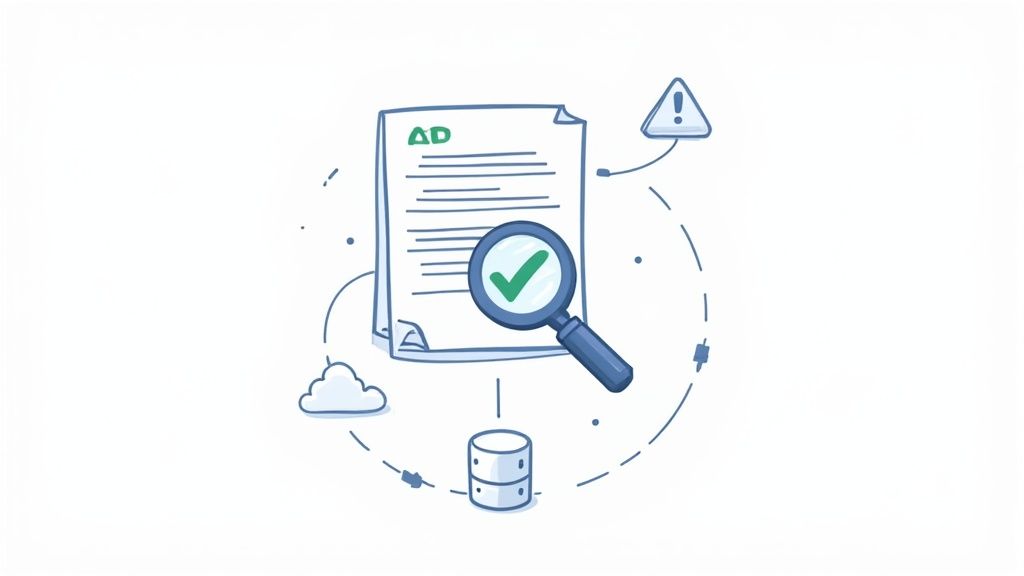
Getting clients to upload their files feels like a victory, but let’s be honest, it’s not the finish line. What comes next is where the real work begins: making sure those documents are correct and then getting them into the systems that actually run your business. This is where you turn a pile of digital files into genuine momentum.
Relying on a manual review for every single submission is a surefire way to create a massive bottleneck. Can you imagine an HR team onboarding ten new hires at once? They'd have to visually inspect 30-40 different documents for accuracy and quality. The whole process would screech to a halt. This is exactly why smart validation is no longer a luxury—it's a necessity.
Let Smart Validation Do the Heavy Lifting
Instead of spending your day squinting at blurry PDFs, you can have a system perform the initial quality check for you. These tools are designed to catch common errors right away, flagging problems before a file ever hits your desk.
- Blurry or Unreadable Files: The system can spot low-resolution images and flag them for resubmission.
- Missing Information: It can check for things like empty signature lines or incomplete form fields.
- Incorrect Document Types: If you asked for a passport and got a driver's license, the system can catch that mismatch instantly.
This automated first pass frees you from the tedious, repetitive checks and lets you focus your expertise on the files that actually need a human eye. It’s a much smarter way to collect documents that respects your time and keeps things moving.
Connect Your Tools and Unleash True Automation
Once a document gets your approval, its journey shouldn't just end in a random folder. The real magic happens when you connect your document collection platform with the other software you use every single day. This integration creates a seamless, automated chain reaction where one finished task automatically kicks off the next.
A submitted and approved document should be a trigger, not a task. By connecting your systems, you eliminate the soul-crushing job of manual data entry and file transfers, which not only saves time but also drastically reduces the risk of human error.
Think about what this could look like in practice. A signed contract could be automatically sent to a tool like DocuSign for countersigning, the client's profile in Salesforce could be updated with the new info, and the final executed agreement could be archived in Google Drive—all without you lifting a finger.
Here’s a real-world example from a mortgage broker’s perspective:
- The borrower uploads their final pay stub through your secure portal.
- You give it a quick review and approve it with one click.
- This approval automatically notifies the underwriting team in their project management tool.
- At the same time, the approved file is saved to the client’s dedicated folder in your cloud storage.
This kind of integration transforms how you collect documents. It’s no longer about just gathering files; it’s about building a dynamic workflow that pushes projects forward, keeping your team focused on valuable work instead of getting bogged down in administrative tasks.
Industry-Specific Collection Playbooks
The core of a great document collection process is the same everywhere, but the details? They can change dramatically from one industry to the next. What a real estate agent needs is a world away from what an HR manager is chasing down. A one-size-fits-all approach just doesn’t work when you’ve got compliance rules and tight deadlines to worry about.
To really nail this, you have to adapt your strategy to your industry's specific needs. This isn't just about what documents you need, but also understanding the compliance standards, security protocols, and client expectations that go along with them. Let’s break down how to collect documents like a pro in a few key fields.
Playbook for Financial Advisors
If you're a financial advisor, security and compliance are everything. You’re handling incredibly sensitive information—social security numbers, investment statements, you name it. A secure client portal isn't just a nice-to-have; it's essential. Relying on email is playing with fire.
- Real-World Scenario: You're onboarding a new wealth management client. This means you need their signed advisory agreement, a completed risk tolerance questionnaire, copies of their latest investment statements, and proof of identity to meet KYC (Know Your Customer) regulations.
- Actionable Tip: Build a "New Client Onboarding" template in your system. Use conditional logic to make it smart. For example, if a client checks a box indicating they have a trust, the request automatically adds a new field for the trust documents. This simple trick saves you from the endless back-and-forth emails and gets you everything you need in one clean request.
Playbook for HR Managers
Human resources teams are often swimming in paperwork, especially during a hiring spree. The real challenge is getting things like I-9s, W-4s, and signed offer letters back quickly while sticking to strict legal and record-keeping rules.
- Real-World Scenario: You’ve just hired a new remote employee. You have to verify their identity and work authorization from a distance, which means collecting very specific ID documents and making sure their I-9 form is filled out perfectly within three days of their start date.
- Actionable Tip: Set up an automated reminder workflow just for I-9s. Have your system send a reminder to the new hire and the hiring manager one day before the deadline. This is a simple way to ensure you stay compliant and dodge some hefty potential fines.
Your collection process is a direct reflection of your company's professionalism and attention to detail. For industries built on trust, like finance or legal services, a clunky, insecure process can erode client confidence before the relationship even begins.
Playbook for Accountants
Come tax season, accountants are drowning in a sea of client documents—W-2s, 1099s, receipts, and investment reports. The biggest hurdle is getting all that information organized and accounted for before the filing deadline hits.
- Real-World Scenario: You're prepping a tax return for a freelance client. They have income from multiple 1099-NECs, a home office, and a boatload of business expenses documented in a messy mix of PDFs, spreadsheets, and blurry photos of receipts.
- Actionable Tip: Give them a checklist template with clean, clear categories like "Income," "Business Expenses," and "Deductions." Let clients upload multiple files under each heading and include a comment box where they can add notes, like explaining what a particular receipt was for. This approach transforms a digital shoebox of chaos into a structured submission that’s ready for you to work on.
Common Questions We Hear About Document Collection
Switching up how you collect documents always kicks up a few questions. That's completely normal. Getting straight answers is the key to making the transition smooth for everyone involved, from your internal team to the clients you serve. Let's tackle a couple of the most common ones we hear.
Is Collecting Documents Online Really Secure?
Absolutely, but with a big caveat: you have to use a platform that was built with security at its core. Tossing sensitive files back and forth over standard email is one of the riskiest things you can do—it's just not encrypted.
Instead, look for a dedicated portal that offers essentials like:
- End-to-end encryption
- SOC 2 compliance
- Granular access controls
These aren't just buzzwords; they're the bedrock of a truly secure system.
What's the Single Biggest Mistake People Make?
Hands down, the most common pitfall is not having a consistent process. When every request is a one-off email, you're just inviting chaos. Files get lost in long threads, clients get confused about what's still needed, and the whole experience feels unprofessional.
Building a simple, repeatable workflow with a tool designed for the job instantly solves 90% of these headaches.
A great tip for client adoption: When clients ask about the new system, frame it around the benefits for them. Explain that it’s a more secure way to handle their private data and gives them a clear, simple way to track what they've sent and what's outstanding. For them, it means less guesswork and faster results.
Ready to turn your document collection from a chaotic chore into a streamlined, professional experience? Superdocu makes it easy to build workflows, send automated reminders, and securely gather files in a branded portal. Start your free trial today and see the difference.