
If you've ever felt like you're drowning in a sea of email attachments and chasing down missing paperwork, you know the pain of manual document collection. It’s a chaotic, time-sucking process that frustrates your team and your clients.
Document collection software is the answer to this chaos. It’s a tool built specifically to automate the entire process of asking for, getting, and organizing files from clients, new hires, or partners. Forget messy email threads and confusing spreadsheets; this is a secure, central hub for everything you need.
Taming the Document Chaos

Think about your current process. Is it a digital version of a messy mailroom? Documents get buried in inboxes, sensitive information is sent through insecure channels, and your team wastes valuable time sending endless follow-up emails. This isn’t just inefficient—it’s a recipe for risk and a terrible first impression for your clients.
Every lost file or missed deadline creates a bottleneck. It can hold up a project, delay a new hire’s start date, or even cause serious compliance problems. When your best people are stuck chasing paperwork, they aren't doing the high-value work they were hired for. The chaos chips away at productivity and the trust you've built.
More Than Just Storage—It's About Workflow
This is exactly where document collection software changes the game. It’s the calm, organized command center that replaces that mailroom mess.
It's crucial to understand this isn't just another file storage tool like Dropbox or Google Drive. Those platforms are great for holding onto files you already have. They don’t do anything to help you get the files in the first place.
True document collection software is designed to manage the entire journey of a document request. It’s a proactive system that handles every step:
- Requesting: Send clear, professional, and branded requests for the exact files you need.
- Reminding: Let the system automatically nudge clients who are running behind. No more manual follow-ups.
- Receiving: Give clients a secure, easy-to-use portal to upload their documents.
- Reviewing: See everything in one central dashboard to quickly approve or request changes.
- Tracking: Instantly know the status of every request without having to check a spreadsheet.
Let's look at the difference side-by-side.
Manual Methods vs Dedicated Software
The old way of collecting documents feels like a constant struggle. Using a dedicated platform turns a friction-filled chore into a smooth, professional experience.
| Process | Manual Collection (Using Email & Spreadsheets) | Document Collection Software |
|---|---|---|
| Requesting | Sending long, confusing emails with a list of attachments needed. Easy for clients to miss something. | Creating clear, branded checklists where clients can see exactly what's required and its status. |
| Tracking | Manually updating a spreadsheet to track who has sent what. Prone to human error. | An automated dashboard shows the real-time status of every request. No manual updates are needed. |
| Reminders | Someone on your team has to remember to send follow-up emails, which often get ignored. | Automated, scheduled reminders are sent until all documents are received. You set it and forget it. |
| Security | Sensitive documents are scattered across unsecured email inboxes, creating significant risk. | All documents are uploaded and stored in a single, encrypted, and secure portal. |
| Client Experience | Clients are frustrated by confusing requests, endless email chains, and a lack of clarity. | A simple, professional, and secure portal makes it easy for clients to provide what you need, fast. |
Moving to a dedicated system signals to your clients that you are organized, professional, and take their security seriously.
Why a Smooth Process Is No Longer Optional
In a world where customer experience is everything, a clunky, confusing document submission process is a major red flag. It creates unnecessary friction and makes clients question your professionalism right from the start.
A smooth, secure, and user-friendly experience, on the other hand, shows that you respect their time and are serious about protecting their data. To get a better handle on this, you can learn more about building an effective document collection workflow.
By ditching the endless email chains and adopting a real workflow solution, businesses eliminate costly mistakes and speed up critical processes. In the end, using document collection software isn't a luxury—it's essential for any company that wants to operate efficiently and earn client trust from day one.
The Features That Actually Save You Time
The right document collection software is more than just a digital inbox. It’s an active partner in your workflow, a project manager that never sleeps. The features we're about to cover are the real engine that turns a slow, manual grind into a fast, professional, and secure process.
Stop thinking of it as a filing cabinet and start seeing it as an automated assembly line. Each feature is designed to solve a specific bottleneck, making sure information flows smoothly from your client to your team without someone having to constantly poke and prod the process along.
And businesses are catching on. The global document management system market, valued at USD 7.68 billion, is expected to hit USD 18.17 billion by 2030. The software piece of that pie makes up about 46.8%, which tells you businesses are ditching clunky hardware for smarter, more flexible digital tools. (Grand View Research has more on this trend if you're curious).
This image gives you a quick visual of the key steps a good system helps automate.
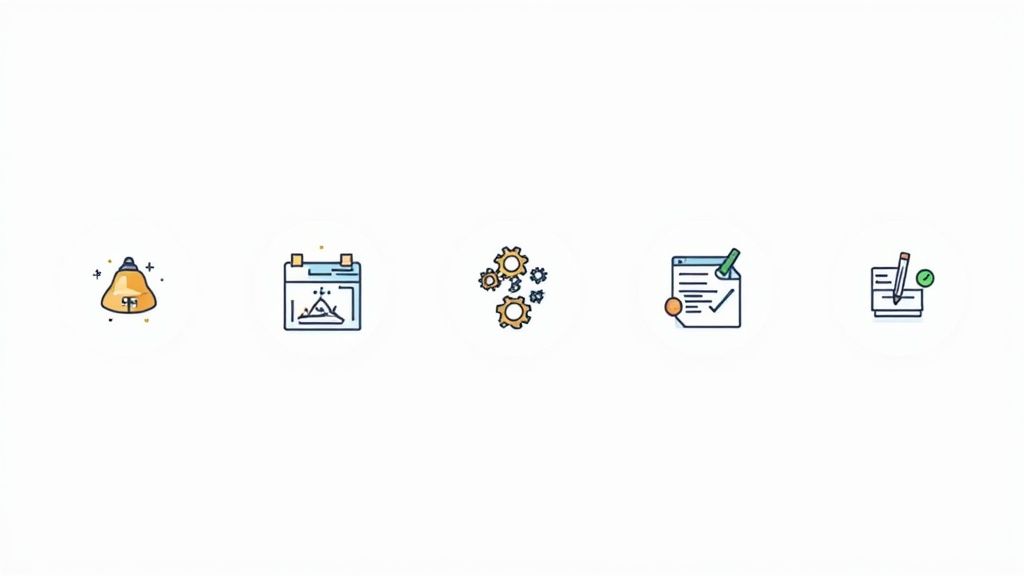
From that first nudge to the final sign-off, every stage is managed in one place.
Customizable Workflows and Smart Templates
At the core of any solid document collection platform are its workflows. These aren't rigid, one-size-fits-all checklists. Think of them as adaptable blueprints you design to fit how you work, whether you're onboarding a new hire, processing a loan, or gathering tax documents.
For instance, a law firm can set up a workflow that asks for a signed engagement letter first. Once that's approved, the system can automatically fire off the next request for identity verification documents. No manual intervention needed.
This kind of automation is powered by smart templates. Instead of retyping the same email and listing the same files over and over, you build a template once and reuse it forever. This guarantees every client gets the same clear, professional request, which cuts down on confusion and human error. It’s all about creating a reliable, repeatable process that just works.
Branded Client Portals for a Professional Touch
First impressions count for a lot. Sending clients to a generic, third-party upload page can feel a bit detached, or even sketchy. The best document collection tools fix this with branded client portals.
These are secure, private web pages that you can customize with your company’s logo, colors, and overall brand identity. When a client clicks your request link, they land on a page that looks and feels like a natural extension of your own website.
This isn't just about looking good; it's about building trust. A professional, branded portal reassures clients that their sensitive information is in safe hands, which is a huge part of the overall client experience.
When clients feel secure, they're more likely to submit what you need without hesitation. It helps you get what you need faster and starts the relationship off on the right foot.
Automated Reminders and Expiry Tracking
Let’s be honest, one of the biggest time-sinks in this process is the follow-up. Chasing down missing documents is tedious for your team and can feel like nagging to your clients.
This is where automated reminders come in. You can set up a schedule of polite, persistent emails that go out automatically to clients with outstanding documents. The software becomes your virtual assistant, freeing up your team to do more valuable work.
And what about documents that have a shelf life, like licenses, insurance certificates, or compliance forms? Good platforms handle that with expiry tracking, which:
- Logs the expiration date when a document is uploaded.
- Automatically notifies you and the client before it expires.
- Can even kick off a new request for the updated version.
This simple feature is a lifesaver for compliance. It ensures your records are always current without you having to maintain a separate spreadsheet or calendar system just to keep track of dates.
A Central Dashboard and Powerful Integrations
With documents coming in from all directions, it’s easy to lose track. A validation dashboard gives you a bird's-eye view of every request in one place. Your team can instantly see what's been submitted, what’s pending review, and what’s been rejected.
This "command center" approach lets you review and approve files quickly. If a client uploads a blurry photo or the wrong file type, you can reject it with a quick note explaining the problem. The client gets an instant notification, and the request is updated—no back-and-forth emails required.
But the real magic happens when the platform connects with the other tools you rely on. Integrations with your CRM, cloud storage (like Google Drive or Dropbox), and e-signature tools (DocuSign, for example) are a must. Imagine a setup where approving a document set automatically creates a new client folder in your storage system. Many platforms also use tools like Zapier to connect to thousands of other apps, making document collection a seamless part of your entire operation. To learn more about this, check out our guide on finding a secure document intake platform.
How Top Industries Use This Software
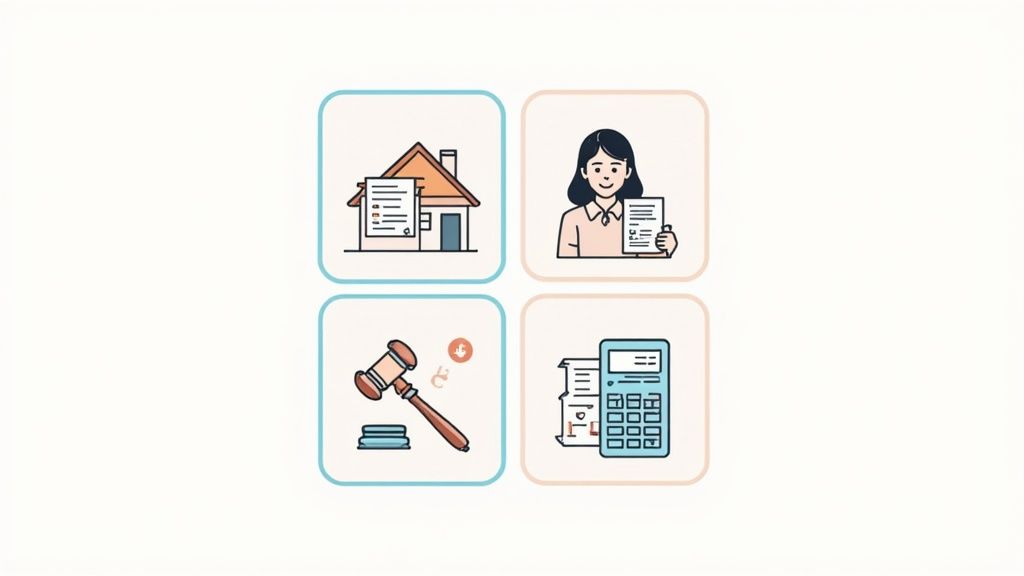
The true value of document collection software really clicks when you see how it works in the wild. This isn't just some generic tool; it's a flexible system that molds itself to the high-stakes, specific needs of different professions.
Let's look at how it's changing the game in industries where getting the right documents on time is everything.
Think about applying for a mortgage. It’s a classic paper chase—bank statements, pay stubs, tax returns, proof of identity. If just one document goes missing, the whole process grinds to a halt, leaving both the lender and the applicant incredibly frustrated.
Now, imagine that same mortgage broker using a dedicated portal. They send a single link with a clear, itemized checklist. The applicant uploads everything securely, and automatic reminders chase up anything that's missing. The difference is night and day. You get a faster, more professional experience that can shave weeks off loan processing times.
This move away from messy email threads and into organized, secure workflows is happening everywhere. Any industry that relies on accurate, timely information is quickly realizing this software is a must-have.
Streamlining Legal and Financial Services
In the worlds of law and finance, there’s zero room for error. Security and precision are everything. Law firms, for instance, are constantly gathering sensitive client data, signed contracts, and evidence for cases. Using email for this isn't just clumsy; it's a huge security risk.
Document collection software provides a professional, encrypted portal that builds client trust from the very first interaction.
It's the same story in financial services. Accountants need tax forms, investment advisors need financial statements, and insurance agents need signed policies. The ability to create reusable templates for different client needs ensures everyone is on the same page and nothing gets missed.
Here’s a quick rundown of the benefits:
- Faster Client Intake: Law firms can get new clients set up in a fraction of the time by automating the initial paperwork chase.
- Rock-Solid Security: Sensitive financial data is protected with end-to-end encryption, helping firms meet strict compliance rules like GDPR.
- Clear Audit Trails: The system automatically logs every single action—when a request was sent, when a document was viewed, and when it was approved.
A secure, organized process isn't just about being efficient. It's a direct reflection of your firm's professionalism and how seriously you take client privacy. It tells clients their most sensitive information is in safe hands.
Boosting HR and Onboarding Efficiency
Human Resources departments are buried in paperwork, especially during hiring season. Onboarding a new employee means collecting tax forms, IDs, signed contracts, and benefits enrollment forms. A messy process creates a terrible first impression and can even delay a new hire's start date.
With the right software, HR teams can create a smooth, welcoming onboarding experience. A new hire gets one link to a branded portal where they can see and submit everything required. The system handles the nagging reminders, and HR gets a simple dashboard showing who's done and who's not.
This kind of automation is also a game-changer in other fields:
- Transportation and Logistics: Collecting driver’s licenses, insurance certificates, and vehicle registrations, all while automatically tracking expiry dates.
- Construction: Keeping subcontractor agreements, safety certifications, and project permits organized in one central hub.
- Immigration Services: Securely gathering visa applications, identity documents, and supporting evidence with crystal-clear instructions for applicants.
Accelerating Real Estate Transactions
The real estate industry is famous for its mountains of paper. Every deal involves purchase agreements, tenant applications, property disclosures, and financing documents. A single delay in gathering this information can put the entire transaction at risk.
Real estate agents and property managers are using this software to keep deals on track. They can create simple checklists for buyers, sellers, or renters, making sure all the necessary documents are submitted correctly the first time. In a hot market, that speed and organization can be the difference-maker.
When you look at these real-world examples, it’s obvious that document collection software is more than just a convenience. It's a powerful and versatile tool that solves specific industry headaches, replacing manual frustration with smart automation and helping build better client relationships.
How to Choose the Right Document Collection Software
Picking the right software can feel a bit like navigating a maze. You're bombarded with options, and after a while, every feature list starts to look the same. The trick is to cut through the marketing fluff and ask the tough questions that actually matter to your business.
Think of it this way: you’re not just buying a tool, you’re hiring a new, highly efficient team member. You wouldn’t bring someone on board without making sure they can work well with your current team, right? It's the same idea here. The best document collection software should feel like a natural part of your business, not another clunky system you have to wrestle with every day.
This is about more than just grabbing files faster. It's about finding a partner that bolsters your security, builds client trust, and is ready to grow right alongside you.
Look Beyond the Obvious Features
By now, you get that workflows, templates, and reminders are important. But it’s time to go a level deeper. The features that truly separate a good tool from a great one are often how it handles integrations, security, and scalability. These are the things that determine if you've found a short-term patch or a long-term solution.
Before you pull the trigger, make sure you get clear answers to these questions:
- How does it play with my other tools? If a platform can’t connect to your CRM, accounting software, or cloud storage, you’re just creating more work for yourself. Look for direct integrations or at least a solid connection through a service like Zapier.
- What’s the real story on security and compliance? Don’t let vendors get away with vague promises of "bank-level security." Ask for the details. Is the platform compliant with regulations like GDPR or HIPAA? Where is your data actually stored?
- Will this software scale with my business? The tool that’s perfect for you today might be too small in a year. Find out if it can handle more users, larger files, and increasingly complex workflows as your company expands.
Choosing a system is like laying a foundation. If it’s not strong, secure, and built for the future, everything you build on top of it is at risk. A great platform supports your growth instead of getting in the way.
Making Sense of Pricing Models
Software pricing can be intentionally confusing, making it hard to compare apples to apples. Getting a handle on the different models is key to finding a plan that fits your budget without any nasty surprises down the road.
Most document collection software uses one of a few common pricing structures:
- Per-User, Per-Month: This is the classic model. You pay a set fee for each person on your team who needs to use the software. It’s predictable and works well if your team size is stable.
- Tiered Plans: Many companies offer different levels, like a Starter, Pro, and Enterprise plan. Each tier unlocks more features and higher limits, letting you pay for what you need now and upgrade as you grow.
- Usage-Based: This is less common, but some platforms might charge based on how much you use the service—for instance, by the number of document requests you send or the total data you store.
When you're looking at the price tag, think about the total value, not just the monthly fee. A slightly more expensive plan that saves your team 10 hours a week of chasing down documents offers a massive return on your investment. Always, always take advantage of free trials. Getting your hands on the software, like the trial offered by Superdocu, is the single best way to see if it truly fits your team's workflow before you commit.
Your Blueprint for a Smooth Implementation
Let's be honest: even the best software is useless if nobody uses it correctly. The good news is that getting document collection software up and running doesn't have to be a massive headache. If you follow a clear plan, you can start seeing a difference in your team's efficiency almost immediately.
Think of this as less of a technical project and more of an upgrade to how you work with clients and how your team collaborates.
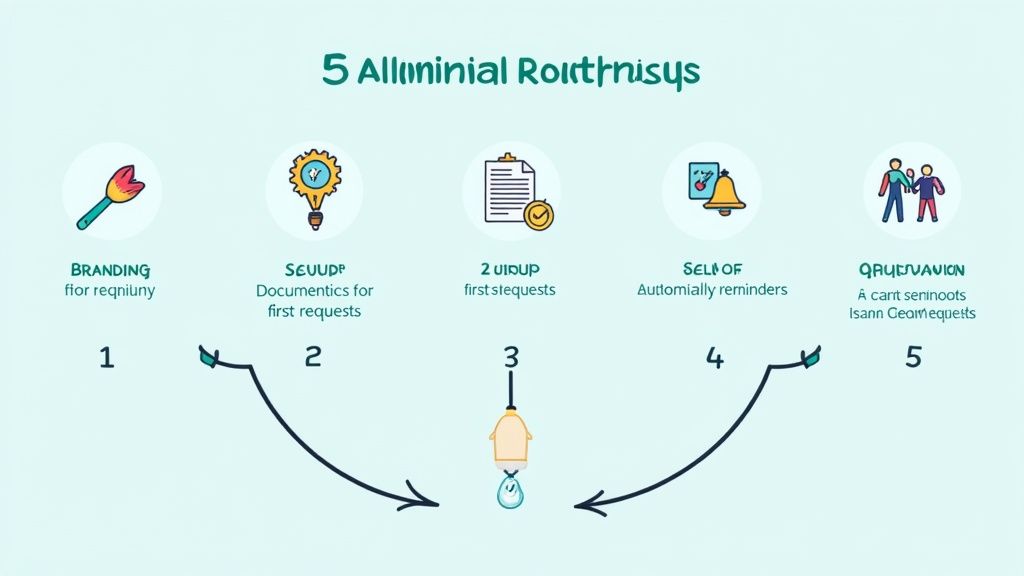
The first steps are all about laying a solid foundation. It's not just about creating user accounts; it’s about making the platform feel like a natural part of your business. This simple act of branding builds instant trust and recognition with your clients.
Once that's done, you can shift your focus to creating reusable resources that will literally save your team hundreds of hours down the road.
Setting Up Your System for Success
First things first, make the platform your own. Upload your company logo and adjust the color scheme to match your website and other materials. A consistent look and feel across every client interaction reinforces your professionalism and makes them feel secure.
With the branding in place, you can start building your first document request templates. Don’t try to boil the ocean. Begin with the process you do most often, like new client onboarding or a specific loan application. This means creating a simple checklist of every document you need and adding clear, concise instructions for each one.
A well-designed template is your single greatest time-saving asset. It ensures every request is consistent, professional, and complete, drastically reducing back-and-forth communication and potential for error.
After you've nailed down a few core templates, it's time to set up the automation that will take the busywork off your team's plate.
Automating Communication and Training Your Team
The magic of document collection software truly shines when you let it handle the follow-up. Set up a schedule for automated reminders that's helpful without being annoying. A good starting point is a gentle nudge three days after the initial request, with a couple more reminders if the due date passes.
While you're setting up the tech, you also need to get your team ready for the change. A smooth rollout depends on everyone being on board.
- Hold a Kick-off Session: Walk your team through the new software. Don't just show them features; show them how it solves the exact frustrations they deal with every day.
- Provide Hands-on Training: Get everyone to create and send a test request. This builds confidence and gives them a feel for what the client will experience.
- Communicate the Change to Clients: Write a short, friendly email letting clients know about the new, improved process. Frame it as a benefit for them—a more secure and easier way to send you their information.
This proactive approach gets everyone comfortable and even excited to start using the new system. You can explore our guide for more ideas on building an effective client portal experience. With the market for these tools valued at USD 2.51 billion, it's clear that businesses everywhere are moving towards this kind of digital efficiency. You can discover more insights about this growing market on wiseguyreports.com.
Getting Your Team on Board
So, you’re convinced, but how do you get approval for new software? You need to speak the language of the people holding the purse strings. For them, it always comes down to three things: return on investment (ROI), security, and cost.
Simply framing document collection software as a "nice-to-have" tool that makes life easier won't get you very far. You have to build a rock-solid business case that shows leadership exactly how it adds value in terms they care about.
It's about shifting the conversation from features to measurable results. Think of it as translating your team's efficiency into dollars and cents, proving that a smarter workflow protects the business and boosts the bottom line. You need to show that this investment will pay for itself—and then some.
Show Them the Money: Calculating Your ROI
The fastest way to get a "yes" is to show a clear return on investment. Start by adding up all the time your team is currently burning through just chasing down documents.
Let's say you have two people on your team, and they each spend about five hours a week sending follow-up emails and manually checking off files in a spreadsheet. That’s 10 hours of paid time completely wasted every single week.
Now, put a price tag on it. If their average hourly rate is $40, you’re spending $400 a week—or over $20,000 a year—on a soul-crushing admin task that software could do automatically for a fraction of that.
But it’s not just about time saved. Think about the cost of a single human error. A missed signature on a key contract or an expired compliance document could lead to huge financial penalties or even kill a deal. The right software prevents these mistakes from ever happening. Faster onboarding also means you can start billing clients sooner, which directly helps the company's cash flow.
Your business case isn't just about saving time; it's about reallocating your team's most valuable resource—their expertise—from low-value administrative tasks to high-value, revenue-generating activities.
Highlighting the All-Important Security Benefits
If your business handles any kind of sensitive information, security isn't just a feature; it's everything. Relying on email to collect financial statements, legal contracts, or personal ID is a massive, unnecessary risk. A data breach from one hacked email account can be catastrophic, leading to steep fines and destroying the trust you've built with your clients.
This is where document collection software becomes a no-brainer. Frame it as a critical investment in your company's security posture. The key benefits to highlight are:
- End-to-End Encryption: This scrambles the data from the moment it leaves the client's computer to the moment it's stored on your system, making it useless to anyone who might intercept it.
- Secure Client Portals: Instead of attachments flying around in dozens of emails, everything happens in one controlled, secure space.
- Audit Trails: You get a complete, time-stamped record of who did what and when. This isn't just for accountability; it's essential for proving compliance if you're ever audited.
When you present it this way, the software is no longer just a tool. It becomes a fundamental part of your company's security and data governance strategy, showing that you take protecting your business—and your clients—seriously.
Have Questions? We Have Answers.
Whenever you're looking at a new piece of software, questions are going to pop up. And when it comes to handling sensitive client information, it's not just smart to be curious—it's essential. Let's walk through some of the most common questions we hear from businesses just like yours.
The whole point here is to clear up any confusion. We want you to see exactly how this kind of tool can tighten up your operations, make your clients feel more secure, and provide a huge leap forward from the scattered, manual methods you might be using now.
Is This Software Actually Secure Enough for Sensitive Client Data?
Yes, absolutely. In fact, security is the entire foundation of these platforms. Any worthwhile document collection tool is built from the ground up to protect information, often far better than your standard email can. They use bank-level, end-to-end encryption, which basically scrambles your files from the moment a client hits "upload" until they land safely on your dashboard.
But it goes beyond just encryption. You also get tight control over who sees what. With granular access controls, you can make sure only the right people on your team can view or handle specific documents. Plus, these systems are built to meet strict compliance standards like GDPR, giving you both peace of mind and a clear audit trail for every single file.
Think of it this way: security isn't just a bullet point on a feature list. It’s the core promise. It turns the risky, chaotic process of emailing attachments into something controlled, professional, and secure for everyone involved.
How Is This Any Better Than Just Using Google Drive or Dropbox?
That's a great question, and it gets to the heart of what this software does. While tools like Google Drive and Dropbox are fantastic for storing files you already have, they’re essentially digital filing cabinets. They don't do anything to help you get the documents you need from clients. That’s the key difference.
Document collection software is an active system designed to run the whole process for you. It’s packed with features that cloud storage just doesn't have:
- Automated Reminders: It can politely (and persistently) nudge clients for missing documents so your team doesn't have to play chase.
- Branded Client Portals: Instead of a generic upload link, you give clients a professional, secure space that looks and feels like your company.
- Approval Workflows: You get a central dashboard to review, accept, or request changes to submitted documents, all in one place.
Here’s an analogy: Dropbox is the empty filing cabinet. Document collection software is the super-efficient assistant who knows exactly what's needed, goes out and gets it, and then organizes it perfectly for you.
How Long Does It Take to Get Up and Running?
This isn't one of those massive IT projects that will drag on for months. Modern platforms are built to be incredibly intuitive and quick to set up. Most businesses can get their account branded, build their first request templates, and send out their first real document request within a few hours. Because the design is so user-friendly, your team will get the hang of it almost immediately, meaning you can start seeing a real impact on your workload right away.
Ready to stop chasing documents and give your clients a modern, secure experience? Superdocu makes it simple to automate your workflows and get everything you need, faster. Start your free trial and see the difference today!