
Asking a customer for a file should be simple, but it's often where things get messy and risky. It's turned into a high-wire act: you need to give clients a super-easy experience while also protecting their sensitive data from ever-growing security threats. Nailing your process to request files from customers isn't just about admin work; it’s a make-or-break moment that shapes their trust in you.
Why Requesting Customer Files Has Become So Complex
Let's be real—asking a client for a document sounds easy enough. But in reality, it’s often the point where a smooth workflow grinds to a halt. This simple exchange has somehow morphed into a major headache for businesses, filled with delays, security holes, and frustrated clients.
The heart of the issue is a classic tug-of-war. Your clients want a quick, digital-first experience. They expect to upload documents from their phone in a few taps, no questions asked. Meanwhile, you're the one on the hook for protecting their personal and financial information.
The Rise of Customer Expectations
Today's clients know what they want, and they don't have much patience for clunky processes. Since 2020, customer service leaders have seen a huge jump in questions, with weekly service issues climbing by 20%. It’s no surprise that 78% of service reps feel that customer expectations are higher than ever.
This pressure cooker environment means even simple tasks like collecting documents can become a major source of friction. The old methods—like endless email chains with attachments—just don't cut it anymore. You can find more stats on these changing customer demands over at Nextiva.
Even a small hiccup can damage the client relationship. The days of chasing down missing files, dealing with weird formats, and sending "just checking in" emails are over.
Navigating Security and Compliance Risks
On top of keeping clients happy, the security stakes are sky-high. Every time you ask a client for a file, you're handling sensitive data that cybercriminals would love to get their hands on. Using insecure methods like standard email puts both you and your client in a vulnerable position.
A single data breach can trigger massive financial penalties, legal trouble, and completely destroy your reputation. How you collect documents is just as important as what you’re collecting.
This is where high client expectations crash into critical security needs, turning a simple task into a major challenge. You have a choice: stick with outdated, risky methods or move to a modern system that gives clients the simplicity they want and your business the security it needs. Getting this right isn't just about protecting yourself; it's about building the trust that keeps clients coming back.
Creating a Secure and Professional File Request System
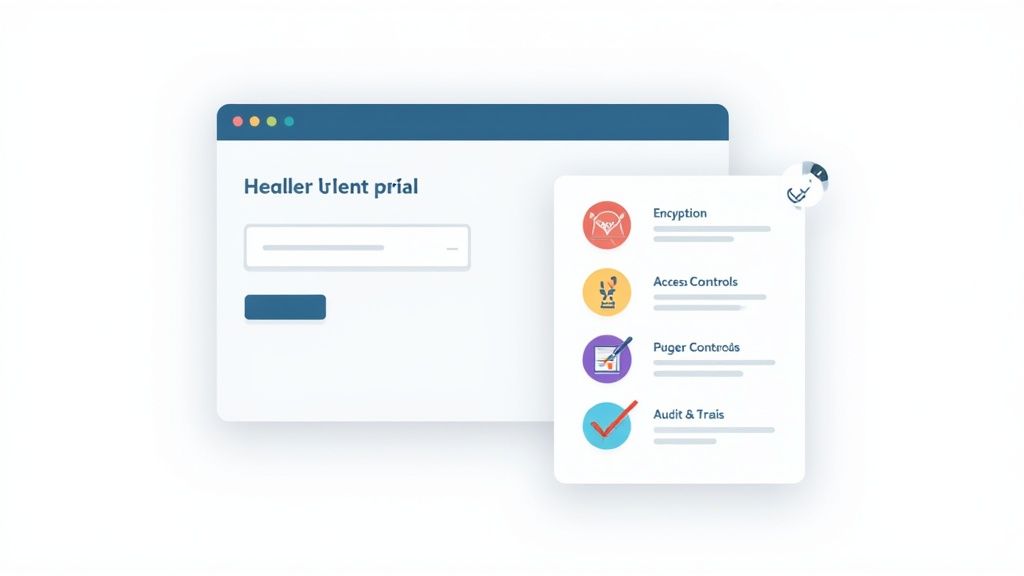
It’s time to build a system that makes clients feel confident, not concerned. When you request files from customers, the method you use speaks volumes about your professionalism and how much you value their privacy.
Let's be honest: asking for sensitive documents over email is a risky move that can make clients uneasy. Shifting to a dedicated, secure system isn't just a security upgrade—it's a massive improvement to the entire client experience. It shows you’re serious about protecting their data from the very first interaction, building immediate trust and setting a professional tone for the whole relationship.
Laying the Groundwork for Security and Trust
The foundation of any professional file request process is rock-solid security. Your clients are handing over sensitive information, and they need to feel absolutely certain it’s protected. This means implementing features that go far beyond what a standard email or consumer cloud storage account can offer.
True security involves multiple layers of protection. A cornerstone of building a truly robust system is implementing effective methods to explore advanced secure file sharing and encryption practices that safeguard data at every single stage.
To help you vet potential tools or build your own process, here's a breakdown of the non-negotiable features.
Essential Features of a Secure File Collection System
| Feature Category | Essential Capability | Why It's Critical |
|---|---|---|
| Data Protection | End-to-End Encryption | Protects files from the moment a client clicks "upload" until you access them, making them unreadable if intercepted in transit. |
| Access Management | Granular Access Controls | Gives you the power to decide exactly who can view, download, or edit submitted documents, preventing unauthorized internal access. |
| Compliance & Oversight | Verifiable Audit Trails | A detailed log of every action—who uploaded what, when it was accessed, and by whom—is crucial for compliance and accountability. |
| User Experience | Branded, Intuitive Portal | A professional, easy-to-use interface reassures clients that they are in the right place and that their data is being handled securely. |
A system built with these features not only protects data but also demonstrates a clear commitment to client security. If you want to dive deeper into what a purpose-built system looks like, you can explore the key components of a secure document intake platform designed for professional use.
Crafting Clear and Effective Request Messages
How you ask for documents is just as important as the system you use. A confusing or vague request leads to delays, the wrong files, and frustrating back-and-forth emails. Your goal should be to make the request so clear that it’s impossible for your client to get it wrong.
An effective request isn't just a demand for files; it's a piece of helpful communication that guides the client through the process effortlessly.
Pro Tip: Always include a direct contact for questions. A simple line like, "If you have any questions, just reply here or call me directly at…" can prevent a minor hiccup from turning into a major delay.
Here’s a simple, field-tested template you can adapt. Notice how it combines a friendly tone with specific, actionable instructions to eliminate any guesswork.
Subject: Action Required: Please Upload Your Documents for [Project/Case Name]
Hi [Client Name],
To move forward with [Project/Case Name], we need you to upload a few documents. Please use the secure link below to submit them by [Date].
Required Documents:
- Document 1 (e.g., Signed Client Agreement – PDF format)
- Document 2 (e.g., Proof of Identity – JPG or PDF)
- Document 3 (e.g., Financial Statement – PDF or XLSX)
[SECURE UPLOAD LINK HERE]
Your files will be protected with end-to-end encryption. If you run into any issues or have questions, just let me know.
Thanks,
[Your Name]
This approach is direct, professional, and reassuring. By providing a clear checklist and a secure method, you streamline the process and reinforce your client's trust in your business.
Make Your File Collection Workflow Run Itself
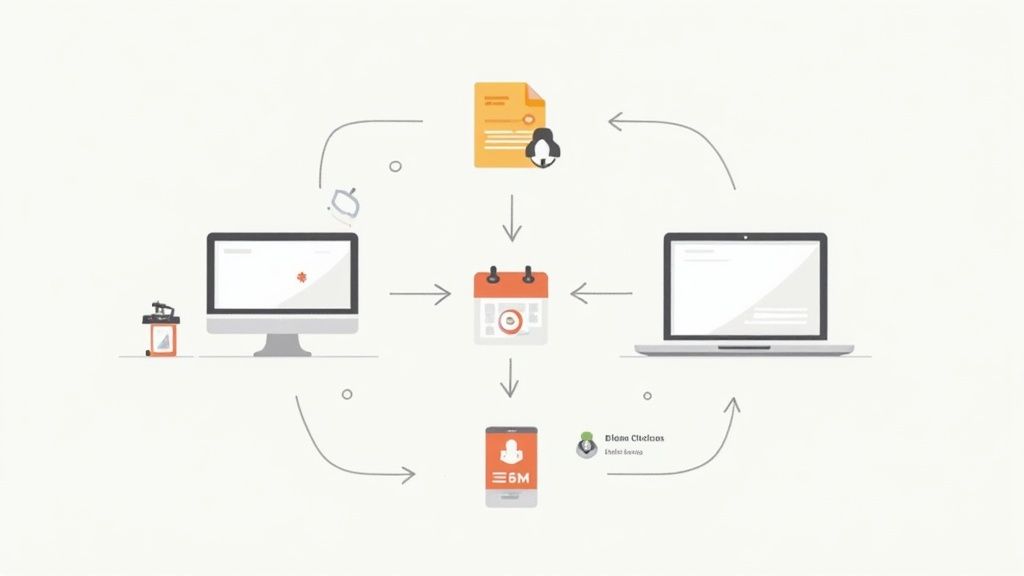
Let's be honest: manual follow-ups are a soul-crushing time sink. Sending that same "just checking in" email again and again not only kills productivity but also opens the door to human error. Automation is the answer. It flips the script from a reactive, manual chore to a proactive, hands-off system that just works.
Imagine a world where polite, timely reminders go out to clients without you or your team lifting a finger. This isn't just a nice feature to have; it's a game-changer. It improves your efficiency, cuts down on delays, and gives your clients a much better experience. It’s all about building a reliable process, not a robotic one.
Set Up Smart Reminders and Forget Them
The first and most obvious win with automation is scheduling reminders. Ditch the spreadsheet trackers and calendar alerts. A smart workflow can handle it all for you, ensuring every client gets the same professional, consistent follow-up.
A simple, effective reminder sequence could look something like this:
- The Initial Ask: The first message goes out with the secure upload link and a clear due date.
- A Gentle Nudge: A few days before the deadline, a friendly reminder is sent—but only to those who haven't uploaded yet.
- The Final Call: On the due date, a polite but firm notification is sent to anyone with outstanding documents.
This approach keeps your request on your client's radar without you having to play the part of the nagging bill collector. A good automated document request tool makes setting up these sequences a breeze. For a deeper dive, check out our guide on how to get the most from automated document request tools.
Tighten Security with Link Expirations
Automation is more than just a time-saver; it’s a security upgrade. Leaving a file request link open forever is an unnecessary risk. It's a digital door left unlocked that can be forgotten, misplaced, or worse, end up in the wrong hands.
A simple yet powerful fix is to set your links to expire automatically. You can configure a link to shut down a certain number of days after the deadline passes. This follows the least privilege security principle, which means access is only granted for the exact amount of time it’s needed.
This one small tweak dramatically improves your security. It closes old access points on its own, shrinking your digital footprint and making sure sensitive client data isn't vulnerable through a forgotten link from months ago.
Get Instant Notifications for Your Team
So, what happens after a client finally uploads their files? In a manual world, someone has to remember to check a folder or an inbox. This lag time between a client acting and your team responding can slow everything down.
Automation closes that gap completely. You can create workflows that instantly notify the right people on your team the second files are uploaded.
- A Project Manager gets an email alert that the client’s project brief is ready.
- The HR team gets a Slack message that a new hire has submitted their paperwork.
- A Legal Assistant sees a new task pop up in their case management software when discovery documents arrive.
This real-time awareness means your team can jump on things immediately, keeping the momentum going. Your clients feel heard, and your internal processes become incredibly smooth.
Connect Everything with Your Existing Tools
The real magic of automation happens when your file collection system starts talking to the other software you rely on every day. Integrations create a seamless flow of information, killing off manual data entry and drastically reducing errors.
Platforms like Zapier are perfect for this, letting you connect your file request tool to thousands of other apps. This opens up a whole universe of workflow possibilities.
A Few Real-World Integration Ideas:
- CRM Connection: When a new lead becomes a client in your CRM (like Salesforce or HubSpot), an onboarding document request can be triggered automatically. The files they submit can then be linked right back to their contact record.
- eSignature Workflow: You can combine file requests with a tool like DocuSign. First, a contract is sent for signature. Once it's signed, a second request is automatically sent for the required supporting documents.
- Project Management Kick-off: As soon as a client submits their project files, a new card can be created in Asana or Trello, assigned to the right person, and populated with all the key details.
By linking these systems, you’re not just saving time—you’re building a powerful, self-driving operational engine. Each step triggers the next, creating a predictable, efficient workflow that grows with your business. You can finally stop chasing documents and start focusing on what really matters.
Putting Security and Compliance First
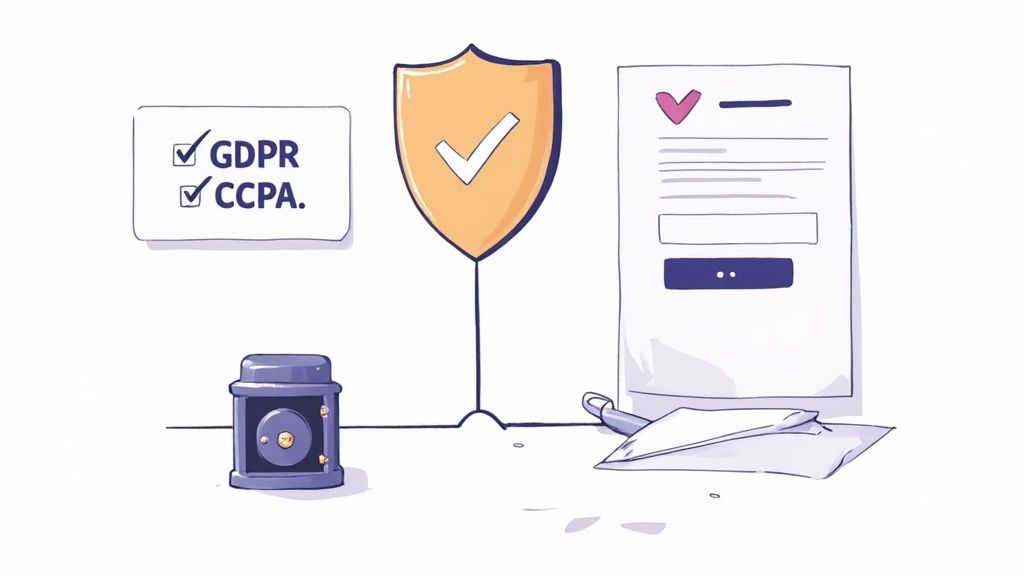
In a world full of data breach headlines, how you handle security is everything. When you request files from customers, you aren't just asking for a document—you're asking for their trust. How you manage that data defines your relationship and shields your business from massive risks.
Making security a visible part of your process isn't just about dodging fines; it’s a powerful way to show clients you take their privacy seriously. A secure, professional system becomes a selling point, reassuring them that their sensitive information is in good hands from the get-go.
Adopt the Principle of Data Minimization
One of the best security strategies is also the simplest: only ask for what you absolutely need. This is called data minimization, and it's a cornerstone of modern privacy laws like GDPR.
Before you fire off a request, take a hard look at your list. Do you really need a full bank statement, or just proof of a specific transaction? Is a copy of their driver's license essential, or will another ID work?
By collecting less data, you automatically lower your risk. If you don't have the information in the first place, it can't be stolen in a breach.
This mindset forces you to be more deliberate and efficient. It also makes things easier on your client, who will appreciate a shorter, more focused checklist. It’s a classic win-win that boosts security and improves the customer experience.
Understand Your Compliance Obligations
Trying to navigate the maze of data privacy laws can feel overwhelming, but you can't afford to ignore them. Regulations like Europe's GDPR and California's CCPA have completely changed the rules for handling personal information, and these directly affect how you ask for files.
Here are the key things you need to have dialed in:
- Lawful Basis: You need a legitimate, documented reason for collecting every single piece of data.
- Transparency: Be upfront with clients. Tell them exactly what you're collecting, why you need it, and how you plan to use and protect it.
- Data Rights: Your clients have the right to see, fix, or delete their personal data. Your system has to be able to handle those requests easily.
Staying compliant isn't a one-and-done task. For a great starting point, check out this comprehensive GDPR compliance checklist at https://www.superdocu.com/en/blog/gdpr-compliance-checklist/ to get your processes up to standard. In fields that handle extremely sensitive information, like healthcare, this is non-negotiable. Some are even leveraging QR codes for patient safety in healthcare to manage data and meet strict regulatory demands.
Why Email Is a Security Minefield
Let's be blunt: using standard email to request and receive sensitive documents is one of the biggest and most common security mistakes you can make. It might feel convenient, but email attachments lack the basic security needed for confidential information.
The risks are huge. Data breaches involving personal customer info were part of 44% of all reported cyberattacks worldwide. Phishing attacks, usually delivered by email, were responsible for nearly 30% of those breaches. The financial hit is staggering, with the average cost of a data breach now sitting at $4.62 million.
Once you send a file over email, you've lost all control. It can be forwarded, intercepted on an unsecured Wi-Fi network, or sit forgotten on servers for years. You have no audit trail to prove who accessed it or when. This lack of control and traceability is a compliance nightmare just waiting to happen.
Ditching email for file collection isn't just a "best practice"—it's a critical step to protect your clients and your business. A dedicated, secure portal is the only responsible way forward.
How File Requests Work in the Real World
Theory is great, but let's talk about what happens on the ground—with real clients, tight deadlines, and serious consequences. It's one thing to talk about a system to request files from customers in the abstract, but it's another to see how it completely changes the game in different industries.
Every field has its own pressures. A law firm’s needs are different from an HR department's, but the core principles of security, simplicity, and automation hold true everywhere. Let's look at how this plays out in a few specific scenarios.
Legal Teams: Collecting Discovery Documents
In the legal world, gathering documents isn't just paperwork—it's a high-stakes, high-volume mission. Attorneys and paralegals have to pull together mountains of incredibly sensitive information, from private financial records to personal emails, all while racing against court-ordered deadlines. One mistake can put a client's entire case at risk.
Think about a personal injury case. A paralegal needs the client to send over medical records, police reports, and witness statements. The old way? A chaotic mess of emails, faxes, and endless follow-up calls.
- The Problem: Trying to track dozens of documents and maintain a perfect chain of custody is an administrative nightmare. Plus, sending this kind of data over standard email is a huge security risk.
- A Better Way: The paralegal sets up a dedicated, secure portal just for that case. They send the client a single link that leads to a clear checklist of every single document needed. The system automatically nudges the client with reminders as the discovery deadline gets closer, and the legal team gets an instant notification as each file is uploaded. Everything is tracked, timed, and in one place.
This isn't just about being more efficient. It's about professional responsibility. Failing to properly manage a client's file can lead to serious ethical violations.
HR Managers: Streamlining New Hire Onboarding
An HR manager’s first impression on a new hire often comes down to a request for documents: I-9 forms, direct deposit info, signed handbooks, a copy of their driver's license. That initial interaction really sets the tone for their entire experience with the company.
A clunky process that relies on paper forms or back-and-forth emails creates a terrible first impression and a ton of administrative headaches.
- The Problem: HR teams handle a ton of PII (Personally Identifiable Information) and have to comply with strict data privacy laws. Chasing down paperwork from a new hire who is excited but also busy can delay their start date and create frustration for everyone.
- A Better Way: Before the new employee's first day, HR sends them a single, company-branded link to an onboarding portal. The new hire can easily upload everything right from their phone or computer. You can even set required fields and specify document types, which cuts down on errors and ensures the file is complete before they even walk in the door.
This kind of automated workflow means all the necessary documents are collected securely and on time, freeing up the HR team to focus on a welcoming onboarding experience instead of just chasing paper.
Financial Advisors: Gathering Client Information
For financial advisors and mortgage brokers, everything is built on trust. When bringing on a new client, they have to collect a treasure trove of sensitive financial data—tax returns, bank statements, investment account details, you name it.
The security of this information is absolutely non-negotiable. Clients are (and should be) cautious about how they share it. And the compliance stakes have never been higher. Since GDPR enforcement began, related fines have exploded, reaching nearly €1.1 billion in a single year—a 594% increase. This intense regulatory pressure makes secure data handling a mission-critical part of the business. You can dive deeper into these data privacy statistics and understand the implications for your business on Termly.
- The Problem: Clients are often uneasy about emailing such sensitive files. The advisor needs a method that isn't just secure, but feels secure to the client, reinforcing that they are a true professional who values their privacy.
- A Better Way: The advisor uses a secure client portal that's branded with their firm's logo. They create a personalized request for the client, spelling out exactly what's needed for their financial plan or loan application. The client then logs into a professional, encrypted space to upload their files. It gives them peace of mind and makes the whole process smoother for the advisor.
Got Questions? We’ve Got Answers
When you're asking clients for sensitive information, a few questions are bound to pop up. Let's tackle some of the most common ones I hear from professionals trying to get this process right.
What’s the Safest Way to Get Files From Clients?
Without a doubt, the gold standard is using a dedicated client portal or a professional file-sharing service that creates encrypted, single-use upload links.
These tools are built from the ground up with end-to-end encryption. This is a huge deal—it means the file is protected from the moment it leaves your client's computer until you safely open it on yours. It's a secure, sealed-off tunnel for their information.
Unlike sending an email attachment, which is like sending a postcard that anyone can intercept, these professional platforms give you layers of real security.
- Access Controls: You get to decide exactly who can see or download the documents. No more wondering who has access.
- Detailed Audit Trails: Every single action is tracked. You can see who uploaded what, when they did it, and who’s viewed it since.
- Built-in Virus Scanning: Most professional services automatically scan files for malware as they're uploaded, which protects your entire system.
This is why you should never, ever ask a client to email you sensitive documents. The risk just isn't worth it for either of you.
How Can I Actually Get Clients to Send Their Files on Time?
This is the million-dollar question, isn't it? Getting people to act on time comes down to a simple formula: make it clear, make it easy, and give them a gentle nudge.
First, your initial request needs to be crystal clear. Ditch long, rambling paragraphs and use a simple bulleted list of the exact documents you need. Specify formats if they matter (like "PDFs only") and state the deadline in plain language. Your goal is to remove any and all guesswork.
Next, the upload process has to be completely painless. A simple, mobile-friendly link that doesn't force your client to create an account or remember a password is key. If they can get it done from their phone in a couple of taps, they’re so much more likely to do it right away.
The final, game-changing piece is automation. Set up a system to send polite, automated reminders a few days before the deadline and on the due date itself. This simple step dramatically increases on-time submissions without you having to manually chase anyone down.
Are Things Like Dropbox or Google Drive Safe for This?
This is a common one. While consumer-grade tools like a personal Dropbox or Google Drive account are great for sharing photos with family, they really aren't built for handling sensitive client data. They often lack the robust security, compliance certifications (like HIPAA), and detailed audit trails you need to run a professional business.
Even the business-tier versions, like Google Workspace or Dropbox Business, are more like general-purpose storage lockers. They weren't designed specifically for client-facing workflows. They’re often missing crucial features like automated reminders, branded portals, and ways to validate documents—all things that make the process of requesting files from customers run smoothly.
In almost every professional scenario, a dedicated secure file request platform is the better choice. It offers a more polished, branded, and auditable experience that’s designed from the ground up to protect client data and make your life easier.
What Should I Put in My File Request Message?
A great file request message is clear, concise, and reassuring. You want to give the client everything they need in one go so they can take action immediately without having to email you back with questions.
Make sure your message always includes these key elements:
- A friendly, personal greeting and a quick note explaining why you need the documents.
- A simple bulleted list of the specific files you’re requesting.
- Any format requirements (e.g., "Please upload as a PDF").
- The final submission deadline.
- The secure link where they can upload their files.
- Your contact info in case they run into any trouble.
And here's a pro tip: always add a short sentence to reassure them about security. Something as simple as, “Your documents will be uploaded through our secure, encrypted portal,” goes a long way in building trust and encouraging them to act quickly.
Ready to stop chasing documents and start building a secure, automated workflow? With Superdocu, you can create professional, branded request portals in minutes, send automated reminders, and give your clients the secure, easy experience they expect. Start your free 7-day trial of Superdocu today and see how simple it can be to request files from customer.