
File encryption is a way of taking a normal, readable file (called plaintext) and scrambling it into an unreadable code (known as ciphertext). It's like putting a sensitive document into a digital safe. Only someone with the right key can unlock it, making the information completely useless to anyone else who might get their hands on it.
What Is File Encryption in Simple Terms
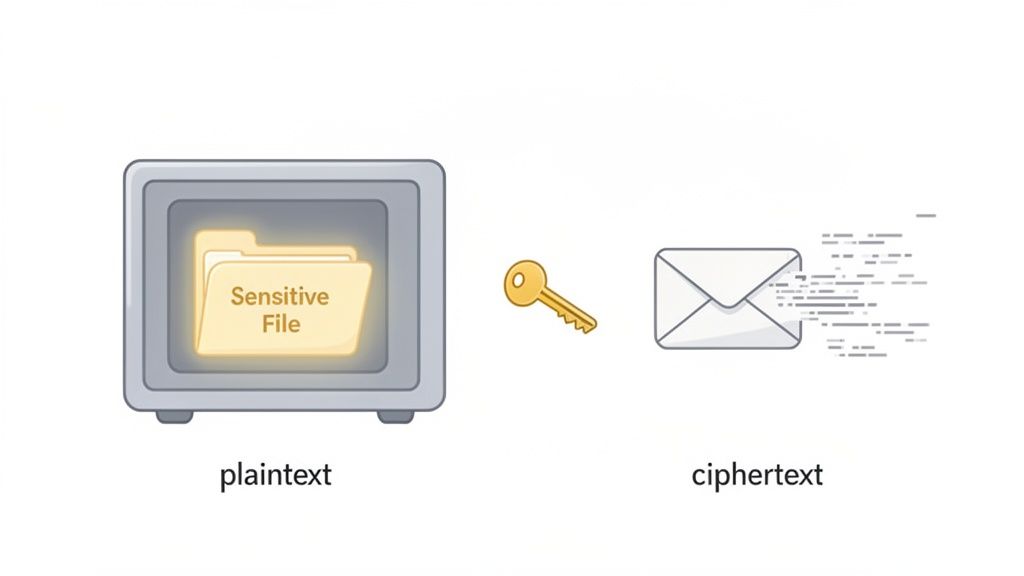
Think of it this way: you've just written a top-secret message. Instead of a regular envelope, you use a special one that makes the ink disappear. The only way to make the words reappear is to apply a unique chemical solution. That’s pretty much how file encryption works for your digital documents—be it contracts, financial spreadsheets, or private client info.
It uses a complex mathematical recipe, called an algorithm, to jumble your file's data into a secret code.
To unscramble it, you need the corresponding "key," which is a unique string of digital information. Without that key, the file is just a meaningless mess of characters. This is the digital shield that keeps your sensitive information safe and sound, even if the file is stolen, misplaced, or accessed by the wrong person.
To put the basic ideas into a simple format, here's a quick breakdown of what we're talking about.
File Encryption at a Glance
| Component | Simple Explanation |
|---|---|
| Plaintext | Your original, readable file (like a Word doc or a PDF). |
| Algorithm | The mathematical formula used to scramble the file's data. |
| Key | The secret "password" that locks and unlocks the file. |
| Ciphertext | The scrambled, unreadable version of your file after it has been encrypted. |
| Decryption | The process of using the key to turn the ciphertext back into readable plaintext. |
Ultimately, these components work together to create a powerful layer of security for your most important documents.
The Growing Need for Digital Security
With cyber threats becoming more sophisticated every day, encryption isn't a luxury anymore; it's a fundamental part of data security. The demand for encryption software has skyrocketed, showing just how vital it is for protecting information. This surge is a direct response to the constant threat of data breaches that impact millions of people and businesses globally.
For companies of any size, having access to affordable encryption tools is a real game-changer. It helps cut down on administrative risks and makes it easier to stay compliant with regulations.
The core purpose of file encryption is simple: it separates the ability to access a file from the ability to understand it. An unauthorized user might see the file, but without the key, they can't make sense of the data it contains.
How It Fits into Your Workflow
This technology is a must-have for any workflow that deals with confidential information. Think about managing legal documents, onboarding new hires with their personal data, or handling a client's financial records. In all these cases, encryption is what builds trust and protects everyone's privacy.
The good news is that adding this layer of protection doesn't have to be a headache. Modern tools, especially a cloud-based document management system, often have encryption baked right into their process. This means your files get secured automatically when they are:
- Uploaded: Your files are scrambled the second they hit the system.
- Stored: The data stays protected while it's sitting on a server.
- Shared: Only the right people with the right credentials can decrypt and see the information.
How Encryption Turns Your Files into Secret Code
To get a real handle on what file encryption is, you have to look at the two pieces that make the magic happen: the algorithm and the key. Think of the algorithm as the powerful machine that scrambles your document into a million unreadable pieces, and the key as the one-of-a-kind blueprint that tells the machine how to put it all back together.
An encryption algorithm is the set of ironclad rules that turns readable data (plaintext) into a jumbled mess (ciphertext). One of the most trusted and widely used algorithms out there is the Advanced Encryption Standard (AES), the same one governments and major corporations rely on to protect their most sensitive information.
But an algorithm on its own is just a fancy machine. It's the key—a unique string of characters—that makes the encryption personal to your file. Using the same AES algorithm, the phrase "Client Contract" might turn into "agH3#k9s!" with one key, but "pZ7*jL2q@" with a different one. Without the exact key, that jumbled text is just gibberish.
The Two Flavors of Encryption Keys
The way we use these keys splits encryption into two main categories, and knowing the difference is key (pun intended) to choosing the right tool for the job. These two methods are symmetric and asymmetric encryption.
This isn't just geeky jargon; it's the foundation of almost all modern data security, from the files on your laptop to the banking apps on your phone. Let's break down how each one works.
Symmetric Encryption: One Key to Rule Them All
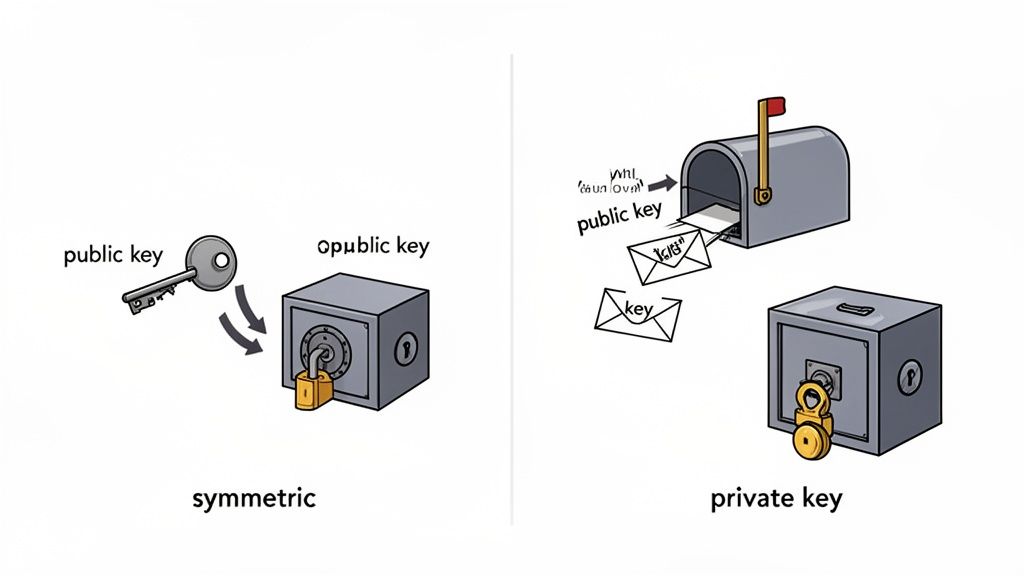
With symmetric encryption, you use a single, shared secret key for everything. It's the key that both locks (encrypts) the file and unlocks (decrypts) it.
Picture a high-security safe. You lock your documents inside and then give a copy of the exact same key to your trusted colleague. Now, both of you can open and close the safe whenever you need to. Simple and effective.
This method is incredibly fast, which makes it perfect for encrypting large volumes of data, like the files sitting on your company's server or your personal hard drive. The main thing is that you aren't sharing it with tons of different people.
The Catch: The biggest headache with symmetric encryption is getting that key to the right person securely. If you email it and a hacker intercepts it, they now have the keys to the kingdom. Your encrypted files are completely exposed.
Asymmetric Encryption: The Mailbox Method
Asymmetric encryption is a bit more clever. It uses a pair of keys that are mathematically tied to each other: a public key and a private key. You might also hear this called public-key cryptography.
Here’s how it works:
- The Public Key: This key can only lock data. You can share it with anyone and everyone. Think of it like the mail slot on your front door—anyone can drop a letter in.
- The Private Key: This key can only unlock data that was locked with your public key, and you must guard it with your life. This is the physical key you use to open your mailbox from the inside.
This setup is brilliant for receiving files from other people. A client can use your public key to encrypt a sensitive contract, and they can send it over knowing that you—and only you—can open it with your private key. It completely solves the problem of how to share a secret key without it getting stolen.
Choosing the Right Lock for Your Data
Now that we’ve broken down the two main flavors of encryption, the real question is: when do you use each one? The choice between symmetric and asymmetric methods isn't about which is flat-out "better." It’s about picking the right tool for the job at hand.
Think of it like securing a building. You wouldn't use the same lock on the front door as you would on a personal safe inside. Each has a specific purpose. In the same way, businesses layer both types of encryption to build a robust security strategy, protecting files whether they're sitting still or on the move.
Symmetric Encryption: The Workhorse for Stored Data
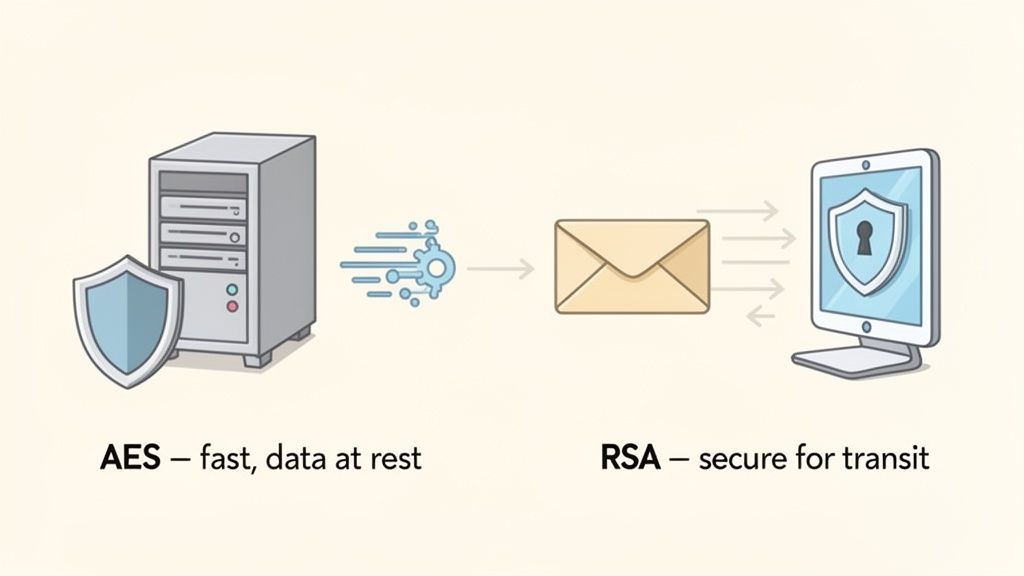
Symmetric encryption is the sprinter. Because it only uses a single key for locking and unlocking, the process is incredibly fast and efficient. This speed makes it the go-to choice for protecting large amounts of data at rest—all those files just sitting on a server, a hard drive, or in a cloud storage account.
Imagine a law firm with thousands of massive client case files stored on its internal network. If they used a slow encryption method, simply opening and closing these documents all day would bring productivity to a crawl. By using a symmetric algorithm like AES (Advanced Encryption Standard), the firm keeps every file locked down tight without sacrificing performance.
This efficiency is why AES-256 is the gold standard. It's the engine behind an estimated 99% of secure file transfers and is trusted by governments and security experts worldwide for its potent mix of speed and security.
Asymmetric Encryption: The Guardian for Data on the Move
While it's a bit slower, asymmetric encryption is the undisputed champion of secure communication. Its two-key system is perfect for protecting data in transit—any information you're sending from one place to another over the internet, like an email or a file upload.
Let's say a client needs to upload sensitive financial statements to your company's secure portal. They use your public key to encrypt the files before they even hit the "send" button. This means that even if a hacker managed to intercept the data on its journey, all they’d get is a useless jumble of code.
Only you, holding the matching private key, can unlock the documents once they arrive. This clever system completely sidesteps the risky business of trying to securely share a single secret key.
The need to protect data everywhere is driving huge growth in security. The data encryption market, valued at USD 14.5 billion, is expected to skyrocket to USD 25.86 billion by 2035. For businesses, pairing strong encryption with automated tools can slash document mishandling risks by as much as 70%. You can dig deeper into these trends in this detailed data encryption market report.
Symmetric vs Asymmetric Encryption a Practical Comparison
To make the choice clearer, it helps to see the two side-by-side. Think of this as a quick cheat sheet for deciding which tool to grab from your security toolbox.
| Fonctionnalité | Symmetric Encryption (e.g., AES) | Asymmetric Encryption (e.g., RSA) |
|---|---|---|
| Speed | Very fast. Ideal for large files and databases. | Slower due to complex calculations. |
| Key Management | Uses a single shared secret key. Keeping the key safe is critical. | Uses a public key (for locking) and a private key (for unlocking). |
| Best For | Data at rest. Encrypting files on your hard drive or server. | Data in transit. Securely sending files, emails, and digital signatures. |
| Use Case Example | Protecting a company's entire client database. | A client securely uploading their tax documents to your portal. |
| Main Challenge | Securely sharing the secret key with the right people. | The slower speed can be a bottleneck for very large datasets. |
Ultimately, you don't have to choose just one. The most secure systems use both: asymmetric encryption to safely exchange a symmetric key, which is then used for the heavy lifting of encrypting the actual data. This hybrid approach gives you the best of both worlds—the security of public-key exchange and the speed of single-key encryption.
Why Your Business Cannot Afford to Ignore Encryption
We've covered the technical "how" of encryption, but let's talk about the practical "why." File encryption isn't just some feature buried in your IT department's toolbox anymore—it’s a fundamental part of a sound business strategy. In a world where a single data breach can shatter a company's reputation and bottom line, encryption is your first and strongest line of defense. Think of it as the digital vault for your most valuable asset: your information.
Take a mortgage broker, for instance. They handle an incredible amount of sensitive client data, from bank statements to social security numbers. Using file encryption for loan applications isn't just about security; it’s a powerful way to build trust. It tells your clients that you take their future seriously and that their data is safe with you.
Protect Against Costly Data Breaches
Let's be blunt: without encryption, your sensitive data is a sitting duck. If a company laptop gets stolen or a server is hacked, unencrypted files are an open book for criminals. The fallout can be devastating—we’re talking about direct financial loss, hefty legal penalties, and a complete breakdown of customer trust. Encrypted files, on the other hand, are just gibberish to anyone without the key. They’re effectively useless.
The numbers back this up. Recent studies show that using encryption can slash the financial impact of a data breach by an average of 40%. For businesses like law firms, financial advisors, and immigration consultants, that isn't just a cost-saving measure; it's a potential lifeline. You can dig deeper into how encryption is changing the business security game in this comprehensive market analysis.
Meet Critical Compliance Standards
Regulations like GDPR in Europe and HIPAA in the United States aren't just suggestions. They are strict legal mandates with severe penalties for getting it wrong. These laws require businesses to actively protect personal data, and file encryption is a cornerstone of any solid compliance plan.
For any business that handles personal information, encryption is a non-negotiable part of demonstrating due diligence. It serves as concrete proof that you've put strong technical safeguards in place, which can dramatically lower your risk of facing those multi-million dollar fines.
A recruiting agency, for example, is constantly collecting resumes and personal details. By encrypting this candidate data, the agency not only respects applicants' privacy but also stays on the right side of tough labor and data protection laws. This kind of proactive thinking is vital for any business operating under a regulatory microscope. If you're looking for guidance, our guide on how to build a GDPR compliance checklist is a great place to start.
Enable Secure Modern Workflows
The old idea of a secure office perimeter has vanished with the rise of remote work. This has created a whole new set of security challenges. Your team is now accessing and sharing sensitive files from different locations, on different networks, which multiplies the chances of data being intercepted.
File encryption is what makes this modern way of working not just possible, but safe. It ensures that your data stays secure no matter where it travels. It empowers your team to collaborate and share documents with confidence, knowing the information is protected every step of the way. What could have been a security nightmare becomes a competitive edge, giving you flexibility without sacrificing an ounce of protection.
See File Encryption in Your Everyday Work
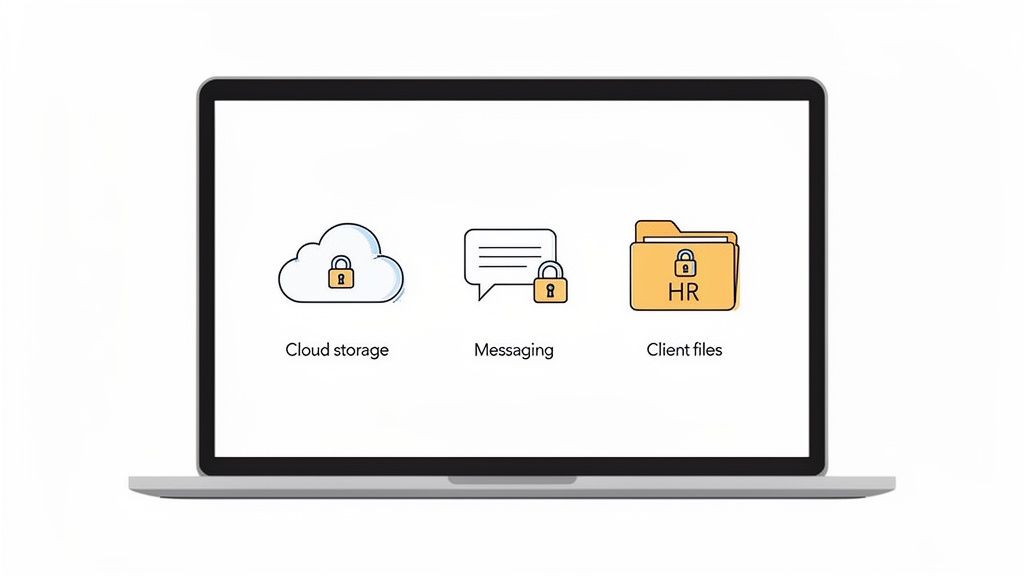
It’s easy to think of encryption as something abstract and technical, but the truth is, you're probably already using it every single day. It’s the silent security guard working behind the scenes in many of the tools that power your workday, often without you even realizing it.
Encryption isn’t just for spies and tech gurus. It’s the invisible shield that makes secure business possible, from protecting a client’s secrets to keeping employee data private. It turns complex security protocols into a smooth, automatic process that just works.
Let's take a look at a few real-world examples to see how it all comes together.
Real-World Encryption Scenarios
Picture the daily routines of a few different professionals. Each one is leaning on file encryption to keep information confidential, maintain client trust, and stay on the right side of industry regulations.
-
For the Legal Firm: A lawyer is gathering sensitive evidence for a major case through a secure client portal. The moment a client uploads a document, it's instantly encrypted. This means that even if the firm’s network were somehow breached, that privileged information would remain completely unreadable and secure.
-
For the Financial Advisor: An advisor is preparing to send a client their latest portfolio statement. Instead of attaching a risky PDF to a standard email, they use a secure platform to share it. Asymmetric encryption kicks in, protecting the document as it travels online and ensuring only the client—the one with the correct private key—can open and view their financial details.
-
For the HR Manager: An HR manager is sending an offer letter and onboarding documents to a new hire. This isn't just any paperwork; it contains personal information and salary details. By using an encrypted workflow, they shield that sensitive data from prying eyes, protecting the new employee’s privacy right from the start.
The real takeaway here is that good encryption isn't about manually locking every single file. It’s about building your workflows on systems that have security baked in from the ground up, letting your team focus on their jobs without worrying about the rest.
Common Tools That Depend on Encryption
Even outside of these specialized professional platforms, you’re constantly interacting with encrypted services. This technology is the foundation for countless tools built around privacy and security, making top-tier data protection available to everyone.
Just think about the apps and services you might use daily:
- Secure Cloud Storage: Platforms like Tresorit or Sync.com are built on end-to-end encryption, which means not even the company hosting your files can see what’s inside them.
- Password Managers: Tools such as 1Password or Bitwarden encrypt your entire database of passwords. Without your one master password, it’s just a useless jumble of code.
- Messaging Apps: When you send a message on WhatsApp or Signal, you’re using end-to-end encryption. It secures your texts, calls, and file transfers so that only you and the person you're talking to can see them.
Simple Ways to Implement File Encryption
Now that we’ve covered what file encryption is and why it's so important, let's get down to brass tacks. You don’t need a massive IT department or a complicated security budget to start protecting your sensitive documents. Getting strong file encryption in place is easier than you might think, especially if you build your workflow around the right tools.
The single most effective thing you can do is choose business software that comes with built-in, end-to-end encryption. This puts security on autopilot. Every document is protected the instant a client uploads it, which takes human error completely out of the picture. No one has to remember to lock a file; it just happens automatically.
Strengthen Your First Line of Defense
Beyond the software you use, a few basic security habits can make a huge difference. Think of it as creating layers of security—the more you have, the harder it is for someone to break through.
Here are a few essentials to start with:
- Enforce Strong Password Policies: Simple passwords just don't cut it anymore. Insist on a mix of uppercase and lowercase letters, numbers, and symbols. This creates a much tougher barrier for anyone trying to guess their way in.
- Enable Two-Factor Authentication (2FA): This is a must-have, plain and simple. 2FA adds a second step to logging in, like a code sent to your phone. It's a critical layer that can stop an intruder even if they manage to steal a password.
- Conduct Regular Data Backups: Always, always back up your encrypted data to a separate, secure location. This is your safety net against hardware failures, ransomware attacks, or just simple accidents.
Empower Your Team with Knowledge
Great technology is only half the battle. Your team is on the front lines every day, so a little security training goes a long way. Teach them how to spot phishing emails, why handling files securely matters, and what your company’s security rules are.
An empowered, security-conscious team transforms your weakest link into your greatest asset. When everyone understands their role in protecting data, your entire organization becomes more resilient against threats.
Ultimately, strong data security comes down to making smart, intentional choices. By picking the right tools and building good habits, you can create a truly secure environment for your business documents. You can learn more about finding the right tools in our guide to choosing a secure document intake platform.
Frequently Asked Questions About File Encryption
Even when you feel like you have a good handle on file encryption, some questions always seem to come up. Let's tackle a few of the most common ones to clear up any lingering confusion and help you feel more confident about your security setup.
Is File Encryption the Same as a VPN?
Not at all, but they do work together beautifully to protect you. Think of it like sending a valuable piece of jewelry in the mail.
File encryption is like putting that jewelry inside an unbreakable safe. Only someone with the right key can open it and see what’s inside. The data itself is locked down.
A VPN (Virtual Private Network) is like the armored truck that transports the safe. It creates a secure, private tunnel over the public internet, so no one can intercept the package while it's on its way.
- Encryption protects the file itself, whether it’s sitting on your computer (at rest) or attached to an email (in transit).
- A VPN protects your entire internet connection, hiding all your online activity from prying eyes.
So, for the best possible protection, you use both. You lock the file in the safe (encryption) and then send it via the armored truck (VPN).
Can Encrypted Files Still Be Hacked?
This is a great question. While nothing is ever 100% invulnerable, breaking a modern encrypted file is, for all practical purposes, impossible.
Take AES-256, the encryption standard trusted by governments and banks worldwide. It would take the fastest supercomputers on Earth billions of years to guess the key.
The weak link is almost never the encryption algorithm itself. It's us—the people using it. Most security breaches happen because of human error, like using a simple password, falling for a phishing email that tricks you into sharing your key, or using software that's old and full of security holes.
That’s why good security habits—like creating strong, unique passwords and turning on two-factor authentication—are every bit as important as the technology protecting your files.
Do I Need to Manually Encrypt Every Single File?
Thankfully, no! Imagine the headache of trying to encrypt every document, one by one. Modern tools are designed to handle this for you automatically, so you don’t even have to think about it.
Many operating systems have built-in full-disk encryption, which protects everything on your computer without any effort on your part. But for businesses sharing documents, the best solution is a platform with built-in, end-to-end encryption.
When you upload a file to one of these systems, it’s encrypted automatically. When a client sends you a document, it’s encrypted. It’s protected every step of the way, making security a default setting rather than an extra task on your to-do list.
Ready to automate your document security without the headache? Superdocu provides built-in, end-to-end encryption to protect every file you collect, making secure workflows simple and seamless. Start your free trial today.