
The real cost of handling vendor paperwork by hand isn't something you'll find on a balance sheet. It’s hidden in the day-to-day chaos. It’s the project manager stuck, unable to move forward because a subcontractor's insurance certificate expired last week. It’s the accounting team swamped with W-9s, trying to untangle errors just to get payments out the door.
These manual routines aren't just inconvenient; they're a constant drag on your business.
The Hidden Costs of Manual Vendor Document Collection

It’s easy to underestimate just how much damage outdated vendor onboarding and document management can do. We're talking about a tangled web of emails, messy spreadsheets, and endless follow-up calls that create logjams everywhere.
The issue isn’t a single lost document. It's the ripple effect. When a vendor's insurance lapses and no one catches it, your company is suddenly sitting on a huge liability risk. When a W-9 is filled out wrong and you don't find out until tax season, you’ve got a compliance fire to put out that will take hours of administrative work to fix.
Operational Drag and Wasted Hours
Just think about the lifecycle of one simple document, like a Certificate of Insurance (COI). When you do it manually, the process looks something like this:
- Your project manager sends the initial request.
- A week goes by. Nothing. Time for a follow-up email.
- The vendor finally sends something… but it’s the wrong version or already expired.
- Another email chain starts, explaining exactly what you need.
- The correct document arrives. Someone has to download it, name it, and save it to the right folder on the shared drive.
- Then, they need to set a calendar reminder for a year from now to do this all over again.
This back-and-forth can easily eat up days and involves multiple people, pulling them away from the actual work they’re supposed to be doing. Now, imagine that process multiplied by every single vendor you work with. The total effect is a massive operational drag that kills productivity and pushes back deadlines.
Manual processes trap your team in a reactive loop. Instead of building strong vendor partnerships, they spend their days chasing paperwork and putting out fires that could have been prevented.
The Financial Impact of Inefficiency
The money you lose to these old-school methods is staggering. The market for Intelligent Document Processing (IDP) was valued at $1.5 billion in 2022 and is expected to rocket to $17.8 billion by 2032. This isn't just a trend; it's a clear signal that businesses are desperate to escape inefficient systems. In fact, companies lose up to $1 trillion every year from document processing headaches, errors, and manual data entry.
To get a clearer picture, let's compare the two approaches side-by-side.
Manual vs Automated Vendor Document Collection
| Challenge Area | Manual Process Pain Point | Automated Solution Benefit |
|---|---|---|
| Tracking & Follow-up | Relies on calendar reminders and manual emails. Chasing vendors wastes valuable team hours. | Automated reminders and follow-ups are sent until the document is received. No more babysitting. |
| Document Accuracy | Prone to human error, like accepting incorrect or expired documents. | AI-powered validation flags incorrect data or expired dates instantly, ensuring compliance. |
| Storage & Retrieval | Documents are scattered across email inboxes, shared drives, and local folders. Hard to find. | A centralized, secure portal where all documents are organized, tagged, and searchable. |
| Expiration Management | Expiration dates are tracked on a spreadsheet (if at all), leading to missed renewals and compliance gaps. | The system automatically tracks all expiration dates and kicks off renewal requests well in advance. |
| Audit & Compliance | Creating an audit trail is a nightmare. It's nearly impossible to prove who submitted what and when. | Every action is logged, providing a clear, defensible audit trail for every document. |
The difference is night and day. Automation turns a chaotic, high-risk process into something predictable and controlled.
Risk and Compliance Failures
Beyond the dollars and hours, manual vendor document collection is a compliance minefield. Without a central, automated system, you have virtually no audit trail to speak of.
Crucial documents get buried in email threads or saved in the wrong place, making it a nightmare to prove you’ve done your due diligence during an audit. This lack of control opens your business up to fines, legal headaches, and serious damage to your reputation. For any company looking to tighten up its operations, learning about the power of dedicated document collection software is the first step. This isn't just about making things easier; it's a strategic move to protect your business.
Designing Your Vendor Documentation Framework
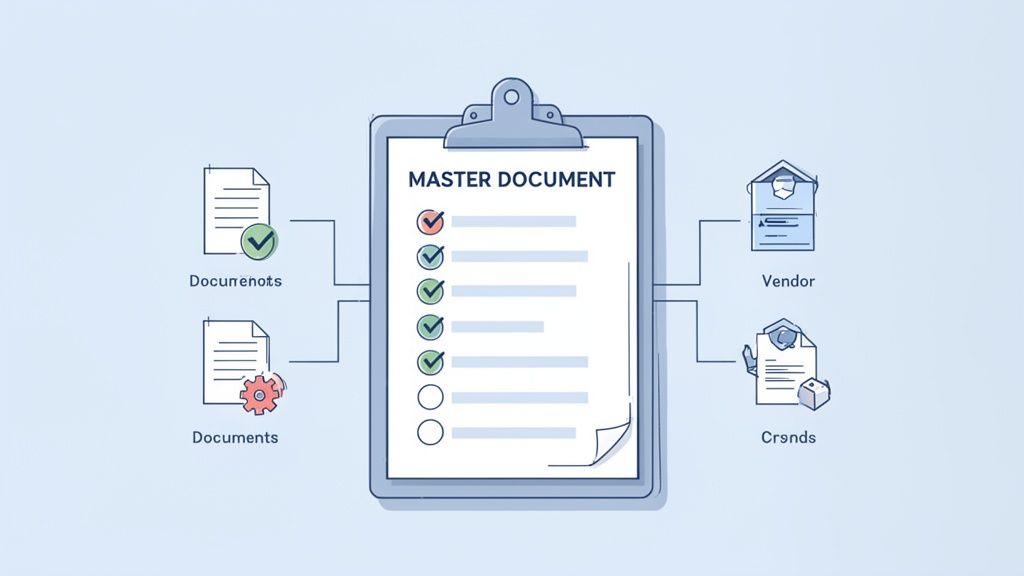
Before you even think about automation, you need a solid blueprint. A truly effective vendor document process is built on a framework that clearly spells out what you need, who you need it from, and why. If you skip this step, you’re setting yourself up for inconsistent files, missed compliance deadlines, and a lot of back-and-forth confusion for both your team and your vendors.
The idea here is to shift from a reactive, fire-fighting mode to a proactive, organized system. It starts by taking a step back and mapping out the entire documentation journey of a vendor relationship. A well-designed framework becomes your single source of truth, making sure every single vendor is onboarded the right way, every time.
Creating a Master Document Checklist
The heart of any good framework is a master checklist. But let’s be real—a one-size-fits-all list just doesn't cut it. A freelance copywriter has completely different requirements than your raw material supplier or the IT firm managing your servers. The first thing you need to do is categorize your vendors.
Start by grouping them into buckets based on what they do and the level of risk they bring to your business.
- Independent Contractors & Freelancers: For these folks, you’ll likely just need basic financial and identity verification.
- Service Providers (e.g., IT, Janitorial): They often need to show proof of insurance and any licenses specific to their trade.
- Material Suppliers & Manufacturers: You might need quality certifications, material safety data sheets, or other compliance statements from them.
- High-Risk Vendors (access to sensitive data): This is where you need the heavy-duty stuff, like SOC 2 reports or detailed cybersecurity policies.
Once your categories are set, you can build a specific checklist for each one. This approach keeps things lean and fast for low-risk vendors while ensuring you do your due diligence for critical partners.
For instance, your standard contractor checklist might just be:
- Signed Master Service Agreement (MSA)
- Completed W-9 Form
- Certificate of Insurance (COI) with specific coverage amounts
- Bank Account Details for payment
This strategic bucketing is probably the single most important thing you can do to build an efficient system.
A well-structured framework does more than just organize paperwork. It clearly communicates your company's professionalism and commitment to compliance, setting a positive tone for the entire vendor relationship from day one.
Defining Roles and Responsibilities
One of the most common pitfalls I've seen in manual systems is a total lack of ownership. Who’s supposed to ask for the documents? Who checks them when they come in? Who’s watching the expiration dates? When nobody knows who’s responsible, things inevitably fall through the cracks.
Assigning clear responsibilities isn't just a good idea; it's non-negotiable. Think about how a clear property management agreement outlines everyone's duties in real estate—that's the level of clarity you're aiming for internally.
Map out the key stages of the process and put a name next to each one:
- Request Initiation: This usually falls to the procurement team or the department manager hiring the vendor. They kick things off.
- Submission & Review: The vendor uploads their documents. An admin or compliance team member does the first pass to make sure everything is there.
- Validation & Approval: This is where a specialist steps in. Your legal team might review contract terms, while finance verifies insurance coverage. They give the final green light.
- Expiration Tracking & Renewal: An automated system should handle this, but someone from compliance or procurement needs to oversee it, managing exceptions when a vendor is late with a renewed certificate.
By defining these roles, you create an unbreakable chain of accountability. Everyone knows what their job is, which stops duplicate work, ends the confusion, and creates a smooth, predictable workflow.
Building Your Automated Collection Workflow
Once you’ve mapped out your process, it’s time to actually build the machine that will run it. This is where you leave the chaos of chasing vendors over email behind and step into a smooth, predictable system for collecting documents. The whole point is to create a central hub that saves your team from countless hours of manual work and, just as importantly, makes it dead simple for vendors to send you what you need.
A modern workflow isn't about scattered inboxes or confusing shared drives. It’s about giving vendors a single, secure portal for everything. This one change instantly makes the process feel more professional and gives you total visibility from start to finish.
Create a Branded and Secure Portal
Your first move is to set up a central hub for all document submissions. Think of this as your digital front door for vendors. It shouldn't be a generic upload page; it needs to be a branded, professional portal that looks and feels like your company. When a vendor gets a request, they should know it’s coming from you, not some random third-party tool.
With a platform like Superdocu, you can quickly customize the portal with your logo, brand colors, and personalized welcome messages. This small touch builds a massive amount of trust and reassures vendors that their sensitive information is in good hands. Most importantly, it gets you out of the risky business of sending and receiving documents over email and into an encrypted, controlled environment built for the job.
Here’s a glimpse of how a clear, automated reminder system can look. It nudges vendors at just the right moments, so your team doesn't have to.
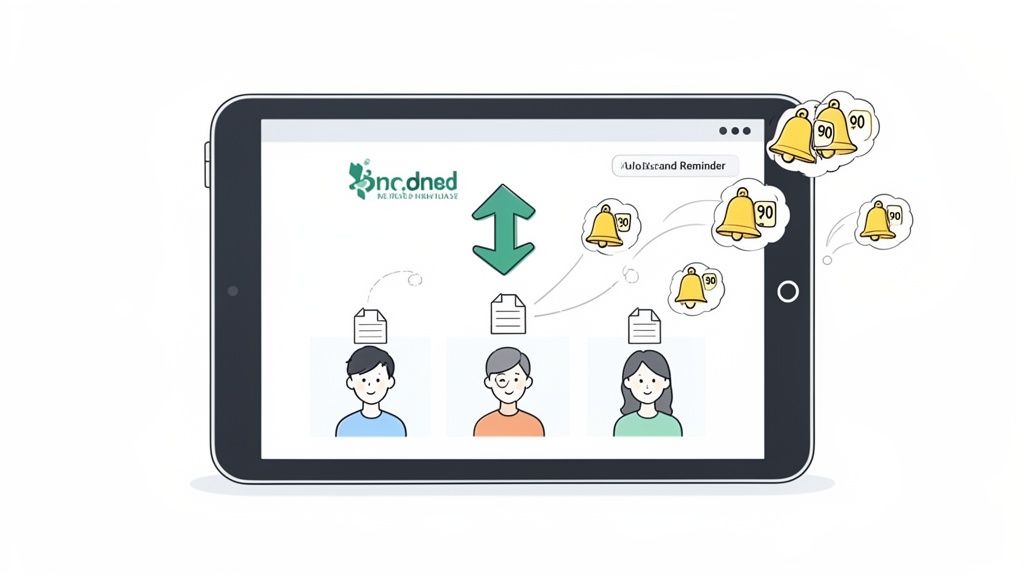
The system automatically keeps an eye on deadlines and handles the follow-ups, which is one of the biggest perks of a dedicated supplier document collection system. For more on this, check out our guide on what to look for in a supplier document collection system.
Set Up Custom Request Links
That master checklist you created earlier? It’s about to become the engine of your new workflow. Instead of blasting every vendor with the same generic list, you can now create unique request links for each type of partner you work with. This is a huge efficiency win.
- For Freelance Designers: Your request link might only ask for a W-9 and a signed contract. Simple and fast.
- For On-Site Subcontractors: A different link could demand a Certificate of Insurance (COI), business licenses, and a signed safety policy.
- For Software Providers: This link could be configured to request a SOC 2 report, a Data Processing Agreement (DPA), and their terms of service.
This tailored approach means you only ask for what you actually need, which vendors really appreciate. It cuts down on their confusion and your back-and-forth, leading to much faster and more accurate submissions. You can email these links directly or even embed them into your onboarding sequence to make it totally seamless.
Automating your workflow isn't just about going faster; it's about being more precise. Sending the right requests to the right vendors, every single time, eliminates guesswork and shrinks your margin for error down to almost zero.
Turn On Automated Reminders and Follow-Ups
This is where you get your time back. Following up manually is tedious, feels awkward, and frankly, doesn't always work. An automated system can be your polite but persistent assistant. You can set a cadence that makes sense for your business and let it run.
A typical reminder schedule might look something like this:
- Initial Request: The first message goes out with a clear deadline and the direct portal link.
- Gentle Nudge: An automatic reminder gets sent 14 days before the deadline if things are quiet.
- Second Reminder: Another ping goes out 7 days before the due date.
- Final Alert: A slightly more urgent notification is sent 3 days before the cutoff.
- Overdue Notice: Once the deadline passes, the system can send daily or weekly alerts until the documents are in.
This kind of automated persistence is incredibly effective. It keeps your request top-of-mind for the vendor without you ever having to type a "just checking in" email again.
Personalize Your Communication
Just because it's automated doesn't mean it has to sound robotic. A good system will let you customize the messages in your requests and reminders. You can ditch the generic "Your documents are due" and create warm, helpful templates that guide vendors through the process.
Here’s a quick example of a welcome message template you could use:
"Hi [Vendor Name],
We're so excited to start working with you! To get everything squared away on our end, we just need to collect a few key documents.
Please use the secure link below to upload the files. It should only take a few minutes. If you have any questions at all, just reply to this email. Thanks!"
That personal touch goes a long way in maintaining a good relationship while still getting the necessary admin work done. By combining a branded portal, custom requests, and automated-yet-personal follow-ups, you can turn vendor document collection from a painful chore into a genuinely professional experience for everyone.
Keeping Vendor Documents Safe and Staying Compliant
Gathering documents from your vendors is more than just a box-ticking exercise. It's a serious responsibility. You're handling sensitive, private data, and how you manage it says a lot about your company's professionalism and commitment to security. Get it wrong, and you're not just eroding trust—you're opening your business up to massive financial and legal headaches.
The old way of doing this—chasing down documents through endless email threads—is a compliance nightmare. Emails are notoriously insecure. They’re rarely encrypted, create duplicate files all over the place, and leave you with zero audit trail. It’s an open invitation for a security breach.
The Problem with Juggling Documents Insecurely
Think about it. When a vendor emails you their W-9 or a copy of their insurance certificate, that unencrypted file is vulnerable. It lands in multiple inboxes and download folders, far from any secure, controlled system. This scattergun approach makes it impossible to know who has access or who’s seen that sensitive information.
This isn't just messy; it can be a direct violation of data privacy laws. If you work with European vendors or handle data of EU citizens, for example, you fall under the RGPD (General Data Protection Regulation). Falling short of its standards can lead to eye-watering fines—sometimes in the millions.
Security isn't just a feature; it's the bedrock of a responsible vendor documentation process. Getting it right protects your business and shows your vendors you take their data's safety seriously.
Why Secure Cloud Platforms Are the Answer
This is exactly why modern businesses have moved to cloud-based platforms for handling vendor documents. These systems are built from the ground up for security, offering layers of protection that email and shared drives can't even begin to touch.
When you're looking at platforms, here are the non-negotiables:
- End-to-End Encryption: This is critical. It means documents are encrypted while they're being uploaded (in transit) and while they're stored on the server (at rest).
- Granular Access Controls: You need to be able to decide exactly who on your team can see, edit, or approve specific documents. This keeps sensitive information on a need-to-know basis.
- Detailed Audit Trails: Every single action—from a vendor uploading a file to your team approving it—should be logged. This creates an unchangeable record that's priceless during an audit.
The market has already made its choice. Cloud-based solutions are now the standard, expected to account for 70.34% of revenue in the document management sector by 2025. And that's not slowing down, with an 18.34% compound annual growth rate projected through 2031. This isn't just a fad; businesses are voting with their wallets for the security and scalability that cloud platforms deliver. You can read more about this shift and other market insights from Mordor Intelligence.
Building Compliance Right into Your Workflow
Using a secure tool is a huge step, but true compliance comes from baking it into your daily operations. You have to make sure your processes align with all the relevant legal and regulatory standards. A great starting point for this is working through an ultimate vendor due diligence checklist to better evaluate your vendor relationships and potential risks.
Your compliance strategy should hit these key areas:
- Data Minimization: Only ask for what you truly need. A freelance writer doesn't need to provide the same exhaustive documentation as a major software provider.
- Purpose Limitation: Use the documents you collect for their stated purpose and nothing else. That W-9 is for taxes, not for adding them to a marketing list.
- Data Retention Policies: Set clear rules for how long you keep vendor documents and have a solid process for securely deleting them when they're no longer needed.
Using a dedicated platform makes all of this so much easier to manage. A specialized vendor compliance document portal can become your single source of truth, making it simple to enforce your policies and prove you're compliant. This flips compliance from a reactive chore into a proactive business strength, protecting your company and building genuine trust with your vendors.
Keeping Vendor Documents Valid and Up-to-Date, Automatically
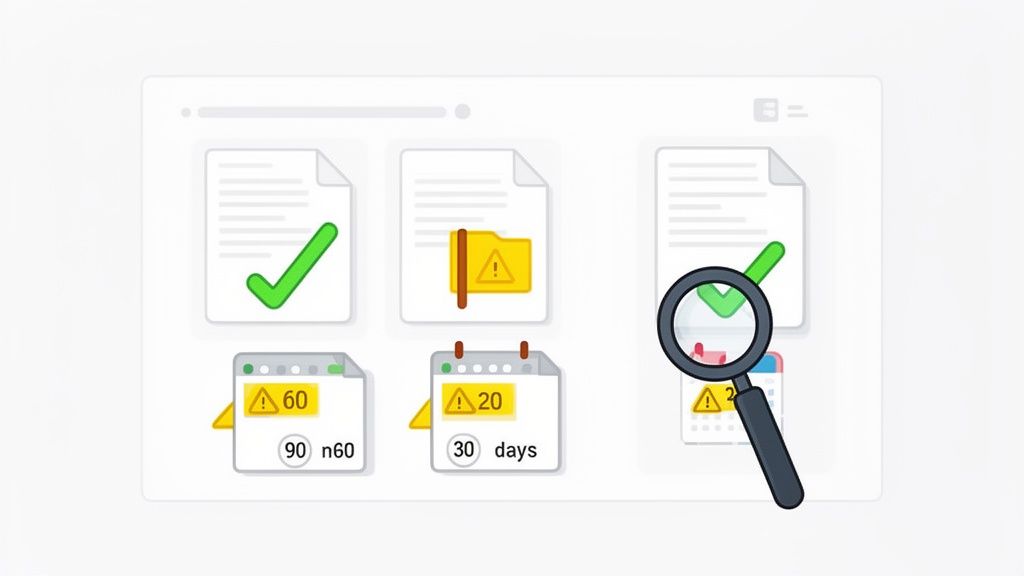
Getting all your vendor documents in one place feels like a huge win, but it’s really just the starting line. The real work—and where things usually fall apart—is making sure all that information stays current. A Certificate of Insurance that was perfectly valid in January is just a piece of paper if it expires in June.
This is where automated validation and expiration tracking become non-negotiable. It’s how you move from a frantic, last-minute scramble to a smooth, predictable, and automated compliance operation. Instead of finding an expired license during an audit, you can have a system that flags it months ahead of time and handles the renewal for you.
Ditch the Downloads: Review and Approve from a Central Hub
Think about the old way of doing things. A vendor emails their files, you download the attachments, open them one by one, and then track their status in some master spreadsheet. It’s clumsy, slow, and a recipe for human error.
A central validation dashboard flips that script entirely. It pulls every submitted document into a single, organized view so your team knows exactly what needs attention.
- See everything at a glance: Instantly know what’s pending review, what’s been approved, and what got rejected. No more guessing games.
- Verify without the hassle: Review documents directly in the platform. You can quickly confirm that a W-9 has the right TIN or an insurance policy meets your minimums, all without downloading a single file.
- Give clear, direct feedback: If a document is wrong—maybe it's unsigned or the wrong version—you can reject it and type out exactly what’s needed right there. The vendor gets a notification explaining the problem, cutting out all those confusing back-and-forth email chains.
This approach doesn't just save a ton of time. It creates a bulletproof audit trail where every action is logged, so you always know who approved what and when.
Never Miss an Expiration Date Again
Let’s be honest: tracking expiration dates in a spreadsheet is one of the riskiest things you can do. It’s tedious, and one missed date can expose your company to major liability. For any business that’s serious about compliance, automating this is a must.
Modern vendor management platforms are built for this. When a time-sensitive document like an insurance policy or a professional license is uploaded, you just plug in the expiration date. The system takes it from there, becoming your 24/7 compliance watchdog.
A proactive renewal system is your best defense against compliance failures. It turns expiration management from a source of anxiety into a background process that just works, protecting your business without you having to lift a finger.
Think about a standard Certificate of Insurance. Instead of setting a calendar reminder for next year and hoping you see it, the system can automatically kick off a renewal request.
Setting Up a Proactive Renewal Workflow
A truly effective renewal workflow doesn't just ping a vendor once. It uses a series of polite-but-firm notifications to make sure you get the updated documents long before the old ones expire. This gives vendors plenty of runway and prevents you from having to deal with last-minute fires.
Here’s a renewal schedule I’ve seen work wonders:
- 90-Day Heads-Up: The system sends an initial, friendly email requesting the updated document. This gives the vendor plenty of time to get the ball rolling with their insurance broker or licensing agency.
- 60-Day Nudge: A second, polite reminder goes out to make sure the request doesn't get buried in their inbox.
- 30-Day Reminder: As the deadline gets closer, the tone becomes a bit more direct, highlighting the upcoming expiration.
- Final Week Alert: An alert seven days out creates a healthy sense of urgency to get it done.
This kind of automated persistence means that 99% of renewals get handled without your team ever getting involved. You’re no longer chasing down paperwork; the system does it for you. This turns compliance from a constant headache into a hands-off process that keeps your business protected and your vendor files perfectly up-to-date.
Got Questions? We've Got Answers
Even the best-laid plans can bring up questions, especially when you're overhauling a process as important as vendor document collection. It's totally normal. Moving from a messy, manual system to a clean, automated one is a big step, and getting the details right is what makes it work.
Here are a few of the most common questions we hear from folks making this exact switch.
What are the must-have documents for a new vendor?
This really depends on your industry and what you're hiring the vendor to do. You wouldn't ask a freelance writer for the same paperwork as a construction contractor. That said, there's a solid baseline of documents you'll almost always want to have on file.
- A signed vendor agreement or contract. This is non-negotiable; it lays out the rules of the road for your relationship.
- A completed W-9 form if they're a US-based business. Your accounting team will thank you come tax time.
- An up-to-date Certificate of Insurance (COI). This is your proof that they have the right liability coverage in case something goes wrong.
- Relevant business licenses or professional certifications. You want to know you're working with a legitimate, qualified pro.
For vendors who are shipping you physical products, you might also need things like quality control reports or safety compliance sheets.
The smartest approach I've seen is to sort your vendors into categories—like "Software Providers," "Creative Freelancers," or "On-site Contractors"—and create a specific checklist for each. This way, you get what you need for high-risk partners without bogging down a simple one-off freelancer with a mountain of paperwork.
How do I actually get vendors to send me everything on time?
If you want vendors to be prompt, make it ridiculously easy for them. The biggest hurdle is often a confusing process. Ditch the back-and-forth email chains where attachments get lost and nobody knows what's been sent.
Instead, give them a simple, dedicated portal where they can log in, see a clear list of what's needed, and upload their files. It’s that simple.
The other half of the equation is automating your follow-ups. Let's be real, nobody enjoys chasing people for documents. Set up a system to send out polite, automated reminders when a deadline is approaching—maybe at 14, 7, and 3 days out. This combo of a dead-simple submission process and consistent, friendly nudges works wonders for on-time submissions and saves your team from having to play bad cop.
A frictionless experience for your vendors is the secret to timely compliance. When you make it easy for them to give you what you need, they are far more likely to do it quickly and accurately.
Is it really secure to use a cloud platform for sensitive vendor documents?
Yes, absolutely—provided you choose a platform built for this exact purpose. It's a common misconception, but a modern, enterprise-grade cloud system is almost always more secure than emailing documents or storing them on a local office server.
When you're looking at different tools, be a stickler for the details. You want to see features like:
- End-to-end encryption (protecting data when it's being uploaded and when it's just sitting there).
- Granular access controls so you can decide exactly who sees what.
- Detailed audit logs that track every single action taken on a document.
- Full compliance with data privacy laws like RGPD.
A secure platform isn't just a "nice-to-have"; it's fundamental to protecting sensitive information and building real trust with your vendors.
How do I keep track of documents that expire, like insurance certificates?
Trying to track expiration dates in a spreadsheet is a recipe for disaster. I've seen it happen too many times—someone forgets to check the sheet, an insurance policy lapses, and suddenly the company is exposed to huge risks.
The only sustainable way to manage this is with a system that has expiration tracking and automated renewals baked right in.
Here’s how it should work: when a new COI is uploaded, you (or the vendor) input the expiration date. From there, the system takes over. It should automatically start sending renewal requests to the vendor far enough in advance—say, at 90, 60, and 30 days before it expires. This kind of proactive automation ensures you're never caught off guard and always have current documents on file. It turns a high-risk manual task into a "set it and forget it" process.
Ready to transform your vendor document collection from a manual headache into a streamlined, automated workflow? With Superdocu, you can create secure portals, send automated reminders, and manage compliance effortlessly. Start your free trial today and see how easy it can be.