
You're probably sending contracts, HR forms, tax packets, or client approvals through email right now because it's the fastest path from inbox to done. It feels harmless until a recipient forwards the file, saves it on a personal laptop, or keeps access long after the work is finished. That's the problem with secure document sharing; the risk doesn't end when you hit send.
Table of Contents
- Why Your Current File Sharing Might Be Riskier Than You Think
- What Secure Document Sharing Means
- Comparing Common Document Sharing Methods
- Building a Secure Sharing Workflow That Protects Files Beyond the First Send
- Balancing Security Controls With User Experience
- How to Choose the Right Secure Document Sharing Platform
- Real-World Workflows and Next Steps for Your Team
Why Your Current File Sharing Might Be Riskier Than You Think
A finance manager sends a signed statement to a client. An HR lead emails onboarding paperwork to a new hire. A legal assistant drops a contract into a shared inbox because the portal is “too much trouble.” Each of those sends looks routine, but each one creates a long tail of exposure once the file leaves the sender's control.
The hidden risk isn't only interception in transit. It's what happens after delivery, the recipient downloads it, forwards it, stores it on an unmanaged device, or leaves it sitting in a mailbox that never gets cleaned up. The risk management process stages framework is useful here because it reminds teams that identifying a risk is only the first step, the work is treating it, monitoring it, and reviewing it again when the workflow changes.
Practical rule: if you can't answer who has the file after the first send, you don't have a sharing process, you have a transfer event.
That distinction matters. A file in email behaves like a copy machine, not a controlled system. Once it's forwarded, copied, or downloaded, revocation gets messy fast, and many teams discover that their “secure” process is only secure until the first recipient clicks.
The 2019 Ponemon Institute work on secure file sharing captured that shift in a blunt way, 63% of participants believed their companies had suffered a data breach in the prior two years because of insecure file sharing or collaboration practices, which shows how widely this risk was already felt inside organizations (Ponemon Institute). That's why secure document sharing isn't a luxury add-on for sensitive work. It's the control layer that keeps business files from becoming permanent, uncontrolled copies.
What Secure Document Sharing Means
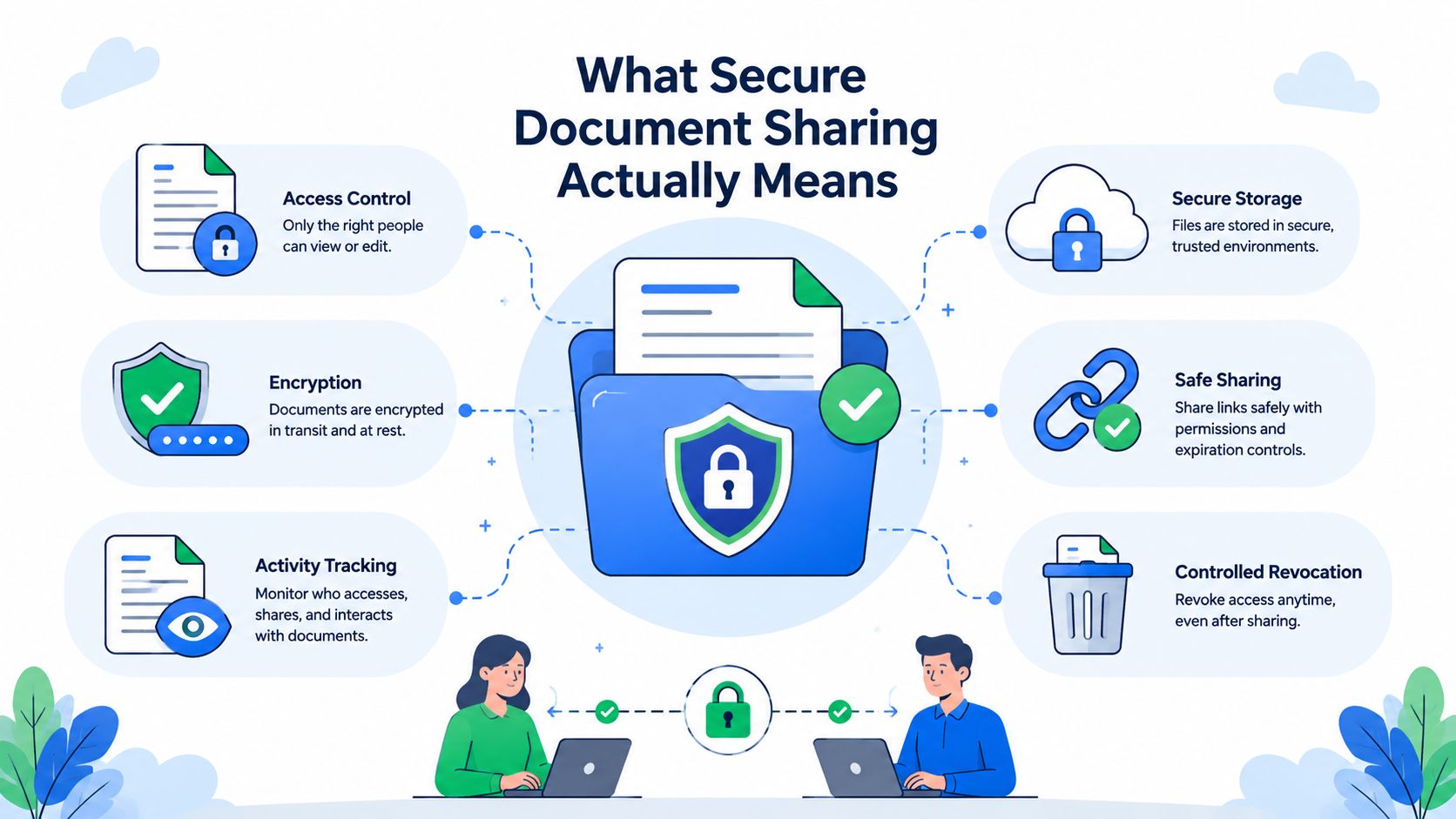
Secure document sharing is controlled distribution. The file is encrypted, access is limited, activity is logged, and permissions can be changed after the first send. That last part separates a controlled workflow from a one-time transfer, because the risk starts after the recipient opens the file.
The market moved in this direction for a reason. Industry reporting on a Forrester survey found that 56% of businesses had already adopted secure file-sharing tools, and another 19% planned to do so within 12 months (ITPro). That adoption pattern shows secure sharing became mainstream business infrastructure, not a niche feature for compliance-heavy teams.
Encryption alone isn't the whole system
A file can be encrypted and still be poorly shared if anyone with the link can open it, download it, or forward it without restraint. A working process combines encryption with identity checks, access control, and audit logs so the sender can see what happened after delivery. That matters in legal, HR, real estate, and financial workflows, where teams often need evidence of controlled access, not just a claim that the file was protected.
The technical baseline is straightforward. A strong stack should use AES-256 encryption at rest and TLS 1.2/1.3 in transit, because protection only after upload leaves a gap during transmission (file encryption fundamentals). For teams that care about document authenticity as well as delivery, verify documents on-chain with Blocsys is a relevant example of how verification can be layered into the workflow, although it solves a different problem from sharing control itself.
Access has to stay manageable over time
The practical test is simple. Can you see who opened the file, when they opened it, and whether they were supposed to still have access? Can you limit the recipient to view, comment, or edit based on the task? That least-privilege model keeps access as narrow as the job requires, and it matters because broad permissions are hard to unwind once the file leaves your control.
Revocation is where the trade-off becomes visible. If a client has already downloaded the file, a permission change may stop future access in the portal, but it will not pull back every copy that has already been saved, forwarded, or printed. Teams that need tighter follow-up usually pair access controls with watermarking, expiration settings, and download restrictions, then decide case by case how much friction clients will tolerate before they switch back to email.
For a deeper look at the encryption side of the stack, this guide on file encryption fundamentals is a useful companion. Encryption matters, but in daily operations it only pays off when it sits inside a broader sharing workflow.
Comparing Common Document Sharing Methods
Teams don't choose a sharing method because it's elegant. They choose it because it's already there, or because a client can open it without calling support. That's why the comparison has to include both risk and friction, not just security theory.
Method by method, the trade-offs are obvious
Email attachments are familiar, but they don't give you meaningful access control once the message leaves your outbox. Generic cloud links are easier to manage, yet they often rely on broad link permissions that are hard to narrow once the file is shared. SFTP is strong from a transfer standpoint, but it puts too much burden on non-technical recipients. Dedicated secure portals solve more of the lifecycle problem because they combine controlled access, auditability, and ongoing permission management.
The method choice usually comes down to whether you need a file to move, or a workflow to stay controlled after it moves.
| Method | Encryption | Access Control | Audit Trail | Recipient Friction | Best For |
|---|---|---|---|---|---|
| Email attachments | Limited, depends on the mail setup | Weak after send | Minimal | Low at first, high later when tracking is needed | Low-sensitivity exchanges |
| Cloud storage links | Good transport options, but link sharing can broaden exposure | Moderate, often coarse | Basic activity logs in some setups | Low to moderate | Internal collaboration with lighter controls |
| SFTP | Strong transfer security | Strong for technical users | Often available, but not recipient-friendly | High for many external users | System-to-system exchange |
| Secure portal | Strong when built with encryption and access policy | Strong, granular, revocable | Strong when logging is built in | Moderate, if designed well | Sensitive client, HR, legal, and financial documents |
A secure method that clients won't use quickly becomes an insecure workaround.
That's the reason portal-based workflows keep gaining ground in regulated and client-facing work. They let the business control who can see the file, what they can do with it, and whether the permission can be changed later. The secure file transfer methods overview is useful if your team is still deciding which transfer path fits a given document type.
Building a Secure Sharing Workflow That Protects Files Beyond the First Send
The biggest blind spot in secure document sharing is what happens after the first share. A file can move through the right encrypted channel and still turn into a problem if a recipient forwards it, saves it on a personal device, or keeps a local copy after access should have ended.
Start with least-privilege access and file-use limits
Give recipients only the access they need. If they only need to review a document, do not grant edit rights. If they need to leave feedback, comment access is enough. If they need to sign, isolate that step instead of opening the whole file for broader use.
From there, add controls that reduce downstream spread. View-only access helps when a file should be read, not moved. Download restrictions matter when the local copy is the main risk. Watermarking does not stop misuse, but it raises accountability in workflows where leaks do the most damage. Expiration dates reduce the chance that an old link keeps working long after it should have been retired.
Treat revocation as partial, not magical
Revoking access matters, but it is not a cleanup button. If a recipient has already downloaded, printed, or redistributed the file, revocation only limits future access through the system. That is why permission review has to be part of the operating rhythm, not an occasional admin task.
Practical rule: if the file can leave your system, assume you may only control the next access event, not every copy already made.
Use encryption where it belongs in the stack
A strong setup uses AES-256 at rest and TLS 1.2/1.3 in transit so the file is protected both in storage and while moving between systems. The core point is simple, storage encryption protects the file when it sits, and transport encryption protects it while it travels. For highly sensitive workflows, client-side encryption and hardware-backed key management reduce exposure further because the provider never holds plaintext keys.
The CocoonData technical brochure also points to browser and endpoint encryption, SHA-512 content verification, OAuth2 authentication, and HSM support as controls that strengthen confidentiality and integrity (CocoonData technical brochure).
That combination is what a lifecycle-aware workflow looks like. It does not just send a file securely, it limits exposure after delivery, keeps records of access, and gives admins enough control to respond when a document's status changes.
Balancing Security Controls With User Experience
Security that frustrates clients usually gets bypassed. If external parties have to create an account, install an app, remember a password, and wait for a manual approval step, many of them will stall, ask for the file another way, or forward it through whatever channel feels easier.
Friction doesn't always reduce risk
A common mistake is to stack controls because each one sounds safer in isolation. The result is a process that looks strong on a policy diagram but falls apart in practice. The better approach is to remove friction where it doesn't add meaningful protection, then keep the controls that change behavior, named-user access, simple portal links, automated reminders, and device-agnostic access.
The client-portal guidance on secure sharing makes the point plainly, good secure sharing has to work without friction or people won't comply. That's the operational truth. The best policy in the world doesn't matter if the recipient can't complete the workflow without help.
What usually works in the real world
A branded portal with a clear upload path is easier to use than repeated email threads. Automated reminders reduce the number of manual follow-ups. Validation dashboards help your team see what's missing without asking the client to resend everything by hand. Those controls don't remove risk completely, but they make the secure path the easy path.
- Keep the entry point simple: one clean request link is better than a chain of instructions.
- Use branded screens: recipients trust a clear, consistent interface more than a generic file drop.
- Automate the nudges: reminders lower the chance that a secure workflow dies in someone's inbox.
- Limit permissions by task: view, comment, or edit should map to the actual job, nothing more.
The primary goal is adoption. A process that clients complete on the first try is safer than a stricter process they abandon halfway through. Secure document sharing only works when people can move quickly without leaving the controlled channel.
How to Choose the Right Secure Document Sharing Platform
A platform choice should start with the workflow, not the brochure. Ask what the team sends, who receives it, whether the files expire, and how much follow-up the team is willing to do manually. Then judge the platform on whether it reduces admin work while still preserving control.
Use a practical checklist
Look for encryption standards that fit the sensitivity of the documents. Check whether the platform supports GDPR compliance and, if data residency matters to your business, European hosting for data sovereignty. Branded portals matter because they reduce confusion for recipients and make the secure path feel like part of your business, not a random third-party handoff.
Automated reminders and expiration tracking are just as important as the security controls themselves. If your team sends onboarding packets, loan files, or client intake forms, you need visibility into what's outstanding and what's stale. Validation dashboards help reviewers catch incomplete submissions before the process drags on.
Fit the platform to the work, not just the policy
Industry templates can speed rollout in legal, real estate, HR, immigration, transportation, and construction because they reduce the setup burden and keep the workflow close to the actual documents. Integrations with tools like Zapier and DocuSign matter if you want the secure portal to sit inside a broader automation chain instead of becoming another isolated system.
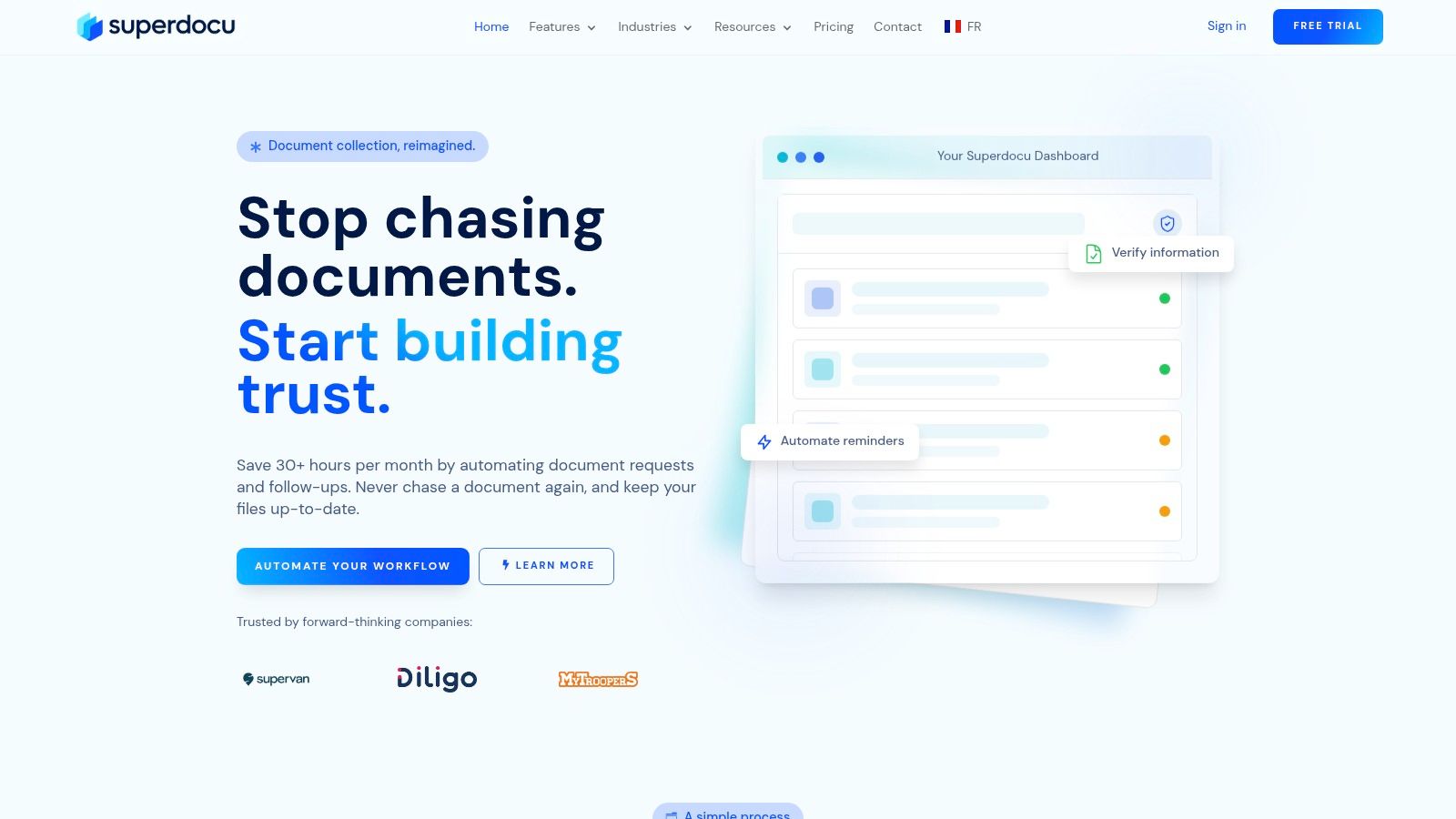
One option in this category is Superdocu, a cloud-based platform for building request links, branded portals, automated reminders, validation dashboards, expiration tracking, and document collection workflows. It also supports integrations and pre-built templates for document-heavy teams, which makes it easier to connect secure sharing to the rest of the operation. More detail is available in this guide to secure file sharing solutions.

A final check is commercial, not technical. Look at pricing tiers, trial access, and whether the platform can handle the volume and sensitivity of your team's documents without forcing a future migration. The best fit is the one your staff will use under pressure.
Real-World Workflows and Next Steps for Your Team
A legal firm can route client intake through a branded portal, collect files in a consistent order, and keep reviewers from chasing attachments across email threads. HR teams can use the same pattern for candidate onboarding, with reminders and status tracking replacing manual follow-up. Mortgage brokers and transportation teams benefit from the same structure when deadlines are tight and missing documents slow everything down.
The next move is straightforward. Audit where sensitive files still move by email, identify the workflows that create the most rework or exposure, and replace those paths with a controlled portal. Roll it out where friction hurts most first, then expand once your team sees that secure document sharing doesn't have to slow the business down.
If you want a cleaner way to collect, review, and control sensitive files after the first share, take a look at Superdocu. It gives teams a secure portal, branded request links, automated reminders, and document tracking so client workflows stay controlled without becoming hard to use.