
Let's be honest, chasing down documents through endless email chains is a massive headache. We've all been there—what should be a simple task quickly devolves into a frustrating, time-sucking chore. That's why smart businesses are ditching the old manual methods and switching to secure, automated systems to request documents. This isn't just about a new tool; it's about fundamentally changing the process from chaotic to streamlined, boosting security, saving time, and giving clients a much better experience.
Why Your Email Inbox Is the Wrong Tool for Document Collection
Relying on your inbox to collect important files is like trying to build a house with a screwdriver—it’s the wrong tool for the job. It's familiar, sure, but it creates huge bottlenecks that kill productivity and leave clients feeling annoyed.
Think about it: every manual follow-up, every "oops, I forgot the attachment" email, every moment spent figuring out if you have the latest version of a file—it all adds up. That's valuable time your team could be spending on work that actually matters. The entire process just wasn't designed for the kind of secure, structured data collection modern businesses need.
This constant back-and-forth isn't just inefficient; it's a huge security risk. When you ask someone to email you sensitive information, it's often sent unencrypted and is vulnerable to being intercepted. Plus, without a central dashboard, trying to track who has sent what is a manual nightmare. Who still owes me their W-9? Who needs a gentle nudge? Finding the answers means digging through a mountain of emails, which is both tedious and incredibly unreliable.
The Real-World Headaches of Manual Document Requests
The problems with sticking to old-school methods go way beyond inconvenience. They create real business challenges that can damage everything from client relationships to your compliance record.
Some of the biggest issues I've seen include:
- A Terrible Client Experience: Making your clients navigate confusing email threads or resend files that got lost is a terrible first impression. It creates friction right from the start.
- Glaring Security Holes: Asking for financial statements or personal IDs as simple email attachments is practically inviting a data breach. It exposes both you and your clients to serious risk.
- Zero Visibility: Without one place to see everything, it's almost impossible to know the real-time status of your requests. This leads directly to delays and missed deadlines.
- Crushing Administrative Burnout: Your team ends up wasting hours manually tracking, downloading, renaming, and organizing files instead of focusing on their actual jobs.
The bottom line is this: email was built for conversations, not for managing secure, step-by-step workflows. When you request documents through email, you’re setting yourself up for inefficiency and risk.
This image perfectly captures the feeling of moving from paper-and-email chaos to the clarity of a centralized digital system.
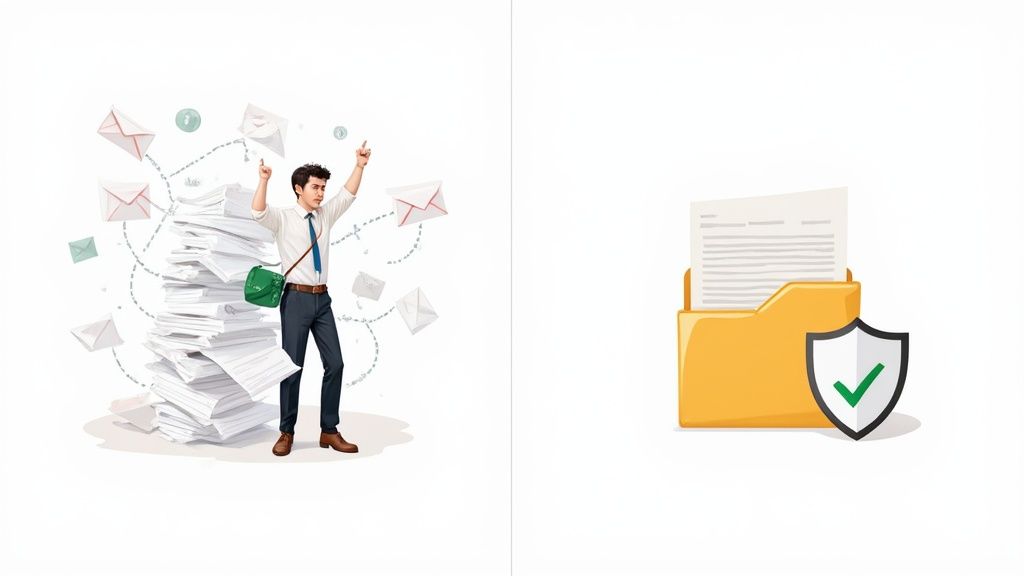
By moving to a platform designed for this, you create a single, reliable source of truth for every document you collect.
A Better Way to Work
To truly see the difference, it helps to put the old and new methods side-by-side.
Traditional vs Automated Document Requests
| Fonctionnalité | Traditional Method (Email & Attachments) | Automated System (Secure Portal) |
|---|---|---|
| Submission Process | Client attaches files to an email; prone to errors and version confusion. | Client uploads files directly to a secure, branded portal with clear instructions. |
| Security | Low. Unencrypted emails are vulnerable to interception and breaches. | High. End-to-end encryption and secure, access-controlled storage. |
| Tracking & Visibility | Manual. Requires spreadsheets or digging through email chains. | Centralized dashboard with real-time status updates for every request. |
| Reminders | Manual. Someone has to remember to follow up with each person individually. | Automated. The system sends scheduled reminders until the documents are submitted. |
| Client Experience | Clunky and unprofessional. Can be confusing and frustrating. | Smooth and professional. Simple, modern interface inspires confidence. |
| Team Efficiency | Low. Drains hours on administrative tasks like downloading and organizing. | High. Frees up team members to focus on high-value work. |
The contrast is pretty stark. One method creates more work, while the other eliminates it.
Embracing a Modern Approach
A modern solution takes this entire messy process and turns it into a smooth, professional, and secure operation. Instead of chaotic email threads, you can create a branded, easy-to-use portal where clients upload their files directly.
This gives you a clear, organized dashboard to track everything at a glance. You can send out automated reminders, set deadlines, and ensure every file submitted is validated and stored securely from the moment it arrives. This shift doesn't just get you back hours of lost time—it shows your clients you're serious about professionalism and protecting their data, which goes a long way in building trust.
Planning Your Document Collection Strategy
Before you ever hit "send" on a request, a little upfront planning will save you a world of frustration later. Trust me, rushing to request documents without a clear strategy is the number one reason for those endless follow-up emails and confused clients. A solid plan ensures you ask for everything you need—once.
This isn't just about making your life easier. When you present a client with a thoughtful, comprehensive checklist, it immediately signals that you're organized, professional, and respect their time.
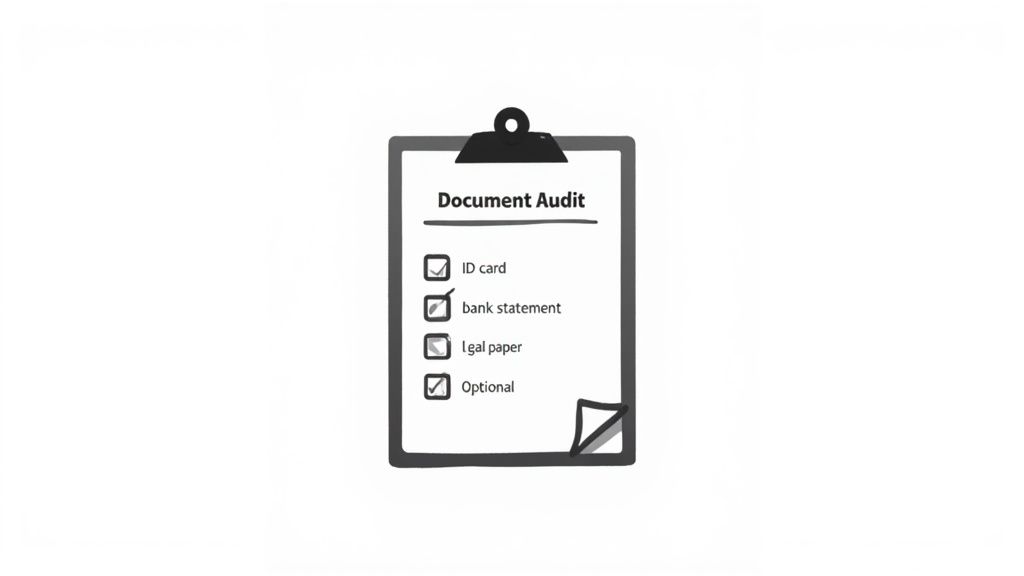
Conduct a Thorough Document Audit
First things first: do a "document audit" for each process. This just means mapping out every single piece of information you need from start to finish. Think of it like a recipe. You wouldn't start baking a cake without knowing all the ingredients, right?
For example, when you're onboarding a new hire, the list might look something like this:
- Identity Verification: A copy of their driver's license or passport.
- Employment Eligibility: A completed Form I-9 with supporting documents.
- Payroll Information: A signed W-4 and direct deposit details.
- Company Agreements: A signed non-disclosure agreement (NDA) and the employee handbook acknowledgment.
By listing every single item, you see the complete picture. This simple exercise prevents that dreaded, "Oh, I forgot to ask for…" email that creates unnecessary delays and makes your process seem sloppy.
Categorize and Prioritize Your Document List
Once you have your master list, it’s time to organize it. Not all documents are created equal, and dumping a long, unordered list on someone is overwhelming. Grouping them into logical categories makes the request feel much more manageable.
A financial advisor prepping for a new client meeting could categorize their request like this:
- Personal Information: Copies of social security cards and birth certificates for all family members.
- Financial Statements: Recent bank statements, investment account summaries, and credit card statements.
- Tax Documents: The last two years of federal and state tax returns.
- Legal Documents: Copies of wills, trusts, or power of attorney documents.
After categorizing, decide what’s an absolute must-have versus what’s just nice to have. Mark items clearly as mandatory or optional. This simple distinction helps your clients prioritize and ensures you get the critical info needed to move forward, even if they can't track down everything right away.
A well-structured request isn't just a list of files; it's a guided journey for your client. By organizing what you need, you're not just collecting documents—you're building a smoother, more trusting relationship from the very first interaction.
Define Clear File Requirements and Naming Conventions
This is one of those small details that makes a massive difference. Vague requests lead to a messy pile of poorly named, incorrectly formatted files. Be incredibly specific about what you need for each item.
Instead of just asking for "proof of address," spell it out: "Please upload a clear, color scan of a recent utility bill (dated within the last 60 days) as a PDF file." This removes all the guesswork.
You might even establish a simple naming convention. Asking clients to name files like ClientName_DocumentType_Date.pdf can automatically organize your submissions and saves you from renaming dozens of files called scan_001.jpg or document_final_v2.pdf.
Here’s a quick checklist to help define your requirements for each document you request:
- File Format: Is a PDF required? Will you accept a JPG or PNG for photos of IDs?
- File Quality: Does it need to be a high-resolution scan, or is a clear photo from a phone okay?
- Required Information: Are there specific details that must be visible, like a full name or account number?
- Date Requirements: Does the document need to be issued within a certain timeframe, like the last 30 or 90 days?
Taking a few extra minutes to define these rules creates a clear and efficient system to request documents, ensuring you get exactly what you need in the right format, the first time.
Creating Your Secure Document Request Portal
Okay, you've got your plan. Now it's time to build the actual system your clients will interact with. This is the fun part, where your checklist turns into a professional, easy-to-use experience that makes it dead simple to request documents.
The whole point is to create a secure space that feels like a natural extension of your brand, building trust the moment a client clicks your link.
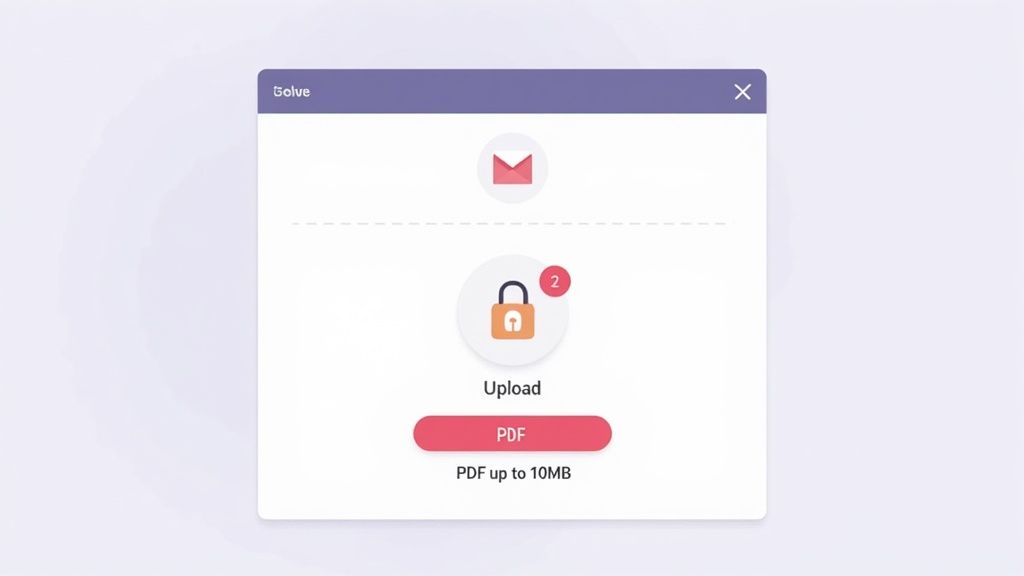
You’re essentially setting up a dedicated client portal or a unique, shareable request link. Modern platforms like Superdocu make this a breeze, helping you create a secure environment where clients feel completely comfortable uploading their most sensitive information. This isn't just another file drop—it's a branded, guided experience.
Brand Your Portal to Build Client Trust
First impressions matter. A lot. When a client lands on your request page, they should instantly recognize your brand. A generic upload page can feel sketchy, causing people to hesitate right when you need them to act.
A simple touch like adding your company logo and brand colors can make all the difference. It creates a seamless, professional look that shouts legitimacy and security. This consistency reassures clients they’re in the right place and dealing with a credible organization.
Think about it—you wouldn't send a critical business proposal from a generic email address, right? Your document collection process deserves that same professional touch.
Develop Templates for Recurring Requests
Stop reinventing the wheel every time you onboard someone. If you're constantly asking for the same set of documents, templates are your new best friend. It’s one of the biggest efficiency boosts you can get, especially for standard processes.
Here are a few real-world examples:
- HR Onboarding: Build a template that automatically asks for a signed offer letter, I-9 form, W-4, and direct deposit information.
- New Client Intake: A financial advisor can have a go-to template requesting tax returns, investment statements, and proof of identity.
- Mortgage Applications: Lenders can template requests for pay stubs, bank statements, and employment verification letters.
With a template ready, you can fire off a comprehensive document request in seconds. Not only does this save a ton of time, but it also keeps everything consistent and ensures you never forget a critical piece of information.
Write Crystal-Clear Instructions
Vague requests are the enemy of a smooth workflow. Don't ever assume your client knows exactly what you need or why you need it. Every single document you request should come with simple, direct instructions.
Instead of just "Proof of Identity," get specific. Try something like: "Please upload a color copy of the front of your valid driver's license. Make sure all four corners are visible and the image isn't blurry." This kind of clarity eliminates the guesswork and cuts down on receiving unusable files.
Your client is not a mind reader. The clearer your instructions, the faster and more accurately they can provide what you need. This simple act of clear communication is a form of customer service.
This is also a great opportunity to briefly explain why you need something. A quick note like, "We need this to verify your identity as required by federal regulations," can boost compliance and make clients feel more at ease sharing personal data.
Specify File Requirements to Prevent Errors
Nothing grinds a process to a halt faster than getting a file you can't open or one that’s too big to download. You can prevent so many headaches by setting a few technical ground rules for uploads.
Be upfront about your file parameters. Here are the key things to specify:
- Allowed File Types: Get explicit. Do you want PDF, JPG, PNG, or DOCX? If you only want PDFs, say so. This prevents a random assortment of formats from landing in your inbox.
- Maximum File Size: Set a reasonable cap, like 10MB, to keep people from uploading massive, uncompressed files that clog up your system. It also nudges them to send optimized documents.
- Image Quality: For things like IDs or signed forms, just add a note that uploads must be clear and legible.
By laying out these rules from the start, you're guiding your clients toward success. The documents you receive will be uniform, manageable, and ready for whatever's next in your workflow.
Putting Your Follow-Up Process on Autopilot
Let’s be honest: manually chasing clients for documents is one of the most frustrating parts of the job. It's that endless, soul-crushing loop of checking spreadsheets, firing off "just checking in" emails, and making phone calls, all while your actual work piles up.
This is exactly where you can get a huge chunk of your day back. By setting up a smart, polite automation system, you can gently nudge clients as deadlines approach without ever lifting a finger. This isn't about being pushy; it’s about giving people helpful, timely reminders that keep everything moving forward.
Set Up Automated Reminders
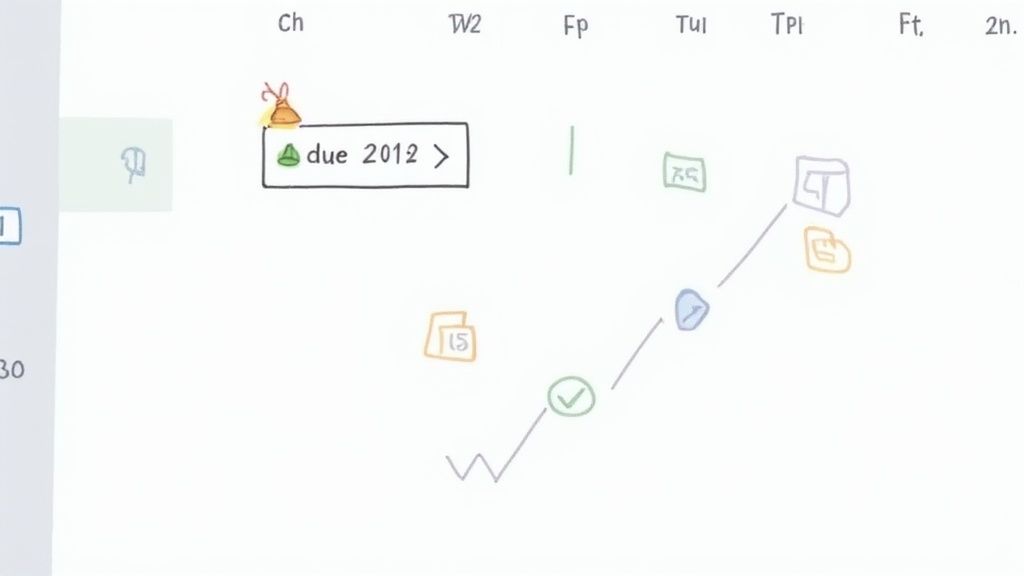
The heart of an automated follow-up system is the scheduled reminder. Instead of trying to remember who needs a poke and when, you can configure your system to send emails or even SMS messages automatically. You set the timing, you set the frequency, and then you let it run.
A great place to start is with a simple three-reminder sequence:
- The Mid-Point Check-In: If a request is due in a week, a reminder three or four days beforehand is a perfect, low-pressure nudge.
- The Day-Before Reminder: This one creates a bit of friendly urgency and is great for catching anyone who simply forgot.
- The "Past Due" Alert: Sent the day after the deadline, this is a clear but professional signal that action is needed.
This kind of cadence is incredibly effective without being annoying. It respects your client’s time while making sure your process to request documents stays on schedule.
Polite and Effective Reminder Templates
The tone of your reminder is everything. You're aiming for helpful, not demanding. The right message can prompt immediate action and actually make your client relationship stronger.
Here’s a simple, effective email template you can adapt:
Objet : A friendly reminder about your document request
Corps du mail
Hi [Client Name],
Just a quick and friendly reminder that the documents we requested are due on [Due Date].
You can securely upload everything here: [Link to Portal]
If you have any questions or are having trouble finding anything, please let us know. We're here to help!
Thanks,
[Your Name]
This template works because it's polite, it gives them the direct link they need, and it offers help. You've just turned a nagging follow-up into a supportive check-in.
Use Expiration Dates to Enforce Deadlines
For time-sensitive projects or compliance-heavy workflows, setting an expiration date on your request link is a game-changer. Once the deadline passes, the link simply deactivates. This adds a layer of security and makes it crystal clear that the submission window is closed.
This tactic is especially useful when you're dealing with a high volume of requests and can't afford to manage dozens of open portals. Take the recent surge in demand for document verification for international students. In the United States alone, the number of international students hit a record 1,177,766 in the 2024/25 academic year. You can imagine the pressure on institutions to process applications efficiently. As recent enrollment data shows, using expiring links is a practical way to manage that volume by enforcing strict submission deadlines.
An expiring link creates a firm, final deadline. It encourages prompt responses and cuts down on the number of stragglers you have to chase down. It also protects sensitive information by ensuring old, forgotten links aren't just floating around out there forever.
Making Document Collection Part of Your Workflow
Getting a file from a client isn't the finish line; it’s the starting pistol. The real magic happens when you build a system where a submitted document automatically triggers the very next step in your process. This is where you connect your collection system to the other tools you rely on, cutting out the manual handoffs and creating a truly efficient operation.
Forget about downloading a file just to re-upload it somewhere else. We're talking about a world where a completed request kicks off the next action without you lifting a finger. This isn't a "nice-to-have" anymore. It's how modern businesses scale, save time, and keep projects moving forward without missing a beat.
First, Quickly Review and Validate Submissions
Before a document can move on, you need to be sure it's the right one. A solid document collection platform gives you a central dashboard to see and validate every single file that comes through. Think of it as your quality control command center.
From this one spot, you should be able to:
- Preview files instantly: No more downloading just to see what’s inside a PDF or image.
- Approve or reject in one click: Mark a document as good to go or flag it for a do-over.
- Leave notes for your team: Add quick comments for context so everyone is on the same page.
Let's say a client uploads a blurry photo of their ID or an old bank statement. You can reject it right there and the system will automatically ask them for a new version. This immediate feedback is way more effective than finding the error days later and having to start the whole back-and-forth from scratch.
Connect to the Tools You Already Use
The real power of integration is getting your different software systems to talk to each other. When you request documents and they arrive, they shouldn't just sit there. They need to flow into the other apps where your team actually gets work done.
Modern collection tools use services like Zapier to connect with thousands of other applications, opening up a huge world of automation possibilities.
The goal is to create a chain reaction. A document submission isn't just a file—it's a trigger for the next action.
For example, the moment you approve a submitted proof of address, you can have an automation that instantly:
- Updates your CRM: A tag gets added to the client’s profile, marking their verification as complete.
- Sends the file to storage: The approved document is automatically copied to a specific client folder in Google Drive, Dropbox, or OneDrive.
- Notifies your team: A message pops up in a Slack channel, letting everyone know the client's file is ready for the next step.
From Document Approval to E-Signature
One of the most powerful workflows you can build is connecting document collection with an e-signature platform like DocuSign. This is a game-changer for any process that requires gathering information before a contract can go out.
Think about a real estate agency signing on a new tenant. The process could be this smooth:
- Request Documents: The agent sends a single request for the tenant's application, pay stubs, and driver's license.
- Automated Trigger: As soon as the agent approves all the documents, an automation fires off.
- Send for Signature: The system automatically sends the lease agreement to the tenant via DocuSign to be signed electronically.
This all happens without the agent ever needing to manually download files, draft a new email, and attach the lease. The workflow is not only faster but also less prone to human error, which creates a much better experience for the new tenant.
This level of automation is absolutely crucial in high-volume, deadline-driven fields. Take international student admissions, for example. Visa processing delays are a massive issue. F-1 visa issuances dropped by 12% from January to April 2025 and a staggering 22% by May 2025 compared to the prior year, mainly due to backlogs. You can read the full research about these enrollment trends on NAFSA.org to see the scale of the problem. Educational institutions that automate document handling give their students a huge advantage by getting applications processed faster.
By building these smart connections, you’re not just collecting documents—you’re speeding up your entire business from start to finish.
Got Questions? Let's Talk Document Requests
Switching up how you collect documents, even for the better, naturally brings up some questions. You might be wondering about security, what the experience is like for your clients, or how a new system handles tricky situations. It's smart to think about these things.
Let's walk through some of the most common questions I hear. Getting these answers will help you build a process that works for you and gives your clients total peace of mind.
How Can I Be Sure My Clients' Documents Are Secure?
This is always the first question, and it should be. When you’re asking for sensitive information, security is everything. Here's the good news: a dedicated document collection portal is light-years ahead of email in terms of security. The key is finding a platform built with end-to-end encryption, which scrambles the files during upload and keeps them protected while stored.
When you're looking at different tools, these are the security features you can't compromise on:
- SSL Encryption: This is the baseline. It creates a secure tunnel between your client's device and the server so no one can intercept the data.
- Password-Protected Links: You need to be sure that only the person you sent the link to can actually open it and upload files.
- Data Privacy Compliance: If you work with anyone in Europe, look for GDPR compliance. This shows the platform takes global data protection seriously.
Think of it this way: a secure, professional portal does more than just protect data. It sends a clear message to your clients that you value their privacy and have invested in the right tools to keep their information safe.
What’s the Best Way to Get Documents from Someone Who Isn't a Tech Whiz?
The secret is to make it ridiculously simple. Your goal is an experience that feels as easy as attaching a file to an email, just without the security risks. The best platforms I've seen don't even require the client to create an account or remember a password.
To make sure it's foolproof for everyone, zero in on these elements:
- A Super Clean Interface: The upload page should be simple and obvious. A big, clear "drag and drop here" or "click to upload" button is all they really need to see.
- Mobile-First Design: Let's face it, many people will just snap a picture of a document with their phone. Your request portal has to work perfectly on a smartphone screen.
- Clear, Step-by-Step Guidance: As we talked about earlier, telling someone exactly what you need for each item takes all the guesswork out of it. No more confusion, no more anxiety.
When you remove these little points of friction, you create a process that even the most tech-averse person can handle confidently.
Can I Ask for Documents from a Whole Group of People at Once?
You bet. This is where a modern system really earns its keep. Let’s say you’re in HR and have ten new hires starting on the same day. Instead of juggling ten different email threads, you can create a single "New Hire Onboarding" template and send it to all ten people at once.
Each new employee gets their own unique, private link that takes them to their personal portal. They can't see anyone else's files, so confidentiality is completely maintained. From your dashboard, you get a bird's-eye view. You can instantly track who has finished uploading their documents and who you might need to nudge. This is a game-changer for anyone who regularly collects the same documents from multiple people—whether it's for onboarding, a multi-party legal case, or a family financial plan.
Ready to stop chasing documents and start getting work done? Superdocu makes it easy to create secure, branded portals to request documents, send automated reminders, and integrate with the tools you already love.
Start your free trial of Superdocu today!