
You open your email to handle a normal workday task. There's a message that looks routine. It says your account needs verification, your storage is full, or your password must be reset. The button takes you to a Google Form.
That moment is where many people get pulled into trouble. Google Forms feels familiar, simple, and harmless. It's used for school surveys, event signups, customer questionnaires, and internal admin tasks. So when a form asks for your password, it can look like just another box to fill in.
It isn't.
A password should never be collected through a Google Form. If you remember one rule from this article, make it this one: never submit passwords through Google Forms. If someone asks, treat it like being asked to mail your house key in a clear envelope. Even if the envelope reaches the right place, the process itself is unsafe.
Table of Contents
- The Innocent Looking Request That Is Not
- Why Google Forms Are a Security Minefield for Passwords
- The Anatomy of a Google Forms Phishing Scam
- Your Immediate Action Plan for Password Requests
- Secure Alternatives for Collecting Sensitive Information
- Adopting a Security First Mindset for Data Collection
The Innocent Looking Request That Is Not
A common version looks like this. You get a message that says your account has unusual activity. Or your team must confirm access before the end of the day. The email includes a Google Forms link because “it's faster than logging into the portal.”
That request feels believable because Google Forms is a real tool people already use. Teachers use it. HR teams use it. Clubs use it. Small businesses use it. The form may even carry a company logo and polite wording. That's why people hesitate. They think, “If it's a Google Form, maybe it's official.”
It's not official if it asks for your password.
Practical rule: A legitimate organization might ask you to reset your password through its own secure login page. It should not ask you to type your current password into a form field and send it to a person.
There's another reason these requests spread so easily. Creating a form is simple. Sending one is simple too. An attacker doesn't need to break into your computer to cause harm. They just need you to trust the form long enough to type in something sensitive.
Why people get confused
Some readers wonder whether the problem is only with criminals. It isn't. Sometimes the sender is malicious. Sometimes the sender is just careless. A coworker, manager, contractor, or client-facing staff member may think a form is a convenient way to gather onboarding details or support information.
That still doesn't make password collection safe.
The key point is simple. Google Forms is fine for surveys and basic intake. It is not a place for secrets. Passwords, one-time login codes, and answers to security questions should never be requested there.
Why Google Forms Are a Security Minefield for Passwords
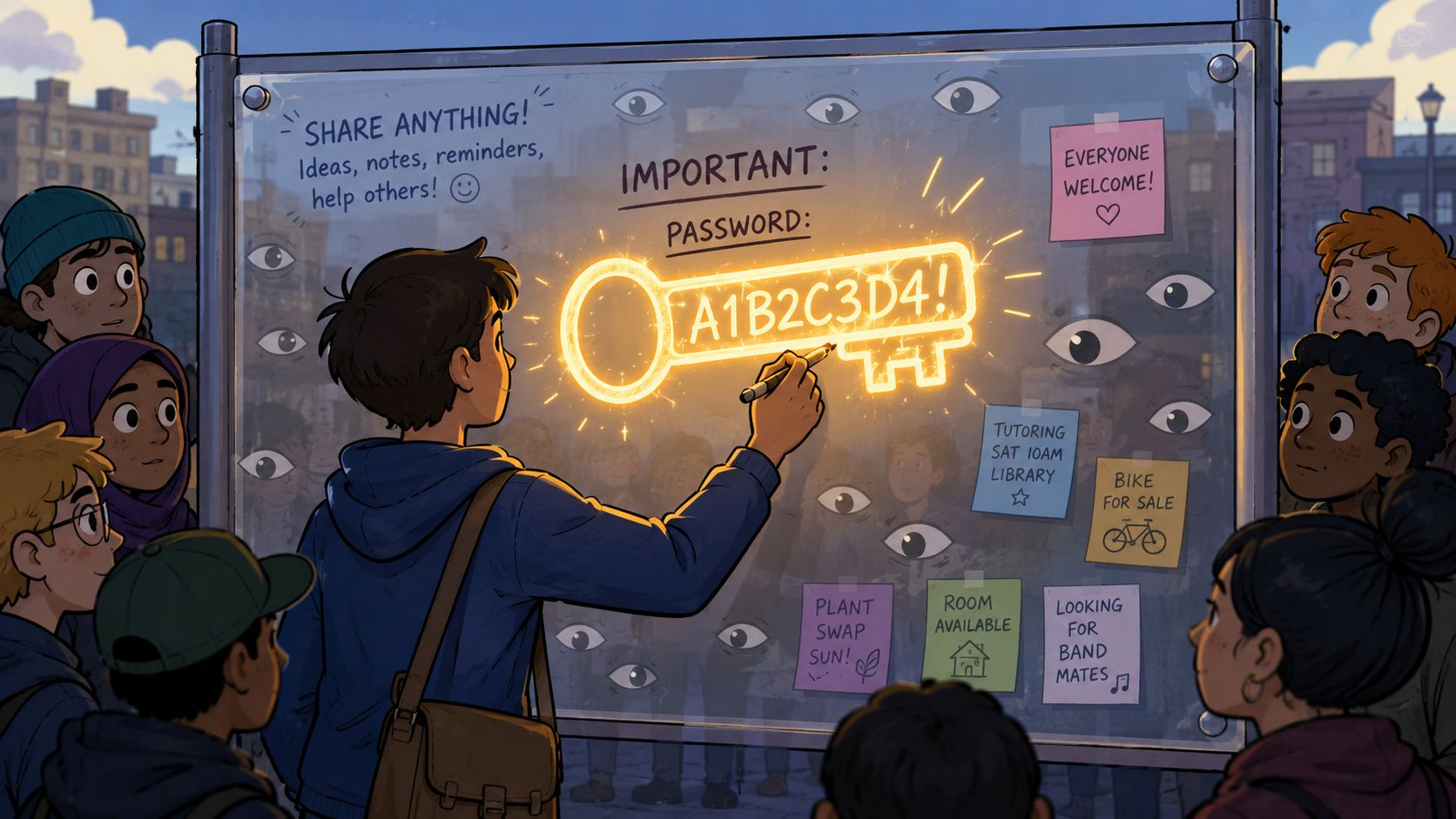
A familiar tool can lower your guard
Submitting a password through a form is like writing your key code on a postcard. You may trust the mail system, but the message travels through a process built for ordinary information, not for secrets.
Google itself signals this risk. Recipients can see the built-in warning “Never submit passwords through Google Forms.” That warning exists because forms can be abused in phishing and credential theft schemes, where attackers rely on social engineering rather than breaking into systems directly. The same warning also reflects a broader pattern: scammers use deceptive forms and email lures to collect credentials or financial information, impersonate trusted brands, and push people toward malicious links, malware, or fake payment pages, as explained in this report on how fraudsters abuse Google Forms to spread scams.
That matters because people often think the danger starts only after a hacker “cracks” a system. In reality, the danger often starts much earlier. It starts when a normal-looking form convinces someone to hand over access.
The danger is the process, not just the platform
The security problem isn't mainly “Google got hacked.” The main issue is that the workflow is wrong for password handling.
When someone builds a form to collect passwords, several bad things can happen:
- Responses can be viewed by others: Form replies may be accessible to the person who created the form and to anyone they've shared access with.
- Passwords become stored data: A password typed into a form doesn't stay in your head. It becomes a saved response that can be copied, exported, or mishandled.
- Teams normalize unsafe behavior: Once staff and customers get used to entering sensitive data into forms, attackers have an easier time copying that pattern.
- Reuse makes the damage worse: If someone reuses the same password elsewhere, one stolen credential can open more than one door.
Google's guidance highlighted in the report recommends strong, unique passwords and multi-factor authentication because a stolen password by itself can expose an account if there's no extra verification step. That's why a password field inside a form is such a bad sign. It creates a direct path to account abuse.
A secure organization asks you to authenticate through a login system, not by handing your password to a person or a spreadsheet.
Businesses also need to think about process design. If you need clients or staff to send sensitive records, use tools designed for secure intake, not general-purpose forms. This matters even for documents, not just credentials. A useful starting point is this guide to secure file transfer methods.
The Anatomy of a Google Forms Phishing Scam
A Google Forms scam usually doesn't begin with the form. It begins with pressure.
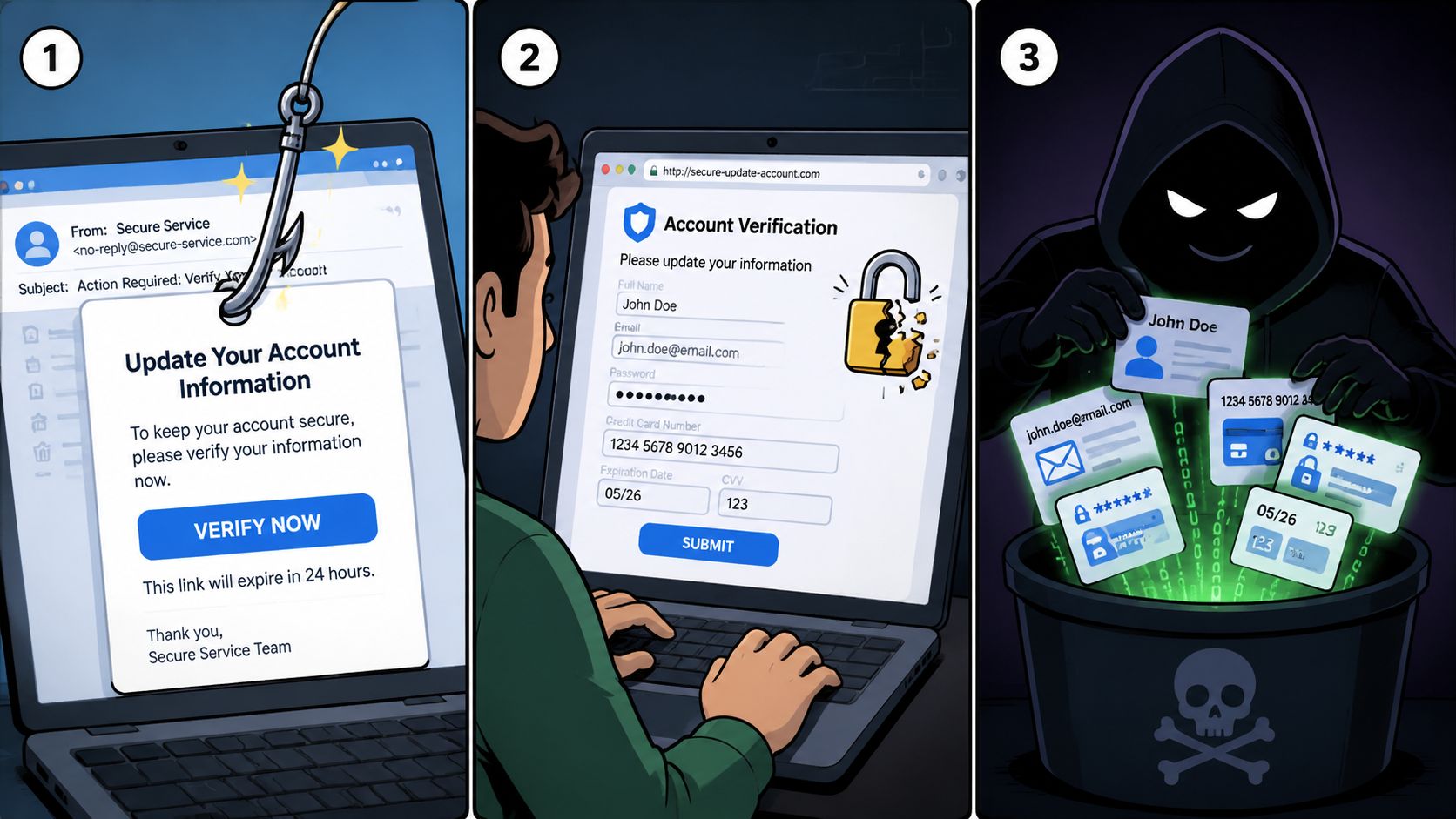
How the trap usually unfolds
First comes the lure. The message may claim there's a billing problem, payroll issue, shared file error, or urgent account review. It tries to make you act before you think.
Then comes borrowed trust. The attacker may use a company name you know, copy branding, or refer to a role you recognize, such as IT support, HR, a bank, or a cloud app. The Google Form itself may look neat and organized, which makes the request seem more legitimate than a rough-looking scam page.
Finally, the form asks for something it should never ask for. Examples include:
- Your password: Sometimes labeled as “verification,” “re-authentication,” or “security confirmation.”
- A one-time code: Attackers may ask for a login code sent to your phone or email.
- Payment details: The form may claim you need to settle a fee or confirm a refund.
- Recovery answers: Security questions can help attackers break into other accounts.
The wording often sounds harmless. “Please confirm your details.” “Complete this audit.” “Required for continued access.” Scammers know that direct threats can look suspicious, so they mix urgency with routine admin language.
If a form asks for the secret that proves you are you, stop there. That secret should only go into the real service's login page.
Scam or just bad practice
Sometimes people ask, “What if it really is from my company?” That's the right question.
A malicious scam tries to steal from you. A misguided internal request may come from someone who thinks they're saving time. The appearance can be similar. The difference is motive, not safety. In both cases, you should refuse to share your password through the form.
A good way to train your eye is to look for process clues, not just spelling mistakes. Is the message unsolicited? Does it bypass the normal sign-in page? Does it ask you to trust the form instead of the official system? Those are stronger signals than whether the logo looks polished.
For teams that want more practical examples of how phishing targets businesses, this business guide to phishing protection is a useful companion read.
Your Immediate Action Plan for Password Requests
When you receive a Google Form asking for a password, the most important move is also the simplest. Don't type anything into it.
If you receive the request
Use this checklist:
Stop before interacting
Don't enter your password, one-time code, recovery answer, or payment information. Don't test the form with partial information either. Even “just checking” can reveal useful details.
Verify the request another way
Open the official website yourself in a new browser tab, or call the company using contact details you already trust. Don't use the phone number, email address, or link provided in the suspicious message.
Check whether the request makes sense
Real password resets usually happen inside the service's own login flow. They don't require you to send your current password to a person.
Report the form
Use Google's reporting option for phishing if the form appears deceptive. Reporting helps limit how long the scam stays active.
If you already submitted your password
Act fast, but don't panic. The goal is to cut off access.
- Change that password immediately: Go to the actual service and update it there.
- Change reused passwords too: If you've used the same password on other accounts, update those as well.
- Turn on MFA: Multi-factor authentication adds another checkpoint. That matters because a stolen password alone can be enough to expose an account when there's no extra verification layer.
- Review account activity: Look for unfamiliar sign-ins, changed recovery details, or messages you didn't send.
- Tell your IT or security contact: If this involved a work account, report it right away so they can help protect other users.
Fastest safe response: Change the password on the real service first, then work outward to any other account that used the same one.
People sometimes feel embarrassed after falling for a fake form. Don't let that slow you down. Attackers count on hesitation. Quick action limits damage far more effectively than silent worry.
Secure Alternatives for Collecting Sensitive Information
Businesses often end up using Google Forms for the wrong job because it's available, familiar, and quick to deploy. That makes sense for event registration, feedback, and simple questionnaires. It doesn't make sense for passwords or other high-risk secrets.
What businesses should collect and what they should never collect
A business may need documents, IDs, signed agreements, onboarding records, or compliance paperwork. Those are legitimate collection needs. But a password is different. A password is not a document to gather. It's a secret the user should keep and use only with the actual login system.
That distinction helps clear up a common misunderstanding. Secure data collection does not mean “collect anything sensitive in any tool with a lock icon.” It means building a process where the user shares the right information through the right channel.
Comparing Data Collection Methods
| Fonctionnalité | Google Forms | Secure Platforms (like Superdocu) |
|---|---|---|
| Best use case | Surveys, polls, simple intake | Sensitive document collection and controlled workflows |
| Password collection | Unsafe and inappropriate | Should not be used for passwords either |
| Branded request experience | Basic form customization | Branded portals and structured request flows |
| Access control | General form and response access | More granular control over who can request, upload, review, and validate |
| Auditability | Limited for sensitive intake needs | Better fit for tracked document workflows |
| Compliance-minded workflow | Weak fit for high-risk data handling | Better suited for regulated document collection |
Safer ways to handle sensitive workflows
For credentials, the safest route is straightforward. Send the user to the service's real sign-in page, password reset flow, or identity system. Don't ask staff to collect passwords manually. Don't ask clients to type passwords into forms. Don't put shared secrets in spreadsheets.
For documents and intake workflows, businesses should look at tools built for secure collection. Some teams use secure client portals. Others use password managers with secure sharing features when an actual secret must be transferred in a controlled way. For document-heavy processes, Superdocu is one example of a platform that provides branded portals, workflow automation, validation steps, and security features for collecting files and information without turning a general-purpose form into a risky shortcut.
A practical next step is reviewing how your team currently asks for records. If the process relies on email attachments, open forms, or ad hoc requests, it's worth moving toward a more controlled intake model. This guide on how to send secure documents is a helpful reference for that shift.
Adopting a Security First Mindset for Data Collection
The safest organizations make one idea clear to everyone. Google Forms is for surveys, not secrets. Once people understand that, many risky habits disappear on their own.
For individuals, the rule is simple. If a form asks for a password, stop and verify through an official channel. For businesses, the challenge is larger. You need clear internal rules, better tools, and staff training that explains not just what to avoid, but what to do instead.
A security-first mindset also builds trust. Clients notice when a company uses a proper portal instead of asking for sensitive data in a casual way. Employees notice when the password reset process happens inside the actual system instead of through inbox improvisation. Small changes in process signal professionalism.
Good security often looks boring. That's a compliment. Safe systems reduce surprises, reduce guesswork, and reduce the need to “just send it another way.”
If your team is reviewing its intake process, it helps to study broader guidance on safeguarding sensitive data. Then look closely at your own workflows. Which requests still arrive by email? Which form fields ask for more than they should? Which teams need a secure intake path for documents but not for passwords?
A useful place to start that audit is this overview of secure document collection.
If your business still collects client or employee information through general-purpose forms, now's a good time to replace those habits with a safer workflow. Superdocu offers a way to collect documents and information through branded, structured request flows designed for secure business intake.