
A partner is about to send a client's full return by email. The PDF includes names, Social Security numbers, income data, bank details, prior-year carryovers, and signed forms. The client is waiting. The deadline is tight. Email feels like the fastest option.
That's exactly how firms end up taking unnecessary risk.
If you handle tax records, the question isn't only how to get a file from one inbox to another. It's how to reduce exposure before sending, choose the right channel for the transfer itself, and keep control after delivery. That framework matters because tax documents don't stop being sensitive once they leave your outbox. They stay sensitive while they're in transit, while they sit in someone's downloads folder, and while your firm stores them for years afterward.
Table of Contents
- Why Your Standard Email Is a Security Risk for Tax Documents
- Preparing Your Files for Secure Transfer
- Choosing Your Secure Transmission Method
- Implementing Advanced Access and Identity Controls
- Meeting Compliance and Maintaining Audit Trails
- Your Implementation Checklist for Secure Document Exchange
Why Your Standard Email Is a Security Risk for Tax Documents
At 5:12 p.m. on a filing deadline, someone attaches a completed return to a normal email, sends it to a client, and moves on to the next task. If that address was mistyped, if the client opens the file on a shared device, or if the message sits in an inbox that later gets compromised, the exposure is already out of your hands. That is how tax document incidents happen in small firms. Not through exotic attacks, but through ordinary habits applied to high-risk files.
The IRS has been clear that standard email is not the right default for sensitive tax information. For a firm handling returns, W-2s, 1099s, bank records, and ID documents, that should settle the baseline question. Ordinary email may be convenient, but convenience is not a control.
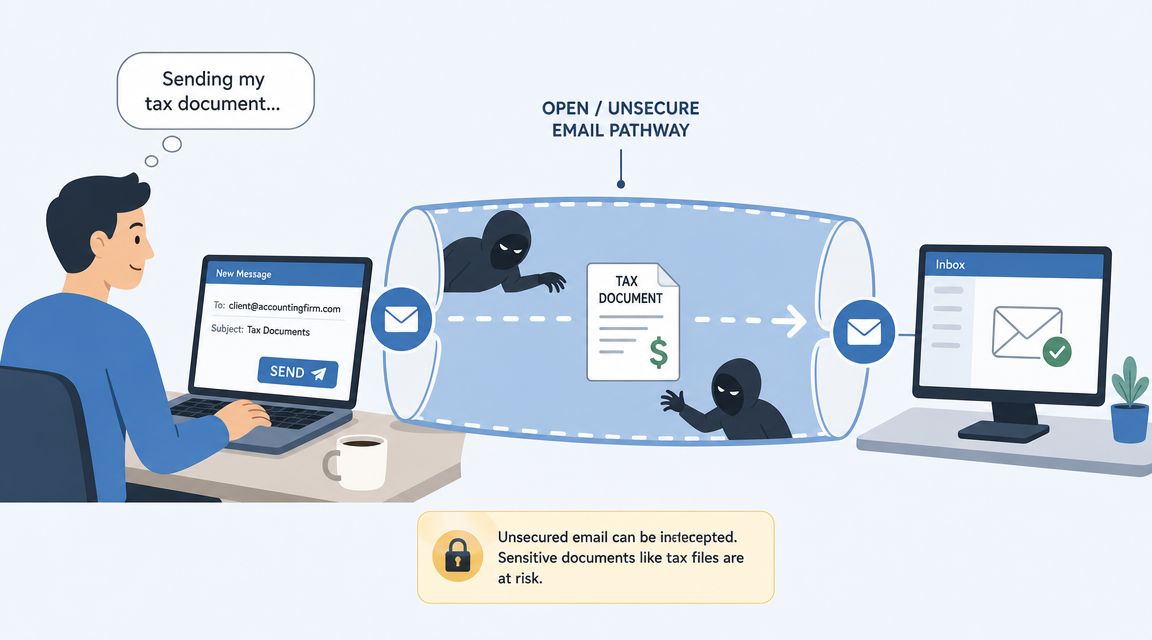
The core issue is broader than interception in transit. Standard email also performs poorly as a risk-reduction tool across the full document lifecycle.
A tax attachment in a normal inbox creates several failure points:
- The message can be sent to the wrong address with no meaningful recovery option.
- The attachment can be auto-synced to unmanaged phones, tablets, or home computers.
- The recipient can forward the file without restriction.
- The firm often cannot confirm who opened the document, downloaded it, or shared it.
- Copies remain scattered across mailboxes, forwarded threads, and local download folders.
That matters because secure document exchange should be judged in layers. First, reduce exposure at the foundation by treating tax files as sensitive from the start. Next, choose a transmission method that protects the file in transit and limits who can access it. Then keep control after delivery with expiration, access logs, and revocation where possible. Standard email is weak in all three layers, which is why it fails as a primary method for tax records.
I have seen firms focus only on whether an email can be encrypted, then ignore what happens after the client receives the file. That is a narrow view of the risk. A protected transmission method helps, but it does not solve mailbox sprawl, forwarding, weak recipient authentication, or the lack of a usable audit trail. Those gaps are what create cleanup work after an incident.
Practical rule: If a misdirected file would trigger client notification, reputational damage, or a difficult internal review, do not send it as a standard email attachment.
For routine administrative files, email may still have a place. For tax returns and supporting documents, firms need a controlled exchange process instead of mailbox-to-mailbox delivery. A secure client portal or purpose-built workflow gives you better control than standard email, and a structured approach like this guide to sending documents securely shows what that process should cover. If your team still needs email for notices or client coordination, keep the sensitive file out of the attachment itself and review safer handling practices such as how to send attachments with Robotomail.
Preparing Your Files for Secure Transfer
Secure transfer starts before you choose the channel. If the file name exposes sensitive details, the wrong version gets attached, or the password goes out in the same message, the sending method won't save you. Good file hygiene removes avoidable mistakes before transmission begins.
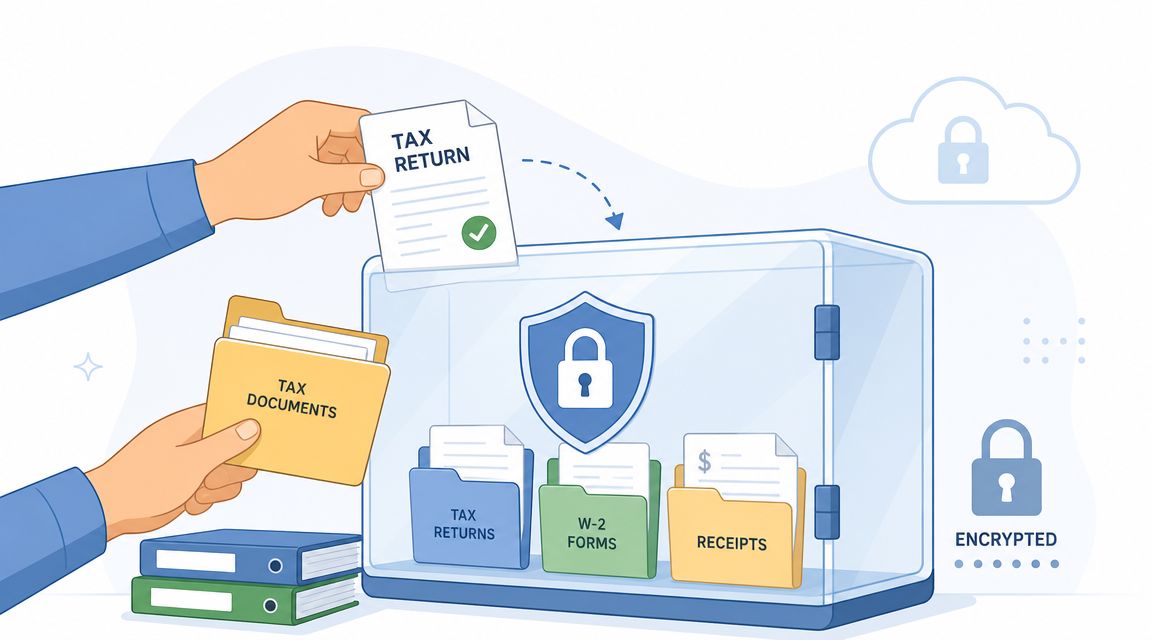
Start with file discipline
Gather the client's tax documents into one working folder first. That reduces the chance that someone sends a draft return, misses a supporting form, or grabs an attachment from an old email thread. Consistent naming also matters. A file called TaxReturn_SSN_BankInfo.pdf reveals too much before anyone even opens it.
Use neutral, operational names instead. Keep them descriptive enough for staff to identify the file, but generic enough that the filename itself doesn't broadcast sensitive content.
A simple pre-send routine helps:
- Confirm the final version: Make sure the file is complete, signed if needed, and not a draft.
- Normalize formats: If you have scanned pages, convert them into common formats your recipient can open cleanly.
- Remove duplicates: Fewer loose copies means fewer chances to send the wrong one.
- Rename safely: Use a generic filename that doesn't expose personal or tax details.
Package and encrypt before sending
If you must send documents outside a portal, package them into a single archive and encrypt that archive. This is the practical baseline. It keeps scattered files from traveling separately and adds a layer of protection if the file is intercepted or misrouted.
McAfee explicitly recommends zipping files, adding a password, renaming the file generically, and sending the password through a separate channel. The same guidance notes that encrypted attachments should use strong passwords of at least 12 characters with a mix of letters, numbers, and symbols, which aligns with the IRS position that ordinary email isn't encrypted, as described in McAfee's tax document security guidance.
For many organizations, the basic process looks like this:
- Place all client files in one folder.
- Create a ZIP archive using your operating system's built-in compression tool or a standard archiving app.
- Apply password-based encryption when creating the archive.
- Rename the archive with a generic label such as a client code and tax year.
- Send the encrypted archive through a controlled channel.
If your team sends supporting files regularly, it's also worth reviewing operational tools that simplify attachment handling. A practical reference is this guide on how to send attachments with Robotomail, especially if you're tightening everyday email workflows and want fewer manual errors around file delivery.
Keep the password separate
The password rule is simple. Never send the protected file and its password in the same email thread. If one message gets exposed, you've handed over both the lock and the key.
Use a separate communication channel. A phone call works well. A text message can work if that's your standard client contact path. A secure messaging feature inside your client portal is even better.
Send the archive by one channel. Send the password by another. Treat that separation as non-negotiable.
A concrete example helps. Email the encrypted file to the client's verified address. Then call the client using the phone number already on file and provide the password verbally. That extra minute does more for security than most firms realize.
Choosing Your Secure Transmission Method
Not every secure method solves the same problem. Some protect the file in transit. Some improve identity control. Some create an audit trail that holds up when a client says they never received the return or your staff needs proof of access history.
For a small firm, the decision usually comes down to three options. Standard email with an attachment, encrypted email or secure email add-ins, and a dedicated client portal. They are not equal.
What each method actually solves
Standard email wins on familiarity and speed. It loses on control. It's easy to use, but it assumes that convenience is the main priority. For tax records, that's a poor assumption.
Encrypted email add-ins improve matters because they wrap the message or attachment in a more protected delivery process. Some also let you revoke access, expire messages, or require authentication. This can be a workable middle ground when a full portal rollout isn't in place yet.
Secure client portals are usually the stronger professional workflow. Independent tax-security guidance says the safest way is a portal requiring a password and secure upload, and warns that if email must be used, files should be placed in a password-protected ZIP or similar encrypted wrapper with the password sent separately, according to this practitioner guide on secure tax document delivery.
That ranking matches what many firms see in practice. A portal centralizes upload, download, notification, and access management. It also creates fewer side conversations across inboxes and text threads.
Comparison of Secure Document Transfer Methods
| Method | Security Level | Client Experience | Audit Trail | Best For |
|---|---|---|---|---|
| Standard email | Low for sensitive tax records | Familiar, but easy to misuse | Weak | Internal scheduling messages, not tax files |
| Encrypted email add-in | Moderate to high, depending on controls | Better than standard email, though clients may need instructions | Moderate | Firms improving security without changing the full workflow |
| Dedicated client portal | High-control workflow | More structured and professional | Strong | Ongoing client document exchange and repeat tax seasons |
The client experience point matters more than many firms think. Clients don't mind one extra step if the process feels intentional and trustworthy. They do mind confusion, multiple resend requests, and password instructions buried in a long email chain.
For firms that need branded intake and document collection, a platform like secure file-sharing solutions for client workflows can fit this model because it organizes requests and submissions in a controlled environment instead of scattering them across inboxes.
What most firms should choose
If you send tax documents occasionally and you need a stopgap, encrypted attachments with proper password handling are acceptable as a baseline. If you exchange tax records as a repeat business process, use a portal.
That's not because portals are fashionable. It's because they solve multiple operational problems at once:
- Controlled access: Clients use a defined entry point instead of loose attachments.
- Cleaner staff process: Your team works from one system, not fragmented inboxes.
- Fewer resend errors: Files stay in one location rather than circulating through forwards.
- Better client signaling: The process communicates care and professionalism.
Physical mailing still has a place in some situations, especially for clients who won't use digital tools. When paper is necessary, use a traceable service with delivery confirmation rather than dropping documents into ordinary mail.
Implementing Advanced Access and Identity Controls
Sending the file is only half the job. The stronger control point is what happens after the recipient opens the message or clicks the link. If you can't limit access, set expiration, or restrict copying, you've moved the document but you haven't really controlled it.
Control the file after delivery
High-control secure email and portal systems can do more than encrypt. Virtru describes a workflow where the sender enables secure mode, attaches the tax forms, and sets controls such as expiration dates, watermarks, and download restrictions. It also notes that business deployments can add DLP rules that automatically detect Social Security numbers by format, as outlined in Virtru's guide to securing tax forms.
Those features matter in day-to-day operations:
- Expiration dates: Useful when a tax packet should only be available for a limited period.
- Download restrictions: Helpful when you want the client to review a file without creating unmanaged copies.
- Watermarks: A deterrent against casual forwarding or screenshot sharing.
- Automatic detection rules: Useful for catching sensitive fields before staff sends a file the wrong way.
A document collection platform can also help at this layer. Superdocu, for example, is built around request links, branded portals, reminders, and controlled document collection rather than open-ended email exchange. That's a process control benefit as much as a convenience feature.
Security improves when staff doesn't have to remember every rule manually. Good systems enforce the workflow.
Passwords alone aren't enough
A password protects access only if the right person is entering it. That's why identity controls matter. If the recipient uses a shared inbox, if credentials are reused, or if a link gets forwarded, a simple password can fail unnoticed.
Use stronger verification where your tools allow it. Require sign-in. Limit access to the intended recipient. Turn on extra authentication for staff accounts. Most firms don't need a complicated setup. They need consistency.
If your team handles encrypted files directly, it also helps to understand the broader mechanics behind encryption choices. This overview of understanding GPG encryption best practices is a useful technical reference for teams that want a deeper grasp of file encryption beyond basic ZIP passwords.
Meeting Compliance and Maintaining Audit Trails
A secure send is only the middle of the control chain. For tax documents, the true test comes later, when a client disputes delivery, a manager reviews an exception, or a regulator asks how your firm handled a return from intake through storage and deletion.
That is why this stage matters in the risk-reduction framework. Foundational security lowers the chance of exposure. Secure transmission lowers the chance of interception. Audit trails and retention controls give you evidence that the process worked, and they limit the damage if someone did the wrong thing.
Compliance is a records problem as much as a transmission problem
Tax firms often focus on the send event and stop there. The larger operational risk sits in what happens afterward. A downloaded PDF on a staff desktop, an attachment sitting in a shared mailbox, or a duplicate copy left in an open file share can create the same exposure you were trying to avoid during transmission.
IRS guidance discussed earlier makes the practical point. Ordinary email is not a secure default for tax records, and firms also need to retain certain records for years. That extends your risk window well beyond filing season. If your firm sends a return through an approved channel but keeps uncontrolled copies afterward, the process is still weak.
What an audit trail needs to prove
An audit trail should answer specific questions without guesswork. Who uploaded the file. Who had access. When the document was opened. Whether it was downloaded, replaced, signed, or deleted. If access expired or was revoked, that should appear too.
These details matter during routine issues, not just formal audits. A client says the return never arrived. A partner wants to know whether staff released the final version or a draft. An internal review finds a file was shared outside the approved workflow. In each case, the firm needs system evidence, not staff memory.
Useful audit records usually include:
- Timestamps: Upload, share, access, download, signature, and deletion events
- User attribution: The staff member, client, or admin account tied to each action
- Status history: Pending, completed, expired, revoked, replaced, or archived
- Access evidence: Whether the file was viewed only, downloaded, or re-shared
- Exception notes: Failed delivery attempts, access denials, or policy overrides
Teams building these controls across multiple systems often use broader logging standards as well. This article on how to ensure regulatory compliance with logs is a practical companion if you are aligning document exchange records with wider compliance operations.
For firms turning policy into a repeatable control set, this checklist for compliance and audit readiness is a useful reference.
Retention policy changes the risk profile
Retention is where good sending practices often break down. The issue is not only how long you keep records. It is where they live during that period, who can reach them, how many copies exist, and whether the firm can remove access when it should.
Set retention rules that match your legal, tax, and business obligations. Then make them operational. Define the system of record. Limit exports where possible. Remove duplicate copies from inboxes, desktops, and ad hoc shared folders. Review access rights after busy season, role changes, and offboarding.
A firm that can show controlled storage, clear retention periods, and a usable audit trail is in a much stronger position than one that only encrypts files on the way out. That is the difference between a secure transfer method and a controlled document exchange process.
Your Implementation Checklist for Secure Document Exchange
You don't need a perfect system on day one. You need a controlled rollout that replaces risky habits quickly and gives staff a process they can follow without improvising.
A practical rollout checklist
Start with your current workflow, not the tool catalog. Watch how tax documents move through your office. Look for the moments where staff default to convenience.
Use this checklist:
Audit current behavior
Identify where staff uses standard email, shared drives, text messages, or consumer file-sharing links for tax records.Set a simple default rule
Tax returns, W-2s, 1099s, signature pages, and identity documents shouldn't go through ordinary email attachments as a routine practice.Choose your primary channel
If you exchange tax records regularly, implement a secure portal. If you need a temporary bridge, use encrypted archives with separate password delivery.Write an internal handling policy
Keep it short. Cover approved channels, password handling, naming rules, version control, and who may release completed returns.Train staff with one real scenario
Don't train in abstractions. Use a common event such as “client needs a signed copy today” and show the approved workflow from start to finish.Create a resend procedure
Staff should know what to do when a client says they can't access a file. Resending the same attachment through ordinary email shouldn't be the fallback.Tighten storage after delivery
Remove duplicate working copies from downloads, desktops, and mail folders once the official record is stored correctly.
A policy only works if it beats the shortcut on speed and clarity.
Client message template
You'll get better adoption if you explain the change plainly. Clients don't need a technical memo. They need a reason and a simple action.
Use a template like this:
Objet : Updated secure document delivery process
Hello [Client Name],
To better protect your tax information, we're updating the way we send and receive sensitive documents. Going forward, we'll use a secure document exchange process rather than standard email attachments for tax files.
You'll receive a secure access link with instructions. If a password is required, we'll send it separately. If you have any trouble accessing your documents, please contact us directly and we'll help.
Thank you,
[Firm Name]
That message does two things well. It explains the change in client-focused terms, and it sets an expectation that security is now part of the service standard.
If you want a structured way to collect and exchange sensitive files without relying on loose email attachments, Superdocu is one option to review. It's designed around secure document requests, branded portals, reminders, and workflow control, which makes it a practical fit for firms that need a repeatable process rather than ad hoc file sending.