
A document management system for the construction industry is the project's digital command center. It’s a dedicated software platform that organizes all your critical files—from blueprints and permits to change orders and RFIs—in one secure, accessible place. The whole point is to bring order to the job site and make sure everyone is on the same page, preventing expensive screw-ups.
Taming Job Site Chaos with Digital Document Control
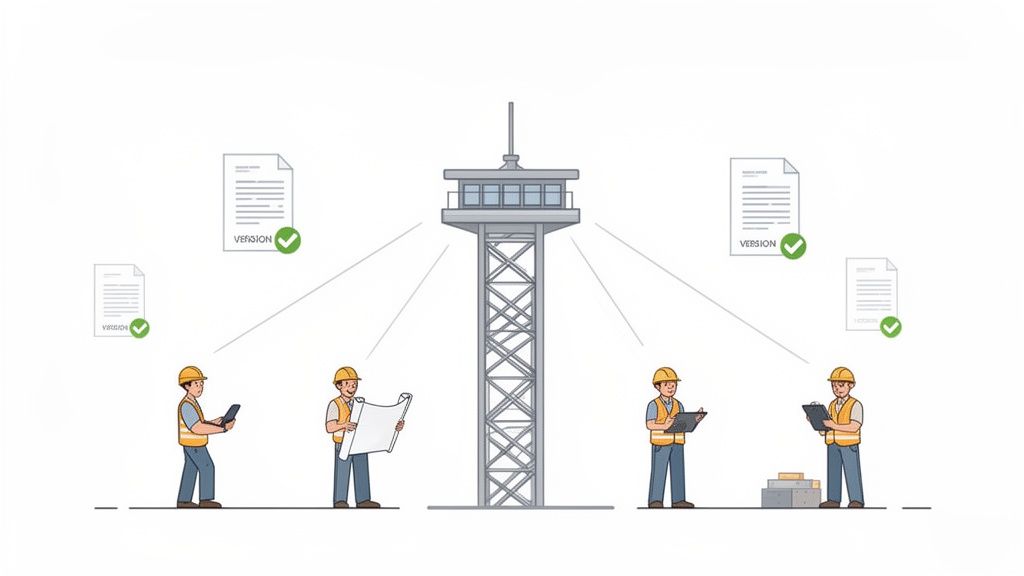
Picture this: your team pours a foundation using the wrong set of blueprints. Or a critical RFI—the one that clarifies a major structural detail—gets buried in someone's overflowing inbox. These aren't just headaches; they're the kind of costly blunders that cause rework, blow up schedules, and lead to bitter disputes.
In fact, studies show that a staggering 14% of all rework in construction comes directly from bad data and disorganized documents. This information overload is a quiet killer of job profitability.
A document management system designed specifically for construction acts as the project's single source of truth. It’s the one place everyone goes to find the right drawing, contract, or report, ensuring the right information gets to the right people, right when they need it.
More Than Just a Digital Filing Cabinet
Don’t mistake this for a simple cloud storage tool like Dropbox or Google Drive. While those are great for storing files, they just can't keep up with the demands of a fast-moving construction project. A purpose-built DMS offers intelligent features that a basic shared drive lacks.
- Smart Workflows: It can automatically route submittals and change orders to the right people for approval. No more chasing signatures or wondering where a document is in the review process.
- Automatic Version Control: This is a game-changer. It guarantees the crew in the field is always building from the latest plans, not an old version someone saved to their laptop weeks ago.
- Fine-Tuned Access: You can control exactly who can see, edit, or approve certain documents. This protects sensitive financial data and keeps the chain of command crystal clear.
Think of it this way: a shared drive is like a messy toolbox where everything is just tossed in. A construction DMS is a perfectly organized workshop—every tool has its designated spot, is clearly labeled, and is ready to go.
When you see disorganized information as the root of the problem, a DMS becomes an indispensable tool. It’s how modern firms slash errors, work more efficiently, and protect their profit margins. It turns a mountain of scattered data into a powerful, organized asset that helps drive your project to a successful finish.
To get a better sense of how these systems work on a real job site, you can dig deeper into construction document management software and its practical applications.
Why Generic Shared Drives Fail Construction Projects
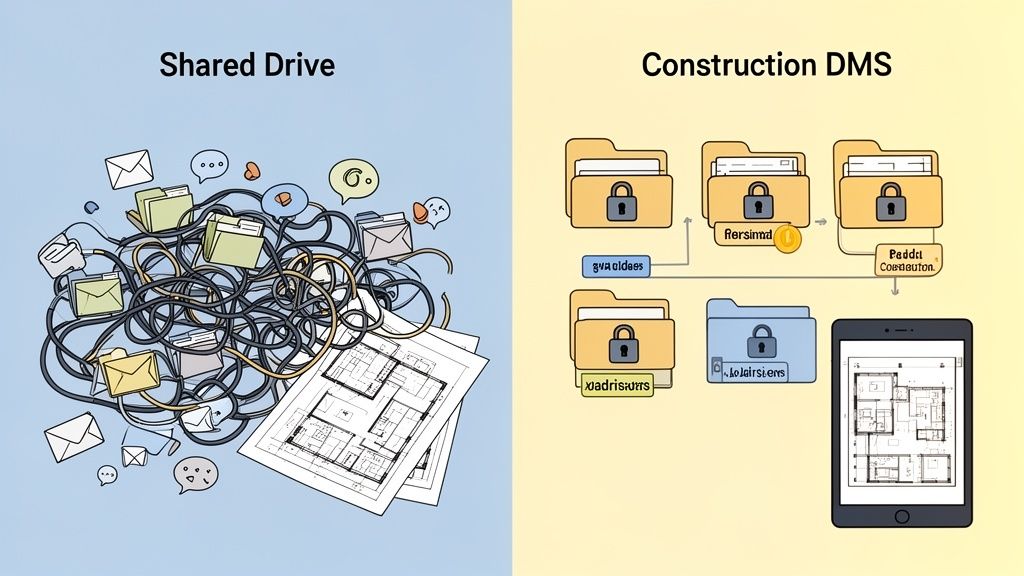
If you're in construction, you've probably seen it. The project folder on a shared drive—a tangled mess of files, folders, and outdated plans. Many firms start with familiar tools like Google Drive or Dropbox because they're easy and everyone knows how to use them.
But here’s the problem: relying on these generic tools for a complex construction project is like trying to build a house with only a hammer. Sure, a hammer is essential, but you can't build much without a saw, a level, and a tape measure. These shared drives can store files, but they're missing the specialized functions needed to prevent the costly mistakes that plague job sites.
Before you know it, that simple shared folder becomes a digital junk drawer. It's filled with confusingly named files and outdated information that actively works against your team. This chaos isn't just frustrating; it's expensive. In fact, 14% of all rework in the industry comes from teams working off the wrong information. You can dig deeper into how bad data impacts rework costs to see the full picture.
The Critical Flaw of Manual Version Control
One of the biggest failures of a generic shared drive is the complete lack of automated version control. Think about the file names you see: "Blueprint_Final_v2," "Blueprint_REVISED," and my personal favorite, "Blueprint_USE_THIS_ONE." This manual approach is a recipe for disaster.
When a subcontractor downloads a drawing, how do they know it’s the most current version? They don’t. If an architect issues a revision, the project manager has to email everyone, cross their fingers, and hope they all delete the old file. It’s a process built on hope, and it breaks down constantly.
A purpose-built document management system for the construction industry completely solves this. When a new version of a plan is uploaded, it automatically becomes the only version anyone can see, while safely archiving the old ones. No more guesswork. Everyone has the right plan, every single time.
Where Generic Solutions Fall Short
The difference between a basic shared drive and a real construction DMS becomes crystal clear when you look at what they can actually do. One is a simple storage box; the other is an active management tool designed for the chaos of a job site.
Take a look at this side-by-side comparison. It really highlights the gaps that generic tools leave open.
Generic File Sharing vs. Construction DMS
| Fonctionnalité | Shared Drives (e.g., Google Drive) | Construction DMS |
|---|---|---|
| Version Control | Manual, error-prone file naming (e.g., "Plan_v3_final"). | Automatic, ensuring everyone always sees the latest version. |
| Access Permissions | Basic folder-level access, often "all or nothing." | Granular controls; set permissions by role, company, or user. |
| Audit Trails | Limited tracking of who downloaded a file. | A complete, time-stamped log of who viewed, edited, or approved any document. |
| Compliance Tracking | No built-in features for permits or insurance. | Dedicated modules to track expiration dates and required certifications. |
| Field Access | Requires good connectivity; limited offline capabilities. | Robust mobile apps with offline sync for seamless job site use. |
| Approval Workflows | A manual process via email chains and follow-up calls. | Automated routing for RFIs, submittals, and change orders. |
At the end of the day, a shared drive is a passive tool. It requires constant human oversight to keep it from descending into chaos. A document management system for the construction industry is an active partner in your project, enforcing the right processes to cut down on risk and keep things moving. It’s the difference between hoping your team has the right info and knowing they do.
Must-Have Features of a Modern Construction DMS
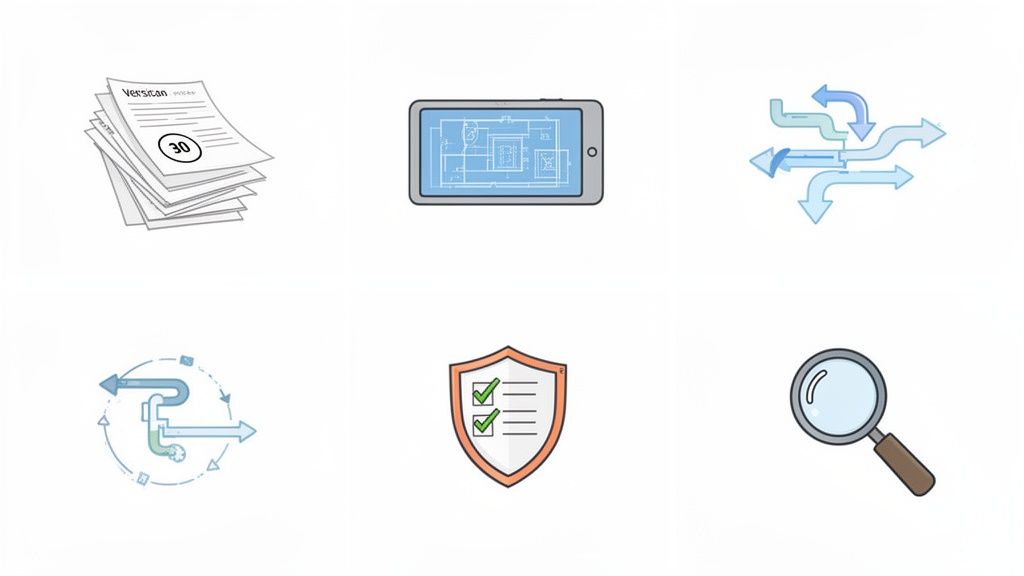
Not all document management systems are built the same, especially when you throw them into the chaos of a real construction site. A generic office platform might keep your administrative files in order, but it will fall apart under the day-to-day pressures of a job site.
A true document management system for the construction industry is loaded with specific tools that turn it from a simple digital filing cabinet into your project's command center. These features aren't just nice extras; they're the core of a system designed to solve the most common and costly problems builders face. Knowing what to look for is the key to choosing a system that will actually pay for itself.
Flawless Version Control
Here’s a classic job site nightmare: an architect issues a revised window schedule, but the framing crew is still working off last week’s plans. It’s a simple mistake that can easily cost thousands in rework, blow up the schedule, and create a massive headache for everyone. This is exactly what automated version control prevents.
Instead of trying to decipher confusing file names like "Plans_v3_final_USE_THIS," a proper DMS handles this automatically. When a new file gets uploaded, it instantly becomes the one and only "current" version for the entire team. Old versions are archived in the background, creating a perfect, traceable history without cluttering up your main workspace.
This feature alone eliminates the single biggest source of rework. It’s an unbreakable guarantee that every single person—from the project manager in the trailer to the subcontractor on the scaffold—is building from the exact same set of plans.
Anytime, Anywhere Mobile Access
Construction doesn't happen behind a desk. Your team in the field needs critical information right where they are—in their truck, on the roof, or in the middle of a muddy foundation. A DMS without a solid mobile app is practically useless once you leave the office.
A top-tier system gives your crew an easy-to-use mobile app to:
- View and Mark Up Plans: Pull up the latest blueprints on a tablet, zoom in on a tricky detail, and make notes right on the drawing.
- Submit Daily Reports: Snap a few photos, log progress, and file a daily report from a smartphone, getting rid of that stack of end-of-day paperwork.
- Offline Synchronization: Access and work on crucial documents even on remote sites with spotty or no internet. The app simply syncs up all the changes as soon as a connection is back.
This immediate access closes the gap between the office and the field, ensuring information flows instantly in both directions. For a closer look at the technology making this possible, check out our guide on a cloud-based document management system.
Automated Workflows and Approvals
Chasing signatures for RFIs, submittals, and change orders is a notorious time-waster. Documents get buried in email inboxes, papers get lost on desks, and the whole project can grind to a halt waiting for one person to sign off. Automated workflows put an end to this by creating a digital assembly line for your paperwork.
You can set up custom rules that automatically send documents to the right people in the right order. For example, when a subcontractor uploads a submittal, the system can ping the project manager for review. As soon as they approve it, it instantly goes to the architect for the final sign-off. The whole process is tracked, transparent, and worlds faster than doing it by hand.
Robust Compliance Tracking
Just keeping track of subcontractor licenses, insurance certificates, and safety training docs can feel like a full-time job. If something slips through the cracks, it can expose your company to huge legal and financial risks. A DMS built for construction has features designed specifically for this.
The system can be set up to:
- Monitor Expiration Dates: Automatically send alerts to you and your subs when their certifications are about to expire.
- Centralize Compliance Files: Keep all subcontractor paperwork in one secure, easy-to-find place.
- Generate Reports: Quickly pull a report during an audit to prove every partner on your job is fully compliant.
This gives you peace of mind and builds a rock-solid defensive record, protecting your business from liability.
Powerful and Intelligent Search
An inspector is on-site and needs the warranty info for an HVAC unit that was installed two years ago. You don't have time to dig through folders named "2022_Project_Closeout." A powerful search function is your lifeline.
Modern systems do more than just search for filenames. They use Optical Character Recognition (OCR) to read the actual content inside every document, including PDFs and scanned images. That means you can find what you need by searching for a keyword, a part number, or a phrase inside the file itself. It turns a frantic, hour-long hunt into a 10-second task.
The Real-World Payoff of Centralized Document Control
Cool features are one thing, but the real test of a document management system for the construction industry is what it does for your bottom line. When you finally ditch the chaotic mix of shared drives, overflowing inboxes, and random file cabinets, you’ll see positive changes ripple through every part of your project—from the job site trailer to the final client walkthrough.
These aren't just abstract ideas. We're talking about practical, daily wins that save money, cut down on headaches, and build a more resilient business. It’s all about fixing how information flows through your company, turning a constant source of frustration into a real advantage. You’ll feel the difference almost immediately in smoother operations and clearer communication.
This is where the system’s features connect to tangible results. You stop hoping your crew has the right plans and start knowing they do.
Slash Rework and Protect Your Profit Margins
The most immediate—and frankly, the biggest—benefit is a massive drop in rework. We’ve all seen it happen: a crew builds off an old set of plans because someone grabbed the wrong version. The costs add up fast: wasted labor, trashed materials, and blown schedules. A good DMS stops this before it starts by making sure the latest plan is the only one anyone can easily access.
This isn’t a small problem. Poor document control is a huge money pit for our industry. In fact, bad documentation is a major reason for the 52% of rework that costs U.S. construction firms a staggering $31.3 billion every year. On the flip side, companies that switch to a cloud-based DMS with solid data management can see their project performance jump by as much as 20%. You can dig deeper into the trends shaping document management in construction on document-logistix.com.
Picture this: a client disputes a change order for a window installation, claiming they never signed off on it. Instead of spending a week digging through old emails, you pull up the digitally signed and time-stamped approval in seconds. The argument is over, and you just saved yourself a huge headache and potentially thousands in legal costs.
Accelerate Timelines with Faster Approvals
How many times has a project ground to a halt waiting for someone to approve an RFI, submittal, or change order? Documents get buried in an inbox or sit on a desk for days, creating a domino effect of delays for every trade waiting for the go-ahead. A DMS with automated workflows breaks that bottleneck for good.
- Instant Notifications: The right people get an automatic ping the moment a document needs their eyes on it.
- Clear Visibility: Anyone can see exactly where a document is in the approval pipeline, so there’s no more "Did you send that yet?"
- Mobile Approvals: The project manager or architect can review and approve documents right from their phone, whether they’re in the office or walking another job site.
This simple change keeps the project moving forward, helping you hit your deadlines without the usual friction.
Strengthen Legal and Compliance Safeguards
In construction, a solid paper trail isn't just nice to have—it's your best defense. A DMS creates an unchangeable, time-stamped audit trail for every single file. It meticulously tracks who viewed, downloaded, edited, or approved any document, giving you a complete history of the project's paper trail.
This airtight record is priceless when it comes to:
- Resolving Disputes: Settle disagreements with subs or clients quickly with cold, hard facts.
- Passing Audits: Easily prove you’re compliant with safety, environmental, or financial regulations.
- Managing Claims: Provide organized, undeniable documentation to back up your position or defend against a claim.
This digital archive doesn’t just strengthen your legal standing; it gives you peace of mind, knowing that every action is on the record and easy to find.
How to Choose the Right DMS for Your Business
Picking a document management system for your construction business isn't like grabbing software off the shelf. It’s a major decision that will shape your efficiency, profits, and project outcomes for years. Think of it less like buying a new tool and more like bringing on a key team member—it has to be the right fit for your company’s unique culture, size, and way of doing things.
The wrong system can easily cause more headaches than it solves. You might end up with frustrated field crews who refuse to use it, messy integration problems, and a big, fat wasted investment. But the right one? It will feel like a natural extension of your team, making everyone’s job easier and keeping your projects on track. Getting there starts with a solid evaluation process.
First, Look Inward: Evaluate Your Workflows and Pain Points
Before you even glance at a product demo, you need to get real about your own needs. What are the biggest bottlenecks holding up your current document process? Where does critical information get lost in the shuffle? A fantastic way to start is by mapping out the entire lifecycle of a crucial document, like an RFI or a change order.
Trace its path from the moment it’s created to when it’s finally signed off. This simple exercise will shine a bright light on your company’s biggest frustrations and hand you a concrete list of problems that any new system absolutely must solve.
- Where do things get stuck? Are you always waiting on signatures from the office or trying to get feedback from the site?
- What’s causing rework? Are crews accidentally working off outdated plans or missing last-minute updates?
- How much time is just… gone? Tally up the hours your project managers spend digging through folders or chasing down approvals.
Once you have honest answers, you'll have a powerful checklist to hold up against any vendor that comes knocking.
The Core Four: Key Criteria for a Construction DMS
With a clear picture of your needs, you can start looking at what’s out there. It's easy to get distracted by flashy features, but your focus should be on the core capabilities that will deliver real, tangible value to your team. The best document management system for the construction industry will nail these four critical areas.
- Usability and Field Adoption: Let's be blunt: if your field crew hates using it, the system is a failure. Period. Look for a clean, simple mobile interface that just ça marche on tablets and phones. How easy is it to snap photos and upload daily reports right from the job site? Crucially, does it offer offline access for those sites where the Wi-Fi is spotty at best?
- Integration Power: Your DMS can't be a silo. It has to play nicely with the other software you already count on, like your accounting, estimating, or project management tools. Seamless integration gets rid of tedious double data entry and makes sure information flows smoothly across your entire operation.
- Scalability (Will It Grow With You?): The system you pick today needs to handle your business tomorrow. Can it support more users, bigger projects, and a growing mountain of data without jacking up the price or slowing to a crawl? A scalable solution protects your initial investment and saves you a massive headache down the road.
- Rock-Solid Security: You’re trusting this system with your company’s most vital information. Make sure any vendor you consider offers robust security, including granular user permissions (so everyone only sees what they need to), data encryption, and regular, reliable backups.
A huge factor to consider is where the tech is headed. AI-powered systems are starting to turn static files into active assets. They can automatically recognize drawings, flag potential risks, and organize compliance documents, which cuts down administrative work in a big way.
This kind of intelligent automation is quickly becoming the new standard. To get a better handle on this shift, you can read more about how AI is shaping digitalisation in construction on prostream.app.
Questions to Grill Your Potential Vendors
Finally, walk into those demos and sales calls armed with a list of direct questions. This is your chance to dig deep and really understand what you’re getting into. Don't be shy.
- "Walk me through your implementation and onboarding process. What does it actually look like?"
- "What kind of training do you offer for our office staff and our folks in the field?"
- "Can you connect us with a few construction companies our size who are using your system?"
- "Let's talk pricing. What’s the model, and what are all the potential hidden costs we should know about?"
Making the right choice takes some homework, but the payoff is huge. A well-chosen DMS will become the central nervous system of your operations, giving your team the power to build better, faster, and more profitably.
Implementing Your DMS for a Smooth Rollout
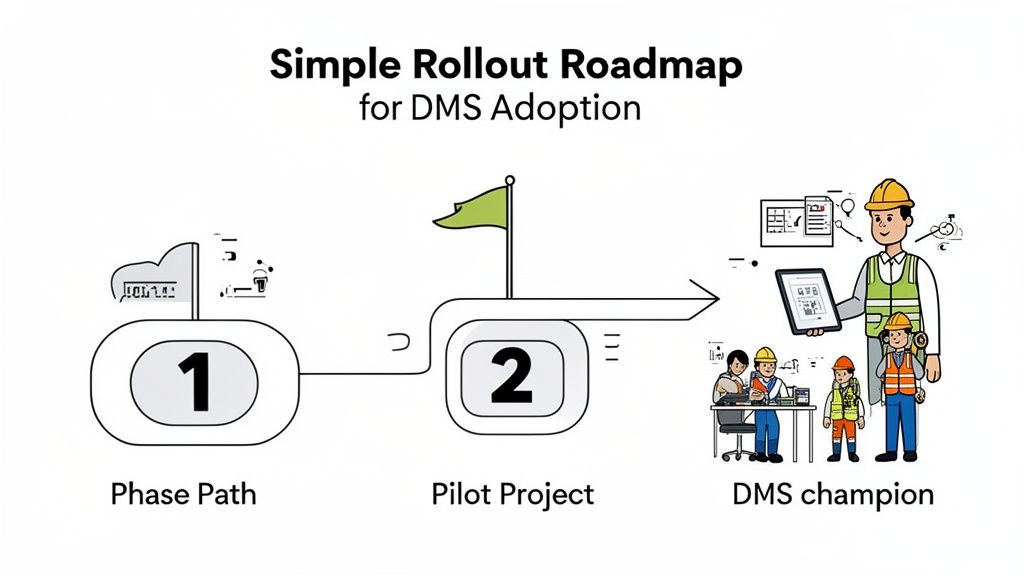
Let's be honest: a new system is only as good as the team that uses it. Rolling out a new document management system for the construction industry can create a lot of headaches if you don't plan it right. A good implementation strategy is what separates a successful tool from a very expensive mistake.
The real goal here is to make the DMS a natural part of everyone's workday, not just another chore. If you focus on a step-by-step rollout, set clear rules, and have great internal support, you’ll see the payoff from day one.
Start with a Pilot Project
Don't flip the switch for the whole company at once. The best way to do this is by starting small with a single pilot project. This gives you a safe space to find and fix any problems, fine-tune your workflow, and create a success story that gets the rest of the company on board.
Pick a project that's got some meat on its bones—not your simplest job, but not your most complicated either. This will give the system a realistic test drive. During the pilot, you'll uncover bottlenecks and get real, practical feedback from a small, dedicated team.
Create a Standardized Blueprint
Your DMS needs a clear, logical roadmap that everyone can follow. Before you even think about going live, you have to nail down your company-wide standards for how every digital file will be organized. This is a critical step, and you can dig deeper into document management best practices to get it right.
Your blueprint needs to cover two key areas:
- A Standard Folder Structure: Build a consistent template for all projects. This way, whether someone is looking for contracts, RFIs, or daily reports, they know exactly where to go. No guesswork involved.
- Clear Naming Conventions: Come up with a simple, logical way to name files. Something like ProjectNumber-DocumentType-Date-Version works wonders to stop the confusion before it starts.
Think of this as your digital filing cabinet—the single source of truth. A consistent structure means finding a crucial document takes seconds, not a desperate search through a mess of poorly named folders.
Appoint a DMS Champion
Every big change needs someone to lead the charge. Pick a "DMS champion" in your company—someone who's genuinely excited about the system and can be the go-to person for everyone else. They don’t need to be a tech wizard, just someone who gets the benefits and is good at helping others.
This champion will be your key player for:
- Leading Training Sessions: They can run practical, hands-on training for everyone, from the office staff to the crew in the field.
- Answering Questions: They'll be the first person people turn to when they get stuck or have a quick question.
- Gathering Feedback: They can listen to what the team is saying and collect ideas to make the system work even better for your company.
With a champion driving the effort, your team will feel supported instead of abandoned. Having that internal expert builds confidence, speeds up adoption, and makes sure your new DMS becomes a real asset.
Got Questions About Construction DMS? We've Got Answers.
Switching to any new system stirs up questions. It's totally normal. Let's tackle some of the most common things builders and contractors ask when they're thinking about moving to a dedicated document management system for the construction industry.
"Isn't a DMS Just for the Big General Contractors?"
Not a chance. While the huge firms absolutely need them, a good DMS can be a game-changer for small to mid-sized builders. Think about it: for a smaller company, one mistake from working off an old set of plans can wipe out the profit on an entire job.
A construction DMS actually levels the playing field. It gives smaller outfits the same organizational muscle and risk-management tools the big guys have. Most modern systems are cloud-based and have a predictable monthly cost, so you can get powerful features without a massive upfront investment.
"How Do I Get My Crew in the Field to Actually Use It?"
This is probably the biggest—and most valid—concern we hear. The secret is picking a system with a dead-simple mobile app. The best platforms are designed for the field first, not as an afterthought for the office. If it's not easy and immediately useful, your crew won't touch it.
Here’s what to look for to make adoption a breeze:
- Simple, clean layout: Can someone figure it out in five minutes without a manual?
- Offline access: This is non-negotiable. Job sites with spotty or zero cell service are a reality.
- Quick photo and file uploads: Your team should be able to snap a photo of an issue or a delivery slip and upload it to the right folder in a couple of taps.
Look, successful adoption boils down to one thing: showing your team how this new tool makes their life easier. When they see it saves them from chasing down a superintendent for the latest drawing or eliminates paperwork at the end of a long day, they'll be on board. It stops being "another task from the office" and becomes the tool they can't work without.
"Will This Thing Even Talk to My Other Software?"
It absolutely should, and you shouldn't settle for one that doesn't. Modern construction DMS platforms are built to connect with the tools you already use every day, like your accounting, estimating, or project management software. The whole point is to create a single, smooth flow of information, not another island of data you have to manage.
For example, when a change order gets approved in the DMS, it should be able to automatically update the budget in your financial software. That simple connection kills double-entry, slashes the risk of human error, and just makes your whole operation run smoother from bid to closeout.
Ready to stop chasing paperwork and start building more efficiently? See how Superdocu can centralize your project files, automate your workflows, and connect your office to the field. Get started with Superdocu today.