
Let’s start with a simple question: what exactly is document collection software?
At its core, it’s a tool built specifically to automate and organize the entire process of getting files from other people—whether they're clients, new hires, or partners. It’s designed to replace the endless, messy email chains and complex spreadsheets you might be using now with a clean, secure, and centralized system.
From Chaos to a Cohesive System
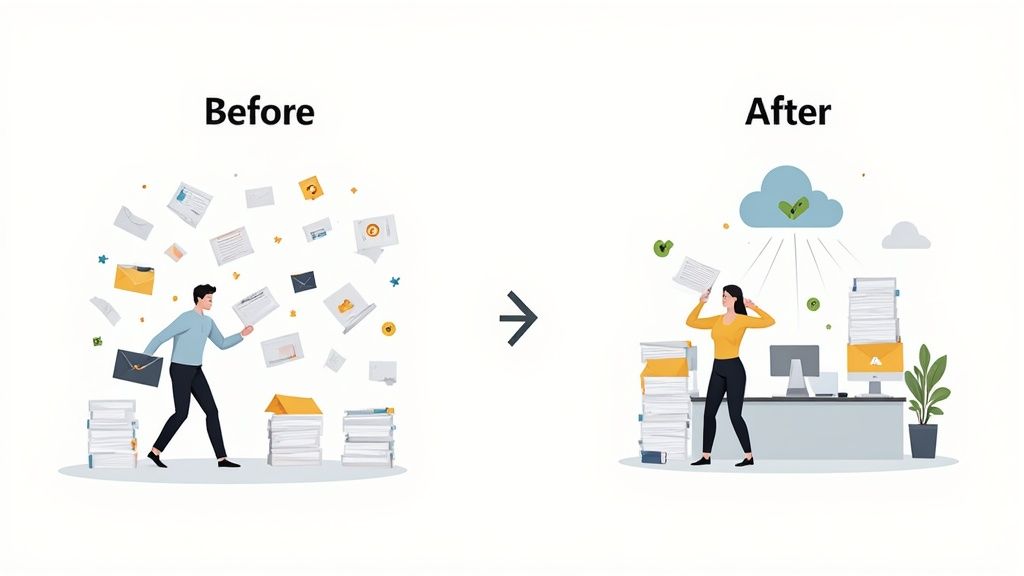
Think about the old way of doing things. You shoot off an email with a long list of everything you need. What follows is a painful back-and-forth of chasing down files, getting incorrectly named attachments, and trying to keep track of who sent what in a giant spreadsheet. It's manual, prone to errors, and a huge time-sink for everyone. This is precisely the headache document collection software was created to cure.
Think of it as a dedicated project manager just for your paperwork. Instead of sending vague instructions and hoping for the best, you create a clear, structured request that lays out exactly what’s needed and when. This platform becomes the central hub for everything, turning a massive administrative bottleneck into a real operational advantage.
The Clear Shift in Document Management
The difference between wrestling with manual methods and using an automated system is night and day. The old approach is bogged down by inefficiency and risk. The new one is all about clarity, security, and speed. Bringing in a dedicated software tool is a move away from constantly putting out fires and toward a proactive, organized workflow.
To get a clearer picture, let's look at how the process changes.
Manual vs Automated Document Collection
Here's a quick comparison to see just how different the two approaches are.
| Aspect | Manual Process (Email & Spreadsheets) | Document Collection Software |
|---|---|---|
| Requesting Files | Long, unclear email lists. | Structured checklists with clear instructions. |
| Tracking Progress | Manual spreadsheet updates; easy to lose track. | Automated status tracking on a central dashboard. |
| Security | High risk; sensitive data sent as attachments. | Secure, encrypted uploads to a dedicated portal. |
| Reminders | Manual follow-up emails and phone calls. | Automated reminders for pending or expiring files. |
| Client Experience | Confusing and frustrating. | Simple, professional, and branded. |
This table shows it's not just a minor upgrade. It’s a fundamental change in how you handle a critical business function, leading to better outcomes for both your team and your clients.
By automating the repetitive, low-value tasks involved in gathering documents, businesses can free up a surprising amount of time. This doesn't just speed up projects; it dramatically improves the client experience by making the whole process smooth and painless.
Why a Central Hub is a Game-Changer
One of the most powerful features of this software is its ability to create a single source of truth for all requested documents. For any business juggling multiple client files at once—think accounting firms, mortgage brokers, or HR departments—this centralization is essential.
Many platforms even provide a client document collection portal, giving clients a professional, branded, and secure space to submit their files. This simple feature gets rid of version control issues and makes sure everyone is on the same page, which goes a long way in building trust and reinforcing your brand's professionalism.
How Core Features Power Your Workflow
Document collection software turns a messy, manual chase into a smooth, automated process. It does this using a specific set of tools that work together as the engine driving your efficiency, security, and professionalism. The real magic happens when you understand how these pieces connect.
Don't think of these features as a simple checklist. They're more like interconnected gears in a well-oiled machine. Each part solves a specific headache—from sending that first request to keeping track of documents years later—all while making life easier for both your team and your clients.

Automated Workflows: The Digital Assistant
At the heart of any great document collection software is the ability to build automated workflows. This is your tireless digital assistant, the one who takes over all the repetitive tasks that eat up your team's day.
Instead of manually sending emails and tracking everything in a clunky spreadsheet, you can build a repeatable process. For instance, when you bring on a new client, the system can fire off a welcome email and a request list for their documents on its own. No one has to lift a finger.
This isn’t just about sending emails; it’s about managing the entire lifecycle of a request. Many tools focus on integrating with things like data entry automation software to cut down on manual work and mistakes. You can see how a flexible workflow builder can be shaped to fit your exact process here: https://www.superdocu.com/en/features/workflow-builder/
Secure Client Portals: The Digital Handshake
Let's be honest: email was never built to handle sensitive information securely. A secure client portal acts as a professional, encrypted alternative—a private digital handshake between you and your client.
These portals give your clients a branded, simple place to upload their files with confidence. This immediately eliminates the security gamble of email attachments and keeps everything organized in one spot. It makes your business look sharp and gives clients peace of mind.
A secure portal does more than just protect data; it elevates the client experience. It replaces the confusion of scattered email threads with a single, clear, and professional touchpoint, building trust from the very first interaction.
This is absolutely critical in fields like finance, law, and HR, where confidentiality isn't just a preference, it's a requirement.
Customizable Templates for Consistency
Consistency is everything when it comes to being efficient and maintaining quality. Customizable templates let you create reusable checklists for any process you repeat, making sure nothing ever slips through the cracks.
Think about an HR team. They can set up a "New Hire Onboarding" template that asks for:
- A signed offer letter
- Tax forms (like a W-4)
- A copy of a government-issued ID
- Benefits enrollment forms
Every time someone new is hired, they deploy that template with one click. It guarantees every new employee has the same smooth experience, which cuts down on errors and keeps the company compliant.
Automated Reminders and Expiration Tracking
Chasing people for missing documents is one of the biggest time-wasters in any office. Automated reminders and expiration tracking put an end to that by letting the software do the nagging for you.
You can set up polite, automatic nudges for clients who have documents outstanding. Even better, the software can keep an eye on expiration dates for things like professional licenses or insurance certificates. When a document is about to expire, it can automatically trigger a request for an updated version, keeping you compliant without any manual effort.
This proactive approach saves you from those last-minute scrambles for critical paperwork.
Data Validation and Security
Finally, strong security and data validation are the foundation holding everything together. When a client uploads a file, the software can run quick checks to make sure it's the right file type or that all the fields in a form have been filled out.
Behind the scenes, top-notch security like bank-level encryption protects data whether it's being uploaded or just sitting in storage. This shields sensitive information from prying eyes at all times. This growing need for secure systems is why the global document collection software market is projected to expand from around USD 989 million in 2025 to USD 1,233 million by 2031. It’s clear that businesses across the board are demanding better, safer ways to handle their documents.
What This Means for Your Business in the Real World
Knowing the features of document collection software is one thing. Seeing how they actually impact your bottom line is another. Let's move past the technical specs and talk about what this technology really does for your day-to-day operations, your security, and your client relationships. These aren't just minor tweaks; we're talking about a fundamental upgrade to how you do business.
It all boils down to three key areas. Each one tackles a common business headache—wasted time, compliance nightmares, and frustrating client experiences—and turns it into a strength.
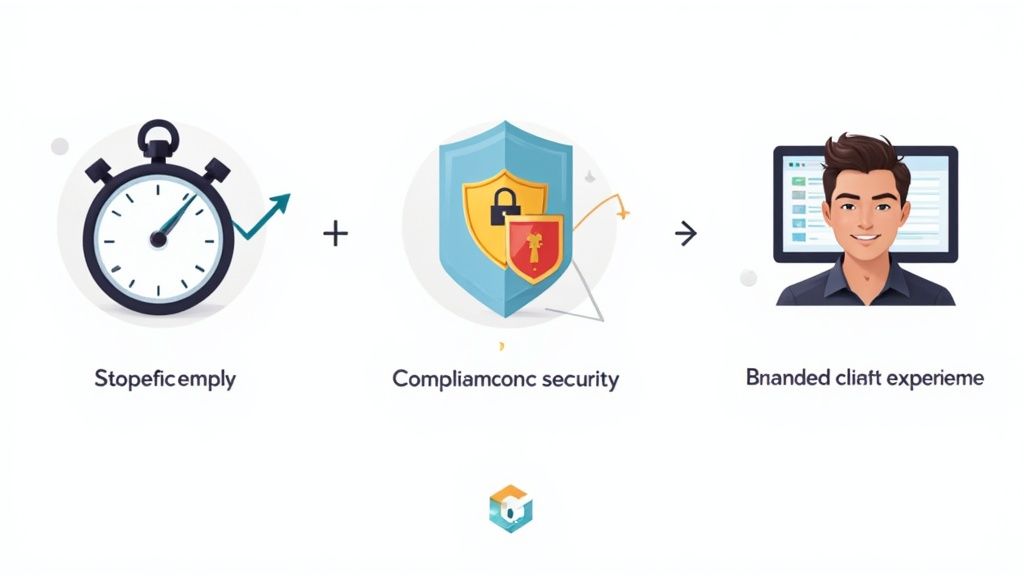
Find a New Level of Efficiency
The first thing you'll notice is a huge jump in efficiency. Just think about the hours your team loses chasing documents through endless email chains, making follow-up calls, and manually tracking everything in a spreadsheet. That administrative drag is a silent killer of productivity.
By automating the requests, reminders, and follow-ups, document collection software gives you those hours back. Your team can finally step away from the busywork and focus on what they were hired to do—tasks that actually grow the business. Projects move faster because you’re no longer stuck waiting for one last piece of paper.
Success Story: A mortgage brokerage firm we know brought in a document collection platform and slashed their document gathering time by 50%. This let them process loans faster, which not only made clients happy but also allowed them to close more deals every month without hiring more people.
Strengthen Your Security and Compliance
Let's be honest: sending sensitive files over email is like mailing cash in a see-through envelope. It's a massive risk. One wrong click can lead to a data breach, eye-watering fines, and a damaged reputation that’s hard to fix. In today’s world, a secure, centralized system isn't a nice-to-have; it's essential.
This software gives you a secure, encrypted portal for all file submissions. From the moment a document leaves your client's computer, it's protected. This makes it so much easier to meet strict compliance standards like GDPR and HIPAA, since you have a clear, auditable trail for every single file. It takes human error out of the security equation.
This need for better security is driving huge growth in the market. The broader document management systems market is projected to jump from USD 8.7 billion in 2025 to USD 18.17 billion by 2030, mostly because of compliance demands in finance and healthcare. Discover more insights about these market trends.
Create a Client Experience That Stands Out
Now, put yourself in your client's shoes. Getting a long, confusing email with a laundry list of attachments is a pain. It creates friction right from the start and can make them question if they made the right choice.
Modern document collection software swaps that chaos for a clean, professional, and branded portal.
- It's clear: Clients get a simple checklist of exactly what they need to provide.
- It's convenient: They can upload files from their phone or computer, whenever it works for them.
- It's secure: They have peace of mind knowing their sensitive information is safe.
This smooth process makes it easy for people to do business with you. It shows you respect their time and take their security seriously, which goes a long way in building trust and loyalty. Of course, getting the documents is only half the battle; integrating that data effectively is crucial. For more on that, check out this guide on Addressing common data integration problems.
How Different Industries Use This Software
The real power of document collection software clicks into place when you see it out in the wild. Sure, the core perks—saving time and staying secure—apply everywhere. But how this technology actually changes the day-to-day grind can look wildly different from one industry to the next. This isn't a one-size-fits-all tool; it’s a problem-solver that adapts to very specific challenges.
Let's look at how a few different fields are using this software to turn their worst paper-chasing nightmares into smooth, professional operations. From getting loans approved in days instead of weeks to onboarding new hires without a single hiccup, the results are both practical and powerful.
Streamlining Financial Services Workflows
In finance, every second counts and every detail matters. A single missing document can stall a loan, frustrate a client, and put an entire deal on ice. This is exactly why document collection software has become a must-have for mortgage brokers, financial advisors, and banks.
Think about the typical loan application. It kicks off with a mountain of paperwork:
- Proof of Income: Pay stubs, W-2s, and tax returns.
- Asset Verification: Bank statements and investment account records.
- Identity Confirmation: Driver’s licenses and other government IDs.
- Property Details: Purchase agreements and appraisals.
Instead of a messy, back-and-forth email chain, the loan officer can now send the applicant a secure, branded portal with a simple checklist. The system automatically nudges the client about missing items, and smart validation can even spot an incomplete bank statement the second it’s uploaded. The result? A loan application that moves from request to underwriting in a fraction of the time.
Managing Evidence and Clients in the Legal Field
Law firms are under constant pressure to keep information confidential and maintain a perfect chain of custody. Gathering evidence and bringing on new clients for a complex case involves a ton of sensitive documents, making old-school manual methods both risky and slow.
With the right software, a firm can create a secure, centralized file for a new case right from the start. When onboarding, the firm requests initial documents like signed retainer agreements and personal IDs. During discovery, lawyers can request and receive confidential records—like medical files or police reports—through an encrypted portal, ensuring every single item is tracked and secure.
The software creates an auditable trail for every document submitted. This is crucial for legal compliance, as it proves exactly when a piece of evidence was received and who accessed it, strengthening the firm's procedural integrity.
This organized approach doesn't just protect client data; it also keeps case files logically sorted, so legal teams can find what they need, when they need it.
Redefining Human Resources Onboarding
For HR departments, getting a new hire ready for their first day is a race against the clock. The paperwork can be a real headache, especially when you're juggling multiple new employees at once.
Using document collection software, an HR manager can create a reusable "New Hire Onboarding" template. As soon as a candidate accepts their offer, the system automatically sends them a request for all the essentials:
- Signed Offer Letter: The first official step.
- I-9 and W-4 Forms: Critical for employment verification and taxes.
- Direct Deposit Information: Banking details for payroll.
- Benefits Enrollment Paperwork: Health insurance and retirement plan choices.
This automated flow makes sure every new employee goes through the exact same steps, which is great for consistency and compliance. It also frees up the HR team from endless administrative follow-ups, letting them focus on what really matters: giving their new colleagues a warm, positive welcome. Many other professionals are finding creative applications for these tools; you can learn how document collection software is being used in real estate to see another powerful example.
Simplifying Education Admissions and Financial Aid
The student admissions and financial aid cycle is another area drowning in documents. Universities have to collect a huge amount of information from thousands of applicants, all while sticking to strict deadlines.
An admissions office can set up a dedicated portal to gather everything from high school transcripts and recommendation letters to personal essays. At the same time, the financial aid office can run its own process, requesting tax documents and FAFSA forms. The software keeps these two workflows separate but perfectly organized, giving staff a clear dashboard to track every applicant's status. It makes a famously stressful process much easier for students and their families, while ensuring the university has everything it needs to make good decisions.
How to Choose the Right Software Solution
Picking the right document collection software is a huge decision. It's not just another tool; it’s an investment that can genuinely boost your team's efficiency and make your clients' lives easier. But with so many options out there, it's easy to get overwhelmed. The key is to take a step-by-step approach to cut through the noise and find what truly fits your business.
Before you even start looking at demos, the most important work happens internally. You need to get crystal clear on what's broken in your current process. This initial self-assessment is the bedrock of making a smart investment.
Define Your Core Problem
First things first, what exactly are you trying to fix? Are you tired of wasting hours chasing clients for missing documents? Do you lie awake at night worrying about the security risks of sending sensitive files over email? Or maybe your current, clunky process is just giving off a bad impression and hurting your brand.
The goal is to move from a general feeling of "this could be better" to a specific, written list of problems. This list will be your north star, guiding every decision you make from here on out.
Here are a few questions to get the ball rolling:
- Which parts of our document collection process are the biggest time-sucks?
- Have we ever had a security scare or a close call with compliance?
- What are clients actually saying about how we ask for documents?
Evaluate Must-Have Features
Once you have that list of problems, you can start matching them to solutions. It's tempting to get wowed by a long list of features, but resist the urge. Instead, focus on the core functions that will actually solve your specific headaches.
For example, if efficiency is your main driver, then automated reminders and workflows are absolute must-haves. If security is the top concern, then a secure, encrypted client portal is non-negotiable. Make a simple checklist of these essential features to use as a scorecard when you compare different platforms.
The best document collection software isn't the one with the most bells and whistles; it's the one with the right features for your team. Prioritize the functions that will directly ease your biggest pain points.
Check for Key Integrations
Your new software can't live on an island. To really get your money's worth, it has to play nicely with the other tools your team relies on every single day. We're talking about your CRM, cloud storage like Google Drive or Dropbox, and any other software that's central to your operations.
Solid integrations mean you aren’t stuck manually moving data from one system to another, which is a massive time-saver and cuts down on human error. Look for platforms that connect with tools like Zapier, as that can unlock thousands of automation possibilities and turn your new software into the true hub of your workflow.
Verify Security and Compliance
When you're dealing with sensitive client information, security isn't just a nice-to-have feature—it's everything. You need to do your homework on the security and compliance credentials of any software you’re considering. Look for proof of adherence to standards like RGPD, HIPAA, or any other regulations that are specific to your industry.
Don't be shy about asking direct questions. Where is our data hosted? What kind of encryption do you use? A trustworthy company will be upfront about how they protect your data and help you stay compliant. This is a critical step for building trust with your clients and protecting your business from very real risks.
Choosing the right platform involves a careful review of your needs against the available features. This checklist is designed to help you organize your thoughts and compare different vendors systematically.
Document Collection Software Buying Checklist
| Evaluation Criteria | Key Questions to Ask | Your Notes |
|---|---|---|
| Problem Solving | Does this software directly solve our top 3 pain points? | |
| Core Features | Does it have our must-have features (e.g., automated reminders, secure portal, templates)? | |
| Ease of Use | Is the interface intuitive for both our team and our clients? Can we get a free trial? | |
| Intégrations | Does it connect with our existing tools (CRM, cloud storage, etc.)? Is there a Zapier integration? | |
| Security & Compliance | What are its security certifications (e.g., SOC 2, ISO 27001)? Does it meet our industry's compliance needs (e.g., HIPAA, GDPR)? | |
| Scalability | Can this software grow with our business? What are the user/client limits? | |
| Support & Onboarding | What kind of customer support is offered (live chat, phone, email)? Is there help with setup? | |
| Tarifs | Is the pricing model clear and predictable? Are there hidden fees? Does it fit our budget? |
By thinking through these areas, you'll be well-equipped to make an informed decision that benefits your team and your clients for years to come.
The Future of Document Collection with AI
The world of document collection software is getting a major upgrade, and it’s all thanks to Artificial Intelligence. We're moving past simple automation—the kind that just files things away—and into an era where these tools act more like intelligent partners for your business.
At the heart of this change is a technology called Intelligent Document Processing (IDP). Think of it like a super-smart assistant. It can instantly tell the difference between a passport and a bank statement without you having to lift a finger. Better yet, it pulls out the important details like names, dates, and account numbers, saving you from the mind-numbing task of manual data entry and cutting down on human error.

Making Workflows Smarter and Faster
So, what does this actually look like in practice? The impact is huge. For example, AI-powered validation can check a form the second it's uploaded. If a signature is missing or a field is blank, the system immediately flags it and asks the client for a correction. That one simple action prevents a mountain of follow-up emails and delays down the line, ensuring everything is right from the get-go.
This shift toward intelligent automation isn't just a niche trend; it's reshaping the entire market. The IDP market is expected to hit around USD 6.78 billion by 2025, and more than 80% of companies are planning to spend more on it. It’s clear these tools are becoming essential for any business that wants to cut costs and stay on the right side of compliance. You can see the full scope of this trend in these document processing statistics.
A Proactive Approach to Document Management
And it's not stopping there. The role of AI is only going to grow. Soon, predictive analytics will be able to spot potential bottlenecks in your collection cycles before they actually slow you down.
Imagine your software giving you a heads-up that a specific step in your client onboarding is consistently causing delays. That kind of proactive insight lets you fix the problem before it becomes a real headache, keeping everything running smoothly.
Ultimately, AI is turning document collection software into something much more than a digital filing cabinet. It’s becoming a system that not only pushes efficiency and accuracy to new heights but also gives you the foresight to truly fine-tune your most important business operations.
Frequently Asked Questions
Jumping into new business software always brings up questions. When that software handles sensitive client information, getting clear answers is non-negotiable. Let's tackle the most common things people ask about document collection software so you can make a confident decision.
How Is This Different From Dropbox or Google Drive?
This is easily the question we hear most often, and the distinction is crucial. Think of tools like Dropbox or Google Drive as digital filing cabinets. They're fantastic for cloud storage—a place to put files once you have them. But they don't help you get the files in the first place.
Document collection software, on the other hand, is an active system designed to manage the entire process from start to finish. It adds a layer of intelligence that simple storage platforms just don't have.
- Automated Workflows: It sends out the initial requests, keeps track of what’s been submitted and what’s still missing, and even nudges clients with automatic reminders. Your team doesn't have to chase anyone.
- Secure Client Portals: Instead of a generic link, you provide clients with a professional, branded portal to upload their files. It builds trust and makes the whole experience feel more secure and polished.
- Compliance and Tracking: It automatically creates an audit trail of every action and can even manage document expiration dates, which is a lifesaver in regulated fields.
Here’s a simple way to think about it: Google Drive is the vault, but document collection software is the armored car with a GPS and a friendly driver that ensures everything gets to the vault safely and on time.
How Secure Is This Software for Sensitive Data?
Security isn't just a feature; it's the entire foundation of these platforms. They are built from the ground up to handle things like financial records, personal ID, and other confidential information.
Frankly, using email to collect sensitive documents is a huge risk. Document collection platforms are purpose-built to be far more secure, eliminating the vulnerabilities that make email a constant target for breaches.
Any high-quality platform will have multiple layers of protection baked in. You should expect to see:
- End-to-End Encryption: Your data is scrambled from the moment it's uploaded, while it's in transit, and while it's sitting on a server. It's unreadable to anyone without authorization.
- Granular Access Controls: You get to decide exactly who on your team can view, download, or manage specific documents or client files.
- Detailed Audit Trails: The system logs every single action—who viewed a file, when they viewed it, and what they did. This is essential for accountability and compliance.
What Is the Typical Cost of This Software?
Pricing for document collection software is usually pretty straightforward, so you can find a plan that fits your budget. Most companies offer subscription models based on the number of users or tiered plans that unlock more features as you go up.
The final cost generally depends on a few key factors: how many people on your team need access, the number of clients or documents you'll be handling, and whether you need advanced features like custom branding or API integrations. This flexibility means a solo accountant and a large financial firm can both find a plan that makes financial sense.
Ready to stop chasing documents and start creating a smooth, professional experience for your clients? Superdocu gives you all the tools you need to automate your workflow, keep data secure, and give clients a process they'll love.