
Your inbox probably looks familiar. A client sends three PDFs in one email, two phone photos in the next, and then replies to an old thread with “here's the updated one” without saying which file changed. Someone on your team downloads the wrong version, stores it in the wrong folder, and a week later you're still chasing a missing signature page.
That mess feels normal in a lot of small businesses. It shouldn't. Document collection by email creates the same problems over and over: lost attachments, unclear status, duplicate follow-ups, privacy risk, and too much staff time spent on admin work instead of actual service delivery. The business cost is real. Businesses lose up to 21.3% of productivity because of document-related challenges, employees spend about 5 hours per week searching for files, and 7.5% of documents are lost, according to IDC-based reporting summarized by UseCollect.
If you need to collect documents from customers for onboarding, compliance, hiring, applications, or renewals, the fix isn't “send better emails.” The fix is a system. A good system tells customers exactly what to send, gives them one clear place to upload it, reminds them automatically, limits who can access it, and shows your team what still needs review.
That's what this playbook is about. Not a list of random apps. Not vague advice about “going paperless.” A practical operating model you can use to move from scattered attachments to a clean, repeatable process that works for a small team.
Table of Contents
- Introduction
- First Map Your Document Collection Workflow
- Build a Branded and User-Friendly Portal
- Automate Reminders and Expiration Tracking
- Ensure Security and Regulatory Compliance
- Validate Submissions and Integrate Your Tools
- Conclusion
Introduction
Most companies don't decide to build a document collection process. They back into one.
A sales rep starts requesting onboarding files by email. HR copies that approach for new hires. Operations creates a shared drive. Someone adds a spreadsheet to track who has submitted what. It works for a while, until volume increases and nobody can answer basic questions quickly: What's missing, who approved this file, and where is the final version?
That's the point where document collection stops being admin clutter and starts affecting service quality. Customers wait longer. Staff spend more time checking status than moving work forward. Sensitive files land in inboxes that were never designed to be the system of record.
A cleaner process starts with one mindset shift. Collecting documents from customers is a workflow, not a file transfer task. You're not just receiving files. You're requesting, receiving, validating, organizing, storing, accessing, and in some cases renewing them.
Practical rule: Don't automate a messy process. Define the workflow first, then choose tools that fit it.
The rest of this article follows that logic. Start with your triggers and checklists. Build a customer-facing portal that feels professional. Automate reminders so your team stops chasing. Set security rules around what you collect and who can see it. Then close the loop with validation and integrations so documents move into the systems your business uses every day.
First Map Your Document Collection Workflow
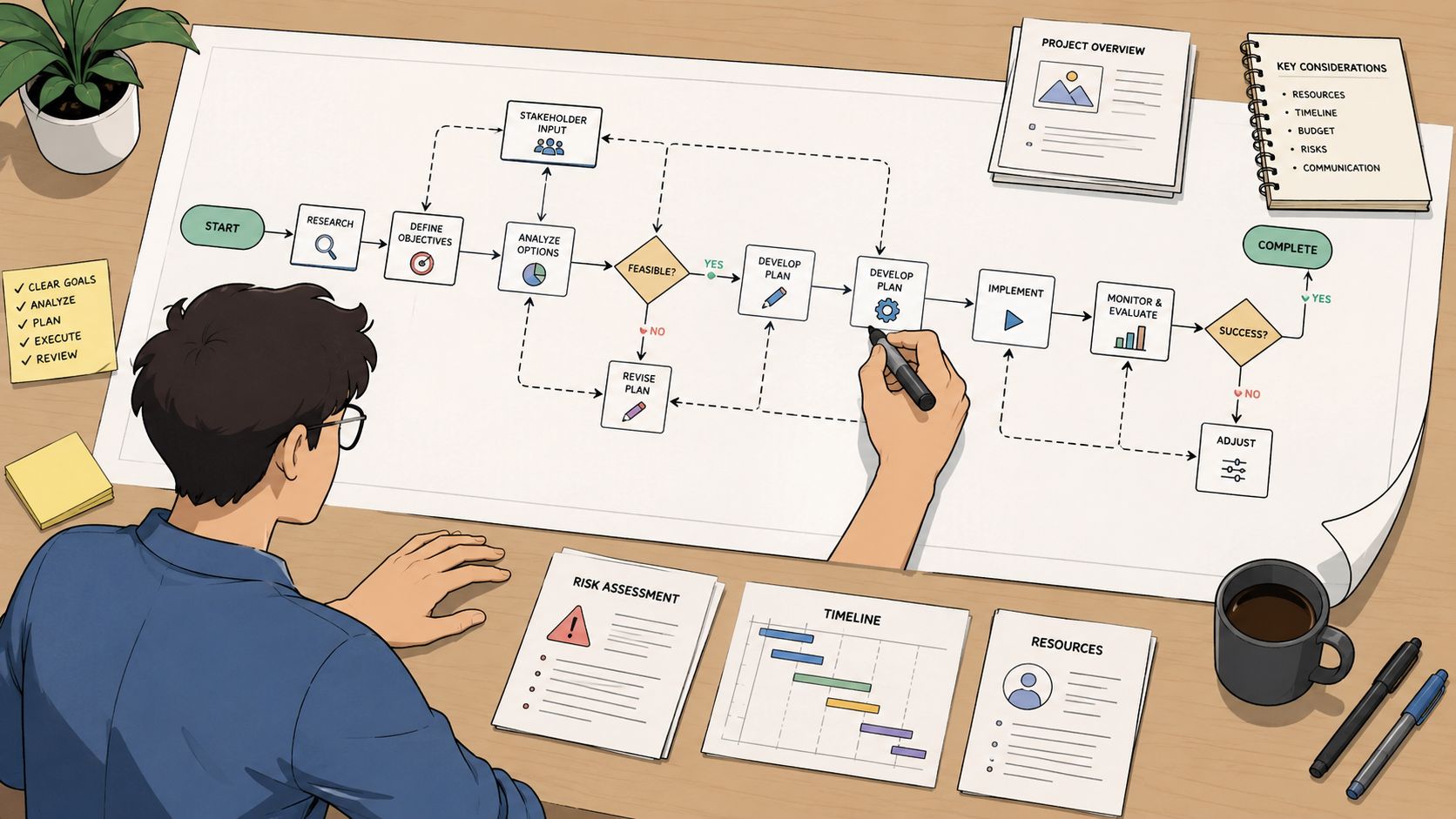
A small business usually feels the breaking point before it documents the process. A customer sends an attachment to sales, operations saves a different version to a shared drive, and finance later asks for the same file again because nobody knows which copy is current. The problem is not just messy storage. It is the lack of an agreed path from request to review to final record.
Start there.
Buying a portal before you define the workflow usually gives you a cleaner front end and the same confusion behind it. If the request list is vague, customers submit the wrong files. If review rules differ by employee, approvals become inconsistent. If nobody owns the next step, documents sit in limbo and your team chases status updates instead of doing billable work.
Start with business events, not software
Map the events that trigger document requests. For SMBs, they usually fall into a few repeatable categories:
- New customer onboarding for contracts, IDs, tax forms, or compliance documents
- Employee hiring for right-to-work records, bank details, certifications, and signed policies
- Application review for mortgage, leasing, finance, or grant paperwork
- Renewals and annual updates for licenses, insurance certificates, and expiring credentials
- Case or matter intake for legal, immigration, or regulated advisory work
For each event, write down four operational answers:
- What exactly is required?
- Why is it required?
- Who reviews it?
- What happens after approval?
That exercise sounds simple. It usually exposes the underlying gaps.
I have seen teams discover that three departments request the same proof of address under different names, or that nobody can explain when an expired certificate should trigger a follow-up. Those are process problems, not software problems. A documented workflow for recurring business processes gives your team one repeatable method instead of a set of habits that only work when the same employee is available.
Define the full journey of each document
Map the document's path from the first request through final retention or deletion. “Customer uploads file” is only one step, and often not the one that causes delays.
Track these stages:
Request
The customer receives a clear list, a deadline, and plain-language instructions.Submission
The file arrives through an approved channel.Validation
Someone checks completeness, legibility, format, and relevance.Approval or rejection
The reviewer accepts the file or asks for a corrected version with a clear reason.Storage
The approved document goes to the correct folder, record, or system with a standard name.Access
The right employees can find it quickly without asking a colleague to forward it.Retention or deletion
The file is archived or removed based on your business and compliance rules.
If a document enters your process without an owner, a status, or a destination, it creates rework later.
This is also the stage to make trade-offs explicit. A longer review checklist may reduce errors, but it also slows onboarding. Collecting every possible document upfront may feel safer, but it increases customer friction and leaves you storing files you may not need. Good operators make those choices deliberately. They do not let them happen by accident.
A simple planning worksheet is enough to get this under control:
| Workflow element | What to define |
|---|---|
| Trigger | What event starts the request |
| Required documents | Exact list by use case |
| Optional documents | Only when specific conditions apply |
| Reviewer | Person or role that checks the file |
| Approval criteria | What makes the file acceptable |
| Storage location | Where the approved document goes |
| Retention rule | When the file should be archived or deleted |
Build a review process your team will use. Keep naming rules, approval standards, and ownership clear enough that a new employee can follow them without guessing. That is how document collection turns from inbox chaos into an operational system.
Build a Branded and User-Friendly Portal
A customer doesn't experience your internal process map. They experience the upload request.
If that experience feels clumsy, they delay it. If it feels untrustworthy, they hesitate. If it's unclear, they send questions your team now has to answer manually.
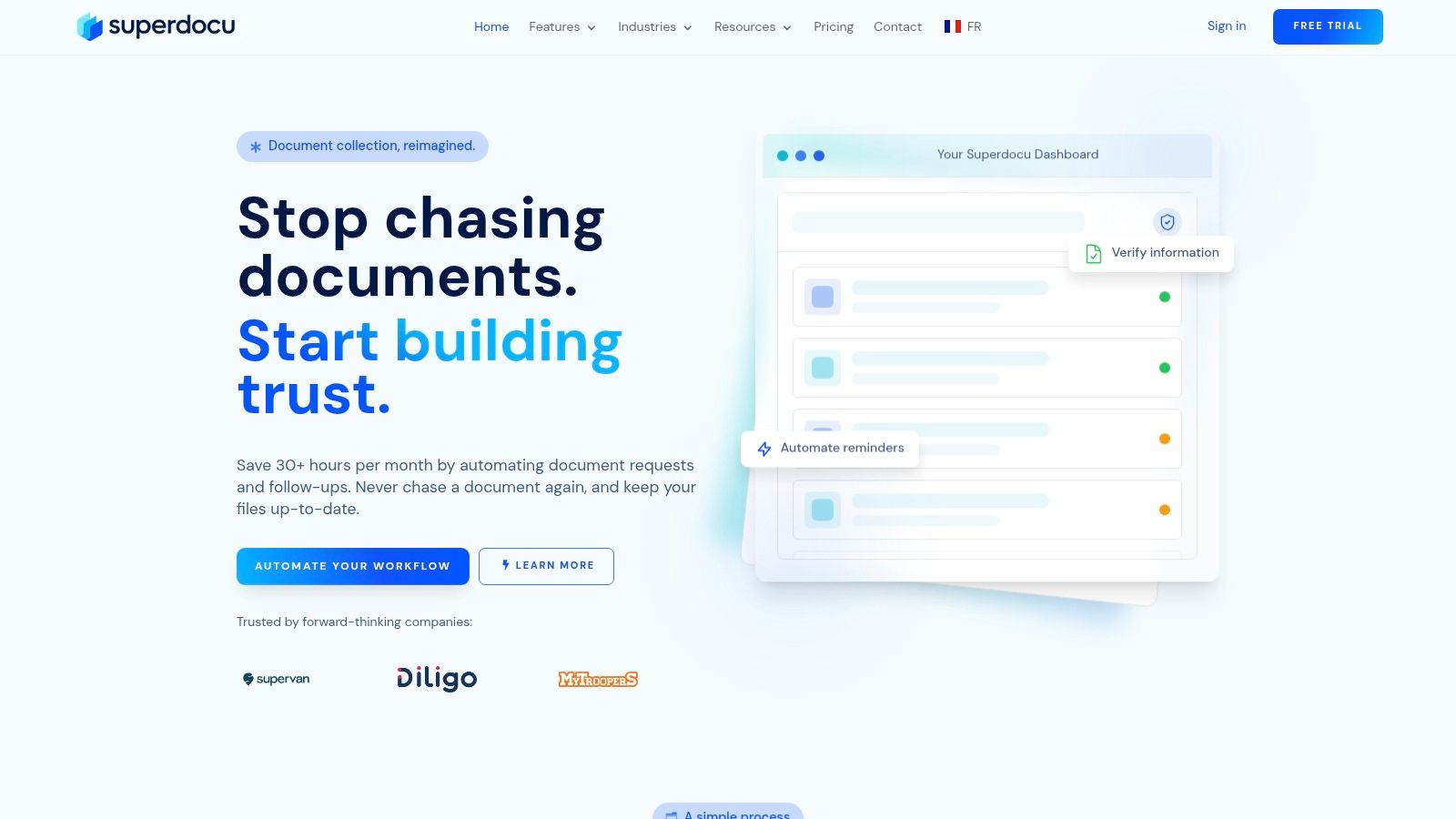
Make the upload experience feel intentional
A proper portal is better than a loose file-sharing link because it gives the customer context. They should immediately understand three things: who is requesting the document, what is needed, and where to submit it.
That's where branding matters. Add your company name, logo, and colors. Keep the request page clean. Use plain document labels instead of internal jargon. “Proof of address” is better than “residency verification artifact.”
Customer expectations support this approach. 92% of customers appreciate companies giving them control over what information is collected, according to Business News Daily's reporting on customer data preferences and privacy expectations. A self-service portal works because it gives people that control. They can see what's requested and submit it in one place instead of digging through email chains.
If you're comparing platforms, it helps to compare top client portal options by looking at branding controls, upload simplicity, and permission settings rather than just storage limits.
Design for mobile and low-friction completion
Most customers won't be sitting at a desk with a neat folder structure open. They'll be on a phone, searching for files across apps, camera rolls, and cloud drives. Your process has to accommodate that reality.
Use these design rules:
Ask in plain language
Replace internal labels with examples. “Upload your driver's license” works better than “government-issued photo identification.”Break long requests into steps
Twenty items on one screen feels heavy. Group requests by category or stage.Allow clear status visibility
Customers should know what's complete, what's pending, and what was rejected.Support re-uploading without confusion
If a file is blurry or outdated, the customer should be able to replace it without restarting the whole request.Write better instructions for edge cases
If married names, foreign IDs, or combined PDFs are common in your business, say so up front.
A dedicated document upload portal for client submissions is useful when you need structured requests instead of one generic upload box.
A branded portal doesn't just look more professional. It reduces support work because the customer sees a defined path instead of an open-ended ask.
Tools can support this in different ways. Some businesses use client portals inside their practice management software. Others use standalone request platforms. Superdocu is one example of a tool built for this use case. It supports branded request portals, custom workflows, and secure uploads. The right choice depends less on feature volume and more on whether the customer can complete the request without needing your team to interpret it for them.
Automate Reminders and Expiration Tracking
The fastest way to waste staff time is to make follow-up a manual job.
Someone sends the first request. Then they check for a reply. Then they nudge the customer three days later. Then they send another note to ask for the missing page. Then they remember an old certificate is about to expire and start the whole cycle again.
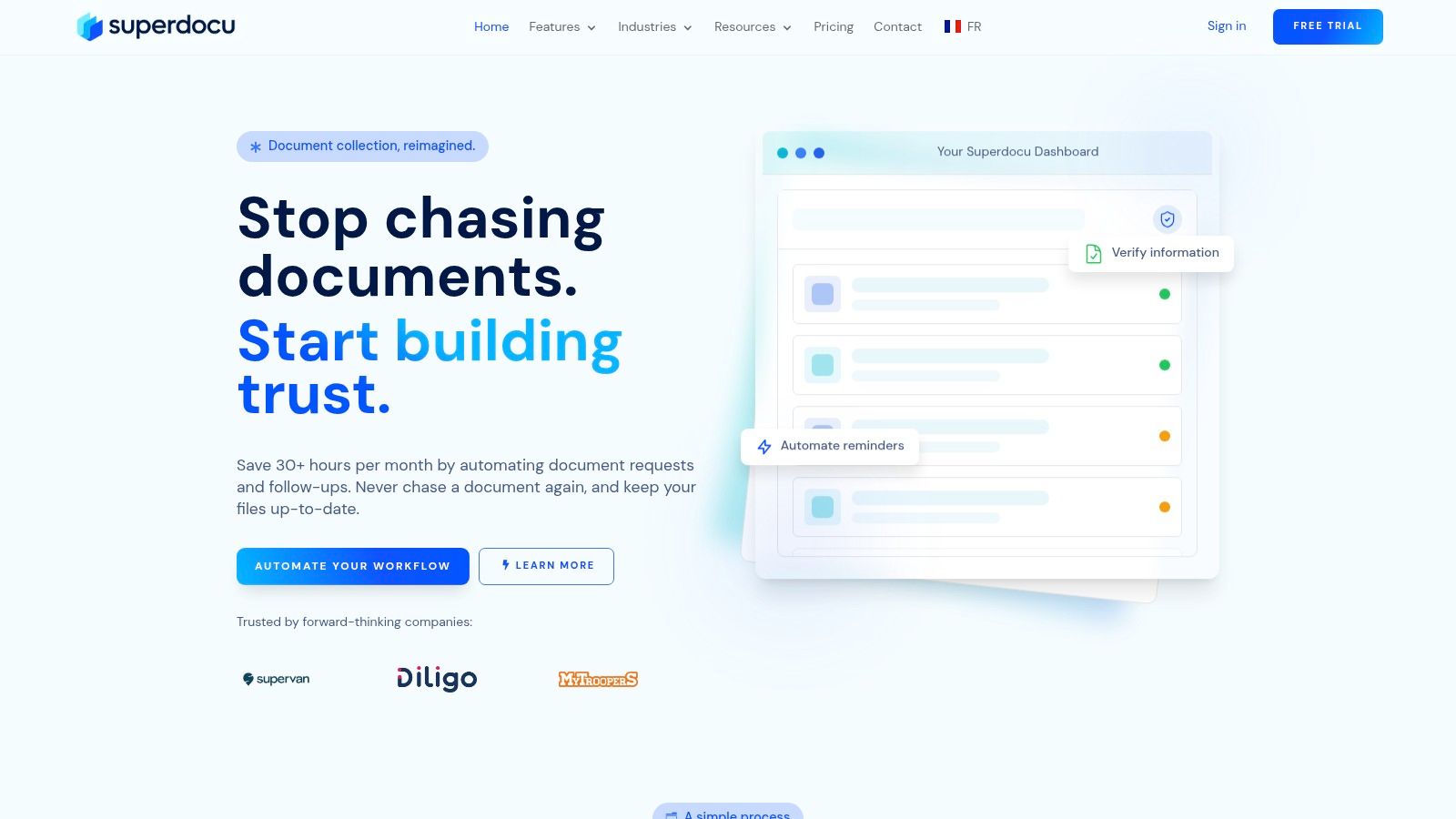
Automate the follow-up sequence
Good reminder automation isn't aggressive. It's consistent.
Set up a sequence that matches the urgency of the request. A standard onboarding flow might send an initial request, a polite reminder after a short delay, and another reminder before the deadline. A regulated renewal might add an earlier warning and an escalation to an internal owner if nothing is submitted.
The important part is that the reminders are tied to document status, not to somebody's memory.
Build the sequence around these rules:
Trigger reminders only for missing items
Don't send generic “you still need to submit documents” messages if half the request is already complete.Use customer-friendly language
Reminders should clarify what's missing and what to do next.Stop reminders once the item is received
Nothing erodes trust faster than nagging someone after they've already complied.Escalate internally when needed
If a key customer ignores multiple reminders, route it to the account owner or manager.
You can see how teams structure this with automated reminder workflows for document collection, especially when they're trying to remove repetitive follow-up from admin roles.
The best reminder system feels invisible to your team and obvious to the customer.
Treat expiration dates as part of collection
A lot of businesses think document collection ends when the first file arrives. That's only true for one-time forms. In many workflows, the significant risk appears later when a document becomes outdated and no one notices.
This matters for items like:
- Insurance certificates
- Professional licenses
- Identity documents
- Driver records
- Vendor compliance files
- Training or certification records
Instead of creating a separate manual process for renewals, treat expiration tracking as part of the original intake design. When a document is validated, record the relevant date and assign automated notices ahead of expiration. Notify both the customer and the internal owner if the document is business-critical.
This changes the operating model. You stop reacting to last-minute compliance gaps and start managing an ongoing record.
What doesn't work is keeping renewal dates in personal calendars, spreadsheet comments, or someone's head. That setup collapses when staff change roles, customers increase, or exceptions pile up. A system should tell your team what needs attention before the issue becomes urgent.
Ensure Security and Regulatory Compliance
When businesses say they want to collect documents from customers securely, they often mean one of two things. They want encrypted uploads, or they want to avoid sending sensitive files by email.
Both matter. Neither is enough on its own.
Collect less and control access tightly
Security starts before the upload. Ask a harder question first: do you need this document?
That's the practical point behind data minimization. True secure collection is a policy and design problem, not just a technical one. It involves asking which documents are necessary and who needs to see them. This principle of data minimization, combined with role-based access controls, is critical for reducing privacy risks in industries like legal, HR, and finance, as explained in QuestionScout's guidance on collecting client documents.
That principle changes how you design the workflow:
Collect only required records
Don't ask for extra supporting documents “just in case.”Limit visibility by role
Not every employee needs access to every file.Use approved submission paths
Keep customers out of informal channels like personal inboxes or messaging apps.Define retention rules early
If the business purpose ends, the document shouldn't stay available forever.
For transportation or regulated hiring files, the exact document list matters. If you handle driver onboarding, this overview of what is a driver qualification file is a useful example of how regulated collections depend on clear scope and ongoing maintenance.
Preserve defensible records when the workflow is regulated
Some businesses need more than secure uploads. They need a defensible collection record.
That usually applies when documents may later support legal review, investigations, audits, or regulated decisions. In those cases, process discipline matters. Guidance for legal and regulated collection emphasizes establishing a data map, interviewing IT and custodians, documenting the collection plan, preserving metadata integrity, and narrowing the collection universe to the smallest proportionate set of data that still covers what's relevant, according to KTLitSmart's best practices for successful document collection.
That doesn't mean every SMB needs forensic-grade capture. It means you should know when ordinary collection is enough and when it isn't.
A practical vendor checklist helps:
| Security question | Why it matters |
|---|---|
| Can access be limited by role? | Reduces internal overexposure |
| Is the submission path standardized? | Cuts risk from side-channel sharing |
| Can you control retention and deletion? | Supports privacy obligations |
| Is activity logged? | Helps with auditability |
| Can the process preserve metadata when needed? | Important in legal and regulated matters |
Secure collection isn't one feature you turn on. It's the result of decisions about scope, access, retention, and record integrity.
Validate Submissions and Integrate Your Tools
Collection only creates value once someone decides whether each submission is usable and pushes the result into the systems your business already runs on.
This is the point where many SMBs fall back into old habits. Customers upload through a portal, then staff download files, rename them, email questions internally, and paste status notes into a CRM. The front end looks organized, but the operating model is still manual.
Establish a centralized review queue
Reviewers need one place to work. That queue should show what arrived, what is still missing, what failed review, and what has been approved. If people have to switch between inboxes, shared drives, and chat threads to answer a basic status question, the process is still too loose.
Keep the decision paths tight:
- Approve when the document is readable, current, and matches the requirement.
- Reject with a clear reason when the issue is specific and fixable.
- Request a replacement when the customer submitted the wrong file.
- Show status in real time so customer-facing staff can answer questions without chasing reviewers.
Feedback quality matters more than review speed alone.
A vague status like “rejected” creates another round of back-and-forth. A specific note like “passport image is cropped and the expiration date is hidden” gives the customer one clear correction to make. That cuts resubmissions and reduces frustration on both sides.
Ownership matters too. Teams often create inconsistency by letting too many people validate the same workflow. For most SMBs, one primary owner per workflow keeps standards tighter and turnaround more predictable. If you need coverage, assign a backup reviewer with the same checklist and authority.
Connect collection to the rest of your stack
Validation should trigger the next operational step, not create another handoff.
That usually means connecting your collection process to the tools where work continues:
| Tool category | What the integration does |
|---|---|
| CRM | Updates the customer, lead, or deal record when files arrive or are approved |
| eSignature | Starts contracts or forms after a document requirement is completed |
| Cloud storage | Files approved documents into the right folder structure |
| Task automation | Creates follow-up tasks when status changes |
| HR or case systems | Sends validated files into the system of record |
The right integration depends on where delay is costing you time today. A mortgage broker may need disclosures sent for signature after income documents are approved. An HR team may need onboarding tasks to start once right-to-work documents pass review. A law firm may need intake to stay on hold until the required files are complete. Different use cases, same operating principle. Approval should move work forward without manual re-entry.
Here is a practical set of checklist examples that often works well by industry:
Sample Document Checklists by Industry
| Industry | Use Case | Example Documents |
|---|---|---|
| Juridique | New client intake | ID, signed engagement letter, matter background files |
| HR and staffing | New hire onboarding | ID, tax forms, bank details, certifications |
| Real estate | Tenant or buyer intake | ID, proof of address, financial statements, signed disclosures |
| Mortgage and finance | Loan application | ID, income documents, bank statements, supporting letters |
| Immigration | Case opening | Passport, visa records, civil documents, supporting evidence |
| Transport | Driver onboarding | License, medical certificate, insurance, qualification records |
The goal is not a large automation project. It is a controlled handoff model. If a validated file still has to be downloaded, renamed, emailed, and uploaded again by hand, the collection process is not finished.
Conclusion
The messy version of document collection usually grows slowly. One email thread becomes ten. One shared folder becomes five. One missing attachment becomes a delayed onboarding, a missed renewal, or a frustrated customer.
A better process is straightforward. Map the workflow first. Give customers a clean portal instead of a cluttered inbox trail. Automate reminders so staff stop chasing. Set tight rules around what you collect, who can access it, and how long it stays in the system. Then validate submissions in one place and connect the outcome to your CRM, eSignature, storage, or case tools.
That combination does more than save time. It gives customers a more professional experience and gives your team a process they can trust. The work becomes visible, trackable, and easier to manage.
If you need to collect documents from customers regularly, this isn't a nice upgrade. It's core operational infrastructure.
If you want a practical way to put this into operation, Superdocu is built for structured document collection with branded portals, automated reminders, validation workflows, expiration tracking, and integrations that help small teams replace email-based chasing with a cleaner process.