
Chasing down documents from clients can feel like a full-time job. It’s a frustrating loop of emails and follow-ups that stalls projects and wears everyone out. To collect documents easily and keep them secure, more businesses are finally ditching the endless email chains for smart, automated systems. This is more than just a minor tweak; it's a serious operational upgrade that frees up your team and makes life easier for your clients.
It's Time to Stop Chasing Paperwork
Does your team lose hours every week sending "just checking in" emails? Or maybe you've spent way too long digging through a chaotic inbox for that one crucial file. If that sounds familiar, you're feeling the real-world drain of manual document collection. This isn't just an administrative chore; it's a major roadblock to productivity and a huge source of friction for your clients. The constant back-and-forth can sour a new client relationship from day one and lead to costly project delays.
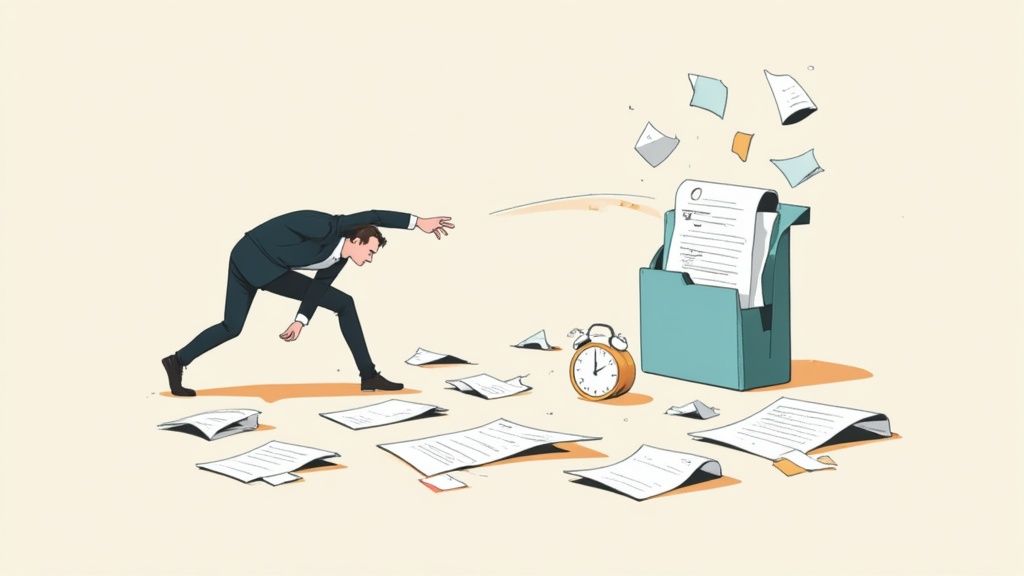
Sending one more reminder email isn't a strategy. It's a stopgap. Manual methods are messy, insecure, and simply don't scale as your business grows. Every minute your team spends hunting for a missing document is a minute they aren’t spending on valuable, billable work.
The Hidden Costs of Doing Things the Old Way
Sticking with outdated methods does more than just waste time. It introduces real business risks and creates operational bottlenecks that can genuinely hold you back.
Think about these common headaches:
- Security Nightmares: Email was never designed for sensitive files. Attachments can be easily intercepted, putting you and your clients at risk. A secure portal ensures everything is encrypted and handled properly, meeting standards like GDPR.
- A Terrible Client Experience: Nobody enjoys sifting through long email threads or having to resend files that got lost in the shuffle. A clean, simple, and professional collection process shows your clients you respect their time.
- Constant Project Delays: You can't start the work until you have the paperwork. It’s that simple. Manually chasing down files is a direct cause of missed deadlines and delayed payments.
- Zero Visibility: Who sent what? What's still missing? Who needs a nudge? Without a central dashboard, you're flying blind. This lack of clarity is a recipe for chaos.
A messy document collection process doesn’t just waste time—it erodes client trust and puts their sensitive information in jeopardy. The moment you start treating document collection as a critical business function, you're on the path to a stronger, more efficient operation.
A Quick Look at the Two Worlds
To really see the difference, let's put the old way and the smart way side-by-side. The contrast in daily operations is stark.
Manual vs Automated Document Collection at a Glance
| Aspect | Manual Collection (The Old Way) | Automated Collection (The Smart Way) |
|---|---|---|
| Premier envoi | Crafting a new email for every client, attaching confusing lists. | Sending a branded, pre-built request from a template in seconds. |
| Client Experience | Confusing email threads, large file attachments, resending lost documents. | A secure, easy-to-use portal for uploading files from any device. |
| Follow-Up | Manually tracking and sending "gentle reminder" emails. | Automatic, scheduled reminders that stop once the document is submitted. |
| Tracking & Status | Juggling spreadsheets and email folders to see what's missing. | A real-time dashboard showing the status of every request at a glance. |
| Security | Unencrypted email attachments vulnerable to data breaches. | End-to-end encryption, access controls, and a full audit trail. |
| Team Productivity | Hours spent on administrative tasks instead of core work. | Team focuses on high-value work while the system handles the busywork. |
| Scalability | The process breaks as the client load increases. | Effortlessly handles hundreds of requests without adding to the workload. |
The table makes it clear: one path leads to frustration and risk, while the other leads to efficiency and peace of mind.
This Isn't a Luxury, It's a Necessity
The move to automation isn't just a niche trend; it's happening everywhere. The market for Intelligent Document Processing (IDP) is on track to hit $6.78 billion by 2025. On top of that, more than 80% of companies are planning to spend more on document automation. The writing is on the wall: businesses are leaving manual work behind to get ahead.
At the end of the day, an efficient system to collect documents easily is no longer just a "nice-to-have." It’s a core tool for any modern business that cares about efficiency, security, and giving clients a great experience. By moving on from the paper chase, you can build a better workflow, and our guide on paperless document management solutions is a great place to see what's possible.
This playbook will give you the practical, step-by-step guidance you need to build a system that finally works.
Mapping Your Ideal Document Collection Workflow
Before you jump into evaluating software, let's take a step back. The secret to collecting documents easily is to first map out your ideal process on paper. A clear strategy is the bedrock of any good automation project. If you skip this, you're just automating a messy process, which only creates faster, more efficient chaos.
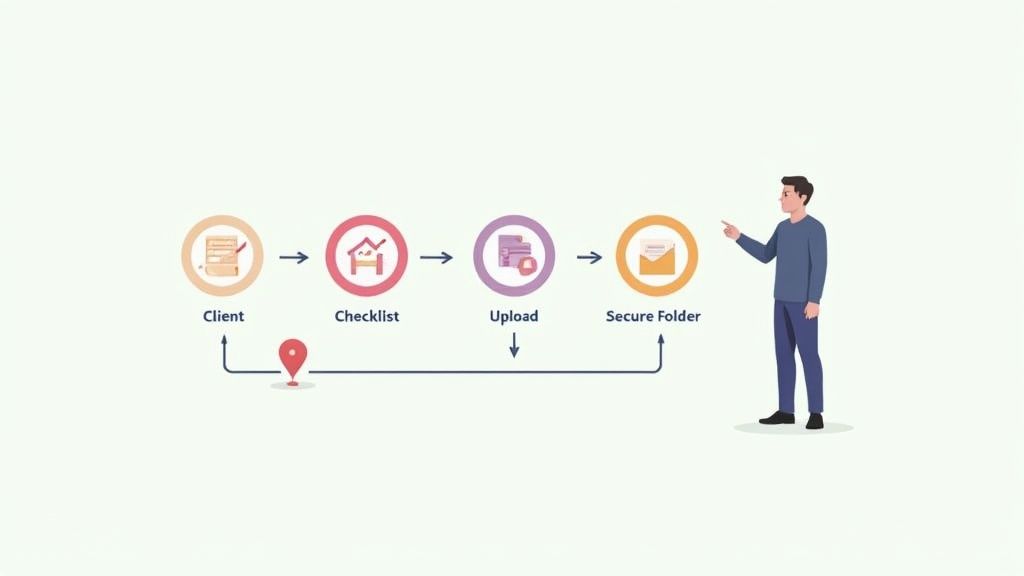
This initial mapping phase is all about turning vague needs into a concrete, repeatable plan. It forces you to think through every single touchpoint, from the first request to the final file storage, making sure nothing falls through the cracks.
Identify Every Single Document You Need
Start by picking one specific, high-impact business process. New client onboarding is a fantastic place to start because it’s a universal pain point, often bogged down by document-chasing delays.
Now, grab a whiteboard or open a blank document and just brainstorm. List every piece of information and every document you need to collect for that process. Don't filter yourself yet; just get it all out there.
For example, a financial advisory firm onboarding a new client might come up with a list like this:
- Signed Advisory Agreement
- Client Risk Tolerance Questionnaire
- Proof of Identity (Driver's License or Passport)
- Proof of Address (Utility Bill)
- Statements from existing investment accounts
- Recent pay stubs or proof of income
Once you have your raw list, start grouping the items logically. This simple act of organizing will become the backbone of the client-facing checklist you’ll build later.
Define the Who, What, and When
With your document list ready, it's time to add some crucial context. For each item, you need to clarify three things: who provides it, what information you need from it, and when it's due.
Doing this creates accountability and sets crystal-clear expectations for everyone involved—your team and your clients. Ambiguity is the absolute enemy of an efficient workflow.
A well-defined workflow doesn't just tell you what you need; it clarifies who is responsible for providing it and establishes a clear timeline. This simple step eliminates the guesswork that leads to endless follow-up emails.
Let’s go back to our financial advisor's list and add this new layer of detail.
| Document Name | Who Provides It? | Key Information to Extract | Due Date |
|---|---|---|---|
| Signed Advisory Agreement | Client | Signature, Date | Within 3 days of sending |
| Proof of Identity | Client | Full Name, Date of Birth, Expiry Date | With initial submission |
| Recent Investment Statements | Client | Account Numbers, Current Balances | With initial submission |
| Internal Compliance Review | Compliance Team | Approval Status, Reviewer's Name | Within 24 hrs of submission |
This structured approach instantly turns a simple list into an actionable plan. You can immediately spot dependencies—for instance, the compliance team can’t even start their review until the client submits their documents.
Plan the Document's Entire Journey
The final piece of your mapping puzzle is deciding where everything ends up. A document collection system is only as good as its final destination. Files need to land in a logical, secure, and accessible place.
Think about the entire lifecycle of a document from the moment it’s submitted. Where does it live? Who needs access? How long do you have to keep it? Answering these questions now prevents massive organizational headaches down the road.
Here are the key stages you'll want to map out:
- Initial Upload: This is where the client securely uploads their files into a portal. As soon as a file arrives, it should be encrypted and tagged.
- Validation and Review: Next, your team steps in to review the submission. Is it the right document? Is it legible? Is all the necessary information there?
- Final Storage: Once approved, the document moves to its permanent home. This could be a specific client folder in your Google Drive or SharePoint, or maybe it gets attached to a record in your CRM.
- Archiving: Finally, after a set period, the document might be moved to long-term cold storage for compliance, ensuring it's kept securely for its required retention period.
By mapping this journey, you’re building a system that doesn't just collect documents easily but also manages them intelligently. This strategic groundwork ensures your future automated system will be a powerful asset, not just another piece of software.
2. Design a Secure, User-Friendly Client Portal
Once you’ve mapped out your workflow, it's time to build the client-facing side of the equation. This is where a dedicated client portal shines, transforming a clunky email chain into a professional, central hub for everything you need.
The goal here is to create a space that's so intuitive, clients can get you the documents you need without a second thought. It's their first real taste of what it's like to work with you, so making it seamless builds immediate confidence.
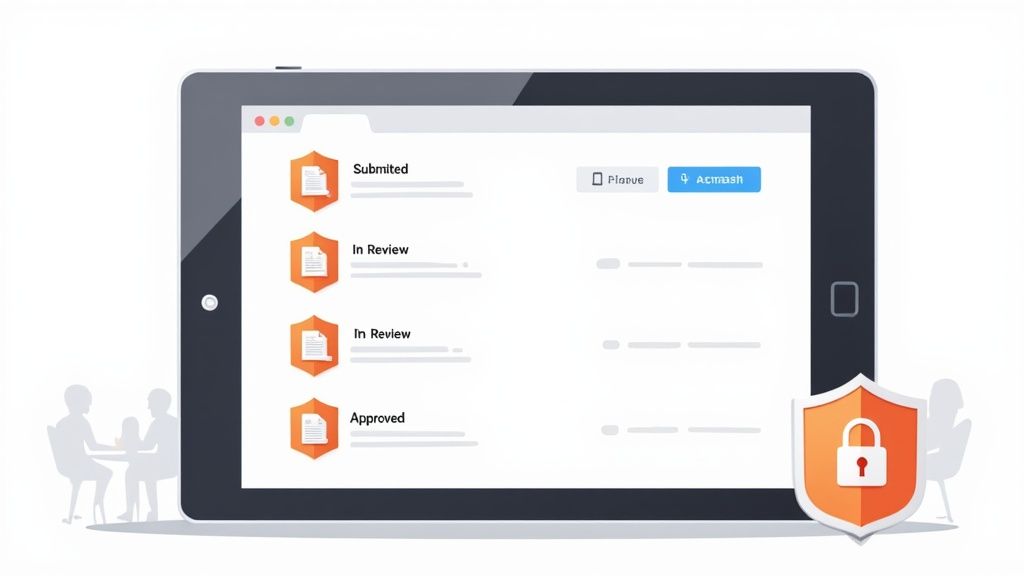
Think of your portal as a digital front door. It needs to do more than just accept uploads; it has to actively guide your clients through the entire submission process, giving them clarity and reassurance along the way.
Must-Have Features for an Effective Portal
A truly great portal is built from the client’s point of view. It anticipates their questions and gives them instant feedback, making the whole experience feel refreshingly simple. For a deeper dive, check out our guide on what a client portal is and how it benefits your business.
To start, make sure your portal nails these essentials:
- A Branded, Professional Interface: Your portal should be an unmistakable extension of your company. Adding your logo, brand colors, and a custom welcome message creates a cohesive, trustworthy experience.
- Dynamic Document Checklists: Forget static lists buried in an email. A good portal presents an interactive checklist where clients see exactly what's needed and can track their progress as they upload each file.
- Real-Time Status Updates: Nothing kills momentum like uncertainty. As documents are uploaded, their status should instantly change to "Submitted." When your team takes a look, it can shift to "In Review" or "Approved," keeping clients in the loop without them ever having to ask.
- Clear Instructions and Examples: For those items that always cause confusion—like a specific tax form or proof of address—you can add brief instructions or even a sample image right inside the checklist. This is how you prevent mistakes before they happen.
These features work together to create a powerful, self-service environment that puts your clients at ease.
The best client portal doesn't just collect documents; it actively guides the user. By providing real-time feedback and clear next steps, you eliminate the uncertainty that leads to follow-up calls and frustrated emails.
Security Isn't a Feature—It's the Foundation
In an age of endless data breaches, security is the bedrock of client trust. Asking someone to email sensitive financial statements or personal ID is a huge risk, and frankly, most clients know it. A secure portal is your single best defense for protecting their data and your reputation.
Your portal must be built on a foundation of robust security measures. Look for platforms that offer end-to-end encryption, which protects data both while it's being uploaded and while it's stored. This means from the moment a client hits "upload" to its final destination on your server, the file is completely unreadable to anyone without authorization.
Secure access controls are just as critical. You need the ability to manage permissions granularly, ensuring only the right people on your team can view specific client documents.
This focus on digital security is part of a massive industry shift. The document digitization software market is growing at an annual rate of about 16% and is projected to become an $8.2 billion market by 2033. This growth is all about making secure, digital collection the new standard.
Ultimately, a well-designed portal makes the secure way the easy way, giving clients total peace of mind when they share their information with you.
Automating Reminders and Managing Expirations
This is where your system stops being a simple file-folder and starts acting like a smart assistant for your team. By automating follow-ups and keeping an eye on document lifecycles, you get to stop the manual, time-sucking chase that frustrates your team and your clients. This is the secret to a process that’s not just efficient once, but consistently efficient.

The dream is a "fire-and-forget" system. You send the request, and the platform takes over, sending all the necessary nudges until you have what you need. No more manual follow-ups.
Setting Up Smart Reminder Schedules
Let’s be honest: chasing people for documents over email is a broken process. It's inconsistent, takes forever, and it’s way too easy to come across as demanding. Automation, on the other hand, is polite, persistent, and always on time.
A good reminder sequence is a gentle, systematic nudge that guides your clients toward getting things done. The best part? The moment they submit the file, the reminders stop. No more annoying pings after the fact.
Think about building a schedule with a few key touchpoints:
- Pre-Due Date Nudge: A friendly heads-up sent 3 days before the deadline. It’s a low-pressure way to keep your request on their radar.
- Day-Of Reminder: A clear alert sent on the morning the document is due. This creates a helpful sense of urgency.
- Overdue Follow-Up: A more direct message sent 1-2 days after the due date, letting them know the item is now late.
This simple, multi-stage approach makes sure you get what you need without damaging the client relationship. For a deep dive, check out our complete guide on using automated reminders to collect documents.
The best reminder systems aren't just about automation—they're about smart communication. By scheduling polite and timely follow-ups, you transform a nagging task into a helpful service for your clients.
Managing Documents with Expiration Dates
For a lot of us, getting the document is just the beginning. Things like professional licenses, insurance certificates, or compliance forms all have a shelf life. Trying to track those dates in a spreadsheet is just asking for trouble, leading to compliance risks and last-minute chaos.
This is another place where automation is a game-changer. The right platform can watch these critical dates for you, turning a reactive headache into a proactive, hands-off process. This is absolutely essential if you want to collect documents easily year after year, not just at the start.
Creating Proactive Renewal Workflows
Instead of waiting for a compliance fire to break out, you can build a workflow that handles the entire renewal cycle for you. It’s the key to keeping your records perpetually up-to-date with almost no effort.
Here’s what that looks like in practice:
- Set the Expiration Date: When the original document—say, a certificate of insurance—is uploaded, you or the client inputs its expiration date.
- Trigger the Renewal Request: Your system automatically sends out a new request for the updated document, maybe 30-60 days before the old one expires. This gives everyone plenty of time to act.
- Automate Follow-Ups: If they don't submit the new file, your automated reminder schedule kicks in, making sure the request gets fulfilled before you’re out of compliance.
This simple cycle ensures you're always covered. For a logistics company managing hundreds of driver's licenses or a construction firm tracking subcontractor insurance, this isn't just a nice-to-have. It's a critical risk management tool that turns a tedious, error-prone chore into a smooth, reliable process running silently in the background.
Let's Connect Your Workflow to Other Business Tools
A great system for collecting documents shouldn’t be a dead end. Its real value comes alive when it talks to the other tools you rely on every day. When your collection process is connected, it’s no longer just a task—it becomes the first domino in a chain of automated actions.
This kind of connectivity turns your document portal into a mission control. One file submission can kick off a whole sequence of events across your tech stack, saving you from hours of mind-numbing data entry and stopping important info from getting lost in the shuffle.
Put eSignatures Right Where You Need Them
For a lot of us, collecting documents is only half the job. Getting them signed is what really matters. But downloading a file, uploading it to an eSignature platform, sending it out, and then saving it again? It’s a clunky process that clients can feel.
A much better way is to build an eSignature service like DocuSign directly into your collection workflow. Picture this for a new client contract:
- Your client uploads all their onboarding documents to your portal.
- The moment you approve that final document, the system automatically sends out the service agreement for signature.
- The client signs, and the legally-binding PDF is instantly filed away in their secure folder. No extra steps.
This makes the whole experience one smooth motion for your client. It removes friction, gets you to a signed deal faster, and frankly, just looks more professional.
Build a Fully Automated Information Pipeline
Signatures are just the start. The real game-changer is connecting your document system to your other core applications. This is how you build an information pipeline that works around the clock, no supervision needed.
An integrated workflow doesn't just pass files around; it transfers context. When a new document triggers an action in another system, it carries the client's information with it, eliminating redundant data entry and keeping all your platforms in perfect sync.
This isn’t just a nice-to-have anymore; it’s quickly becoming the standard. In fact, it’s projected that by 2025, a staggering 50% of B2B invoices worldwide will be processed with zero manual input. That’s all thanks to automation taking over how we handle documents. You can read more about the impact of intelligent document processing to see just how big this shift is.
How This Looks in the Real World
Let's get practical. Here’s how you can connect your document collection system to the tools you’re probably already using.
Cloud Storage (Google Drive, SharePoint, Dropbox)
This is the most fundamental integration. Instead of manually downloading approved files and re-uploading them to your cloud drive, just set up a simple rule.
- When… a set of documents is marked "Approved" in your portal.
- Then… the system automatically creates a new, neatly named client folder in Google Drive and drops all the approved files right into it.
Project Management (Asana, Trello, Jira)
If you're in a service business, a new client means a new project. You can kick things off the second the ink is dry on the contract.
- When… a signed contract comes back.
- Then… a new project is automatically created in Asana from a template, and the first task—"Begin client work"—is assigned to the project manager.
CRM (Salesforce, HubSpot)
Keep your client records updated without lifting a finger. An integration with your CRM means your sales and account teams always have the latest info.
- When… a client uploads a "Proof of Address" document.
- Then… their contact record in HubSpot is instantly updated with the new address, and a note confirming receipt is added to their timeline.
When you link these systems, you’re not just moving files—you’re creating an ecosystem where data flows intelligently. Every document that comes in becomes a catalyst, pushing work forward and making sure every part of your business is on the same page.
Frequently Asked Questions About Document Collection
Switching to a new system, even one that promises to make your life easier, always brings up a few questions. It’s completely normal to wonder about security, how your clients will react, and whether it’s really worth it. Let's dig into some of the most common concerns we hear from businesses ready to stop chasing paperwork.
This isn’t about technical jargon; it’s about giving you clear, honest answers to help you feel confident about making the move and choosing the right tools for the job.
How Do I Get My Clients to Actually Use a New Portal?
This is probably the number one worry, but in my experience, it's a much smaller hurdle than people think. The trick is all in how you frame it. Don't present it as another chore for them; show them it’s a benefit that makes their life easier and keeps their sensitive information safe.
Start by leading with security. In a world of constant data breaches, people genuinely care about this. You could say something like, "To better protect your private information, we're moving away from insecure email and using a new encrypted client portal." Right away, you’ve positioned the change as a step you’re taking for them.
Then, follow up with convenience. Explain how the portal gives them a simple checklist, shows them the real-time status of their submission, and works just as well on their phone as on a computer. Once clients realize they won’t have to dig through old email chains to figure out what they still owe you, they usually jump on board pretty quickly.
Is This Really More Secure Than Just Using Email?
Yes, and honestly, it’s not even a close comparison. Email was never built for transferring sensitive files securely. When you send an attachment, that file often sits unencrypted on multiple servers as it travels from you to your client. Each stop is a potential point of failure.
A dedicated document collection platform, on the other hand, is built from the ground up with security as its primary job. Here’s what makes it fundamentally safer:
- End-to-End Encryption: Your files are scrambled the moment they're uploaded and stay that way in storage. Even if someone managed to access the server, the files would be completely unreadable.
- Access Controls: You get to decide exactly who can view or download each document. This is huge for preventing sensitive data from accidentally being seen by the wrong person on your own team.
- Audit Trails: Every single action—from uploading a file to viewing and downloading it—is logged. This creates a bulletproof history of who touched a document and when, which is critical for compliance and security audits.
Think of it this way: using email for sensitive documents is like sending your financial details on a postcard. A secure portal is like putting that same information in a locked safe inside a bank vault.
What If I Only Need to Collect a Few Documents a Month?
This comes up a lot, especially for smaller businesses, freelancers, and consultants. It’s easy to feel like a full system is overkill if you're not dealing with massive volume. But the value here isn't just about handling quantity—it's about professionalism, security, and efficiency, no matter your scale.
Even for just a handful of documents, a portal provides a far better client experience. It makes your business look organized and serious from the very first interaction. And the security benefits are just as crucial whether you’re collecting one file or a thousand.
Most modern platforms offer flexible pricing plans designed for lower volumes. You can get all the perks of a professional-grade system—like automated reminders and secure storage—at a cost that actually makes sense for your business. It ensures that even as a small operation, you can collect documents easily and safely.
How Much Technical Skill Is Really Needed to Set This Up?
Good news: you don't need to be an IT whiz or a developer. Modern document collection software is built for regular business users, not code experts. The whole experience is designed to be intuitive, with simple drag-and-drop interfaces.
Setting up a new request is typically a pretty quick process:
- Start with a Template: Most tools come with pre-built templates for common tasks like client onboarding or new hire paperwork.
- Customize Your Checklist: You can easily add, remove, or rephrase the items on your document list.
- Brand Your Portal: A few clicks are all it takes to add your logo and company colors.
- Set Up Reminders: Pick a standard reminder schedule or create your own custom one.
The whole point of these platforms is to be self-service. If you can fill out an online form or create a simple survey, you already have all the technical skills you need. The platform does all the heavy lifting behind the scenes.
Ready to stop chasing paperwork and start focusing on what really matters? Superdocu provides everything you need to build a secure, branded, and automated document collection workflow in minutes. Start your free trial today and see how easy it can be.