
Chasing clients for paperwork through endless email chains is more than just frustrating—it’s actively harming your business. If you're still relying on email attachments to collect documents, you're dealing with a process that's often insecure, wildly inefficient, and creates a terrible experience for everyone involved.
For any business that wants to grow, moving to a modern, automated solution isn't just a nice-to-have; it's essential.
The Hidden Costs of Manual Document Collection

If your team still lives in email threads and shared folders to gather files, you know the pain all too well. This old-school approach creates a cascade of problems that go way beyond simple annoyance. It’s a huge drain on productivity and a major source of operational risk.
Think about an HR manager onboarding a new employee. They need a signed contract, ID verification, and tax forms. Each document trickles in through separate emails. Some get lost in spam filters, and the new hire inevitably forgets one, kicking off a series of follow-up calls and more emails. Then, someone has to manually download each file, rename it, and move it to the right server, with a chance for human error at every single step.
Security Risks and Compliance Headaches
Let's be blunt: email was never designed for secure file transfer. When you ask clients to send sensitive information like financial statements or personal IDs as unencrypted attachments, you're exposing both of you to unnecessary risk.
One misaddressed email could trigger a serious data breach. That can do incredible damage to your reputation and even lead to hefty regulatory fines.
Relying on manual processes to collect documents is like leaving your front door unlocked. It's a matter of when, not if, a security issue will arise. A structured, secure portal is no longer a luxury—it’s a fundamental business necessity.
The True Cost of Inefficiency
The administrative burden of manual collection is staggering. All that time spent sending reminders, digging through overflowing inboxes, and trying to organize scattered files is time your team isn't spending on work that actually grows the business.
This inefficiency grinds your critical processes to a halt, delaying everything from closing a deal to kicking off a new project.
This is exactly why so many businesses are looking for a better way. The document management market is already valued at over USD 8.70 billion and is expanding quickly as companies make the move to the cloud. This shift helps slash infrastructure costs while giving teams secure, remote access to the information they need. For a deeper dive, you can explore the market's growth projections on researchandmarkets.com.
Designing Your Document Collection Workflow
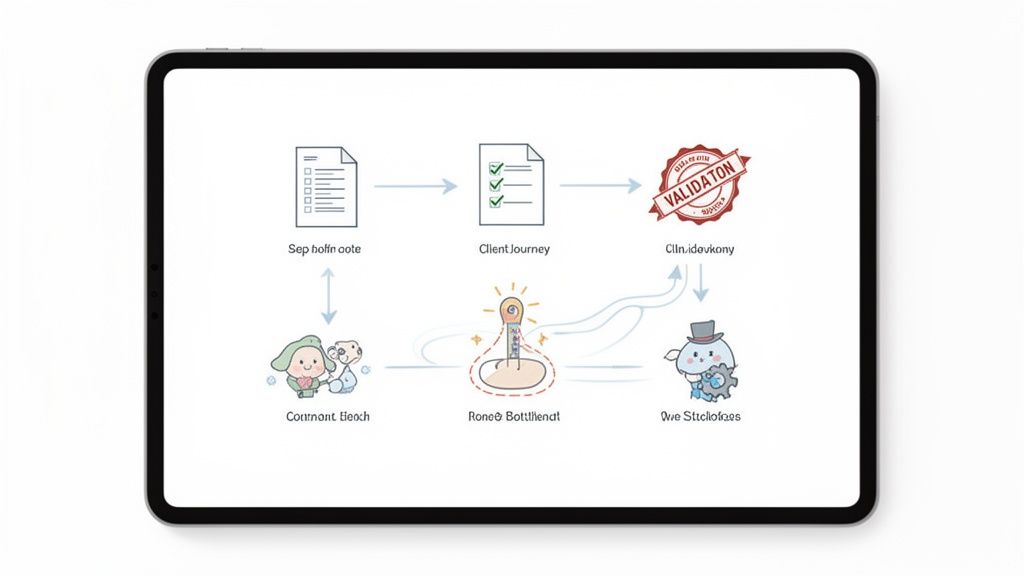
Before you even think about software or automation, you need a solid blueprint. A well-thought-out workflow is what separates a smooth, professional document collection experience from a chaotic, frustrating one. If you just automate a messy process, you end up with a faster mess.
The best way to start is by picking a single, high-value process. Think about something like new client onboarding or a mortgage application. Now, put yourself in your client's shoes. What’s the very first thing you’re asking them to do? What information do they need from you before they can even begin?
Your first real task is to list every single document you need to collect. But don't just make a list—ask "why" for each one. You’d be surprised how often this simple question uncovers old, redundant requests that have been hanging around for years.
Setting the Ground Rules for Collection
Once your document list is solid, it's time to define the rules for each item. This is your secret weapon against the endless back-and-forth of incomplete or incorrect submissions. These rules will become the backbone of your automated system.
Get specific about the requirements for every single file:
- File Type: Do you need signed contracts to be PDFs? Are you expecting photo IDs to be submitted as a JPG or PNG?
- Data Validation: Does a driver's license need a valid expiration date? Does a utility bill for proof of address need to be dated within the last 90 days?
- Naming Conventions: How do you want files named so your team can find them instantly? Think
ClientName_Contract_Date.pdf.
Nailing down these details from the start means you get the right documents, in the right format, on the first try. It’s a massive time-saver for your team, who can stop manually checking every file for basic mistakes.
Building Your Workflow Planning Checklist
To help you map this all out, here's a checklist that breaks down the key components. Thinking through these questions now will save you countless headaches down the road.
| Document Collection Workflow Planning Checklist |
| :— | :— | :— |
| Planning Component | Key Questions to Answer | Example (Mortgage Application) |
| Objective | What is the end goal of this collection process? | To gather all necessary financial documents to approve a mortgage loan. |
| Document List | What specific documents are needed? Why? | Pay stubs, W-2s, bank statements (last 3 months), photo ID, signed disclosures. |
| Client Journey | What are the sequential steps for the client? | 1. Receive secure link. 2. Upload ID. 3. Upload income docs. 4. Upload asset docs. 5. eSign disclosures. |
| Validation Rules | What format/data requirements does each document have? | Pay stubs must be PDFs dated within 30 days. Bank statements must show the applicant's name and address. |
| Internal Handoff | Who on your team is notified and what do they do next? | Loan processor receives an automated notification once all documents are submitted and validated. |
| Deadlines | Are there submission deadlines? What happens if they pass? | Initial documents are due within 7 days. Automated reminders are sent on day 3 and day 6. |
This table isn't just a to-do list; it's a strategic tool. Filling it out forces you to clarify every detail, ensuring your final workflow is both efficient for your team and simple for your clients.
Mapping the Entire Client Journey
With your documents and rules in place, it’s time to look at the big picture: the complete client experience. What does this process actually feel like from their side? A clunky, confusing journey with too many steps is the number one reason people give up, leaving your team to play phone tag.
A well-defined workflow anticipates client questions and removes friction before it happens. Your goal isn't just to collect documents; it's to make the process so simple and intuitive that clients can complete it without needing to ask for help.
For instance, a law firm handling a new case might need a dozen different sensitive files. To truly upgrade how the firm manages this, integrating a modern legal document management system becomes a critical part of the workflow design. This kind of strategic thinking ensures your new process is not only a win for your team's productivity but also gives your clients a secure and professional experience from day one.
Building a Branded and User-Friendly Client Portal
Okay, you've got your document collection plan mapped out. Now it's time to build the digital front door for your clients. This isn’t just a place for them to dump files; it’s a professional, secure space that needs to inspire confidence and make it dead simple for them to give you what you need.
Let’s be honest: a generic, clunky portal is a recipe for frustration and delays. A branded, intuitive one? That's how you speed up the entire process.
The real goal here is to create a seamless experience that feels like a natural part of your business. That all starts with branding. Customizing your portal with your company's logo, colors, and fonts is the first, most crucial step in building trust. When a client lands on a page that looks and feels like you, they’re instantly more comfortable handing over sensitive information.
And don't stop at the portal. This consistency needs to carry through to every email they receive—the initial request, the friendly reminders, and the final confirmations. Every touchpoint should reinforce your professionalism and let them know they're in a secure, official system.
Designing for a High Submission Rate
A good-looking portal is great, but it’s useless if people can’t figure out how to use it. The user experience (UX) is probably the single most important factor in getting clients to submit their documents quickly and correctly. Your mission is to eliminate any friction and answer their questions before they even have a chance to ask them.
Think simplicity and clarity above all else.
- Give Crystal-Clear Instructions: Never assume your clients know what to do. Use simple, direct language and provide quick, step-by-step guidance for every part of the request.
- Use Conditional Logic: This is a game-changer. Only show clients the fields and document requests that actually apply to them. An accounting firm, for instance, can set it up to hide business tax forms from individual clients, which completely sidesteps any potential confusion.
- Make Mobile a Priority: It's 2024. A huge chunk of your clients will access your portal from their phones. Make sure the interface is fully responsive so they can easily snap and upload photos of documents right from their device.
Here’s a great example of a clean, branded interface that makes it easy to collect documents.
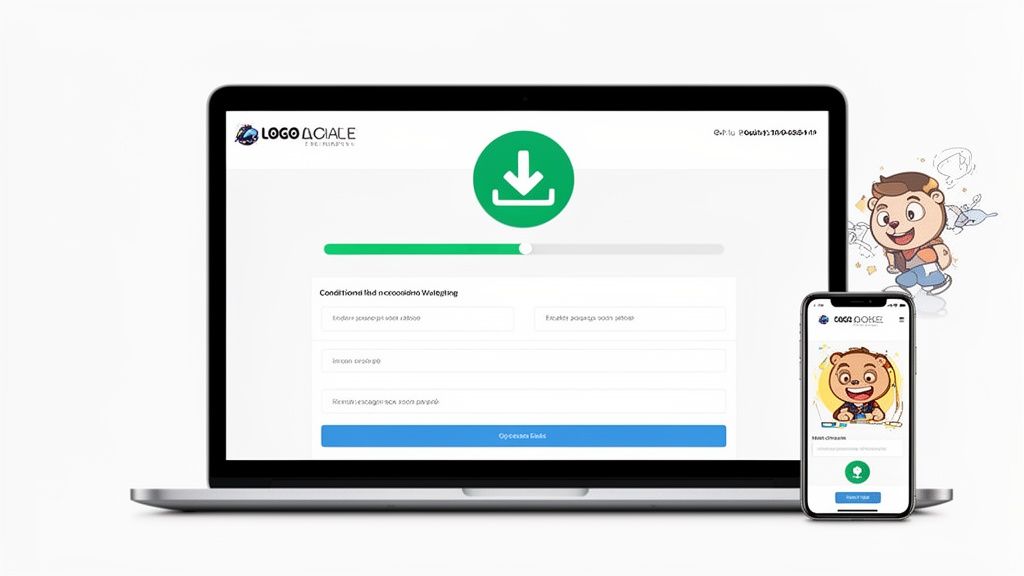
See how the logo is front and center? The layout is simple, and the action buttons clearly guide the user without any clutter. A well-designed portal like this turns a complex task into something that feels totally manageable. If you want to dive deeper into the nuts and bolts, our guide on building a client document collection portal has more in-depth tips.
The best client portals are basically invisible. They guide users so effortlessly that clients don't even notice the technology—they just focus on getting you the documents you need.
Ultimately, this portal is a critical touchpoint in your relationship with your clients. For a more technical look at creating custom, data-driven client interfaces, you can see how to build a property search portal with Batchdata's API for some excellent ideas. By investing in a polished, user-focused design, you’re not just improving submission rates; you’re showing a commitment to professionalism and security that your clients will definitely notice and appreciate.
Stop Chasing Paperwork and Automate Your Follow-Ups

Let's be honest: manually chasing clients for missing documents is a soul-crushing task. It’s the biggest productivity drain in almost any workflow, a repetitive cycle that burns out your team and stalls important projects. The good news is that you can completely eliminate this chore with smart automation.
Instead of your team relying on spreadsheets and sticky notes to track submissions, you can set up automated email and SMS reminders. Imagine sending a gentle nudge three days before a deadline and another on the due date itself—all without lifting a finger. This simple change keeps your request at the top of your client's to-do list, so your team doesn't have to constantly pick up the phone.
The move toward this kind of automation is massive. The Intelligent Document Processing (IDP) market has already hit USD 2.3 billion, with over 80% of businesses increasing their investment in these tools. We've seen logistics companies, for example, reach 70% adoption to streamline how they collect documents for new driver onboarding—a process where delays are not an option.
Use Deadlines and Expiration Alerts to Your Advantage
A little urgency goes a long way. When you send a document request, always set a clear deadline. If a client misses it, the system can automatically send a final notification or flag it for a team member to personally intervene. This is the difference between a project that stalls for weeks and one that stays on track.
Another game-changer is automating alerts for expiring documents, which is an absolute must-have for compliance.
- Professional Licenses: Get a heads-up 60 days before an employee's certification is up for renewal.
- Insurance Certificates: Automatically ask vendors for an updated Certificate of Insurance (COI) 30 days before the current one expires.
- Client IDs: Make sure you always have a valid ID on file by prompting clients for a new one before the old one is invalid.
This kind of proactive automation means you can collect documents before they become a compliance headache. No more frantic, last-minute scrambles.
Automation isn't about getting rid of the human touch. It's about clearing out the monotonous work so your team has more time for what matters: building client relationships and doing strategic work.
This approach ensures nothing ever slips through the cracks. It systematizes your follow-up, making it professional, consistent, and far more effective than manual chasing. If you're looking for more tips on writing effective follow-ups, our guide on creating automated email reminders is a great place to start.
Tying It All Together: Integrating with Your Go-To Business Tools
Your document collection system can't be an island. If it is, you've just created another data silo that your team has to manually manage. Real efficiency comes from connecting it to the other tools you use every single day. This is how you build a smooth, automated process that gets rid of mind-numbing data entry for good.
When your systems talk to each other, you can create some seriously powerful workflows that practically run themselves. Think about it: when someone submits a document, that action should be a trigger, not an endpoint. It should kick off the next step in your process, whether that’s updating your CRM, pinging your accounting software, or creating a task in your project management tool.
Connecting to eSignature Platforms
One of the most powerful connections you can make is with an eSignature platform like DocuSign or Dropbox Sign. This is the missing link between collecting information and getting a legally binding signature. Gone are the days of asking a client to download a PDF, print it, sign it, scan it, and email it back. You can now build the signing step right into your collection flow.
For instance, a real estate agent could have a client upload their proof of funds and ID. The moment those are submitted, the system automatically fires off the lease agreement for an eSignature. This saves a huge amount of back-and-forth and gives the client a much cleaner, more professional experience. Once signed, the contract gets filed away automatically. Simple.
Using Automation Hubs Like Zapier
If you want true, next-level flexibility, an integration with an automation platform like Zapier is a must. Zapier acts as a universal translator, letting you connect your document collection tool to literally thousands of other apps without any coding. The possibilities are pretty much endless.
Here are a few ways this plays out in the real world:
- Client Onboarding: A new client fills out your intake form and uploads their signed agreement. Zapier instantly creates a new record in your CRM (like Salesforce or HubSpot), spins up a new project in Asana, and neatly organizes all their files in a dedicated Google Drive folder.
- Hiring New Talent: A job candidate uploads their resume and references. A Zapier workflow can immediately add them to your applicant tracking system, send a notification to the hiring manager in Slack, and even create a placeholder for a screening call in Calendly.
- Financial Services: A loan applicant submits all their financial statements. The integration can create a new entry in your accounting software, maybe even run some initial calculations, and then alert a loan officer that the application is ready for a human review.
An integrated workflow turns a simple document submission into a powerful business trigger. It’s the difference between just collecting data and actually putting that data to work for you, instantly and without manual effort.
By connecting your tools, you create a central nervous system for your business where information flows exactly where it needs to go. This doesn't just speed things up—it cuts down on human error and frees your team from the busywork, letting them focus on what they do best.
Keeping Sensitive Data Safe and Compliant
When a client hands over their documents, they're handing you their trust. You're now responsible for some of their most sensitive information. Dropping the ball on data protection isn't just a technical slip-up; it's a major breach of that trust that can cost you dearly in both reputation and dollars.
The cornerstone of any truly secure system is end-to-end encryption. This is non-negotiable. It means from the second a file leaves your client's computer to the moment it lands on your server, it's completely scrambled and unreadable to anyone without the right key. It’s like putting a document in a sealed lockbox that only you and your client can open.
Navigating Data Privacy Laws
On top of the technical side, you've got a minefield of data privacy laws to cross. Regulations like RGPD in Europe or HIPAA in the American healthcare industry aren't just friendly suggestions—they're strict legal frameworks with hefty fines for getting it wrong.
If you're in a heavily regulated field like law, finance, or healthcare, you absolutely must choose a platform built with compliance in mind. It's not just about ticking a box; it’s about proving your commitment to protecting client data and making your own due diligence a whole lot easier.
Protecting client data is more than a legal obligation; it's a core business function. A single data breach can erase years of trust, making robust security and compliance practices your best investment in client retention.
Don't forget about internal threats, either. It’s just as important to control who on your own team can see what. That's where granular access controls come in. They let you set precise permissions, defining exactly who can view, edit, or download certain files. For instance, a junior team member probably doesn't need access to every single client's entire financial history.
Ultimately, you want to create a workflow where security is just part of the process, not something you have to remember to do. For a closer look at what to look for, you can read our guide on choosing a secure document intake platform. By making these practices a priority, you can collect the documents you need while giving clients total peace of mind.
Got Questions? We've Got Answers
Switching to a new way of collecting documents always brings up a few questions. It’s completely normal. Let’s tackle some of the most common ones we hear from teams just like yours.
"How do I convince my clients to actually use a new online portal?"
This is the big one, isn't it? The key is to make it incredibly easy and trustworthy. Think about it from their perspective. They're much more likely to use a portal that looks and feels like it’s coming from you, so plaster your brand colors and logo everywhere.
Keep the instructions simple and make sure the whole experience works seamlessly on a phone. Gentle nudges through automated email or text reminders also work wonders to keep the process moving without you having to pick up the phone. You'll be surprised how quickly this cuts down on manual follow-ups and speeds up submissions.
"This sounds expensive. What’s the real cost of an automated system?"
It's easy to focus on the subscription fee, but the real story is in the return on your investment. Think about all the hours your team currently spends chasing down paperwork. For most businesses, the time saved in the very first month more than covers the cost.
Look for a provider with flexible, tiered plans that can grow with you. When you factor in fewer errors and the ability to close deals or onboard clients faster, you're not just saving time—you're making money.
"We need all sorts of different files. How do I handle that in one request?"
A good platform is built for this exact challenge. You can—and should—set specific rules for each document you need.
For example, you could set up a request that:
- Only accepts a PDF for that signed contract.
- Requires a JPG or PNG for a photo ID, maybe even with a field for the expiration date.
- Uses smart logic to hide fields that aren't relevant to that specific client.
This takes the guesswork out of the process for everyone and makes sure you get the right files the first time.
Getting Clients On Board: A Few Proven Tips
A little effort upfront can make a huge difference in how quickly your clients adopt the new portal.
- Send a personal invitation. Don't just send a generic link. Briefly explain why you're making the switch and how it benefits them (e.g., "It's faster and more secure").
- Be ready to help. Offer quick support through chat or email for anyone who gets stuck. A little hand-holding goes a long way.
- Show them it's secure. Mention key features like end-to-end encryption or compliance with standards like GDPR. Peace of mind is a powerful motivator.
A secure, easy-to-use portal isn't just a nice-to-have anymore. It's the backbone of an efficient, modern business.
How to Know if It's Working
You can't improve what you don't measure. Keep an eye on a few key numbers to see how things are going.
- Portal Adoption Rate: Are people actually using it?
- Submission Error Rate: How often are clients uploading the wrong thing?
- Average Time to Completion: How long does it take from sending the request to getting everything back?
- Client Satisfaction: A quick survey can tell you a lot.
You don't need a complicated system for this; a simple spreadsheet will do. Checking these numbers monthly will give you the insights you need to make small adjustments that lead to big improvements in submission rates and team productivity.
Ready to stop chasing paperwork for good? Give Superdocu a try, free for seven days.