
Before you even think about asking for that first file, you have to lay the groundwork. The secret to an efficient and secure document collection process isn't fancy software—it’s a solid plan. It's about turning a potentially chaotic task into something predictable and orderly.
Building Your Foundation for Document Collection
Jumping straight into collecting documents without a clear structure is a recipe for disaster. You'll inevitably end up chasing missing files, dealing with confusingly named attachments, and wrestling with version control. A little bit of planning upfront saves you from a world of headaches later.
This isn't just about making a simple checklist. It's about mapping out the entire lifecycle of every document that comes through your doors. The goal is to build a system that’s repeatable and scalable, whether you're onboarding a new hire, managing a client project, or closing a major deal.

Define Document Types and Naming Conventions
First things first: what do you actually need? Start by listing every single document required for a specific process. For a new employee, that list would probably include a signed offer letter, I-9 form, and direct deposit authorization. For a mortgage application, you’re looking at pay stubs, bank statements, and tax returns.
Once you know what you need, decide how you'll name it. This simple step is incredibly powerful. Instead of letting people upload files named "contract.pdf" or "scan_001.jpg," create a standard format.
Here are a couple of practical examples:
- [ClientName][DocumentType][Date].pdf (e.g., JohnSmith_SignedOffer_2024-10-26.pdf)
- [ProjectID][VendorName][InvoiceNumber].pdf (e.g., P1045_CreativeInc_INV9872.pdf)
A logical naming system completely removes the guesswork. It makes finding any file a breeze and saves your team from manually sorting through a digital mess.
A well-planned document collection strategy doesn't just save time; it reduces risk. By standardizing how you request, name, and store files, you create an auditable trail that supports compliance and enhances data security.
Create a Logical Folder Structure
With your naming convention locked in, the next step is to design a folder structure that actually makes sense. A cluttered cloud drive is just the digital version of a messy desk—and a sure sign of an inefficient workflow. Your folder system should be so intuitive that a new team member could find what they need without asking for help.
Think about organizing your folders in a way that mirrors how your business operates. This might be by client, project, department, or even date. For example, a law firm might use a structure like Clients > [Client Name] > [Case Number] > Pleadings. An accounting firm might use Clients > [Client Name] > [Tax Year] > Source Documents.
This kind of organization is becoming non-negotiable as more businesses go paperless. In fact, the global document management systems market is projected to hit USD 19.81 billion by 2030, a number driven entirely by this shift. You can read more about the growth of document management systems in this comprehensive market overview.
If you're still collecting sensitive documents through email, it's time for a change. It’s not just messy; it’s a security nightmare waiting to happen. Moving your document collection process into a secure, dedicated portal is one of the single biggest improvements you can make.
A proper portal gives your clients a professional, branded, and safe place to upload everything you need. When you’re looking for a tool, make sure it has the non-negotiables: end-to-end encryption to protect files on the move and at rest, plus granular access controls so only the right people on your team can see what’s been submitted.
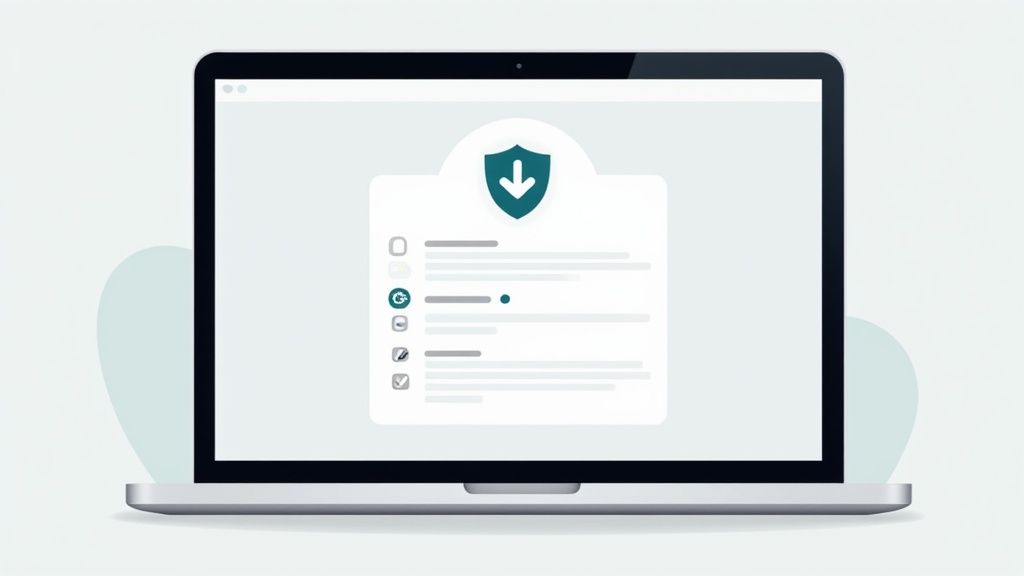
This kind of clean, organized interface instantly tells your client what you need. It’s a world away from a confusing email thread, which means fewer questions for you and faster submissions for them.
Build Request Templates That Do the Work for You
Here’s where you really start saving time: creating smart, reusable request templates. Instead of reinventing the wheel for every new client or employee, you build a template once and use it forever.
Just think about the repetitive processes in your business:
- New Employee Onboarding: A single template can request the signed offer letter, I-9 form, direct deposit info, and emergency contacts.
- Client Intake: A marketing agency could have a template asking for the signed contract, brand assets, and login details for social media accounts.
- Loan Applications: A mortgage broker can create a standard request for pay stubs, the last two years of tax returns, and recent bank statements.
A good template isn’t just a checklist. It's a guided workflow that makes it incredibly simple for people to provide exactly what you're asking for.
Building a library of request templates is a small, one-time effort that pays you back every single day. It standardizes how you work, slashes human error, and keeps everyone on your team on the same page.
Designing Templates That Get It Right the First Time
When you're building a template, you can embed instructions right where they're needed. No more back-and-forth emails. For example, next to a request for a "Driver's License," add a simple note: "Please upload a clear, color photo of the front and back." This tiny bit of guidance makes a huge difference.
You can also set rules to make sure you get the right files from the start. Look for features that let you:
- Set Mandatory Fields: Mark crucial documents as required so the request can't be submitted until they're uploaded.
- Restrict File Types: Limit uploads to specific formats, like PDF only, to prevent getting strange or insecure file types.
- Automate Naming Conventions: Some platforms can automatically rename files as they're uploaded based on rules you set, keeping your back-end organized.
This move toward structured, cloud-based systems is happening everywhere. In fact, cloud solutions now dominate the document management industry because they're flexible and cost-effective—perfect for today's remote and hybrid teams. You can see more data on this shift with these document management market insights.
Using a dedicated portal transforms a clunky, manual task into a secure and professional experience. For a deeper dive into the features and benefits, check out our guide on setting up a client document collection portal.
Let Automation Handle the Nudging and Checking
Once a document request is out the door, the real grind often begins: the follow-up. Manually chasing down missing files is a massive time-sink, pulling your team away from work that actually matters. This is where automation isn't just a nice-to-have; it's your most valuable player, turning the tedious back-and-forth of document collection into a smooth, hands-off workflow.

The first, and easiest, win is setting up automated reminder sequences. Think of them as gentle, persistent nudges for clients who haven't submitted their files yet. Instead of cluttering your calendar with follow-up tasks, you can build a simple workflow that sends a friendly email three, seven, and fourteen days after the initial request.
This simple change keeps everything moving forward without you lifting a finger. It also helps you maintain a professional, organized image with your clients, showing them you’re on top of things while giving them the space to get their files in order. For a deeper dive into crafting these messages, we've put together a guide on using automated reminders to collect documents.
Go Beyond Reminders with Smart Validation
But automation doesn’t just stop once a file is uploaded. The real magic happens when modern tools perform initial validation checks, acting as your first line of defense against incomplete or incorrect submissions. This saves you from the frustration of discovering an error hours or even days later, long after you thought the task was done.
Imagine a system that can automatically:
- Check for completeness: It flags a multi-page application if page three is missing.
- Verify signatures: The system catches that a required signature field is blank before the file ever lands in your inbox.
- Confirm file types: It makes sure you get a clean PDF instead of a blurry, unreadable photo from a phone.
This kind of immediate feedback is incredibly powerful. The client gets alerted to the issue right away, so they can fix it on the spot while it’s still fresh in their mind.
Intelligent validation shifts your entire workflow from reactive to proactive. Instead of you finding mistakes, the system prevents them from happening. This dramatically cuts down on the email tag and speeds up the whole process.
The Rise of Intelligent Document Processing
This ability to automatically check—and even extract information from—documents is part of a field called Intelligent Document Processing (IDP). It’s technology that’s smart enough to understand the content of a file, not just its name or format. For instance, an IDP-powered system could verify that the name on a submitted driver's license matches the name in the client's profile.
The investment here is serious. The IDP market is on track to hit USD 6.78 billion by 2025, and over 80% of organizations are planning to spend more on this kind of automation. This trend points to a fundamental shift in how businesses are handling paperwork. By bringing these smart validation features into your process, you’re not just saving time—you’re creating a more reliable, error-free way to collect the information you need.
Keeping Your Document Workflow Secure and Compliant

When you ask a client or employee for a document, you're not just collecting a file—you're becoming a custodian of their sensitive information. This is a huge responsibility, and it makes security and compliance the absolute bedrock of your entire collection process. Getting this wrong isn't just an administrative headache; it can lead to serious legal and financial consequences.
A truly defensible process shows you've taken every reasonable step to protect that data. This is what auditors look for when assessing compliance with standards like RGPD, HIPAA, or SOC 2. They want to see a secure, transparent, and auditable trail for every document you handle. So, a great system isn't just about speed; it's about building trust.
Lock It Down With Role-Based Access Controls
One of the simplest yet most powerful security measures is controlling who can see what. Let’s be honest, not everyone on your team needs access to every single file that comes in. Role-based access controls (RBAC) are designed to solve this by making sure team members can only view or manage documents directly related to their jobs.
Think about it: an HR coordinator needs to see a new hire’s signed offer letter, but they have no business accessing the tax records a client sent to the finance team. This "principle of least privilege" dramatically cuts down the risk of accidental data leaks and internal misuse. Good news is, most modern platforms make this easy, allowing you to set up specific user roles with granular permissions. You can dive deeper into the features of a secure document intake platform to see how these controls work in practice.
Security isn't a feature you tack on at the end. It's the foundation of a trustworthy document collection workflow. When a client trusts that their data is safe with you, they'll submit what you need faster and with less friction.
Create a Clear Paper Trail With Audit Logs
If there’s ever a question about a document, you need to know its full story. An audit trail, or audit log, provides exactly that. It's a timestamped, chronological record that tracks every single interaction with a file in your system.
An audit trail instantly answers critical questions:
- Who looked at the file?
- What did they do (view, download, edit, share)?
- When did it happen?
This kind of detailed history is gold during compliance audits or even just for internal troubleshooting. For example, under HIPAA, healthcare organizations must be able to prove who accessed protected health information and when. A robust audit trail provides this indisputable record, demonstrating accountability and due diligence.
Automate Document Retention and Deletion
You shouldn't keep documents forever. In fact, holding onto data for longer than legally required just increases your risk. This is where automated retention policies come in, letting you set rules for how long different document types are stored before they are securely and permanently deleted.
Here’s a quick look at how different industries handle this:
The table below outlines some key regulatory standards and their document handling requirements.
Key Compliance Requirements by Industry
| Industry | Governing Regulation | Key Document Requirement |
|---|---|---|
| Healthcare | HIPAA | Protect all patient health information (PHI) with strict access controls, encryption, and detailed audit trails. |
| Finance | FINRA, SEC, AML | Retain financial transaction records, client communications, and identity verification documents for several years. |
| Human Resources | EEOC, FLSA, FMLA | Maintain employee records, I-9 forms, and payroll data according to specific federal and state retention schedules. |
| Juridique | ABA Model Rules | Ensure client confidentiality, secure storage of case files, and maintain clear records of client communications. |
| Immobilier | RESPA | Securely handle and store loan applications, closing disclosures, and client financial statements. |
By setting these rules up in your system, you take the guesswork and manual effort out of compliance. The platform handles the rest, automatically flagging documents for deletion once their time is up. This keeps your data storage clean, compliant, and defensible.
Integrating Your Collection Process with Other Tools
Getting a solid system to collect documents is a great start, but the real magic happens when it plays nicely with the other software you rely on every day. Think about it: document collection is never a standalone task. It's always part of something bigger, like onboarding a new client or kicking off a project.
By connecting your tools, you build an automated workflow that gets rid of tedious manual work. No more downloading files from your email just to re-upload them somewhere else. When your systems can talk to each other, information flows exactly where it needs to, cutting down on human error and making your whole operation run faster.
Connecting to eSignature and Cloud Storage
One of the most powerful connections you can make is with eSignature platforms. Tools like DocuSign or Adobe Sign can be linked directly to your collection process. This means you can merge the contract signing and document gathering steps into one smooth experience for your clients. Imagine them signing an agreement and immediately being prompted to upload their supporting files, all in one go.
Another no-brainer is connecting your document collection platform to your cloud storage—whether that's Google Drive, Dropbox, or OneDrive. When set up correctly, this integration automatically handles all the tedious file management for you.
A good connection will:
- Spin up a new client folder the moment you send a request.
- Funnel every submitted document directly into that folder.
- Rename each file based on the rules you’ve already set.
This keeps your backend storage perfectly organized from the start. You get a single, reliable source for all client documents without anyone having to lift a finger to sort or rename files.
A fully integrated workflow turns a series of separate, manual tasks into a single, automated process. It’s the difference between your team running the system and the system running itself.
A Real-World Integrated Workflow Example
Let’s walk through what this looks like for a financial advisory firm bringing on a new client. The whole thing can become a hands-off, automated sequence.
Here’s the play-by-play:
- The Trigger: It all starts in the CRM when a sales rep moves a deal to the “Won” stage.
- eSignature: That single click automatically fires off the advisory agreement to the client through DocuSign.
- Document Request: As soon as the client signs, it triggers a request from your document collection tool for all the onboarding essentials—ID verification, proof of address, financial statements, you name it.
- Submission & Storage: The client uploads their files. The system instantly checks them, renames them according to your convention, and saves them into a brand-new client folder in Google Drive.
- Notification: Finally, a notification pops up in the team’s project management tool, letting them know the client’s folder is complete and ready for review.
In this whole sequence, not a single person had to manually send an email, create a folder, or drag and drop a file. The entire process to collect documents ran on its own, creating a fast, professional, and mistake-free experience for both the client and the team.
Common Questions About Document Collection
Even with a solid plan, switching to a new way of collecting documents can bring up some practical questions. How do you deal with clients who aren't exactly tech-wizards? And how do you know the files you get are legally sound? Let's dive into some of the things people often ask.
One of the biggest worries I hear is about leaving less tech-savvy clients behind. The trick is to make your new process even simpler than email. A well-designed document portal gives clients a single, clean link where they can just drag and drop their files. No passwords to forget, no messy email threads to dig through.
To make it foolproof, try these tips:
- Write clear, simple instructions right inside the request itself.
- Include a phone number so anyone feeling stuck can get a little help.
- Make sure your portal is mobile-friendly. This lets people snap a picture of a document with their phone and upload it on the spot.
This approach actually makes it easier for everyone, no matter how comfortable they are with technology.
Are the Documents We Collect Legally Binding?
This is a big one. When you're gathering signed contracts, official forms, or identification, you need to be sure they'll hold up if challenged. This is where a rock-solid audit trail comes into play. A secure system should track every single action—who uploaded what, exactly when they did it, and from where.
This digital footprint gives you a verifiable history for every document, which is a lifesaver for compliance and essential if a legal dispute ever pops up. When you pair this with a trusted eSignature tool, you build an even stronger chain of custody. It's the combination of a secure portal and a detailed log that proves the document's journey was legitimate.
The goal isn't just to get the document; it's to create a defensible record of its submission. A detailed audit trail is your proof that the process was secure and transparent from start to finish.
How Much Time Will We Actually Save?
Alright, let's talk real-world numbers. The exact time savings will obviously depend on how much manual work you're doing now, but the results are almost always significant. Studies have shown that knowledge workers spend, on average, nearly 20% of their workweek just searching for information or chasing down colleagues for help.
Think about the old way of doing things: you draft an email, send it, track it in a spreadsheet, send a few follow-up nudges, and then manually download and file every attachment. That whole dance can easily eat up 30-60 minutes per client, spread out over days or weeks.
An automated system cuts that down to a few minutes of setup. Because reminders and filing are handled for you, businesses often report saving 5-10 hours per week just on the administrative grind of collecting documents. That’s time your team can pour back into serving clients, growing the business, or doing the work that actually matters.
Ready to stop chasing paperwork and start automating your workflow? Superdocu gives you the tools to create secure request portals, send automated reminders, and manage everything in one place. Start your free trial and see how much time you can save.