
If you’ve ever found yourself digging through endless email chains just to find a single document, you know the frustration. It’s a chaotic, time-consuming mess. The good news is there’s a much better way to collect documents, one that swaps disorganized threads for a smooth, professional, and secure workflow. This guide is all about building that system.
Why Your Email Inbox Is Not a Document Management System
Relying on email to gather important files feels like a recipe for disaster, and honestly, it is. What begins as a simple request quickly spirals into a confusing back-and-forth. Attachments get lost, versions get mixed up, and you’re never quite sure if you have everything you actually need.
This manual grind isn't just inefficient—it's a security nightmare. Email was never built for transferring sensitive client information securely, leaving you and your clients exposed. Plus, without a central hub, you have no real way to track what’s been submitted, what's late, or who has access to the files. It's a bottleneck that creates a terrible experience for everyone.
The Shift to Centralized Collection
The smart move is to pull this entire process out of your inbox and into a dedicated system. This isn't just about making things a little easier; it's a fundamental shift that boosts your efficiency and professionalism. And it's a change that's happening everywhere. The global market for document collection software was valued at $1.28 billion in 2025 and is expected to climb to $1.73 billion by 2033, all because businesses are tired of the old, broken way of doing things.
The core idea is simple: create a single source of truth. A centralized system provides a secure, branded space where clients can submit files, and you can track progress automatically.
This modern approach stands on four key pillars:
- Strategic Planning: Knowing exactly what you need to collect from the very beginning.
- Professional Experience: Giving clients a secure, branded portal that's simple to use.
- Intelligent Automation: Letting technology chase down late files and validate submissions for you.
- Ironclad Security: Making sure every piece of data is protected and compliant.
A great starting point for moving beyond email is designing a high-converting lead capture form to handle that initial data grab. For a deeper look into creating this polished experience, check out our guide on setting up a https://www.superdocu.com/en/blog/client-document-collection-portal/.
Map Your Document Collection Workflow

Before you ever hit "send" on a document request, you need a plan. Trust me on this one. Jumping in without a strategy is the fastest way to end up with missing files, confused clients, and a calendar full of manual follow-ups. A well-defined workflow is your best defense against chaos; it turns a potential logistical nightmare into a smooth, predictable operation.
The first move is simple: conduct a ‘document audit.’ Get your team in a room (or on a call) and list every single piece of information you absolutely need to collect for a specific task, whether it's onboarding a new employee or processing a loan. Be tough here. Challenge every item on that list and ask, "Is this truly necessary?" Asking for too much creates friction and can easily overwhelm your clients.
Once you have your final, lean list, you can start mapping out the journey from request to completion.
Define Each Step of the Journey
Think of your workflow as a roadmap. It needs to show not just the final destination but every turn along the way. Who is responsible for what, and when does it need to happen? Answering these questions upfront is the key to preventing bottlenecks and making sure everyone on the team is accountable.
Let's take a mortgage application as an example. It involves dozens of documents from multiple people. A poorly planned workflow could leave a loan officer waiting on pay stubs while the client thinks they've already submitted everything they needed to.
Your map should clearly outline:
- The Initial Request: Who sends the request, and what initial instructions are provided?
- The Submission: Where and how do clients actually upload their files? Is it a portal, an email, or something else?
- The Review Process: Who is the first person to review the submitted documents? Is there a second set of eyes needed for certain files?
- The Correction Loop: What happens if a document is incorrect, expired, or just plain illegible? Who communicates this to the client, and how?
- The Final Approval: Who gives the final sign-off once everything is correct and accounted for?
As you map these steps, you’ll quickly see where the biggest delays happen. This is the perfect time to explore how to automate your company's approval workflow, especially for those review and approval stages where manual handoffs are notorious for slowing things down.
A clear workflow isn’t just an internal tool; it’s a promise to your client. It shows them you have a professional, organized process, which builds trust and confidence right from the start.
Real-World Example: A Mortgage Application
Imagine a mortgage broker mapping out their process. They’ve identified that for every application, they need bank statements, tax returns, recent pay stubs, and a photo ID.
Their workflow map specifies that the loan officer initiates the request through a secure client portal. Once the client uploads the files, a loan processor performs an initial check for completeness. If a pay stub is missing or a bank statement is for the wrong month, the system automatically flags it and sends a notification to both the processor and the client.
Only after all documents are present and verified does the loan officer get an alert to begin the final underwriting review. This clear sequence ensures no time is wasted and everyone knows exactly what their role is.
Create a Professional Collection Experience
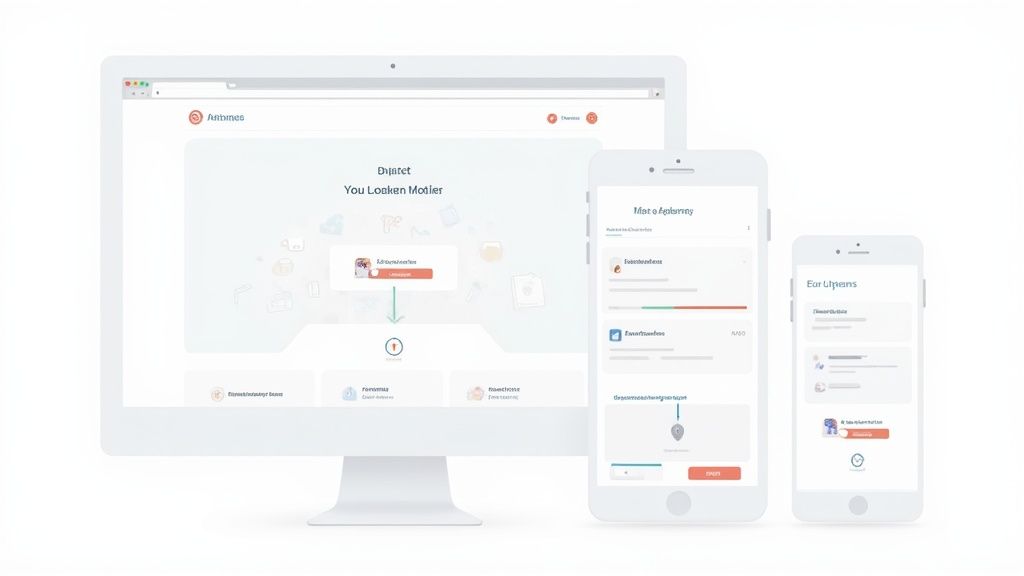
Think about the last time you received a long, confusing email with a laundry list of attachments needed. It feels disorganized, right? More than that, it feels unprofessional and, frankly, a bit insecure. How you ask for and collect documents speaks volumes about your business. This is your first real chance to build trust and show clients you take their security seriously.
Instead of just another email chain, a secure, branded portal is the way to go. This gives your clients a dedicated, private space where they can confidently upload their sensitive files. It's much more than a simple file drop—it's a central hub that organizes the entire exchange, giving both of you a clear view of what’s been submitted and what’s still outstanding.
Building Your Branded Portal
A great portal should feel like a natural extension of your business. It’s not just about getting the files; it's about creating a consistent and reassuring experience. When clients land on a page with your logo and brand colors, they immediately know they're in the right place.
When you're shopping for a platform to build your portal, keep an eye out for these essential features:
- Custom Branding: You absolutely need the ability to add your logo, pick your brand colors, and write a custom welcome message. Consistency is everything when it comes to building client confidence.
- Mobile-Friendly Design: So many of your clients will be accessing the portal from their phones. A clunky mobile experience is a huge turn-off, so make sure the interface is responsive and easy to use on any device.
- Simple Navigation: The portal has to be intuitive. Clients should immediately see what they need to upload and track their progress without having to hunt for it.
A professional portal does more than just simplify document collection. It turns a boring administrative chore into a positive client interaction and proves you value both their time and their data.
Guiding Your Clients Through the Process
Even the world's best portal won't work if the instructions are confusing. Never assume your clients will just know what to do. Your job is to remove every possible point of friction and make uploading files a breeze.
Start by grouping your document requests into logical categories. Instead of hitting them with one long, intimidating list, break it down into smaller, more manageable sections.
A real estate agency, for instance, might organize their requests this way:
- Personal Identification
- Driver's License (Front and Back)
- Social Security Card
- Financial Statements
- Bank Statements (Last 3 Months)
- Pay Stubs (Last 2 Pay Periods)
- Property Information
- Signed Purchase Agreement
This structured approach makes the request feel less overwhelming and helps clients gather everything in an organized way. Keep your instructions for each item short and sweet. If you need a specific format like a PDF, say so upfront.
For a deeper dive into creating the perfect submission space, you might be interested in our guide on what makes an effective client portal: https://www.superdocu.com/en/blog/client-portal/
By focusing on a professional, secure, and user-friendly experience, you not only make your own operations smoother but also strengthen the trust that is the foundation of any good business relationship.
Put Your Follow-Ups on Autopilot

This is where you finally stop being a professional email-chaser and start winning back your week. Manually tracking down outstanding documents is one of the biggest, most frustrating time drains in any business. It's exactly the kind of tedious, repetitive task that automation was made for.
By setting up a system to handle this grunt work, you can relax, knowing nothing is falling through the cracks. The most obvious win? Automated reminder sequences. Instead of living in a spreadsheet, you can create a simple workflow that sends polite, personalized nudges to clients when their documents are due soon or already late.
This consistent, hands-off approach keeps everything moving without you lifting a finger. If you want to dive deeper, you can learn more about how to craft perfect automated email reminders in our detailed guide. It not only saves you hours but also helps you maintain a professional relationship by avoiding those awkward manual check-ins.
Automate Validation for Perfect Submissions
Beyond just sending reminders, automation can be your first line of defense against incomplete or incorrect submissions. When you collect documents, you can set up rules that instantly check files the moment they’re uploaded. This is an absolute game-changer for cutting down on the endless back-and-forth with clients.
For example, this automated check can handle several critical tasks:
- File Format: Need a PDF? The system can ensure you only get PDFs, blocking any other file type.
- File Size: You can set a maximum size limit to stop massive, unnecessary files from clogging up your storage.
- Expiration Dates: For documents like licenses or insurance certificates, the system can automatically flag anything that's expired or about to expire.
Think about a transport company onboarding a new driver. The system can be set up to only accept a driver's license in JPG or PDF format. Even better, it can automatically reject the submission if the expiration date has already passed. This one simple check prevents a non-compliant driver from ever getting into the system, catching the problem right at the source.
By automating these initial checks, you eliminate a huge chunk of manual review time. Your team only needs to step in when a genuine issue is flagged, not to check for basic formatting errors.
The Rise of Intelligent Document Processing
We're quickly moving beyond simple format checks and into much smarter territory. Intelligent Document Processing (IDP) uses AI to actually read and understand the content inside the files you collect. It can pull out key data—like names, dates, or policy numbers—and verify that the information is correct, all without a person needing to look at it.
This technology is taking off for a good reason. The IDP market was valued at around $2.3 billion in 2024 and is expected to grow incredibly fast. Why? Because it directly slashes the huge operational costs that come from manual processing errors.
Let's go back to our transport company example. An IDP system could scan the uploaded driver's license, extract the driver’s name and license number, and then automatically compare it to the information they entered in their application form. If there’s a mismatch, the system instantly flags it for review. This level of automation gives you an accuracy and compliance safety net that’s just impossible to achieve by hand.
Make Security the Foundation of Your Process
When you ask someone for their documents, you're not just collecting files. You're taking responsibility for some of their most sensitive information. This means security can't be a bolt-on feature or an afterthought; it has to be the absolute bedrock of your collection process. Getting this wrong doesn't just create a logistical nightmare—it shatters the trust your clients put in you.
The days of relying on insecure email attachments are long gone. Modern, secure systems are now the standard, and for good reason. The global market for robust document management is exploding, projected to hit nearly $19.8 billion by 2030. A huge piece of that growth, especially in North America which makes up 35% of the market, comes from the pressure of strict regulations that require secure, traceable processes. You can dig deeper into this expanding market and its drivers on mordorintelligence.com.
The Security Features You Can't Afford to Skip
To build a process that people can trust, a few security features are simply non-negotiable. Think of them as layers of defense that protect data from outside attackers and internal mistakes. Without them, you're operating with a massive blind spot.
At a minimum, your system must include:
- End-to-End Encryption: This is critical. It means files are scrambled and unreadable the moment they’re uploaded, while they sit on a server, and when they’re downloaded. If a server was ever compromised, the files themselves would be useless to a hacker.
- Role-Based Access Controls (RBAC): Let's be honest, not everyone in your organization needs to see every client's financial statements or medical records. RBAC lets you set granular permissions, so team members can only access the specific files they need to do their jobs.
- Detailed Audit Trails: You need an unchangeable record of every single action. Who viewed a file? Who downloaded it? Who made a change? When did it happen? This log is your single source of truth for accountability and is absolutely essential for proving compliance.
Security isn't just about building a wall to keep hackers out. It's about creating a controlled, transparent environment where you can prove that sensitive information was handled correctly at every single step.
Staying on the Right Side of Compliance
Security and compliance go hand-in-hand. Regulations like GDPR in Europe or industry-specific rules in finance (FINRA) and healthcare (HIPAA) are not just friendly suggestions—they come with steep fines and serious consequences. These laws have very specific requirements for how personal data is handled, where it can be stored, and the rights people have over their own information.
Think about a law firm gathering evidence for a case. They have to protect legal privilege while also complying with data protection laws. Or an HR team onboarding a new hire—they're handling everything from social security numbers to private medical details, all of which fall under strict regulations.
This is where a modern document collection tool really shines. Many are built with compliance in mind, offering features like data residency options—letting you choose to store data in a specific region like the EU to meet GDPR rules. By choosing a platform that already has these security protocols baked in, you make it infinitely easier to collect documents in a way that’s not just efficient, but legally defensible.
Common Questions About Collecting Documents
Even with the best-laid plans, switching to a new system for collecting documents always brings up a few questions. That's completely normal. Let's walk through some of the most common ones we hear from businesses that are finally ready to ditch the chaos of email attachments.
The great thing is, modern tools are built to solve these exact problems. They make top-tier security simple, create a better experience for everyone, and can scale right alongside your business.
What Is the Most Secure Way to Collect Documents from Clients?
Without a doubt, the most secure method is a dedicated client portal that uses end-to-end encryption. Think of it like a digital vault. Unlike standard email, which can be intercepted, a secure portal scrambles the files the moment they're uploaded and keeps them that way while they’re stored. This makes the information completely unreadable to anyone who shouldn't have access.
But encryption is just the start. You'll also want a platform that offers role-based access control, which is a fancy way of saying you can control exactly who on your team sees what. Your accountant doesn't need to see HR files, and vice versa. An unchangeable audit trail that logs every single action—who viewed a file, when, and what they did—is another must-have.
This layered approach creates a secure and transparent environment. It’s not just about protecting your client's data; it’s about being able to prove you're meeting strict compliance standards like GDPR.
How Do I Help Clients Who Are Not Tech-Savvy?
This is a big one, but the solution is simple: make it incredibly easy for them. Look for a platform with a clean, intuitive design that doesn't feel intimidating. When you invite a client, a little extra guidance goes a long way.
Here are a few things that work wonders:
- Create a short welcome video: A quick screen recording showing them exactly where to click and how to upload can eliminate almost all confusion.
- Use plain English: Ditch the jargon. Instead of "upload your KYC documents," try something friendly like, "Please add your proof of identity here."
- Offer a quick support call: Let them know you’re happy to spend five minutes on the phone to walk them through the first upload. That small gesture builds massive confidence.
Always frame the portal as a benefit to them. It’s far more secure than email, and they can see a clear record of everything they’ve sent you.
Is an Automated Document System Realistic for a Small Business?
Absolutely. In fact, it's often a bigger game-changer for smaller teams where everyone is already wearing multiple hats. You don't have time to waste on manual follow-ups.
Many of today's best platforms are designed specifically for small and medium-sized businesses, with affordable subscription plans that won't break the bank. You don’t need an IT department to set it up, either. Most of these tools are "no-code," meaning you can build professional workflows and a branded client portal using simple drag-and-drop menus. It's incredibly empowering.
My advice? Start small. Pick one repetitive process that drives you crazy—like new client onboarding—and automate that first. Once you see how much time you get back, you'll be excited to tackle the next one.
How Does This System Connect with My Other Tools?
Great question. Modern document collection platforms are built to be team players. They know you're already using other software to run your business, so they make it easy to connect everything.
Most have built-in integrations for the tools you use every day. For example, you can often connect directly to:
- eSignature services like DocuSign or Dropbox Sign.
- Cloud storage like Google Drive or OneDrive.
- Productivity tools that your team lives in.
For everything else, there are connector services like Zapier or Make. These act as a bridge, linking your platform to thousands of other apps. You can create amazing workflows where a submitted document automatically triggers an action in another system, like creating a new folder for a client or updating your CRM.
Ready to stop chasing documents and start building a professional, secure, and automated process? With Superdocu, you can create a branded client portal, put your follow-ups on autopilot, and give your clients the seamless experience they deserve.