
If you've ever found yourself chasing a client through a dozen email chains just to get a single signed form, you know the pain. Juggling files in shared drives that look more like a digital junk drawer than a system? It's a common struggle, but this old-school approach to client document collection is more than just frustrating—it's broken.
A secure, streamlined way to gather documents isn't just a "nice-to-have" anymore. It's a must.
Why Your Old-School Document Process Is Costing You
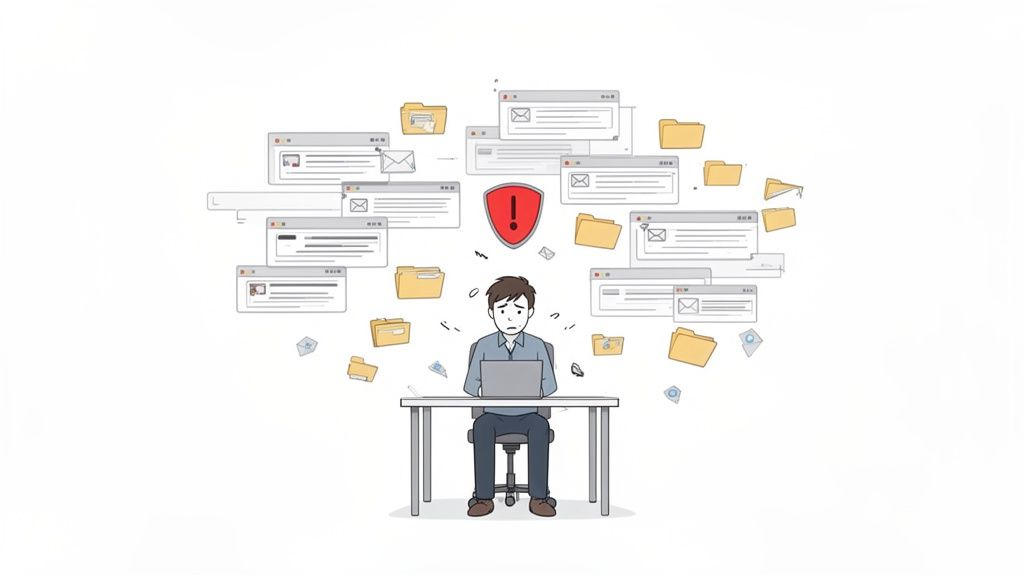
Let's be honest, the manual way of doing things is a constant cycle of inefficiency. It's not just a feeling; poor document handling can eat up to 21% of a company's productivity. We're talking about hours every week that your team spends just trying to find the right file. That's time and money straight out the window, and it chips away at your professional image.
Think about a law firm trying to pull together all the sensitive files for a big case. They email the client asking for a signed affidavit, proof of address, and financial statements. The client replies, but they forgot to attach one of the documents. So, another email goes out. The client sends it over, but whoops—it's an outdated version. This endless back-and-forth breeds confusion and puts critical deadlines at risk.
The Real Price of Disorganization
This kind of manual chaos isn't unique to law firms. It happens everywhere. Imagine an HR team drowning in paperwork for a new hire. They need an I-9, a W-4, and a direct deposit form. Each one trickles in separately, and often in whatever format is easiest for the new employee—a blurry photo of a form here, a poorly scanned PDF there. The work it takes just to organize, rename, and check these files is staggering.
This disorganization always leads to the same set of problems:
- Version Control Nightmares: When you have five different versions of the same contract floating around in different email threads, it's a matter of when, not if, someone will work from the wrong one.
- Serious Security Gaps: Using email attachments or generic cloud storage links for sensitive information is asking for trouble. A single data breach costs a U.S. business an average of $8 million.
- A Terrible Client Experience: Constantly bugging clients for documents makes your business look disorganized and unprofessional. A smooth, simple process, on the other hand, builds trust right from the start.
"Many leaders miss the hidden cost of sticking with manual processes: time lost on repetitive tasks, delays in approvals, higher error rates, and increased compliance risk."
The Hidden Risks Lurking in Your Workflow
It gets worse than just frustration and wasted time. Research shows that 7.5% of all documents get lost entirely. They just vanish. A misfiled or lost document can bring a project to a screeching halt, and in regulated industries like finance or healthcare, it can lead to massive compliance fines.
When you don't have a central system, you have no single source of truth. One team member might have a critical file saved to their desktop, while another has a slightly different version in their personal cloud account. This fragmentation kills collaboration and makes any kind of audit a complete nightmare.
Moving to a dedicated platform for client document collection isn't just an upgrade; it fixes these deep-rooted problems. It turns one of your biggest operational headaches into a real competitive advantage.
Designing a Smarter Document Collection Workflow
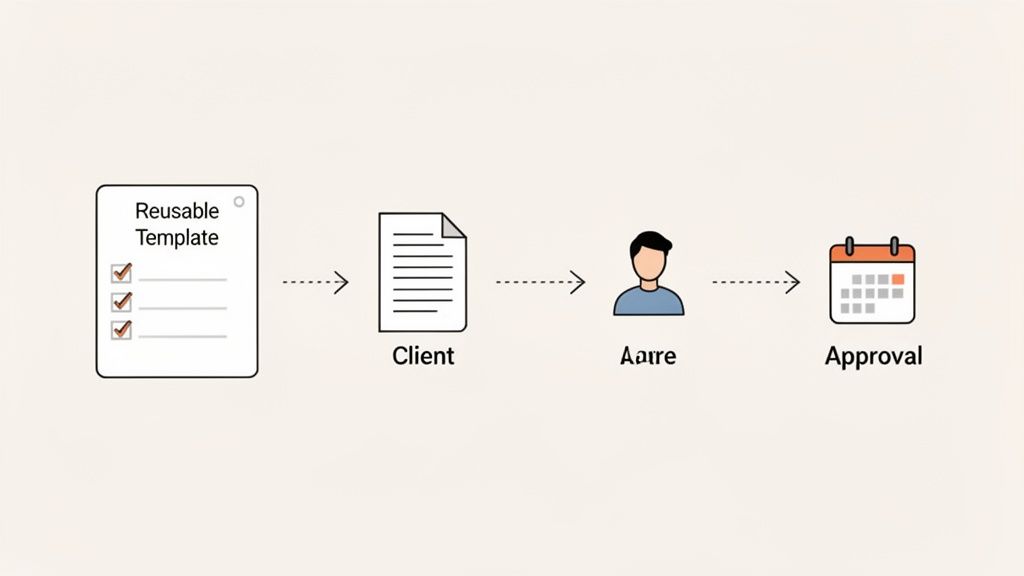
Before you even think about software, the most important thing you can do is map out your current process. A solid workflow is the blueprint for everything that follows. It's what turns a chaotic, email-driven scramble into a smooth, predictable operation that you can actually scale.
The best way to start is to walk through a single, common client engagement. Whether you’re processing a mortgage application, kicking off a new creative project, or preparing a tax return, what does that journey actually look like? Get granular and identify every single document and piece of information you need to get from A to Z.
This simple exercise forces you to see the process through your client's eyes and spot the friction points. It's not just about making a list of files; it's about understanding why you need each one, which is the key to building a more logical and less frustrating experience for everyone.
Identify and Categorize Every Document
Your first job is to create a master list of every potential document you might need. Don't just think about the big stuff—include all the preliminary files, from the initial intake form to signed NDAs.
For example, a creative agency onboarding a new client probably needs more than just a signed contract. Their list might look something like this:
- Initial Intake Form: The basics—contact info, project goals, and budget.
- Signed Master Service Agreement (MSA): The formal contract that outlines the engagement.
- Brand Guidelines PDF: A must-have for designers to keep everything consistent.
- Access to Existing Assets: Logins for social media accounts or the website backend.
- List of Key Stakeholders: Contact details for everyone on the client's team.
Once you have this raw list, start grouping things. Are some documents required for every single client, while others are only for specific services? Categorizing them helps you spot patterns and is the first step toward creating reusable templates.
Build Standardized Checklists and Templates
With your document inventory sorted, you can now build your workflow's most powerful assets: standardized checklists and request templates. I can't overstate how important these are for consistency and scalability. They ensure nothing gets missed, no matter who on your team is handling the request.
A good template is more than a simple list of files. It’s a complete package that includes clear instructions for the client, specifies required file types, and adds helpful notes for each item. This answers questions before they’re asked and dramatically cuts down on getting the wrong documents back.
By standardizing your document requests, you create a system of record that is predictable and auditable. This isn't just about efficiency; it's about reducing operational risk and ensuring a consistent, professional client experience every time.
Think about an accounting firm during tax season. A "New Business Tax Prep" template would be a game-changer, with placeholders for prior-year returns, P&L statements, balance sheets, and payroll reports. Instead of typing the same long email over and over, they can send a complete, professional request with a single click. For a deeper dive into streamlining these initial client steps, this complete guide to law firm client intake is an excellent resource.
Map Out Your Conditional Logic
Of course, not every workflow is a straight line. Sometimes, you need one document only if a client provides certain information on another. This is where conditional logic becomes your best friend.
A classic example is a mortgage broker's process. If a client checks the "self-employed" box on their initial application, a whole new set of document requirements should automatically pop up—things like two years of business tax returns and a current P&L statement.
Mapping out these "if-then" scenarios is what makes a workflow truly smart. It lets the process adapt to each client's specific situation without anyone on your team having to step in and do it manually. This kind of strategic planning is what separates a basic file-sharing tool from a powerful, automated engine for your business.
Creating a Secure and Professional Client Portal
Once you’ve mapped out your ideal workflow, it's time to bring it to life. This is where you move away from the clunky, insecure world of email attachments and shared folders—methods that, let's be honest, usually cause more headaches than they solve.
The goal here is simple: create a dedicated, secure space where your clients feel completely comfortable uploading their most sensitive information. This isn't just about how it works; it's about how it feels.
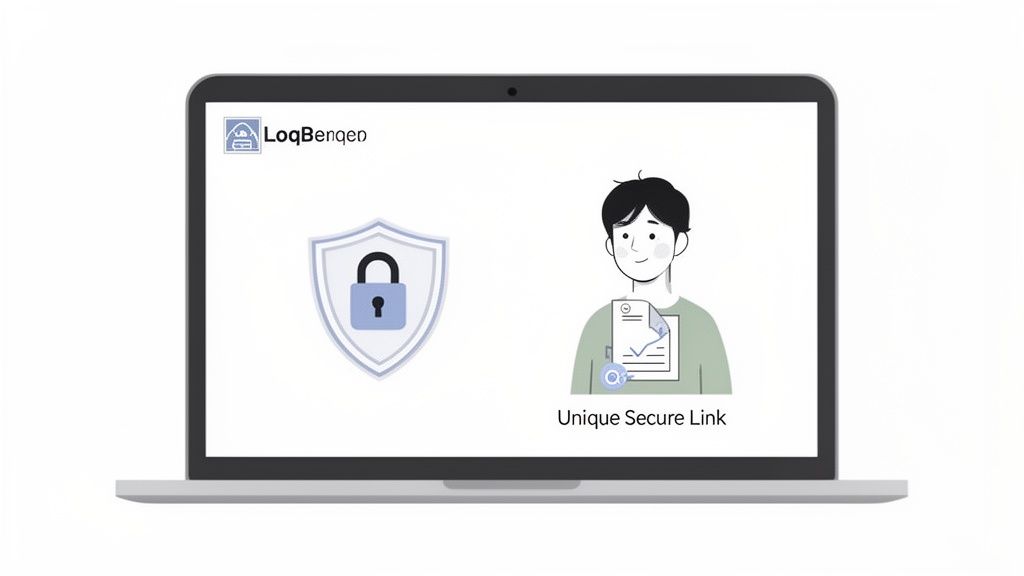
When a client arrives at a portal showing your logo and brand colors, it instantly signals professionalism and builds trust. It tells them, "You're in the right place, and we take your security seriously." That small touch can completely change the experience from a chore into a seamless part of your service.
This shift toward better, safer tools is why the global Document Collection Software market is projected to grow from US$ 989 million in 2025 to a staggering US$ 1,233 million by 2031. Businesses are clearly voting with their wallets for more secure, specialized solutions. You can see more on this market trend from Infinity Market Research.
Why a Branded Portal Builds Unshakeable Trust
Think of your client portal as your digital handshake. For many clients, it's the first real interaction they'll have with your process, and first impressions count. A clean, professional interface gives them immediate assurance that their sensitive data is in good hands.
But it’s more than just looking good. A well-designed portal should be dead simple to use. Clients shouldn’t have to hunt for the upload button or deal with frustrating tech glitches. And they definitely shouldn't need to create a new password or download an app just to send you a file.
A straightforward, checklist-style request removes any guesswork and guides the client step-by-step.
The Power of Unique, Secure Links
Here’s one of the biggest—and most common—mistakes I see: businesses using one shared link to a folder for all their clients. This is a huge security blind spot. If just one person gets the wrong link or access, they could potentially see everyone else's private documents.
The modern, secure way to handle this is by generating a unique, one-time-use link for every single document request. This approach creates a completely isolated and secure channel for each client.
Using unique links for each request is like giving every client their own private, locked mailbox. It's fundamentally more secure than asking everyone to drop their mail into one big, open box.
This method has some serious advantages:
- Airtight Security: It completely eliminates the risk of clients seeing each other's data.
- Crystal-Clear Tracking: You can see the exact status of each request, not just a pile of files in a folder.
- Elevated Professionalism: It shows you’re organized and serious about security, which clients absolutely notice.
We dive much deeper into this in our guide to creating a client document collection portal.
Your Security and Compliance Checklist
When you're looking at different platforms, there are a few security features that are simply non-negotiable. The trust your clients have in you is directly tied to how well you protect their data. Don't treat these as optional extras; they're the foundation of a trustworthy system.
Key Security Features to Demand:
- End-to-End Encryption: This is the gold standard. It means data is scrambled and unreadable both while it's being uploaded (in transit) and while it's being stored on a server (at rest).
- GDPR and CCPA Compliance: If you do business with anyone in Europe or California, this isn't optional—it's the law. A good platform will have this compliance built-in, saving you a massive legal headache.
- Secure Data Centers: Find out where the data is actually stored. Reputable platforms use certified data centers, often in regions with strong data privacy laws like the EU, adding another layer of physical and digital protection.
By focusing on a branded, secure portal with these core features, you turn document collection from a potential risk into a real asset. You'll not only make your own life easier but also strengthen client relationships by proving you're committed to protecting what matters most to them.
Automating Follow-Ups and Tracking Progress
Let's be honest—manually chasing clients for documents is one of the most draining parts of the job. It's a thankless cycle of checking your inbox, updating spreadsheets, and crafting yet another "gentle reminder" email. This constant follow-up isn't just a time-sink; it’s a recipe for burnout and simple human error.
This is where you can flip the script. By bringing in automation, you stop being a reactive chaser and become a proactive manager of the entire process.
Designing a Smart Reminder Sequence
The secret to getting documents on time without annoying your clients lies in a well-designed reminder sequence. You're not just sending emails; you're creating a system of gentle, automated nudges that do the heavy lifting for you. This saves you countless hours and makes the experience feel far more professional for your clients.
A good sequence respects your client’s time while still keeping the deadline front and center. A balanced approach I’ve seen work well looks something like this:
- Initial Request: The first point of contact, clearly outlining everything needed.
- Gentle Nudge: A friendly check-in sent 3-5 days before the due date for any outstanding files.
- Deadline Day Alert: A final, clear reminder on the day the documents are due.
- Past-Due Follow-Up: A more direct message sent 1-2 days after the deadline if items are still missing.
Adopting this kind of workflow isn't just a nice-to-have anymore. In fact, over 80% of enterprises plan to boost their investment in document automation by 2025, driven by the need for efficiency and better compliance. The cost savings are just too big to ignore. You can explore the full findings on document processing statistics to see how different industries are making the shift.
Gaining Clarity with a Central Dashboard
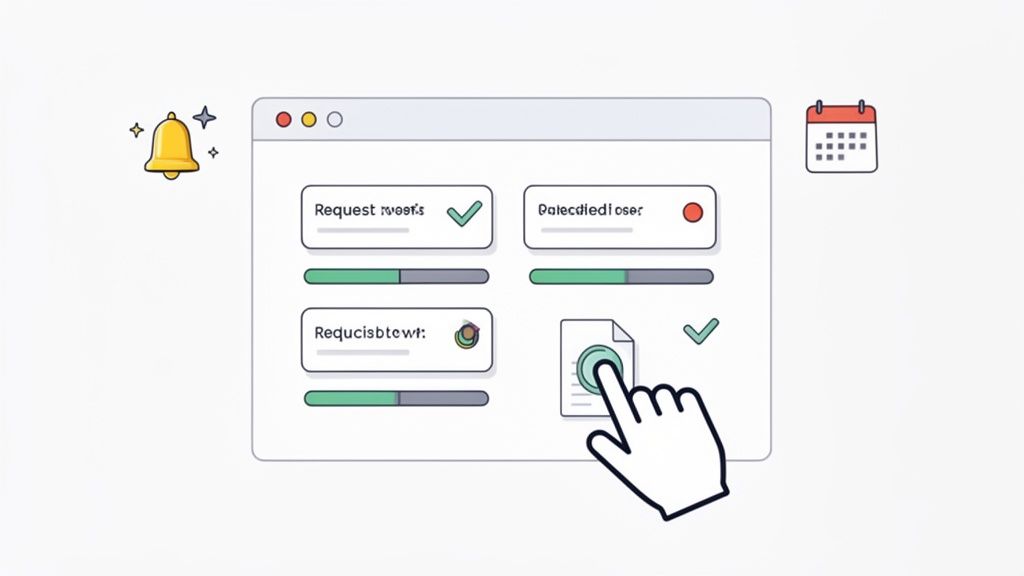
Trying to track document statuses in your email inbox or a shared drive is a nightmare. There’s zero real-time visibility, forcing you to constantly piece together who has sent what and when. This is where a central dashboard changes everything. It gives you a clean, at-a-glance overview of every single request.
Think of it as your command center. In one spot, you can instantly see:
- Which documents have been submitted.
- Which are still outstanding.
- Which files are sitting in a queue for your review.
From this single screen, you can click to review an uploaded file, approve it, or reject it with specific feedback. This is a game-changer. Instead of a vague "this is wrong," you can leave a clear comment like, "Please upload a higher-resolution scan of your driver's license."
A central dashboard transforms a scattered mess of files and emails into a single source of truth. It provides the clarity needed to manage dozens of requests at once without ever letting anything fall through the cracks.
Proactively Managing Expiring Documents
For many of us, collecting a document is just the beginning. Things like professional licenses, insurance certificates, and compliance forms all have expiration dates. Keeping track of them is critical to avoiding serious legal and financial risk.
Let's face it: tracking these dates in a spreadsheet is a high-stakes gamble. A single missed renewal can halt a project, lead to non-compliance penalties, or worse.
This is another area where automation is a lifesaver. Modern document collection platforms can track expiry dates for you. When a renewal date is coming up, the system can automatically trigger a request to the client for the updated document, giving them plenty of notice.
For example, a logistics company can set up a rule to automatically request updated insurance certificates from its carriers 30 days before expiration. This ensures the fleet stays compliant without any last-minute scrambles. For more ideas, take a look at our guide on using automated reminders to collect documents efficiently. This proactive approach protects your business and eliminates unnecessary stress.
Manual vs. Automated Document Collection Workflows
Moving from a manual system to an automated one is more than just a minor upgrade; it fundamentally changes how you work. The table below breaks down the key differences I've seen firsthand.
| Fonctionnalité | Manual Process (Email & Spreadsheets) | Automated Platform (like Superdocu) |
|---|---|---|
| Document Requests | Manual email composition; prone to typos and inconsistencies. | Standardized templates; sent via secure links or branded client portal. |
| Reminders & Follow-up | Manual calendar reminders; time-consuming and easy to forget. | Fully automated, multi-step reminder sequences based on deadlines. |
| Progress Tracking | Manual spreadsheet updates; no real-time visibility, high error rate. | Central dashboard with at-a-glance status for all requests (submitted, pending, approved). |
| Client Experience | Confusing email threads; clients unsure of what's outstanding. | Clear, simple interface with checklists and progress bars. |
| Security & Compliance | Files sent via insecure email; scattered across inboxes and hard drives. | Encrypted file uploads and storage; centralized, auditable records. |
| Feedback Loop | Vague email replies like "Please resend"; causes delays and frustration. | One-click file rejection with clear, specific comments for quick correction. |
| Expiry Tracking | High-risk manual tracking in spreadsheets; prone to human error. | Automated expiry date tracking with automatic requests for renewed documents. |
The contrast is clear. While manual methods get the job done (eventually), they introduce unnecessary risk, inefficiency, and a poor client experience. An automated platform provides the structure and tools needed to make the entire process smooth, secure, and predictable.
Connecting Your Tools for a Seamless Workflow
A great document collection process doesn't exist on an island. To really get the most out of it, it needs to talk to the other software you use to run your business. When your tools are connected, you can finally stop the mind-numbing, error-prone drudgery of manually moving information from one system to another.
This is where integrations are worth their weight in gold. They're the digital glue connecting your document portal to your CRM, cloud storage, and e-signature software. The payoff is a smooth, unified process that saves a ton of time and cuts down on mistakes.
Automating the Next Steps with Direct Integrations
The good news is that many modern platforms come with built-in, or "native," integrations for popular tools. These are usually the easiest to set up and offer the most stable connections for everyday workflows.
Here’s a real-world example from a real estate agency:
- A client uploads their final batch of application documents.
- Your system sees this and automatically pushes the purchase agreement over to DocuSign.
- Once the client signs, the executed agreement is filed right back into their folder—no human intervention needed.
That whole sequence happens without you lifting a finger. No downloading, no re-uploading, no chasing people with follow-up emails. The integration handles the entire handoff, keeping the deal moving forward securely and quickly.
Unlocking Limitless Possibilities with Zapier
But what happens when there isn't a direct integration for a specific tool you can't live without? That's where a service like Zapier is a game-changer. Think of it as a universal adapter, letting thousands of different web apps talk to each other through simple, trigger-based recipes called "Zaps."
With Zapier, you can cook up custom automations that fit your workflow perfectly.
Think of integrations as your own personal team of digital assistants, tirelessly working in the background to keep your data organized and your processes flowing. They handle the repetitive tasks, so you can focus on what actually matters—serving your clients.
Let's imagine you're a financial advisor. You could build a Zap that kicks in the moment a new client completes their document request. This one trigger could set off a whole series of actions automatically:
- Create a Folder in Google Drive: A new, perfectly labeled folder for that client pops into existence in your cloud storage.
- Update Your CRM: The client's record in your CRM automatically flips to a new status, like "Onboarding Complete."
- Notify Your Team: A message instantly appears in your team's Slack channel, letting everyone know the new client is ready for the next step.
For powerful client management, a good CRM can act as the central hub for all this activity. To get an idea of what's out there, you can explore The 12 Best CRM for Real Estate Teams in 2025, which has valuable insights for many service-based businesses.
By connecting your systems, you’re building a powerful, self-managing workflow. It's a critical step toward creating a scalable operation where technology takes care of the admin work for you. If you're looking for tools that make this a reality, check out our guide on leading document collection software.
Fine-Tuning Your Document Collection Engine
You've built your document collection workflow, but the job isn't done. The best systems aren't "set it and forget it"; they're living processes that you constantly refine. The only way to do that is to stop guessing and start measuring what actually matters.
Think of it like tuning an engine. You need to look at the data to spot the bottlenecks and friction points that are slowing things down for both your team and your clients.
What to Measure: Your Key Metrics
You don't need a massive dashboard with dozens of charts. To get started, just focus on a few core metrics that give you a clear picture of how things are running.
Here are the numbers I always tell people to watch first:
- Average Completion Time: How many days does it take from the moment you send a request to the moment you have all the approved documents? If this number is high, it could mean your requests are confusing or your clients are getting stuck.
- Reminder Rate: On average, how many automated reminders does a single request need before it's complete? A high reminder rate is a huge red flag. It tells you clients are either forgetting, procrastinating, or struggling with what you've asked for.
- Submission Error Rate: What percentage of documents get rejected? If you're constantly sending things back because they're the wrong format, expired, or just incorrect, your instructions aren't clear enough.
By tracking these numbers, you move from thinking your process works to knowing where the cracks are. This is how you turn a frustrating, unpredictable task into a smooth, reliable system.
This push for optimization is exactly why the document management market is exploding. Projections show it’s set to grow from USD 10.15 billion in 2025 to USD 17.03 billion by 2029. Businesses are hungry for tools that help them dial in these critical workflows. You can find more on this market growth on Research and Markets.
From Data to Actionable Changes
Once you have the data, you can make smart, targeted improvements instead of just trying random fixes.
Let's say you see a high error rate for "proof of address" documents. Don't just get frustrated—dig in. Are people uploading blurry phone pictures? Your instructions might need to specify "a clear scan or PDF." Are they sending in old utility bills? Add a simple line that says the document must be dated within the last 90 days.
This is the feedback loop that truly great workflows are built on: measure, analyze, and refine. It’s what separates a process that just ça marche from one that gives you a genuine competitive advantage.
A Few Common Questions
When you're overhauling how you collect documents, a few questions always pop up. I’ve heard these from countless teams over the years, so let's tackle them head-on.
How Can I Be Sure My Clients' Data Is Secure?
This is the big one, and rightly so. Your first line of defense is end-to-end encryption. This means the documents are protected from the moment they leave your client's device until they are securely stored on your end. Also, keep an eye out for compliance with major regulations like GDPR, which is non-negotiable if you work with anyone in the EU.
Another critical piece of the puzzle is how you share the upload link. You should be using a platform that generates unique, secure links for each request. A generic, reusable link is a security risk waiting to happen. A unique link ensures only the right person can access the portal for that specific request.
What’s the Best Way to Handle Clients Who Aren't Tech-Savvy?
Keep it simple. The absolute last thing you want is for technology to be a barrier. Look for a tool with a clean, straightforward interface that walks clients through the process one step at a time. The experience needs to be flawless on a mobile phone, and—this is key—it shouldn't force them to create an account or download an app.
The goal is to make submitting documents easier than sending an email. Clear instructions, pre-built checklists, and a branded portal build trust and guide even the least tech-savvy clients effortlessly through the process.
Can I Use This for Internal Document Collection, Too?
Absolutely. While we often say "clients," these systems are fantastic for collecting documents from anyone. HR departments, for example, are a perfect fit. They use these workflows all the time to gather onboarding paperwork from new hires or to keep track of expiring certifications for the entire staff.
Basically, if your team needs to collect and validate documents from any group of people, these automated workflows will make your life a whole lot easier.
Ready to transform your client document collection from a chaotic chore into a streamlined, secure, and professional experience? Superdocu gives you all the tools you need—from branded portals and automated reminders to secure integrations. Start your free trial of Superdocu today and see how easy it can be.