
Simply storing documents is no longer enough. Businesses today are often buried under scattered files, version control nightmares, and significant compliance risks. Inefficient document handling isn't just a minor inconvenience; it's a major drain on resources that leads to costly errors, security vulnerabilities, and frustrated clients. Shifting from outdated, manual methods to a modern, systematic approach is essential for survival and growth.
Effective document management has become a strategic imperative, directly impacting your operational efficiency, data security, and overall customer satisfaction. It's about creating a robust framework for how you collect, organize, secure, and leverage critical information. The goal is to move beyond the digital equivalent of a messy filing cabinet and build an intelligent, automated system that works for you, not against you.
This guide provides a clear, actionable roadmap. We will break down 10 of the most critical best practices for document management that successful organizations use to eliminate administrative bottlenecks and build a more resilient, efficient operation. From automating document collection and validation to implementing role-based security and ensuring compliance, you will learn how to:
- Streamline workflows to reduce manual effort and accelerate processes.
- Enhance security to protect sensitive client and company data.
- Improve compliance by automating tracking and maintaining audit trails.
- Boost client satisfaction with faster, more reliable service.
By implementing these proven strategies, you can transform a source of organizational chaos into a powerful competitive advantage, unlocking new levels of productivity and control. Let's get started.
1. Centralized Document Repository with Version Control
The foundation of effective document management is a centralized digital repository. This system acts as a single source of truth for all organizational files, eliminating the chaos of documents scattered across local hard drives, email inboxes, and various cloud-storage accounts. By consolidating everything into one secure location, teams can access the most current information instantly, ensuring everyone works from the same page.
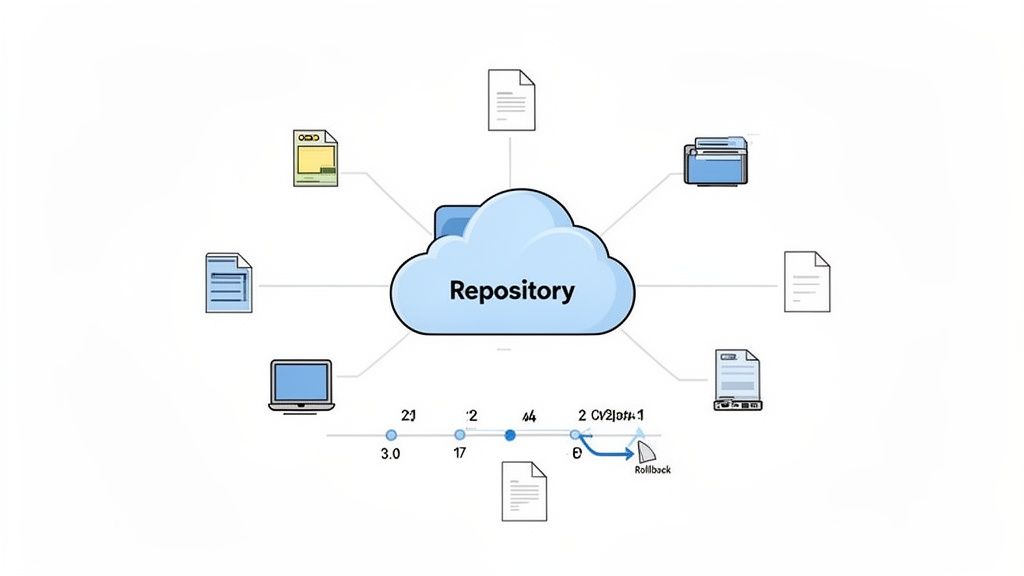
More than just storage, this practice integrates version control, which automatically tracks every change made to a document. This creates a detailed audit trail, showing who made edits and when. If a mistake occurs, you can easily roll back to a previous version, preventing data loss and confusion. This is non-negotiable in compliance-heavy industries where document accuracy and history are critical.
Real-World Applications
- Legal Firms: A law firm uses a centralized repository to manage all case files. When a paralegal updates a client deposition summary, version control records the change. The senior attorney can later review the document's history to see exactly what was added, ensuring accuracy before a court filing.
- HR Departments: An HR team stores all employee records, from onboarding paperwork to performance reviews, in a single system. Role-based access ensures that only authorized personnel can view sensitive information, while version control tracks updates to policy documents.
How to Implement This Practice
Successfully adopting a centralized repository requires a structured approach. Following these key implementation steps is crucial for building one of the best practices for document management into your workflow.
- Standardize Naming and Structure: Before migrating any files, establish a clear and logical folder structure and document naming convention (e.g.,
ClientName_ContractType_YYYY-MM-DD.pdf). Consistency is key. - Define Access Levels: Not everyone needs access to everything. Use role-based permissions to control who can view, edit, and delete documents, protecting sensitive information.
- Use Metadata and Tags: Implement metadata and tags to make documents searchable. For example, tag invoices with the client name, project ID, and due date for quick retrieval.
- Train Your Team: A system is only as good as its users. Provide thorough training on how to use the repository, follow naming conventions, and manage versions correctly.
2. Automated Document Collection and Validation Workflows
Manual document collection is a major bottleneck, leading to endless email chains, incorrect file formats, and missing information. Automated workflows solve this by guiding clients through a structured submission process with minimal manual intervention. This practice uses smart validation rules to automatically check documents for completeness, correct formatting, and quality before they are accepted, drastically reducing back-and-forth communication.
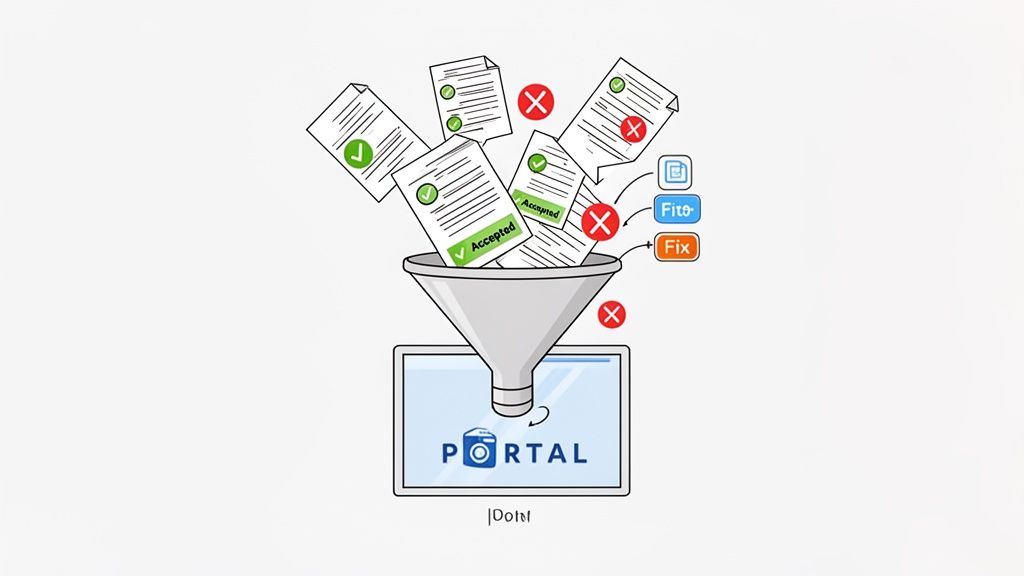
This approach is invaluable in high-volume scenarios where multiple documents from various sources must be collected and verified efficiently. By setting up intelligent rules, the system can instantly reject a blurry photo of a driver's license or an expired insurance certificate, providing immediate feedback to the submitter. This frees your team from tedious administrative tasks and allows them to focus on higher-value work.
Real-World Applications
- Mortgage Brokers: A brokerage firm uses an automated portal to collect loan application documents. The system validates that pay stubs are recent and that tax forms are signed, flagging incomplete submissions instantly so clients can correct them on the spot.
- Immigration Firms: A law firm automates visa documentation collection with multi-stage verification. The workflow requests specific documents based on the applicant's visa type and uses validation to ensure all required fields are filled before the case moves to the next stage.
How to Implement This Practice
Integrating automation is a key step toward achieving the best practices for document management. To learn more about how to set up these systems, you can explore guides on automated document collection and validation on superdocu.com.
- Start with Core Rules: Begin by implementing basic validation rules for file type (e.g., PDF only) and completeness. Expand these rules over time based on common rejection patterns.
- Provide Clear Rejection Messages: When a document is rejected, the system should explain exactly what is wrong and how to fix it (e.g., "Image is too blurry, please re-upload a clear photo").
- Use Conditional Logic: Build smart workflows that request documents only when they are relevant. For example, a workflow could ask for business registration documents only if a client selects "business owner" as their employment status.
- Implement Automated Reminders: Set up automated email or SMS reminders to nudge clients who have not completed their document submissions, minimizing delays and abandonment rates.
3. Document Expiration Tracking and Automated Renewal Notifications
Many business-critical documents, such as licenses, contracts, and certifications, are not evergreen; they have expiration dates. Failing to track these dates can lead to compliance violations, operational disruptions, and significant financial penalties. Implementing an automated system to monitor expirations and trigger renewal notifications is a proactive strategy that transforms document management from a reactive chore into a strategic advantage.
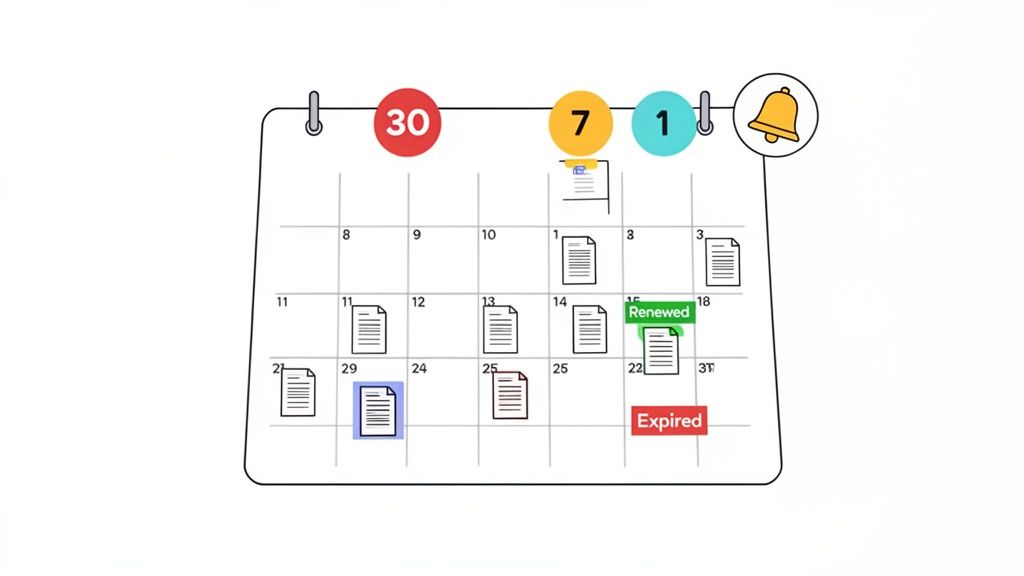
This practice involves assigning expiration dates to documents within your management system, which then automatically sends alerts to relevant stakeholders well before the deadline. This ensures there is ample time to initiate the renewal process, collect necessary information, and secure updated documents. It effectively prevents the last-minute scramble that often leads to errors and lapses in critical credentials.
Real-World Applications
- Transportation Companies: A logistics firm uses automated tracking for its fleet's driver licenses and medical certifications. The system alerts the compliance manager 90 days before a license expires, triggering a request for the driver to submit their renewed documents, ensuring the company avoids fines and service interruptions.
- Immigration Law Firms: An immigration practice tracks client visa and work permit expiration dates. The system automatically notifies both the legal team and the client six months in advance, providing ample time to prepare and file for extensions, thereby protecting the client's legal status.
How to Implement This Practice
Integrating automated expiration tracking is a crucial step in establishing best practices for document management. Follow these steps for a successful rollout.
- Establish Notification Timelines: Define different notification windows based on document importance. For example, a 90-day alert for a business license versus a 30-day alert for a software subscription.
- Automate Renewal Requests: Configure the system to automatically send document renewal requests to the appropriate person when an expiration date is approaching. This kick-starts the workflow without manual intervention.
- Create Expiration Dashboards: Use visual dashboards that show all upcoming expirations, categorized by document type or department. Use color-coded alerts (e.g., red for "expiring within 30 days") to prioritize urgent actions.
- Integrate with Other Workflows: Connect expiration tracking to your document collection and verification workflows to create a seamless, end-to-end compliance cycle.
4. Role-Based Access Control and Security Segmentation
Not all information is for all eyes. Role-Based Access Control (RBAC) is a security practice that restricts document access based on a user’s role within the organization. This ensures that employees can only view, edit, or approve documents relevant to their specific job functions, creating a powerful layer of internal security and preventing unauthorized data exposure.
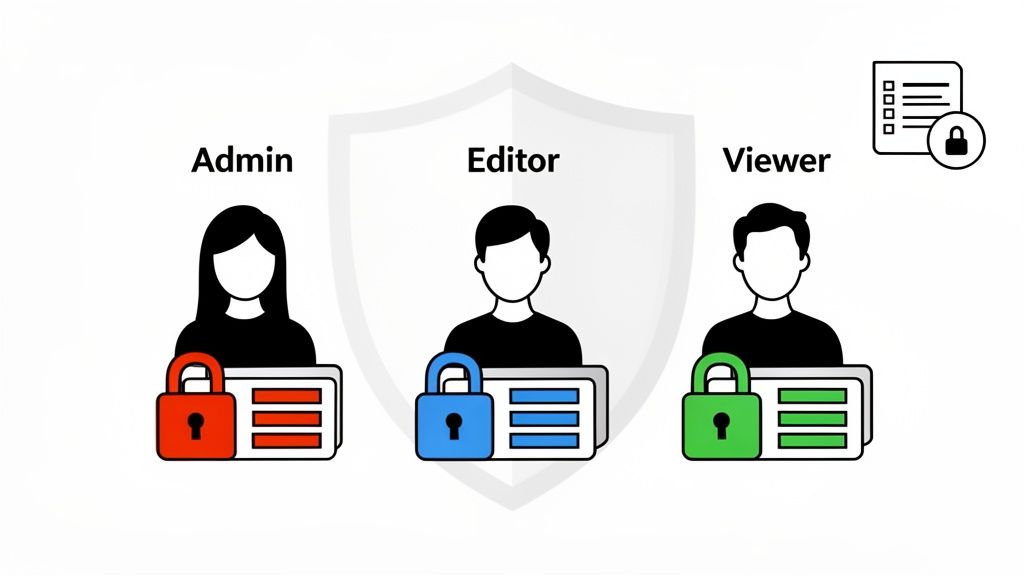
Combined with security segmentation, this approach compartmentalizes sensitive information by client, department, or project. For example, a legal firm can ensure that documents for "Case A" are completely invisible to the team working on "Case B." This granular control is fundamental for maintaining client confidentiality and complying with data protection regulations like GDPR and HIPAA. Implementing a secure document intake platform with these features is a core component of modern information governance.
Real-World Applications
- Financial Institutions: A bank uses RBAC to limit access to loan application files. Underwriters can edit and approve documents, while customer service representatives can only view the application status, protecting sensitive financial data from being widely accessible.
- Real Estate Agencies: A property management company segments its digital filing system by property. The manager for "Building X" has full access to tenant leases and maintenance records for that location but cannot see files related to "Building Y."
How to Implement This Practice
Properly configuring access controls is a critical step in establishing the best practices for document management. Follow these steps for a successful implementation.
- Define Roles Logically: Create roles based on job functions (e.g., "Accountant," "Project Manager," "HR Admin") rather than individual employees. This makes the system scalable and easier to manage.
- Apply the Principle of Least Privilege: Grant each role the absolute minimum level of access required to perform its duties. An employee who only needs to read reports should not have editing permissions.
- Conduct Regular Audits: Periodically review who has access to what. Remove permissions for employees who have changed roles or left the company to prevent "privilege creep."
- Automate with Tags: Use metadata tags to automatically apply security rules. For instance, tagging a document as "Confidential-HR" could automatically restrict access to the HR department role.
5. Integrated Digital Signatures and eSignature Workflows
Integrating digital signatures into your document workflows eliminates the cumbersome process of printing, signing, and scanning physical papers. This practice embeds legally binding eSignature capabilities directly into your document management system, allowing stakeholders to sign agreements from anywhere, on any device. Platforms like DocuSign or Adobe Sign create secure, tamper-evident signatures with comprehensive audit trails, satisfying regulatory requirements in most industries.
This shift not only accelerates document completion but also enhances security and reduces operational costs associated with physical document handling. By automating the signature collection process, businesses can finalize contracts, onboarding paperwork, and client agreements in minutes rather than days, making it one of the most impactful best practices for document management.
Real-World Applications
- Real Estate Agencies: An agency uses an integrated eSignature workflow to send purchase agreements to buyers and sellers. All parties sign digitally, and the fully executed contract is automatically saved back to the centralized transaction file, drastically speeding up the closing process.
- Mortgage Companies: A loan officer sends a loan application and disclosure package to a client via a secure portal. The client reviews and signs all necessary fields electronically, and the system automatically routes the signed documents to the underwriting department for review.
How to Implement This Practice
Successfully embedding eSignatures requires more than just subscribing to a service. Follow these steps to ensure a smooth and effective implementation.
- Design User-Friendly Workflows: Map out the signing process from start to finish. Minimize the number of required signature fields and provide clear, simple instructions on where and how to sign.
- Ensure Mobile Accessibility: Test your entire eSignature workflow on various mobile devices and screen sizes. A clunky mobile experience can create a significant bottleneck and frustrate clients.
- Store Signed Documents with Audit Trails: Configure your system to automatically store the final signed document along with its full audit trail certificate. This certificate is crucial for compliance verification and legal disputes.
- Use for All Legally Required Signatures: Identify every document in your organization that requires a legally binding signature, from client contracts and NDAs to employee offer letters, and transition them to an eSignature workflow.
6. Automated Reminder Systems and Escalation Protocols
Manually chasing clients for missing documents is a major bottleneck that drains resources and delays projects. An automated reminder system solves this by sending proactive, scheduled follow-ups to clients who have not submitted required files. This approach maintains momentum in the document collection process without constant manual intervention.
To enhance this, escalation protocols automatically increase the frequency and urgency of reminders as deadlines approach. If a document remains outstanding after a certain point, the system can trigger an internal notification for a manager to intervene. This systematic follow-up process significantly improves submission rates, reduces administrative workload, and ensures critical deadlines are met.
Real-World Applications
- Mortgage Brokers: A brokerage firm uses automated reminders to prompt clients for necessary underwriting documents like pay stubs and bank statements. The system sends a friendly reminder three days before the deadline and escalates with a daily notice if the documents are still missing on the final day.
- Immigration Firms: An immigration consultancy automates reminders for visa applicants to submit essential paperwork. The system is configured to align with strict government deadlines, ensuring clients provide documents with enough time for review and submission.
How to Implement This Practice
Integrating automated reminders is one of the most impactful best practices for document management, especially for client-facing workflows. A well-planned implementation is key.
- Establish a Multi-Tier Schedule: Design a clear reminder cadence. A common approach is a three-tier system: an initial friendly reminder, a more direct mid-point follow-up, and an urgent final notice before escalation.
- Personalize and Brand Communications: Use branded email templates that align with your corporate identity. Personalize messages with the client’s name, the specific document required, and the exact deadline to increase effectiveness.
- Define Clear Escalation Triggers: Determine the precise conditions that trigger an escalation. This could be a set number of days past a deadline or after a specific number of unanswered reminders. The system should then alert the appropriate team member.
- Track and Optimize Performance: Monitor the effectiveness of your reminders. Analyze open rates, submission times, and client feedback to continuously refine your messaging, timing, and frequency for better results.
7. Industry-Specific Document Templates and Pre-Built Workflows
Building document workflows from scratch is time-consuming and often reinvents the wheel. Leveraging industry-specific templates and pre-built workflows provides a powerful shortcut, embedding best practices for document management directly into your operations from day one. These ready-made solutions are designed for specific verticals like legal, real estate, or HR, offering standardized document requests, validation rules, and approval processes tailored to that industry's unique needs.
This approach significantly reduces implementation time and ensures your processes are aligned with established compliance and operational standards. Instead of guessing what documents are needed for a mortgage application or a new employee hire, the system provides a proven checklist and workflow. This not only accelerates deployment but also minimizes the risk of human error by standardizing essential procedures across the organization.
Real-World Applications
- Mortgage Brokers: A brokerage firm uses a pre-built template for loan applications. The workflow automatically requests specific documents like pay stubs, tax returns, and bank statements, includes e-signature fields for disclosures, and routes the completed package to the underwriter for review.
- Immigration Law Firms: An immigration practice utilizes templates for visa applications. Each template is configured to collect the precise documentation required by government agencies for different visa types, ensuring no critical paperwork is missed and reducing the chance of application rejection.
How to Implement This Practice
Integrating industry-specific templates requires a thoughtful approach to ensure they fit your unique business needs. Following these steps helps you get the most value from these pre-configured tools.
- Review and Customize: Start by exploring available templates in your document management software. Customize the chosen templates to include your company’s branding, specific messaging, and any unique steps in your process.
- Train Your Team: Ensure all staff members understand how to find, use, and modify the templates. Proper training prevents deviations from the standardized process and maximizes efficiency.
- Establish a Review Cadence: Industries and regulations change. Schedule regular reviews (e.g., quarterly or annually) to update templates with new compliance requirements or process improvements.
- Gather User Feedback: Your team is on the front lines. Collect their feedback to identify pain points or opportunities to enhance the templates, making them even more effective over time.
8. Document Classification and Intelligent Metadata Tagging
Relying on manual filing is inefficient and prone to human error, especially as document volumes grow. Intelligent classification uses AI and machine learning to automatically categorize documents upon upload, identifying them by type, client, or project. This system then applies metadata tags, which are searchable attributes that make finding specific files nearly instantaneous.
This practice transforms a chaotic collection of unstructured data into an organized, searchable knowledge base. Instead of navigating complex folder trees, team members can find a specific contract or invoice in seconds using simple search queries. For businesses managing thousands of documents, this is one of the most impactful best practices for document management, as it automates organization and boosts retrieval speed.
Real-World Applications
- Banks: A bank's loan processing department uses AI to classify incoming loan documents. The system automatically identifies applications, proof of income, and credit reports, tagging them with the applicant's name and application stage. This accelerates the review process and reduces manual sorting.
- Real Estate Agencies: An agency automatically tags property documents with metadata for the address, tenant name, and lease type. This allows agents to instantly pull up all files related to a specific property without digging through folders.
How to Implement This Practice
Integrating intelligent classification requires a clear strategy to ensure the technology works for you, not against you. A thoughtful rollout is key to maximizing its benefits.
- Define Categories First: Before deploying an AI tool, establish a clear set of document categories (e.g., "Contracts," "Invoices," "Proposals") and subcategories.
- Train and Validate: Use a sample set of correctly classified documents to train the AI model. During the initial rollout, have employees review and validate the AI's classifications to refine its accuracy.
- Establish Naming Conventions for Metadata: Create a consistent standard for metadata fields, such as
Client_Name,Project_ID, andDocument_Status, to ensure uniform tagging. - Use Hierarchical Tags: Implement a tagging structure with parent and child tags (e.g., "Legal" > "Contracts" > "Client MSA") to enable more granular and flexible searching.
9. Integration with Business Systems and Workflow Automation Platforms
A document management system shouldn't operate in a silo. Its true power is unlocked when integrated with your core business systems, such as your CRM, ERP, and accounting software. This creates a connected ecosystem where documents and data flow seamlessly, eliminating manual data entry, reducing human error, and ensuring all platforms are synchronized with the most up-to-date information.
This integration transforms static documents into active triggers for business processes. Using API connections and workflow automation platforms like Zapier, a submitted document can automatically initiate downstream actions. This practice is essential for creating efficient, end-to-end workflows that accelerate operations and keep your entire technology stack in perfect harmony.
Real-World Applications
- Mortgage Brokers: When a client submits a completed loan application package, the integration automatically sends the files to the underwriting system and updates the client's status in the CRM, notifying the loan officer to begin their review.
- HR Departments: A new hire completes their onboarding paperwork. The system integration automatically triggers a background check request in a third-party service and creates an employee profile in the HRIS with the data pulled directly from the submitted forms.
- Real Estate Agencies: A prospective tenant submits a rental application. The data is automatically used to populate a new tenant record in the agency's property management software, saving hours of administrative work.
How to Implement This Practice
Integrating your systems is one of the most impactful best practices for document management, but it requires careful planning to be effective.
- Map the Entire Workflow: Before building any connections, clearly map out the entire process from document submission to final action. Identify every touchpoint and data transfer required.
- Leverage No-Code Platforms: For systems without native integrations, use tools like Zapier or Microsoft Power Automate. These platforms allow you to connect thousands of apps without writing any code.
- Test Extensively: Thoroughly test every step of the automated workflow in a sandbox or staging environment before deploying it live. This prevents data loss or process failures.
- Establish a Manual Override: Create a clear backup process for when an automation fails. This ensures that a technical glitch doesn't halt critical business operations.
10. Compliance-First Design with Encryption, Audit Trails, and Data Protection
For organizations handling sensitive information, compliance isn't an afterthought; it's the starting point. A compliance-first design embeds security and regulatory requirements directly into your document management system from its foundation. This proactive approach ensures your processes inherently meet legal standards, rather than trying to patch on security measures later.
This practice involves using systems with built-in features like end-to-end encryption to protect data both in transit and at rest. It also includes immutable audit trails that log every single action taken on a document, providing a clear, chronological record for accountability and regulatory review. This framework is essential for adhering to complex regulations like GDPR, HIPAA, or SOC 2, making it one of the most critical best practices for document management in regulated fields.
Real-World Applications
- Healthcare Providers: A clinic uses a HIPAA-compliant platform to manage patient records. Every time a nurse accesses or updates a file, the action is logged in an audit trail. All patient data is encrypted, ensuring Protected Health Information (PHI) is secure and meeting federal mandates.
- Financial Services: A wealth management firm uses a SOC 2 Type II certified document portal to handle client financial statements. This certification provides assurance that the system has proven controls for security and privacy, building trust with high-net-worth clients and satisfying industry regulations.
How to Implement This Practice
Integrating a compliance-first model requires careful selection and diligent management of your document systems. Follow these steps to ensure your framework is robust and defensible.
- Verify Vendor Certifications: Before committing to a platform, confirm its compliance certifications (e.g., GDPR, HIPAA, SOC 2) align with your specific industry and client requirements.
- Understand Data Residency: If you serve international clients, know where their data is stored. Some regulations, like GDPR, have strict rules about data residency that your system must accommodate.
- Implement Data Classification: Categorize your documents based on sensitivity (e.g., Public, Internal, Confidential). Apply stricter security controls and access rights to more sensitive information.
- Prepare for Audits: Regularly review audit trails and document your compliance controls. This preparation makes responding to regulatory audits faster and less stressful. For industries with stringent identity verification rules, it’s also important to understand specific obligations. Learn more about AML and KYC compliance to ensure your processes are fully aligned.
Top 10 Document Management Best Practices Comparison
| Solution | Implementation Complexity 🔄 | Resource & Maintenance ⚡ | Expected Outcomes & Ideal Use Cases 📊 | Key Advantages ⭐ | Tips 💡 |
|---|---|---|---|---|---|
| Centralized Document Repository with Version Control | Moderate — migration + governance required | Moderate storage & admin overhead | Single source of truth; auditability; ideal for legal, finance, HR | Eliminates version confusion; strong audit trails ⭐⭐⭐⭐ | Establish naming conventions; train users; schedule cleanups |
| Automated Document Collection and Validation Workflows | Moderate — form/validation logic setup | Low ongoing manual effort; needs tuning | Higher first-time accuracy; faster collection cycles; mortgage, immigration, high-volume intake | Reduces manual review and rework; improves client experience ⭐⭐⭐⭐ | Start with core rules; test with users; clear rejection messages |
| Document Expiration Tracking and Automated Renewal Notifications | Low–Moderate — configure rules & dashboards | Low — requires accurate date data entry | Prevents compliance lapses; proactive renewals; transportation, certifications, visas | Minimizes missed renewals and service interruptions ⭐⭐⭐ | Configure timelines by criticality; integrate renewals with workflows |
| Role-Based Access Control and Security Segmentation | High — careful role design and policy work | Medium ongoing admin; identity management & audits | Protects sensitive data; required for legal, finance, healthcare | Strong compliance and reduced insider risk ⭐⭐⭐⭐ | Apply least privilege; audit regularly; document role definitions |
| Integrated Digital Signatures and eSignature Workflows | Moderate–High — integration and legal config | Variable (integration effort + per-signature costs) | Faster execution of agreements; real estate, loans, legal services | Eliminates paper; legally defensible audit trails ⭐⭐⭐⭐ | Minimize required signature fields; test on mobile; store audit logs |
| Automated Reminder Systems and Escalation Protocols | Low — configure cadence and templates | Low — messaging channels and monitoring | Improves submission rates; reduces manual follow-up; mortgage, HR, immigration | Increases completion rates with minimal manual effort ⭐⭐⭐ | Use a 3-tier schedule; personalize messages; monitor cadence |
| Industry-Specific Document Templates and Pre-Built Workflows | Low — deploy & customize templates | Low initial, occasional customization & updates | Rapid deployment; industry best practices for legal, real estate, HR, immigration | Fast time-to-value; reduces design errors ⭐⭐⭐⭐ | Review templates before customizing; train teams; keep templates updated |
| Document Classification and Intelligent Metadata Tagging | Moderate — AI training & rules setup | Medium — training data and verification effort | Faster search and governance for large doc volumes; legal, banks, HR | Speeds retrieval and reporting; enables automated governance ⭐⭐⭐ | Define clear categories; validate AI results; use hierarchical tags |
| Integration with Business Systems and Workflow Automation Platforms | High — API mapping and orchestration | High — IT involvement, monitoring, maintenance | Seamless end-to-end processes; CRMs/ERPs/Accounting; loan workflows | Eliminates manual entry; synchronizes downstream systems ⭐⭐⭐⭐ | Map workflows first; test integrations; monitor and document logic |
| Compliance-First Design with Encryption, Audit Trails, and Data Protection | High — security architecture and certification | High — ongoing certs, data residency, maintenance | Ensures regulatory compliance; critical for healthcare, finance, immigration | Strong legal protection, audit readiness, client trust ⭐⭐⭐⭐ | Verify certifications; understand data residency; document controls |
From Best Practices to Business Breakthroughs
Navigating the landscape of modern business operations reveals a clear truth: efficient, secure, and intelligent document management is no longer a luxury, but a competitive necessity. Throughout this guide, we've explored ten foundational best practices for document management, moving beyond generic advice to provide actionable strategies that drive real-world results. From establishing a centralized repository with robust version control to implementing compliance-first design with detailed audit trails, each practice serves as a critical building block for a resilient and scalable organization.
The journey from cluttered, manual processes to a streamlined digital ecosystem is transformative. It's about more than just organizing files; it’s about fundamentally changing how your team interacts with information. By embracing these principles, you are not just improving an administrative function. You are creating a strategic asset that directly impacts your bottom line, client satisfaction, and operational agility.
Key Takeaways: The Pillars of Modern Document Management
Reflecting on the core themes, three major pillars stand out as essential for success. Mastering these will set the stage for significant improvements across your entire organization.
- Automation is Your Greatest Ally: The most impactful shift you can make is moving from manual intervention to automated workflows. This includes everything from automated document collection and validation to reminder systems and renewal notifications. Automation frees up your team from repetitive, low-value tasks, reduces the risk of human error, and ensures critical deadlines are never missed.
- Security and Compliance are Non-Negotiable: In an era of increasing data privacy regulations and security threats, a casual approach to document handling is a major liability. Implementing role-based access controls, end-to-end encryption, and comprehensive audit trails is paramount. A compliance-first mindset protects your business, your clients, and your reputation.
- Integration Creates a Seamless Experience: Your document management system should not exist in a silo. True efficiency is unlocked when it integrates seamlessly with your existing business systems, like your CRM or HRIS. This connectivity eliminates redundant data entry, streamlines cross-departmental workflows, and provides a single source of truth for all client and operational data.
Your Action Plan: Turning Knowledge into Implementation
Adopting these best practices for document management can feel like a monumental task, but progress starts with a single, strategic step. Don't aim to overhaul everything overnight. Instead, identify your biggest pain point and begin there.
- Conduct a Process Audit: Start by mapping out your current document workflows. Where are the bottlenecks? Which tasks consume the most time? Where are the highest risks for errors or compliance breaches?
- Prioritize One High-Impact Area: Perhaps your client onboarding is slow and cumbersome, or maybe tracking expiring certifications is a constant headache. Choose one area where improvement will deliver the most significant and immediate value.
- Explore a Purpose-Built Solution: Instead of trying to piece together multiple disparate tools, look for a platform designed to solve these challenges cohesively. A modern document management solution should inherently incorporate principles like automation, security, and integration, making implementation far simpler.
By systematically addressing these areas, you build momentum and demonstrate tangible value, making it easier to gain buy-in for broader changes. This methodical approach ensures that your transition to a more sophisticated system is both manageable and successful. Embracing these best practices for document management is an investment in your company's future, enabling you to operate with greater speed, security, and precision. It’s how you transform a burdensome administrative necessity into a powerful engine for growth and a cornerstone of exceptional client service.
Ready to turn these best practices into your daily reality? Superdocu is an all-in-one platform built to automate document collection, tracking, and management, incorporating these principles into a simple, powerful workflow. Start streamlining your processes today with Superdocu and discover how effortless exceptional document management can be.