
Your business probably runs on documents. Client tax files, employee records, lease agreements, onboarding packets, IDs, bank statements, signed disclosures. They move through inboxes, shared drives, forms, and apps every day. Most small teams don't have a full security department watching all of it. They have busy staff, tight deadlines, and a real fear that one mistake could expose sensitive information.
For a small or medium-sized business, a single data breach isn't just a headline. It's an existential threat. A real estate firm could expose client financial records. An HR agency could leak employee files. A legal practice could lose privileged documents. This guide cuts through the noise and focuses on practical best practices for data security for document-heavy teams, especially the ones trying to stay secure without slowing the business to a crawl. If you're also thinking about local risk, this resource for Georgia cybercrime prevention is worth reviewing.
Table of Contents
- 1. End-to-End Encryption for Data in Transit and at Rest
- 2. Role-Based Access Control RBAC and Principle of Least Privilege
- 3. Multi-Factor Authentication MFA for User Accounts
- 4. Regular Security Audits and Penetration Testing
- 5. Data Classification and Handling Policies
- 6. Secure Data Deletion and Retention Management
- 7. Compliance Framework Implementation GDPR CCPA HIPAA SOC 2
- 8. Secure API Design and Third-Party Integration Management
- 9. Employee Security Training and Awareness Programs
- 10. Incident Response Planning and Data Breach Protocols
- Top 10 Data Security Best Practices Comparison
- From Plan to Protection Your Next Steps in Data Security
1. End-to-End Encryption for Data in Transit and at Rest
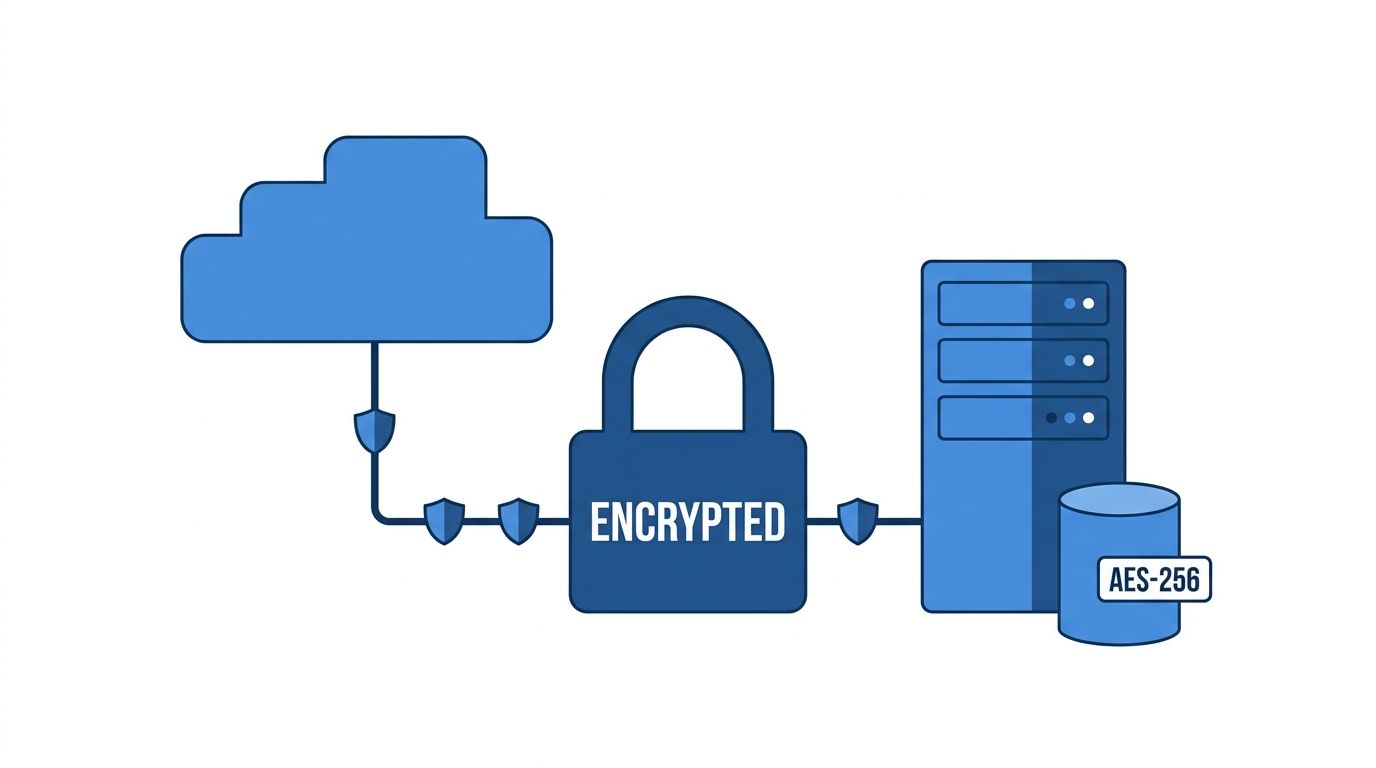
A client sends your team tax records, signed agreements, or HR files because they assume those documents are protected from the moment they leave their hands. That protection starts with encryption. If the file is exposed during upload, sync, storage, or download, the rest of your security program is already under pressure.
For small businesses in legal, HR, and finance, this is a priority control because document workflows create many points of exposure. Files move between clients, staff, approvers, storage systems, and sometimes outside advisers. Encryption reduces the risk at each step, but only if it is turned on by default and applied consistently.
The technical baseline is simple. Use AES-256 for stored files and TLS 1.3 for files in transit.
Make Encryption the Default
The common failure point is not the algorithm. It is the workflow. Staff save a sensitive file to the wrong folder, a client uploads through an old form, or a team uses a shortcut that bypasses the secure process.
Set it up so the secure path is the normal path:
- Encrypt every upload automatically: Clients and staff should not have to choose a secure option.
- Use current transport protocols: Keep TLS enabled everywhere documents move, and retire older protocols still attached to legacy systems.
- Manage keys on purpose: Define who controls encryption keys, how rotation works, and what recovery process you will use before you need it.
- Check every storage location: Confirm which repositories, regions, backups, and exports are covered by encryption settings.
In practice, I tell SMB owners to test this with one simple question: if an employee uploads a client file from home, where is it encrypted, who can decrypt it, and what copy gets left behind? If the answer is unclear, the setup needs work.
This is also where a document platform should do more than store files. It should enforce encrypted uploads, protect files in storage, and keep that protection consistent across sharing and retrieval. If you want a plain-English refresher, Superdocu explains the basics in this guide to file encryption for secure document handling.
Practical rule: If a file contains personal, financial, legal, or employment data, encrypt it by default and verify that protection applies during upload, storage, sharing, and backup.
2. Role-Based Access Control RBAC and Principle of Least Privilege
A small firm rarely loses control of documents because someone "hacked the folder." It usually happens because access kept expanding. A paralegal still has finance access after changing roles. An HR coordinator can export files they only need to review. A former contractor's account was never cleaned up.
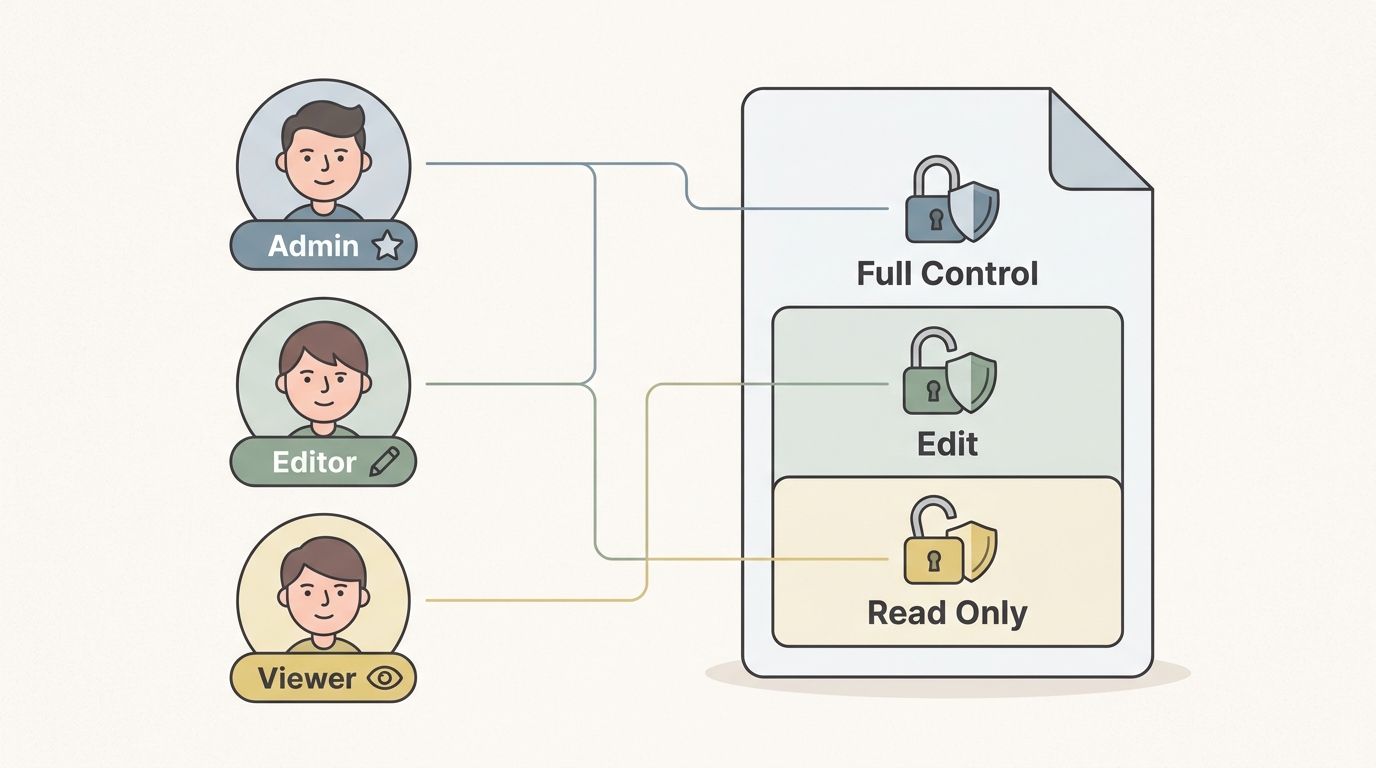
RBAC fixes that by tying access to the job, not the person. Least privilege keeps each role limited to the files and actions required to do the work. For SMBs in legal, HR, and finance, that matters because the same system often holds offer letters, tax records, IDs, contracts, and internal notes. Those records do not carry the same risk, so they should not sit behind the same permission level.
Build Roles Around Work Not People
Start with the workflow. Map who collects documents, who reviews them, who approves them, and who can export, delete, or share them externally. Those actions should be separate wherever possible.
What works in practice:
- Define permissions by task: Split upload, review, approval, download, export, and deletion rights.
- Keep admin rights rare: Owners and office leads often ask for full access "just in case." That convenience creates avoidable risk.
- Update access on role changes immediately: Promotions, team moves, leave, and offboarding should trigger the same-day permission check.
- Set tighter controls for high-risk files: Identity documents, payroll records, medical information, and signed legal documents usually need narrower access than routine files.
For a real estate office, that can mean agents see only their own tenant files while finance handles payment records. For an HR firm, recruiters may upload resumes, but only managers and compliance staff can open compensation details or government IDs.
Good document systems make this practical instead of manual. Superdocu, for example, lets teams assign role-based visibility and actions so staff see the documents they need, not the entire repository. That is the right trade-off for most SMBs. People keep enough access to work efficiently, and you cut the quiet risk that comes from permission sprawl.
Review those roles on a schedule. Quarterly is a sensible baseline for a small business, with extra checks after staffing changes, new client engagements, or process changes. If nobody can explain why a role still has access, remove it and add it back only if the work requires it.
3. Multi-Factor Authentication MFA for User Accounts
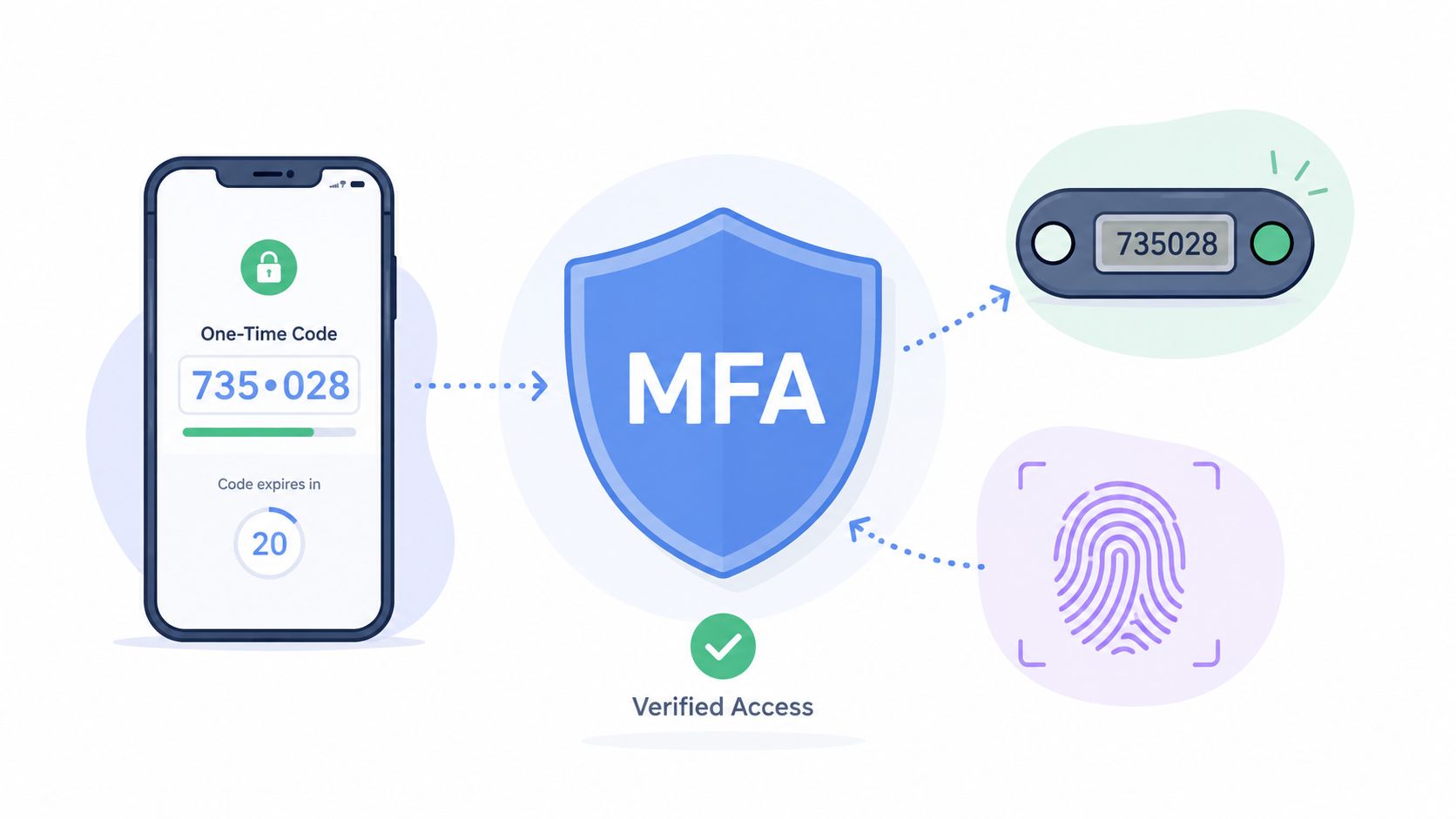
A single stolen password is often all it takes to expose payroll files, signed contracts, tax records, or employee IDs. In a small business, that usually happens during a normal workday. Someone clicks a convincing login prompt, reuses an old password, or approves a sign-in request without thinking. MFA reduces the chance that one mistake turns into a full document breach.
For SMBs in legal, HR, finance, and other document-heavy fields, this deserves priority status. Start with the accounts that can cause the most damage fast. That includes owners, admins, finance staff, legal reviewers, and anyone who can export, delete, or share files outside the company. Then expand MFA to every user who handles sensitive records.
Set Up MFA to Match Real Risk
The right MFA setup balances security with how your team functions. Authenticator apps are usually the best starting point for SMBs. They are stronger than SMS for everyday use, and they avoid some of the account recovery problems that come with shared inboxes or personal phone numbers. Hardware keys make sense for executives and admins, but they add cost and support overhead. Many small teams do well with app-based MFA for all staff, plus stronger methods for the few highest-risk accounts.
A practical rollout should include:
- MFA for privileged actions, not just login: Require a second factor for exports, bulk downloads, permission changes, and account resets.
- Recovery procedures your office can follow under pressure: Store backup codes securely, name the people allowed to verify identity, and document the reset process.
- Coverage for connected systems: Protect email accounts, cloud storage, admin consoles, and other linked services. Attackers look for the weaker entry point.
- Monitoring for suspicious prompts: Repeated push requests, failed verifications, or login attempts from unusual locations need review.
- A deadline, not an open-ended rollout: If MFA stays optional for months, many users will never turn it on.
This is also where SMBs need to think beyond the document portal itself. If files move through integrations, shared inboxes, or connected apps, review the broader problem of securing SaaS applications, not just the primary login screen.
Modern document platforms should make this easier to enforce. In Superdocu, MFA works best as part of a layered control set tied to account type and document sensitivity. The goal is simple. A recruiter opening routine candidate files should have a smooth sign-in flow, while a finance lead exporting tax records should face tighter checks. That is the trade-off SMBs usually need. Friction where the risk is high, speed where the risk is low.
Set MFA before your busiest period starts. Tax deadlines, open enrollment, audits, hiring spikes, and quarter-end reporting are exactly when rushed teams approve the wrong prompt or skip a warning.
4. Regular Security Audits and Penetration Testing
A system can look fine in a demo and still fail under pressure. Permissions drift. Old integrations remain active. Staff create workarounds. Settings change after a rushed launch. Security audits catch the obvious issues. Penetration testing catches the ones your team didn't know to look for.
Small businesses often skip this because it sounds enterprise-only. That's a mistake. If you collect sensitive documents through portals, APIs, email workflows, or embedded forms, you need someone to check what an attacker would see. If you want a broader view of securing SaaS applications, that topic deserves board-level attention, even in a smaller company.
Test the System You Actually Use
Don't settle for a generic checklist. Test the production environment or a realistic copy of it. Include your branded intake portal, your user roles, your document approval process, your integrations, and any API endpoints that move files in or out.
A useful audit usually includes:
- Configuration review: Encryption, session settings, logging, role permissions, and retention controls.
- Access-path testing: What happens if an employee account is compromised. What happens if an old link is reused.
- Integration review: Connected eSignature tools, automation platforms, storage services, and CRM syncs.
- Remediation follow-through: Findings only matter if someone owns them and fixes them on a deadline.
A legal firm rolling out a new document workflow should test before pushing clients into it. The same goes for a finance team collecting loan packets or an HR agency launching a new onboarding portal.
5. Data Classification and Handling Policies
A small HR team downloads a candidate's ID, a signed offer letter, and an interview scorecard into the same shared folder. If those files all get treated the same way, one of two problems follows. Staff lose time fighting access restrictions on routine documents, or sensitive records end up exposed to people who never needed them.
Classification prevents that. It gives your team a simple way to decide what needs tighter access, stricter sharing rules, extra review, or shorter retention. For document-heavy SMBs, this is not a policy binder exercise. It is how you turn security rules into day-to-day decisions your staff can make quickly.
Give Staff Clear Labels and Clear Rules
Keep the model simple. In most small and midsize businesses, four levels are enough: public, internal, confidential, and restricted.
The important part is not the label itself. The important part is what the label changes in your system.
- Public: Marketing materials, public brochures, published forms.
- Internal: Team procedures, routine internal notes, operational updates.
- Confidential: Client files, contracts, payroll records, tenant applications.
- Restricted: IDs, medical records, background checks, bank statements, immigration documents.
Each level should map to a handling rule your staff can follow without guessing. Public documents may be shareable by link. Internal documents may stay inside the company. Confidential documents should be limited by role and tracked when shared. Restricted documents should have the tightest access, stronger approval controls, and clear retention rules tied to document type.
A legal office might mark intake templates as internal, signed client agreements as confidential, and passports or medical documentation as restricted. A finance team might keep rate sheets internal, loan packets confidential, and tax IDs or bank statements restricted.
Many SMBs struggle with this aspect. They write the policy, but the software does not enforce it.
Use the classification label to drive action. Permissions, upload requirements, approval steps, sharing settings, and retention timing should change based on the document category. If your process depends on employees remembering special rules for each file, mistakes will keep happening.
Superdocu fits well here because document request workflows, validation steps, and controlled access can mirror your categories instead of leaving handling decisions to memory. It also helps to align classification with retention from the start, especially if you are setting rules by document type as part of your document retention policy best practices.
Start small if needed. Pick your 10 to 20 highest-risk document types, assign each one a classification level, define who can access it, decide how it can be shared, and document when it should be archived or deleted. That will give you a working framework your team can effectively use.
6. Secure Data Deletion and Retention Management
A breach is bad. A breach involving files you should have deleted a year ago is worse.
Small businesses in legal, HR, finance, and immigration often build careful intake and approval steps, then let old records pile up in shared folders and document systems. That creates avoidable risk. Expired IDs, former employee records, duplicate tax forms, and closed-matter documents can all become liabilities once the business reason for keeping them is gone.
Retention management needs a clear rule for each document type, plus a system that enforces it. If deletion depends on someone remembering to clean up files at the end of the month, the backlog keeps growing.
For SMBs, I recommend a simple order of operations:
- Set retention periods by document type: Signed agreements, intake forms, identity documents, payroll records, and financial records should not all follow one schedule.
- Tie rules to metadata: Expiration date, client status, matter type, office location, and jurisdiction help trigger the right action.
- Separate archive from delete: Some records need to be kept but locked down. Others should be permanently removed once the retention period ends.
- Log every action: Keep a record of what was deleted, when it happened, and which policy applied.
The hard part is not writing the policy. The hard part is making it run consistently.
That is where a document workflow platform earns its place. Superdocu can connect document categories, metadata, and workflow rules so retention is handled inside day-to-day operations instead of through manual cleanup. Its guidance on data security compliance for document workflows is useful if you need to align retention decisions with privacy and regulatory obligations. Superdocu's article on document retention policy best practices is also relevant because it shows how to turn policy into live workflow rules.
A staffing agency is a good example. Candidate licenses, right-to-work documents, certifications, and onboarding forms all age out on different timelines. Without tagging and automated policy enforcement, those files tend to stay in the system long after they stop serving the business. The practical fix is to start with your highest-risk records, assign a retention trigger to each one, decide whether the end state is archive or deletion, and make the system enforce that decision.
7. Compliance Framework Implementation GDPR CCPA HIPAA SOC 2
A lot of owners hear "compliance" and think paperwork, audits, and legal overhead. In day-to-day operations, compliance is simpler than that. It tells you how to handle sensitive data in a way regulators, clients, and partners can accept.
If you serve EU clients, California residents, healthcare-related matters, or larger enterprise customers, compliance obligations shape your platform choices. Superdocu's overview of data security compliance for document workflows is helpful because it connects regulations to concrete platform controls instead of abstract policy language.
Use Compliance to Shape Operations
Don't start by collecting every framework you might need. Start by identifying what data you hold and where your clients are. A small immigration practice may care significantly about GDPR-related handling. A law firm dealing with medical records may need HIPAA-aligned controls. A service provider selling into larger businesses may get asked about SOC 2 expectations during procurement.
Use compliance as a filter for decisions like:
- Where data is hosted: Regional hosting may matter for residency and contractual requirements.
- How consent and deletion requests are handled: Privacy rules affect intake forms and retention workflows.
- Who can access what: Compliance often pushes you toward stronger least-privilege design.
- What evidence you keep: Audit trails, access logs, and policy records matter when clients ask questions.
One practical advantage for SMBs is choosing tools that already support secure hosting, encryption, access control, and policy enforcement. That reduces the number of custom controls you have to invent internally.
8. Secure API Design and Third-Party Integration Management
A common SMB failure point looks harmless at first. Someone connects the document system to eSignature, intake forms, payroll, CRM, cloud storage, and a few automations. Six months later, nobody can clearly answer which app can read client files, which one can export them, and which old token still works.
That is the primary API risk for document-heavy businesses. Legal, HR, and finance teams rely on connected workflows because manual handoffs waste time. The trade-off is simple. Each integration creates another path to sensitive records, so each one needs the same scrutiny you would give a new user account or a new office key.
Treat Integrations as Controlled Data Flows
The right question is not "Does this app integrate?" Ask "What exact data does it need, what actions can it take, and how do we turn it off fast if something goes wrong?"
For small businesses, a practical operating model usually includes:
- Use scoped access: Give the integration only the permissions required for that task. If it only needs document status updates, it should not read file contents or download attachments.
- Separate production from testing: Do not let developers or consultants connect test scripts to live client documents unless there is a clear reason and approval.
- Rotate API keys and service credentials: Old credentials become forgotten access paths. Set an owner and a review date for each one.
- Keep an integration inventory: Record what is connected, who approved it, what data it touches, and who is responsible for monitoring it.
- Set vendor expectations in writing: Contracts should cover breach notification, access restrictions, data handling, and what happens to your data at offboarding.
This matters even more in SMB environments because integrations often grow faster than oversight. A new automation can save hours each week, but it can also expose full files where a status webhook would have been enough.
Superdocu fits well into this framework when you want automation without losing control of the document trail. Instead of pushing sensitive files across scattered tools, teams can keep collection, validation, reminders, and expiration tracking inside one controlled system, then connect only the specific actions that need to reach other business software.
Start with your three highest-risk integrations first. In practice, those are usually the ones that touch full documents, identity records, financial data, or client intake information. If you can limit those connections, document them properly, and remove unused access, you reduce a large share of third-party risk without turning this into a major IT project.
9. Employee Security Training and Awareness Programs
A payroll coordinator gets an email that looks like it came from the owner. The message asks for tax documents right away because a lender is waiting. If that employee has only sat through a generic annual slideshow, there is a good chance the file gets sent before anyone stops to verify the request.
That is why training has to match the work your team does. In document-heavy small businesses, the highest-risk mistakes usually happen during ordinary tasks. Opening an attachment. Sharing a file. Approving access. Sending records to the wrong person. Good training reduces those errors because staff can recognize suspicious requests in the moment and know the exact next step.
Train Around Real Document Risks
Role-based training works better than one standard session for everyone. HR staff need guidance on handling ID documents, candidate records, and benefit forms. Legal staff need to spot impersonation attempts and unusual requests for client files. Finance teams need to understand approval checks, export controls, and where sensitive reports can and cannot be stored.
Focus training on a short set of habits your team can repeat every week:
- Use real scenarios from your business: Build examples from client intake, employee onboarding, billing, and document review.
- Keep refreshers short and frequent: Ten focused minutes each month will stick better than one long annual presentation.
- Set one clear reporting path: Staff should know exactly where to send suspicious emails, file-sharing concerns, or access requests that feel off.
- Close the loop after reports: Tell employees what was caught, what was safe, and what they should watch for next time.
Small teams often worry that regular training takes too much time. In practice, a short monthly session costs less than cleaning up one bad disclosure or one compromised account. The trade-off is simple. Less time in training usually means more time spent fixing preventable mistakes.
One test matters more than attendance. Watch what people do after training. If employees still download sensitive files to personal devices, reuse shared logins, or send documents through personal email, the program needs work.
For teams using Superdocu, training should be tied to the controls inside the system. Show staff how to use secure request links, client portals, validation steps, permission settings, and document expiration rules as part of their normal workflow. That makes security training specific, usable, and much easier to enforce.
10. Incident Response Planning and Data Breach Protocols
A client calls and says they received someone else's tax document. Or a departing employee still has access to HR files two days after leaving. Incidents usually start small. They become expensive when no one knows who owns the next decision.
For small businesses in legal, HR, finance, and other document-heavy operations, incident response is less about a long policy binder and more about speed, roles, and evidence. The goal is simple: contain the issue, protect records, meet notice requirements, and get back to normal work without creating a second problem during cleanup.
Start with a written plan that names specific people, systems, and actions. If the first hour is spent figuring out who can shut off access, who contacts counsel, or where audit logs live, the plan is not ready.
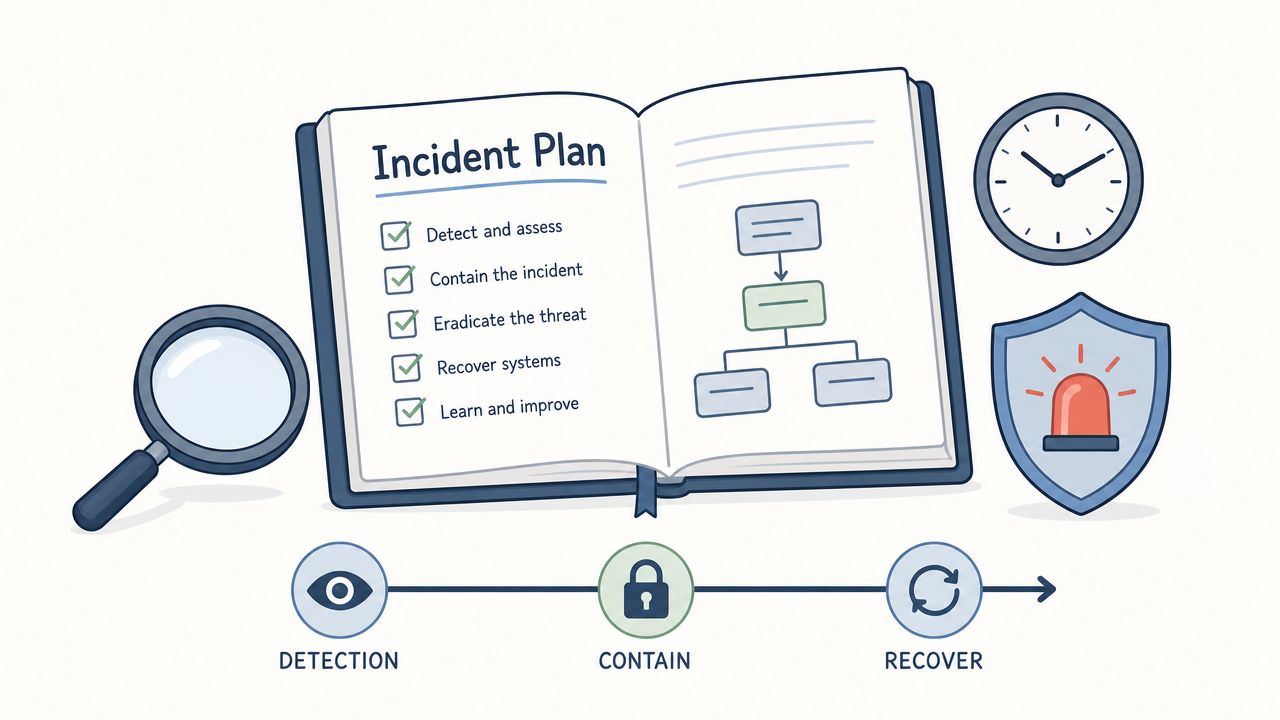
Your incident response plan should answer four questions:
- What happened, and how do we stop it from spreading? Disable accounts, revoke shared links, pause integrations, isolate affected devices or folders.
- What data was involved? Identify the document types, users, clients, and time period affected.
- Who needs to know, and when? Define internal escalation, legal review, client communication, and any contractual or regulatory notice steps.
- How do we recover safely? Restore clean access, verify permissions, preserve logs and records, and document what changed after the incident.
Many SMBs frequently lose time. They have backup files, but no decision tree. They know they should notify someone, but not who approves the message. They reset passwords, but forget to preserve logs that explain what transpired.
A practical plan includes an owner for each task, a call list, a checklist for the first 24 hours, and templates for internal and external communication. Keep it short enough that a manager can use it under pressure.
For teams using Superdocu, map the plan to the controls you already have. Decide who can revoke document access, expire links, review audit trails, lock down folders, and confirm which files were viewed or downloaded. That turns incident response from a vague policy into a repeatable workflow.
Run a tabletop exercise twice a year. Use a scenario that fits your business, such as misdirected payroll records, unauthorized access to client contracts, or a compromised user account in a shared document workflow. If the exercise exposes confusion, fix the process before a real incident does.
Top 10 Data Security Best Practices Comparison
| Item | Implementation Complexity 🔄 | Resource Requirements ⚡ | Expected Outcomes 📊⭐ | Ideal Use Cases 💡 | Key Advantages ⭐ |
|---|---|---|---|---|---|
| End-to-End Encryption for Data in Transit and at Rest | High, key management and protocol integration | Moderate–High, compute, KMS, cryptographic expertise | Strong confidentiality and compliance; prevents data exposure | Sensitive document portals, legal/medical/financial storage | Protects data if servers are breached; meets GDPR/HIPAA |
| Role-Based Access Control (RBAC) & Least Privilege | Moderate, role design and ongoing maintenance | Low–Moderate, admin tools, audits | Reduced insider risk; clearer audit trails 📊 | Multi-role teams (HR, legal, finance) with document workflows | Limits access scope; simplifies compliance |
| Multi-Factor Authentication (MFA) for User Accounts | Low–Moderate, integrate auth methods | Low, auth providers, user support | Dramatically lower account takeover risk ⭐ | Admins, high‑privilege users, user portals | Prevents credential attacks with minimal friction |
| Regular Security Audits & Penetration Testing | Moderate–High, scheduling and remediation workflows | High, third‑party testers, tooling, staff time | Identifies exploitable vulnerabilities; compliance evidence 📊 | Annual reviews, pre‑launch, major architecture changes | Finds real risks; prioritizes security investments |
| Data Classification & Handling Policies | Moderate, policy definition and tooling | Moderate, tagging tools, training | Proportional protections; reduces over‑protection and risk | Organizations with mixed data sensitivity levels | Ensures sensitive data gets appropriate controls |
| Secure Data Deletion & Retention Management | Moderate, policy + automation for lifecycle | Moderate, retention tooling, audit logs | Limits historical exposure; supports data minimization 📊 | Regulated records, GDPR/CCPA compliance scenarios | Reduces breach surface; frees storage resources |
| Compliance Framework Implementation (GDPR, CCPA, HIPAA, SOC 2) | High, policy, controls, and governance alignment | High, legal, controls, audits, continuous monitoring | Regulatory compliance, market access, lower legal risk ⭐ | Businesses operating in regulated jurisdictions | Demonstrates legal adherence; builds customer trust |
| Secure API Design & Third‑Party Integration Management | High, secure protocols, scoped permissions | Moderate–High, dev effort, monitoring, key management | Safer integrations; reduced third‑party attack surface 📊 | Platforms integrating many apps (Zapier, DocuSign) | Enables automation while restricting data access |
| Employee Security Training & Awareness Programs | Low–Moderate, curriculum development and delivery | Low–Moderate, training tools, simulated exercises | Fewer successful phishing/social attacks; better reporting ⭐ | All organizations; especially client‑facing staff | Addresses human error, the largest security gap |
| Incident Response Planning & Data Breach Protocols | Moderate–High, playbooks, team preparation | Moderate–High, monitoring, forensics, legal support | Faster detection/containment; regulatory notification readiness 📊 | Any org handling sensitive data; required for compliance | Minimizes impact and guides coordinated response |
From Plan to Protection Your Next Steps in Data Security
Good data security isn't built from one feature. It's built from layers that work together. Encryption protects files when they move and when they sit in storage. Role-based access control reduces unnecessary exposure. MFA makes stolen passwords less useful. Audits catch drift. Classification tells your team what matters most. Retention rules shrink the amount of risky data you keep. Training helps staff make better decisions under pressure. Incident response gives you a path forward when something still goes wrong.
For SMBs, the hard part usually isn't knowing the broad advice. It's turning advice into a system that busy people can follow. That's why the best practices for data security need to be prioritized. Start with the controls that reduce the most risk with the least friction. In most document-heavy businesses, that means encryption, least-privilege access, MFA, and retention automation first. Those four changes alone can remove a lot of the avoidable exposure created by shared inboxes, old accounts, uncontrolled downloads, and forgotten files.
The next step is operational consistency. Policies by themselves don't protect anything. Staff need tools that make the secure path the easiest path. If your team is still requesting sensitive documents over email, storing them in mixed folders, and relying on memory to manage access or deletion, your process is doing too much of the security work manually. Manual security breaks under volume.
That's where a modern document workflow platform becomes more than a convenience tool. It gives you structure. Superdocu can help small and midsize teams centralize collection, use branded secure portals, control who can review submissions, automate reminders, validate incoming files, and track document expiration. Those features don't replace security judgment, but they make strong security habits much easier to enforce consistently.
If you're deciding where to begin, don't launch a huge multi-month program. Pick one or two changes you can implement now. Turn on MFA for every sensitive account. Review and reduce document access by role. Set retention rules for the documents you keep too long. Move client uploads out of email and into a controlled portal. Then build from there.
A secure business is a trusted business. Clients notice when your intake process is organized, controlled, and professional. Partners notice when your permissions make sense. Regulators notice when your policies are backed by logs and real enforcement. Start with the basics, automate what you can, and keep tightening the process over time.
If you want a practical way to apply these best practices for data security without building everything from scratch, Superdocu is a strong place to start. It helps SMBs collect documents through secure branded portals, automate reminders, manage validation workflows, track expirations, and keep sensitive files organized under tighter control.