
You probably found this topic because something already went wrong. A client stopped responding. A document request sat in an inbox no one checks anymore. A billing contact changed their address, but the compliance reminder still went to the old one. The system says the message was delivered, so your team assumes the client saw it. Then a deadline passes.
That's why email address change notification matters far beyond marketing lists. In legal, HR, real estate, finance, and operations, email is often the thread that holds a workflow together. If that thread breaks unnoticed, you don't just lose engagement. You lose documents, approvals, and trust.
Table of Contents
- Why Silent Email Changes Are a Business Risk
- Building a Secure Verification Workflow
- Crafting Clear Notification Messages for Users and Admins
- Automating Notifications in Your Business Workflows
- Beyond Email Using Multi-Modal Alerts to Ensure Contact
- Troubleshooting Common Notification System Failures
Why Silent Email Changes Are a Business Risk
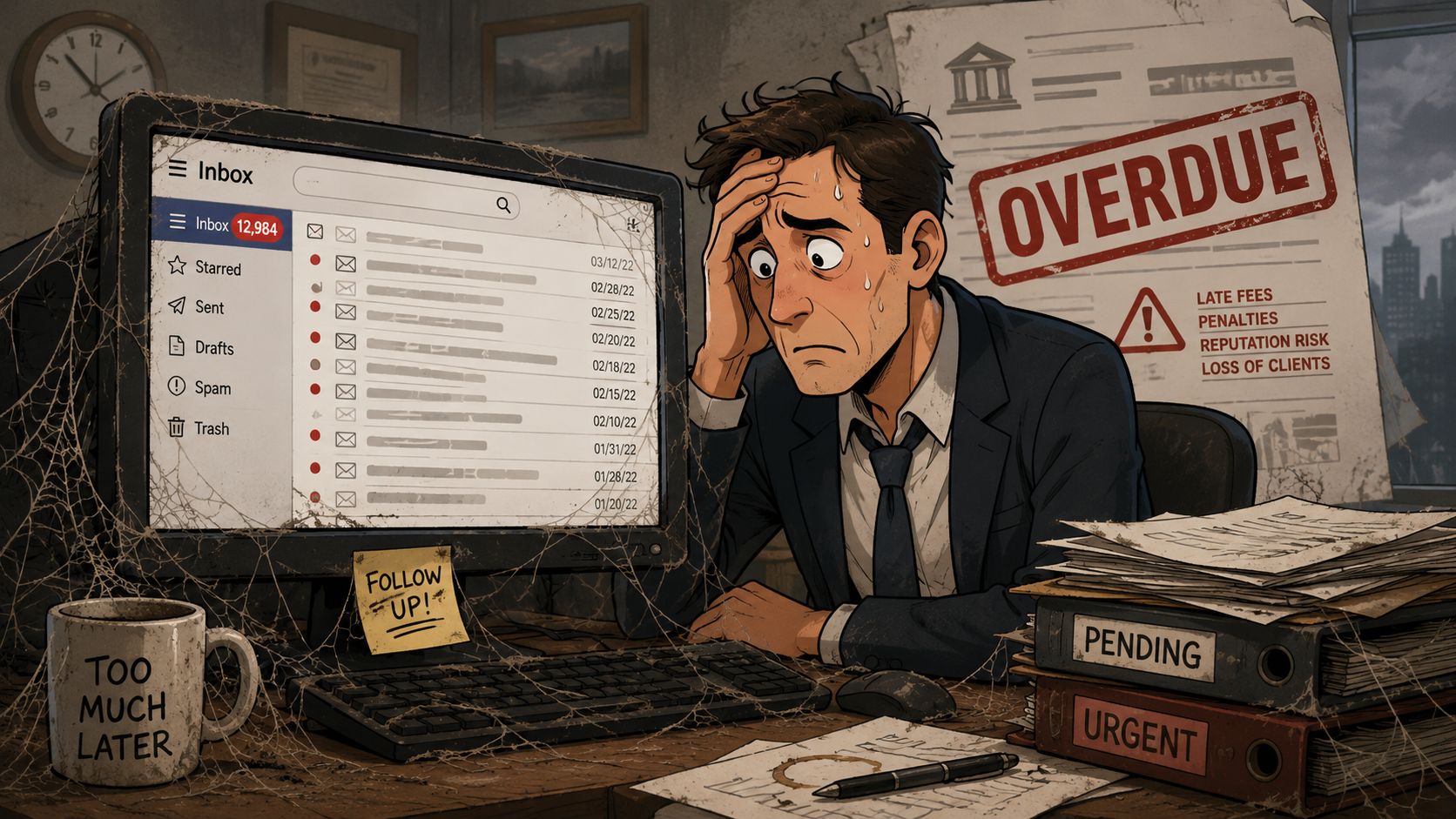
A law office sends a document request to a client before a filing deadline. The message doesn't bounce. The address looks valid in the CRM. Nobody escalates the issue because nothing in the system looks broken. A week later, the client says they never saw the request because they had moved to a different inbox months ago.
That kind of failure is hard to spot because the address still exists. The mailbox accepts mail. Delivery logs stay clean. Your staff sees “delivered” and assumes “received by the right person,” but those are not the same thing.
The rise of valid but abandoned addresses
This risk is getting worse because users can now change behavior without producing the old technical signals admins used to rely on. Gmail introduced a hidden address-change feature that lets users change their email address once every 12 months, with a lifetime limit of three new addresses, four total, and the old address remains as an alternate. That means people can still send and receive mail from the old address, while their real attention shifts elsewhere. The rollout is gradual across the US, and Google has said “Can you change your Gmail address?” is one of its most-searched queries, which shows how common the need is. For senders, the practical result is a new class of “valid but abandoned” addresses and, as the reporting notes, “false confidence from clean bounce logs” (analysis of Gmail's address-change feature).
For a document collection workflow, that changes the risk profile. The problem is no longer just bad data. It's silent disengagement from a contact path your team thinks is still active.
Practical rule: If email is your primary way to collect documents or issue deadline reminders, treat a sudden stop in replies from an otherwise active client as an operational alert, not just a communication hiccup.
Why this hits operations harder than marketing
Marketing teams can tolerate some noise. A legal intake team can't. A mortgage processor can't. An HR onboarding coordinator can't when an I-9 follow-up or license renewal depends on a response from the right inbox.
The true cost shows up in small failures that compound:
- Missed document requests: The client portal email lands in an inbox they rarely open.
- Broken approval chains: A manager changed addresses, but escalations still route to the old contact.
- Compliance exposure: Time-sensitive reminders appear delivered, yet no one acts on them.
- Support friction: Staff chase the wrong issue because the logs say the message went through.
When teams frame this as only a deliverability problem, they miss the bigger issue. It's a contact integrity problem. Once you see it that way, the answer isn't “send another email.” The answer is to secure the change process, notify clearly, and build fallback channels when the inbox is no longer reliable.
Building a Secure Verification Workflow
Most email address changes should be handled like account recovery, not profile editing. If an attacker changes the address on file, they can cut off the legitimate user from future alerts, password resets, approval links, and document notices.
Treat the new address as untrusted until proven
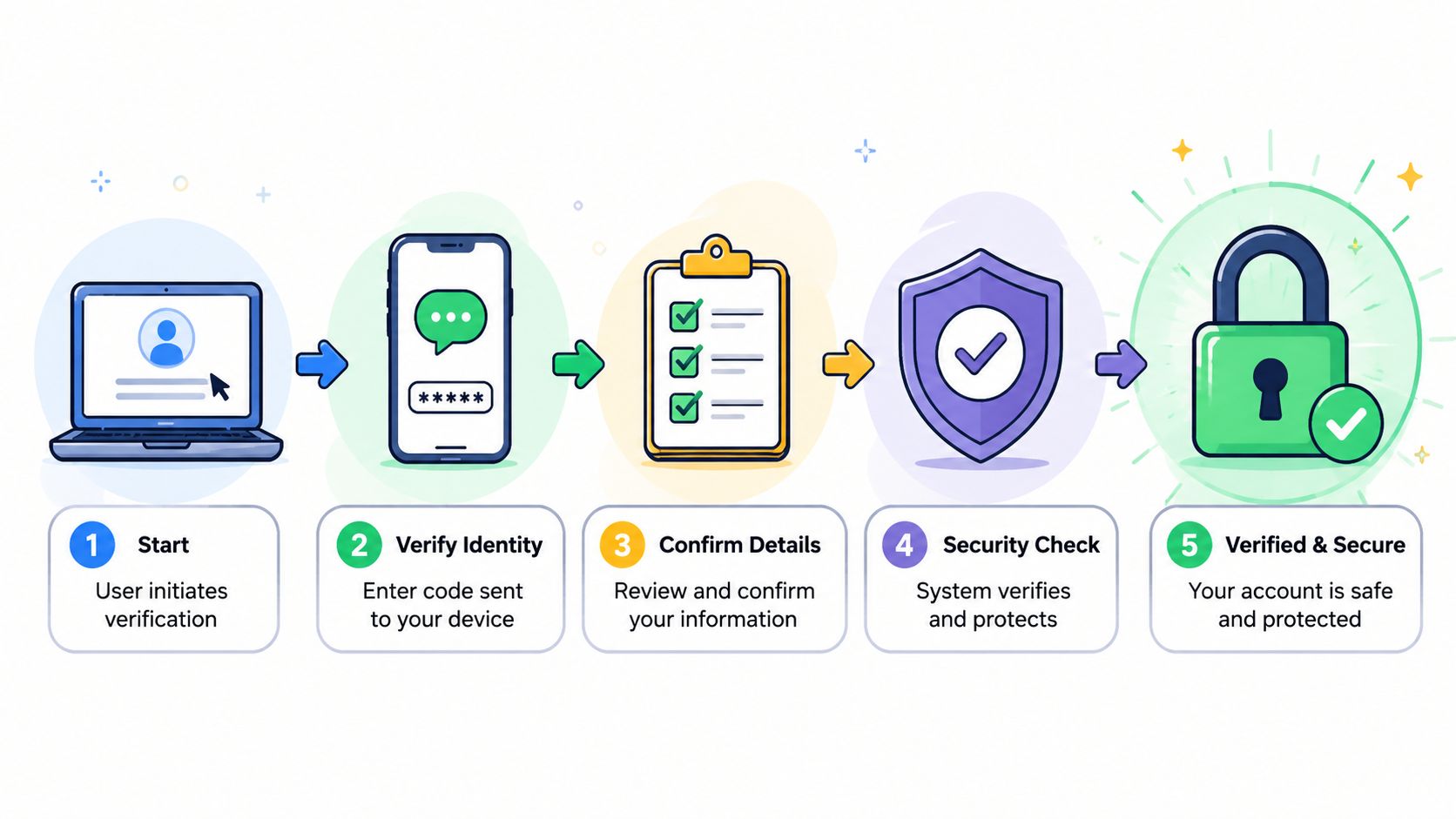
OWASP-aligned guidance is clear. The new address should be stored only as a proposed value until the user proves control of both the original account and the destination inbox. That process should require MFA and two distinct time-limited nonces before the update is committed (OWASP-style workflow guidance for email change notifications).
That sounds strict, but each control solves a specific problem:
Current-session authentication
Require the user to sign in again or step up with MFA before they can request a change. This blocks casual account takeover and reduces the chance that a stolen browser session leads directly to a contact takeover.Verification to the new address
Send a confirmation link to the destination inbox. Until the user clicks it, don't switch anything. This proves they can receive mail there.Notice to the old address
Send a pending-change notice to the current address. If the request is fraudulent, this gives the legitimate user a chance to stop it.Separate nonces for separate actions
Don't reuse the same token for both inboxes or both steps. Distinct time-limited nonces reduce replay risk and make it harder to chain one compromised message into a full account change.
Use three messages, not one
A secure workflow needs three different notifications, each with a different job:
Confirm email address change
Sent to the user making the request. This contains the action link they must click.Notice of pending email address change
Sent to the old address. This is the warning signal and rollback opportunity.Notice of email address change
Sent after confirmation so there's a final audit trail.
This is also the point where many businesses forget internal operations. Your staff needs a corresponding internal notice that includes the transition date, the old and new addresses, and plain instructions to update routing rules, CRM ownership, shared documents, calendars, and vendor accounts during the overlap period.
A secure email change isn't complete when the profile record updates. It's complete when every dependent system points to the same person.
Protect the process from phishing confusion
There's a trust problem baked into these workflows. You're emailing people about a sensitive account change while also telling them not to trust links in suspicious email. The only workable answer is consistency.
Use a pattern your users can learn:
- Direct users back to their own account area for address changes.
- Warn about phishing explicitly in the notification language.
- Keep the message narrow so the recipient knows exactly why it arrived.
- Record the event centrally so support can verify what happened without guessing.
If you run document-heavy workflows, it also helps to pair the change event with your intake and review systems. Teams that manage identity-sensitive submissions often tie this into a broader document verification workflow so the contact update and document trail stay aligned.
Crafting Clear Notification Messages for Users and Admins
Bad copy breaks good security. A confusing notification makes users ignore the message, click the wrong thing, or call support for a simple confirmation step. The fix isn't clever writing. It's disciplined writing.
What good notification copy does
The strongest email address change notification messages do three things well:
- They state one idea only. The message is about the address change, not a newsletter, upsell, or product update.
- They use an explicit subject line. The user should know what the message contains before opening it.
- They give one clear action. Confirm, review, or contact support.
Practical guidance from admins discussing these transitions also points to a tactic that works well in practice: add a temporary signature line or automated reply note before the primary switch so active correspondents see the new sender identity early. The same discussion stresses that subject lines should state the content plainly, the email should stick to a single CTA, and cold outreach lists usually shouldn't get a standalone address-change note at all because the recipient has no reason to care (practical discussion of email change notification patterns).
Email Notification Templates
| Notification Type | Audience | Subject Line Example | Key Body Content |
|---|---|---|---|
| Confirm email address change | End user | Confirm your new email address | State that a request was made, show the proposed new address, give one confirmation button, list the expiration window qualitatively, and say to ignore the message if they didn't request it. |
| Notice of pending email address change | Old address owner | Pending change to your account email | Warn that an email change was requested, show both the old and new addresses, provide a clear path to cancel or contact support, and note that no action is needed if the request is legitimate. |
| Notice of email address change | Both addresses | Your account email address has been updated | Confirm that the change is complete, state the effective date, list what communications will now go to the new address, and include support details for dispute resolution. |
| Internal admin alert | Operations, compliance, support | Client email updated for account record | Include the transition date, old and new addresses, account identifier, owner, and a checklist to update routing rules, CRM ownership, shared docs, calendars, and vendor accounts. |
One detail most teams forget
Most templates cover the main action but skip the fallback path. That's where problems start.
Include boilerplate that helps a real person recover if email is the problem:
- Alternate contact method: Add a phone number or support path.
- Support identity: Say which team sent the message.
- Unsubscribe or preference context: If the message sits in a broader notification system, tell the user what can and can't be turned off.
- Address visibility: Show the old and new addresses plainly so there's no ambiguity.
“We changed your email” is not enough. The user needs to know what changed, when it changed, and what to do if it wasn't them.
For admins, clarity matters just as much. Internal notices should read like operational tickets, not marketing emails. If someone in billing, legal operations, or onboarding receives the alert, they should know exactly which systems need attention without opening three dashboards to figure it out.
Automating Notifications in Your Business Workflows
Manual email updates fail in predictable ways. Someone changes the address in the CRM but not in the document portal. A support rep updates the profile but forgets the reminder sequence. An assistant notes the new address in a ticket, but the automated expiration notice still goes to the old one.
That's why this process should be event-driven, not memory-driven.
Manual handling breaks at the worst moment
The failure pattern is always the same. The visible system gets updated first because that's where the request came in. The hidden systems lag behind. Those hidden systems are usually the ones that matter most: reminders, shared inbox routing, approval chains, intake links, renewal notices, and compliance alerts.
A better design starts with one event: email address change approved. From that point, the workflow should automatically trigger downstream actions across the stack.
A solid sequence looks like this:
Create a single source-of-truth event
Once the change is verified, write one canonical event to your workflow system.Sync dependent records
Update the CRM contact, client portal identity, reminder engine, and case or project record.Pause and reissue pending requests if needed
If there are active document requests tied to the old address, decide whether to reissue them to the new one or preserve the original thread.Notify internal owners
Route a task to the account owner, legal assistant, coordinator, or support queue.Log the change for audit review
Keep a clear event trail for disputes and compliance checks.
What to automate after the address changes
The biggest gain from automation isn't speed. It's consistency. Good workflow systems don't rely on one person remembering five follow-up tasks after a profile edit.
For teams mapping this out, it helps to think in the same terms used for broader workflow automation patterns. The address update is just the trigger. The operational value comes from what it fans out to next.
Useful follow-on automations include:
- Document reminders: Rebind pending reminders to the verified address.
- Task creation: Open a review task when the client has active deadlines.
- Ownership updates: Notify the current case or account owner.
- Portal messaging: Show the new address in the client-facing profile immediately after confirmation.
- Exception handling: Flag records where the old and new addresses belong to different names or entities.
There's also a practical overlap with finance and records operations. Teams that already streamline your receipt management through email-based intake know how fragile inbox-dependent routing can be when sender identities change. The same lesson applies here. If one business process depends on inbox continuity, others probably do too.
Automation doesn't remove judgment. It removes forgetting. That's the difference between a workflow that scales and one that keeps creating support tickets.
Beyond Email Using Multi-Modal Alerts to Ensure Contact
Email-only thinking is the root of many notification failures. It assumes the inbox is still the center of the customer relationship. In a lot of document-driven workflows, that's no longer safe.
Email-only workflows fail silently
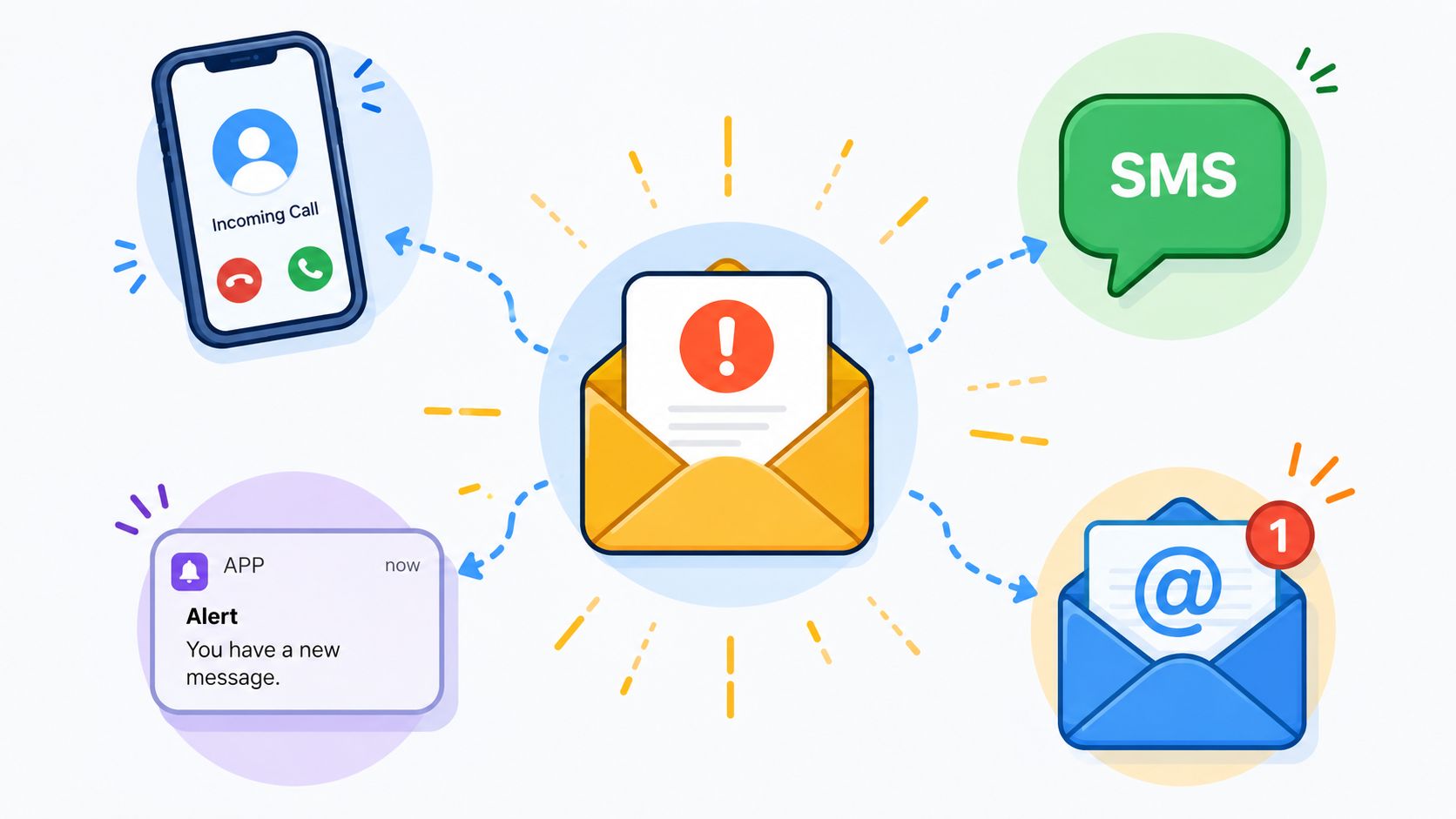
State policy work on returned mail after the Public Health Emergency unwinding is useful here because it deals with the same core problem: critical contact information goes stale, and relying on one channel leaves people unreachable. In that work, when mail is returned, agencies are expected to use email, text, and phone calls for follow-up. The same source notes that 42% of returned mail cases require multi-modal contact, 28% of document collection failures stem from single-channel notification reliance, and multi-modal outreach increases success rates by 37% (state policy analysis on returned mail and address updating).
That isn't just public-sector trivia. It matches what businesses run into every day. A client changes jobs. A tenant stops checking a personal inbox. A candidate uses one address during recruiting and another once onboarding starts. If your system can only send email, you don't have a communication strategy. You have one bet.
A practical fallback ladder
You don't need to send every notice through every channel. That creates noise. You need a fallback ladder based on urgency and silence.
A workable model:
- First contact by email: Use the normal notification path for routine updates.
- Second touch by SMS: If the request is time-sensitive and the email goes unanswered, send a short SMS that points the user back to the secure portal.
- Manual phone task for high-stakes cases: If documents affect payroll, legal deadlines, licensing, or closing timelines, create a call task for a staff member.
- Portal banner or in-app notice: If the client still logs into your system, surface the issue there too.
A branded client portal makes this easier because it gives you a trusted location to point users back to, instead of stuffing every explanation into the message itself.
If a missing document can stop payroll, delay a closing, or create a compliance gap, one unanswered email should never be the end of the workflow.
The key is restraint. Use multi-modal alerts as escalation, not as default noise. That keeps trust intact while giving your team a way to recover when the inbox stops being dependable.
Troubleshooting Common Notification System Failures
The most frustrating failures happen when users did update their email, but only one part of the system listened. Billing changes. Alerts don't. The account profile shows the new address, but service notifications still go to the old one.
The hidden split between account data and alert routing
This isn't hypothetical. Microsoft Q&A threads show users reporting that the “wrong email address is still being used” after they changed their billing email, because alert destinations and billing profile changes aren't automatically synchronized. In Azure, users may need to update separate action groups for Service Health alerts and notifications. The same source highlights a broader risk: 34% of cloud platform users fail to update notification channels after billing changes, which can contribute to document loss or compliance breaches in regulated workflows (Microsoft Q&A discussion of billing email and alert mismatch).
That split exists in many business systems, even outside cloud infrastructure. One application owns identity. Another owns notifications. A third owns reminders. The user thinks they changed “their email.” In reality, they changed one table.
Audit checklist for notification propagation
When you test your own stack, don't stop at the profile page. Check each downstream path.
- Profile record: Confirm the main account email changed.
- Alert destinations: Review separate notification rules, action groups, and reminder recipients.
- Workflow ownership: Check whether open tasks, document requests, and escalations still point to the old address.
- Template variables: Verify that generated emails pull the current field, not a cached copy.
- Overlap behavior: Test whether replies to old threads still land with the right team.
- Support visibility: Make sure support can see both the previous and current address in the event log.
If you don't audit propagation, your team will keep fixing the same issue from different angles. One person updates billing. Another updates CRM. Nobody notices the compliance reminder engine is still using stale data until a client says they never got the notice.
If your team relies on secure document requests, reminders, and expiration tracking, Superdocu gives you a cleaner way to manage the operational side of contact changes. You can centralize document collection, keep branded client communications consistent, and reduce the risk that one missed inbox update turns into a broken compliance workflow.