
Your client sends “everything” on Friday afternoon. Half the files are photos of paper forms. Two are the wrong version. One attachment won't open. By Monday, your team is already sending reminder emails, renaming files, and trying to work out what's still missing.
That's the normal starting point for client document collection in a lot of small and mid-sized businesses. It looks manageable when volume is low. Then the business grows, more people touch the process, and email turns into a hidden operations tax.
A widely cited industry statistic says organizations lose an average of 20 hours per week chasing documents through manual processes and repeated emails, according to Clustdoc's overview of document collection software. If your team handles onboarding, property files, employee records, loan packs, or compliance paperwork, that number feels believable fast.
The fix usually isn't “get clients to be more careful.” The fix is to stop relying on memory, inboxes, and one-off follow-ups. Good client document collection works because the process is designed first, then automated, then connected to the rest of your business systems, then governed through retention and deletion rules.
Table of Contents
- From Email Chaos to Automated Clarity
- Designing Your Document Collection Blueprint
- Building and Automating Your Collection Engine
- Integrating Your Workflow with Business Tools
- Securing Documents and Ensuring Compliance
- Measuring Success and Industry-Specific Plays
From Email Chaos to Automated Clarity
Monday starts with a client replying to a document request from two weeks ago. They attach three files, one is password-protected, one is an outdated form, and one belongs to a prior transaction. By noon, someone on your team has sent a follow-up, someone else has renamed the files for storage, and nobody is fully sure what is still missing.
That pattern is common because email was never built to run a document collection process with deadlines, version control, validation, and audit expectations. It can move files from one inbox to another. It does a poor job of showing progress, assigning ownership, or keeping everyone aligned when requests change.
I have seen the same failure points across legal intake, employee onboarding, lending, and real estate. The problem is rarely the first request. The process breaks on the second reminder, the revised form, the missing signature, or the attachment buried in the wrong thread.
A process that depends on memory and inbox searches becomes a manual tracking exercise. Staff create their own naming conventions. Clients send duplicates because they cannot see what was already received. Reviewers work from different versions. Those are hidden errors, and they show up later as rework, delays, and compliance risk.
A better system gives each request a place, a status, and a rule set. Clients get one clear path to submit what you asked for. Your team gets visibility into what has arrived, what failed validation, what is overdue, and what should happen next.
That is the shift from collecting documents as an admin task to managing it as an operational workflow. If you want a simple foundation for that idea, this guide on what a workflow is explains the structure behind repeatable intake.
The ultimate payoff is bigger than a cleaner inbox. Once the collection flow is structured, you can automate reminders, route files to the right systems, trigger reviews, enforce retention rules, and support different workflows by industry without rebuilding the process each time. That is what turns document collection from a recurring bottleneck into a system you can scale and control.
Designing Your Document Collection Blueprint
Before you automate anything, define what “complete” looks like. Most bad systems fail long before software enters the picture. They fail when the request is too broad, the ownership is unclear, or the team hasn't agreed on how to validate what comes in.

Document collection works best as a multi-stage system of requesting, collecting, validating, organizing, storing, and accessing, because vague requests create revision cycles and incomplete responses, while completeness checks and standardized naming reduce downstream rework, according to Pipefile's explanation of document collection workflow design.
Map the full journey before you choose a tool
Start on paper or in a whiteboard tool. Don't start in app settings.
Write down the trigger first. What event starts the request? A signed proposal. A new employee acceptance. A property offer accepted. A loan application opened. If the trigger isn't clear, requests will go out too early for some clients and too late for others.
Then map the stages:
Requesting
Define the exact documents needed for each scenario. Don't ask for “proof of identity” if what you need is a passport or driving licence plus a proof of address.Collecting
Decide how clients submit files. One secure portal with a checklist is easier to complete than a mix of email, shared drives, and text messages.Validating
Set the acceptance rules. Is the file type acceptable? Is the document signed? Is it current? Is every page included?Organizing
Choose the folder and naming logic before launch. If your team improvises naming after upload, retrieval gets slower every month.Storing and accessing
Identify who needs access, when they need it, and whether access should change after the matter, case, hire, or transaction moves forward.
Ask the questions that remove ambiguity
Good blueprints come from hard questions, not software demos.
Use prompts like these with your team:
Which documents are mandatory vs optional
If everything is marked “required,” clients stop understanding priority.What creates exceptions
A contractor won't need the same forms as a full-time employee. A tenant application isn't the same as a property sale.Who reviews submissions
If nobody owns validation, incomplete files move deeper into the process and create expensive rework later.What should happen when something is missing
Decide whether the system should send a reminder, reopen a checklist item, or route the issue to a staff member.
A clear request list is doing compliance work long before legal or operations ever reviews the file.
One more point that teams often miss. The client experience should be designed around moments of uncertainty. If a person has to ask “Which version do you want?” or “Can I send a photo instead?”, the process is still too loose. Short field instructions, file examples, and conditional request paths remove more friction than expected.
The blueprint stage isn't glamorous. It is where most of the quality comes from.
Building and Automating Your Collection Engine
Once the process is defined, you can build the mechanics that make it run without constant staff intervention. Through these efforts, teams usually win back time. Not from one dramatic feature, but from a stack of small automations that remove repeated manual work.
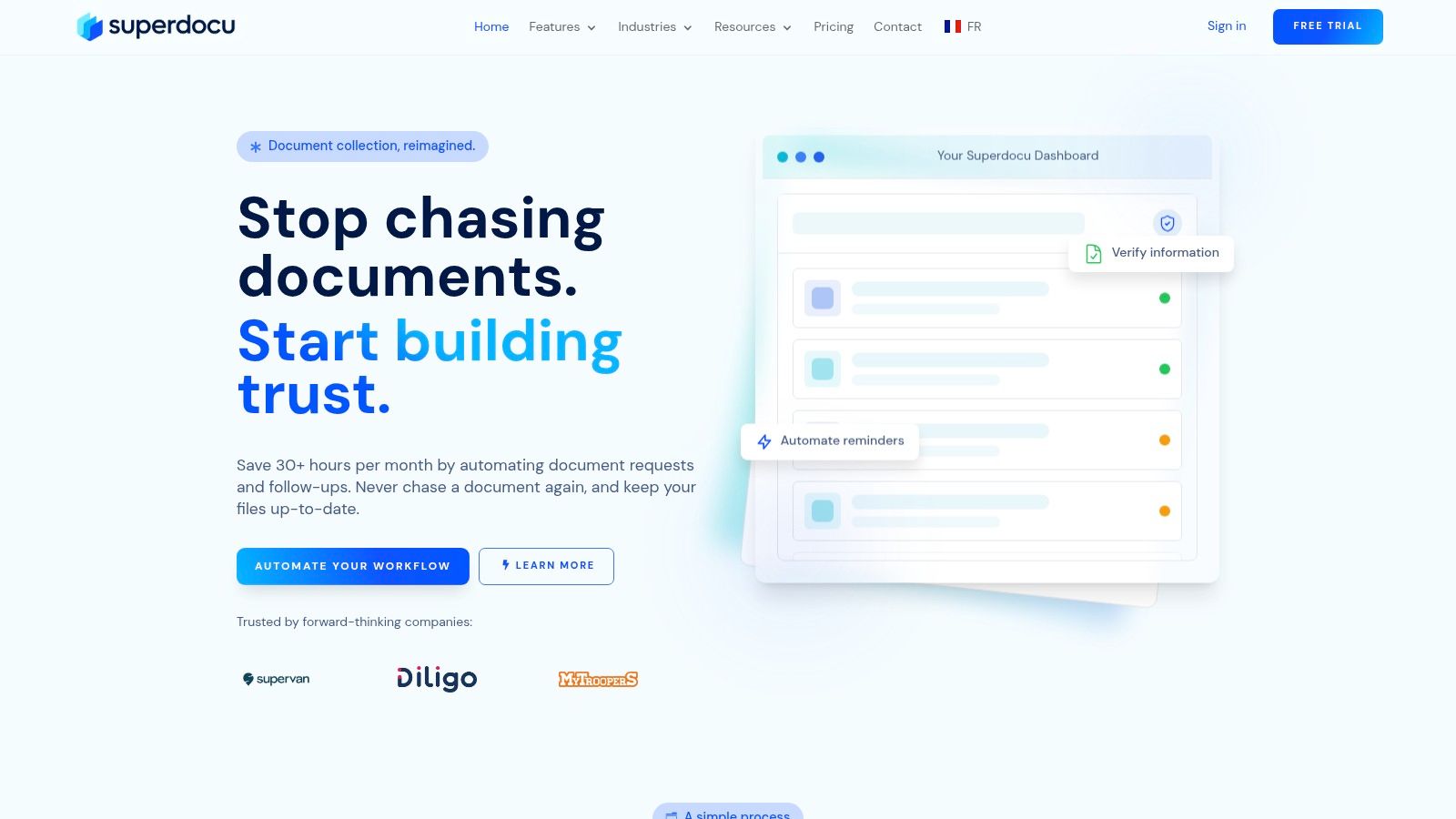
Independent research summarized by CheckHub says modern software can reduce administrative tasks by up to 76% and make document gathering 80% faster through structured request lists, due dates, and automated reminders, as described in CheckHub's guide to document collection software. In practice, that gain comes from replacing hand-built follow-up with reusable workflow logic.
What the client should see
Clients shouldn't see your internal complexity. They should see a short, branded path with obvious next steps.
That usually means:
A checklist, not an essay
Break requests into individual items. “Upload signed lease” is clearer than “Please send all lease-related paperwork.”Due dates attached to each request
One vague deadline at the email level causes bunching and delay. Item-level dates create better pacing.Plain instructions at upload
Tell clients what format is acceptable, whether photos are allowed, and whether all pages are required.Immediate feedback
If a document is unreadable or incomplete, flag it early rather than waiting until a staff member notices later.
A portal-based approach also changes tone. Clients feel guided rather than chased. That matters more than many teams think. People respond better to a system that shows progress than to another reminder email asking, “Just following up.”
What your team should automate
The internal build should focus on repeatability.
Use templates for common scenarios. Legal intake, employee onboarding, vendor compliance, tenancy applications, and mortgage packs each have stable document groups. Build those once, then clone and adjust only where needed. A platform such as Superdocu can serve this purpose, providing request workflows, branded portals, templates, reminders, and validation dashboards as part of the collection process.
Automate reminders based on status, not guesses. A reminder should be tied to an unsubmitted or rejected item, with timing that matches the urgency of the process. Over-reminding creates fatigue. Under-reminding sends your team back into manual chasing.
A good build also separates three message types:
- Invitation message with context and expected timeline
- Reminder message focused on outstanding items only
- Exception message explaining what was rejected and what to do next
The fastest reminder is the one a staff member never has to write.
If you want a deeper look at this setup, this walkthrough on automated document collection is a useful reference because it focuses on how templates, reminders, and secure submission work together.
The trade-off is real. More automation means more upfront design discipline. But teams that skip that discipline usually rebuild the same confusion inside a nicer interface.
Integrating Your Workflow with Business Tools
Document collection shouldn't end in a folder. It should trigger the next business action.
That's where many implementations stall. A team launches a portal, files come in more cleanly, and then someone still has to update the CRM, send the signature packet, notify operations, move files to storage, and create tasks by hand. The intake improved, but the workflow still breaks after submission.

Where e-signature fits
E-signature tools like DocuSign work best when they sit inside the same operational path as your document requests. If a client uploads identification, proof of address, and a supporting agreement, the next step might be a signature request for engagement terms, disclosure forms, onboarding confirmations, or transaction documents.
The mistake is sending those signature steps from a separate process with separate tracking. Then your team has two timelines to monitor.
A tighter setup looks like this:
- document pack reaches “ready for signature”
- signature request is triggered
- signed document returns to the same client record
- internal owner gets notified only if the signature is delayed or rejected
That design reduces status-checking. It also reduces the risk of someone working from an unsigned version.
Where workflow automation earns its keep
Tools like Zapier demonstrate their utility. They connect your collection platform to the systems your team already uses, such as a CRM, project management tool, storage platform, or internal notification app.
A few common patterns work well:
| Trigger in collection workflow | Automated action in another tool | Why it helps |
|---|---|---|
| Client submits all required files | Move deal or case to next stage in CRM | Sales or operations sees readiness immediately |
| Document is rejected | Create review task for assigned staff member | Exceptions don't disappear in email |
| Request is completed | Archive files to the right client folder | Reduces manual filing and naming drift |
| Signature is completed | Notify legal, HR, or finance channel | The next team acts without waiting |
The main trade-off with integrations is control versus complexity. The more systems you connect, the more carefully you need to define ownership. If something fails, who notices? Who retries it? Who decides whether the source of truth is the portal, the CRM, or the storage system?
Don't automate confusion between systems. Decide first which tool owns the status, which owns the file, and which owns the client record.
The best integrations are boring. They move data quietly, log what happened, and leave your team with fewer handoffs to manage.
Securing Documents and Ensuring Compliance
Security isn't a feature you add after launch. In client document collection, it shapes the whole design. If people are uploading IDs, contracts, payroll forms, tenancy records, or financial paperwork, your collection method is part of your risk posture.
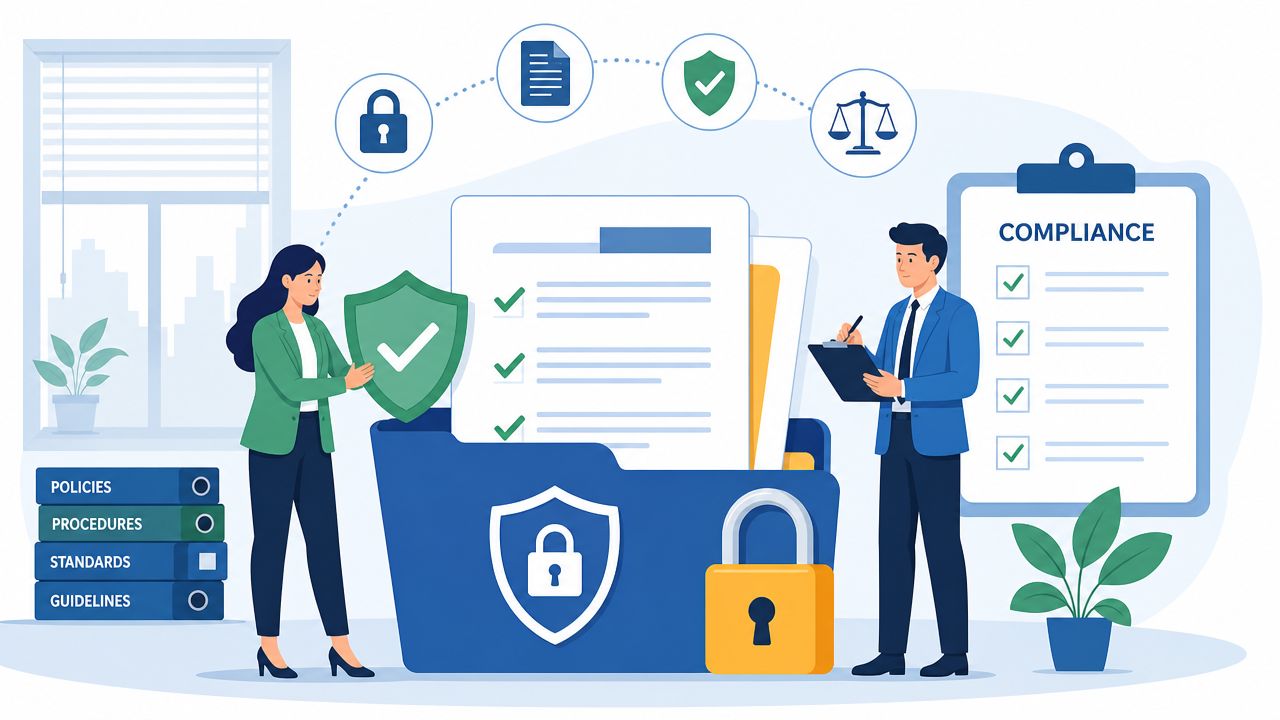
A point that often gets missed is retention, deletion, and defensible audit trails. Better systems don't just speed up intake. They reduce legal risk by creating timestamped records and enforcing deletion when obligations end, as discussed in Gatheroo's article on efficient client document collection in Australia.
Security starts with access and storage choices
A common initial step is secure upload, which is right, but incomplete.
You also need to decide:
Who can access submitted files
Access should follow role, not convenience. The whole company doesn't need every document.Where files are stored
Hosting location, data residency, and storage architecture matter if you work under specific contractual or regulatory obligations.How files are transmitted and viewed
Sending attachments back out by email can undo the control you gained from secure intake.What the system records
You want a reliable record of when a request was sent, when a client opened it, what they uploaded, what was reviewed, and what changed.
For regulated or identity-heavy workflows, the document rules themselves can be specific. For example, if your team handles UK tenancy checks, a practical resource on acceptable right to rent documents can help define exactly what to request and validate before the file ever reaches review.
A secure setup also needs policy-level thinking. If your team can't explain who may download a file, when it should be removed, and how an action would be reconstructed during an audit, the process isn't mature yet.
Retention and deletion need rules, not good intentions
This is the part many businesses leave vague. They collect documents well, store them centrally, and then keep everything forever because nobody wants to decide what can be deleted.
That creates risk.
Retention should be tied to business purpose, legal obligations, and operational need. Deletion should be controlled, logged, and irreversible when the retention period ends. If a client asks what happened to a document, or a regulator asks when it was removed, you need more than “we think it was deleted.”
Use a policy that answers these questions:
What starts the retention clock
Submission date, completion date, contract end, employee exit, or matter closure.Which documents follow different rules
IDs, contracts, verification files, and financial forms often don't all belong in the same schedule.Who can authorize deletion or legal hold
Operations shouldn't guess when a file must be preserved.What audit evidence is kept after deletion
Often you need proof of action without retaining the underlying file.
If you're evaluating platforms with this lens, this overview of secure file sharing solutions is relevant because it pushes the conversation past basic upload security into governance and controlled access.
The strongest collection process is not the one that stores the most. It's the one that can prove what happened to every file across its full lifecycle.
Measuring Success and Industry-Specific Plays
If you don't measure the workflow, your team will judge it by anecdote. One account manager says the portal is helping. Another says clients still ask questions. Operations says files arrive faster, but review still feels slow. None of that is enough.
Independent guidance cited by Glasscubes reports that organizations using advanced document-request tooling saw a 40% increase in customer response rates and a 50% decrease in response times, according to Glasscubes' best practices for document requests. Those are useful benchmarks because they point to the first two things to track: how often clients respond, and how quickly they do it.
Track the few metrics that expose friction
You don't need a giant dashboard. You need a short list that reveals where the process breaks.
Focus on:
Response rate
Are clients starting the request after they receive it?Response time
How long does it take for the first submission to arrive?Completion time
How long until the full checklist is accepted?Rejection rate by document type
Which requests create the most back-and-forth?Manual touches per request
How often does staff intervene with custom emails, phone calls, or file cleanup?Stalled requests by stage
Are delays happening before upload, during review, or after submission because another team hasn't acted?
If one document type gets rejected constantly, the problem usually isn't the client. It's the request wording, the validation rule, or the example you gave.
Look at those metrics by workflow, not just across the whole business. A legal intake process behaves differently from HR onboarding. Real estate applicants move differently from lending clients. One shared average can hide bad process design inside a specific use case.
Sample document collection workflows by industry
The fastest way to improve a system is to tune it around the actual job being done. Here's a practical starting table.
| Industry | Common Documents | Key Workflow Step | Automation Tip |
|---|---|---|---|
| Legal services | ID documents, engagement letters, matter-specific evidence, signed forms | Validate completeness before review starts | Use matter-type templates so litigation, conveyancing, and advisory work don't share the same checklist |
| HR and staffing | ID, tax forms, signed offer documents, certifications, proofs of address | Split pre-start and post-start requirements | Trigger reminders based on start date so urgent hiring items get priority |
| Real estate | Proof of identity, proof of income, tenancy forms, property disclosures, signed agreements | Separate applicant, tenant, buyer, and seller flows | Use conditional logic so clients only see requests relevant to their transaction type |
| Mortgage and lending | ID, bank statements, payslips, tax records, consent forms | Review expiry and recency rules early | Flag date-sensitive documents for resubmission before underwriting starts |
| Immigration services | Passports, visa forms, supporting evidence, sponsor documents | Group requests by applicant and dependent | Create parallel checklists so one missing family document doesn't obscure the rest |
| Transportation and fleet onboarding | Driver licences, insurance records, vehicle documents, compliance forms | Track document expiry from day one | Set automated renewal reminders for expiring compliance files |
What works in these environments is rarely complicated. Teams win by narrowing each workflow to the right checklist, the right timing, and the right owner. What doesn't work is one master request list for every client, manual reminder schedules, or storing everything in a folder structure nobody maintains.
A mature client document collection process should answer five operational questions without debate: what we need, who owes it, what is missing, what is accepted, and when it should be removed. If your current setup can't answer those quickly, that's the opportunity.
If you want to move away from email-driven intake, Superdocu is one option to evaluate for building structured request workflows, branded portals, automated reminders, validation steps, and connected document collection processes without stitching everything together manually.