
Automated document collection is the modern, digital equivalent of having automated cranes at a busy port—it replaces slow, error-prone manual work with a fast, flawless system. Instead of chasing clients with endless emails, it provides a secure, branded portal where they can upload everything you need in one go, turning chaos into a professional and efficient process.
What Is Automated Document Collection?
Think about it this way: you're a ship captain trying to load cargo one box at a time. It's slow, exhausting, and things are bound to get dropped or lost. Now, picture a modern port where giant automated cranes do the work perfectly in a fraction of the time.
That's the leap from manual to automated document collection. It’s a system built to end the painful cycle of sending confusing email requests, digging through attachments, and constantly nagging clients for missing paperwork.
Instead, you get a single, secure online space for everything. This approach finally solves the universal headache of manual document chasing by offering a far more organized, professional, and efficient way to work.
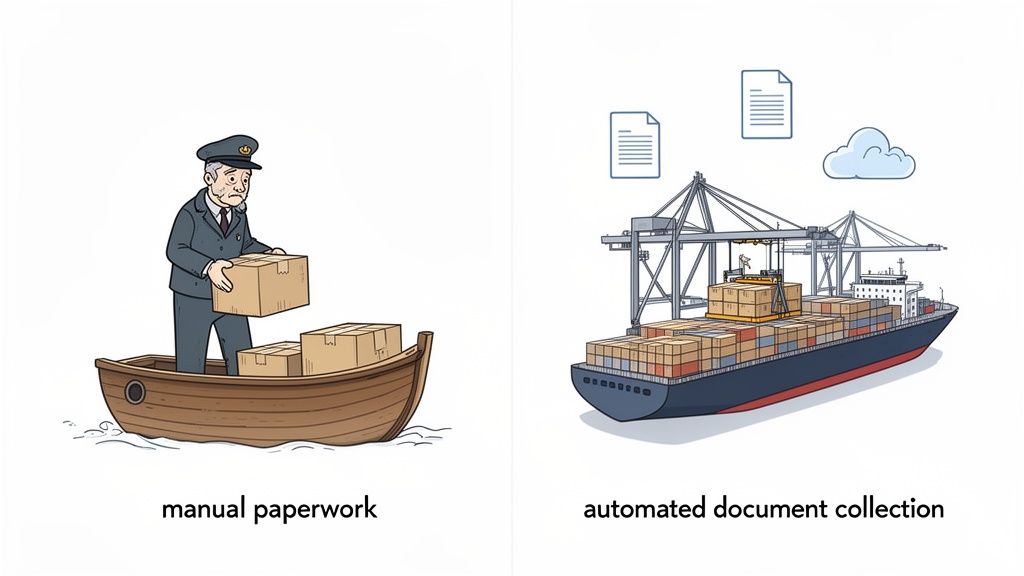
From Manual Chaos to Automated Clarity
Let's be honest, the old way of collecting documents is broken. It's a messy jumble of endless email threads, oversized zip files, and hard-to-follow spreadsheets. It wastes everyone's time and makes for a terrible client experience. Automated document collection completely flips that script.
This is a game-changer for professionals in fields like law, HR, and real estate, allowing them to:
- Create Centralized Requests: Ditch the long email. Build a clear, digital checklist that clients can access with a secure link.
- Automate Follow-Ups: Let the system send polite, automatic reminders for you. No more awkward "just checking in" emails.
- Track Progress in Real-Time: A simple dashboard shows you exactly who has submitted what, so you never have to sift through an inbox to figure it out.
At its core, automated document collection is less about the technology itself and more about getting your time back. It turns a frustrating administrative chore into a smooth, efficient process that helps both your team and your clients.
To give you a clearer picture, here's a direct comparison of the old way versus the new.
Manual Vs Automated Document Collection at a Glance
| Aspect | Manual Process (The Old Way) | Automated Process (The New Way) |
|---|---|---|
| Request Method | Long, confusing emails with attached lists. | A clear, branded online portal with a checklist. |
| Client Experience | Frustrating. Clients hunt for files and struggle with email attachments. | Simple and professional. Clients upload everything in one secure place. |
| Tracking | Manual. Relies on spreadsheets and digging through email threads. | Automatic. A real-time dashboard shows the status of every document. |
| Reminders | Annoying and manual. Staff has to chase clients via phone or email. | Polite and automated. The system sends reminders for you. |
| Security | Low. Sensitive documents are sent over insecure email. | High. Documents are uploaded via an encrypted, secure portal. |
| Efficiency | Extremely low. Hours are wasted on administrative follow-up. | Very high. Frees up staff to focus on more important work. |
This isn't just a minor tweak to your workflow; it's a strategic move to fix a major operational bottleneck. The market growth proves it: the Intelligent Document Automation (IDA) software market is on track to hit $14.66 billion by 2025, fueled by businesses desperate to escape the paperwork trap.
Cloud-based platforms are leading the way, offering powerful solutions for small and mid-sized businesses in sectors like mortgage, immigration, and legal. You can learn more in our detailed guide on how to easily collect documents and improve your workflow.
By adopting an automated system, you can finally stop drowning in administrative tasks and focus on what really matters—serving your clients.
So, How Does This Automation Thing Actually Work?
Let's pull back the curtain and see how automated document collection goes from a buzzword to a real-world tool that makes your life easier. We’ll follow a fictional mortgage broker, Alex, as he onboards a new homebuyer. This story shows just how simple and effective the process is—no technical wizardry required.
It all starts with a smart template, not a blank email. From his dashboard, Alex just selects his "New Loan Application" checklist. Instantly, the system generates a complete, standardized list of every document he needs, from pay stubs to bank statements.
With a single click, Alex creates a secure, company-branded link and zips it over to his client. No more manually listing out files or attaching confusing instructions. The system handles all that initial heavy lifting for him.
What Your Client Sees: A Simple, Stress-Free Upload
The client gets the link and opens it on their phone. Instead of a daunting wall of text, they see a clean, easy-to-follow checklist showing them exactly what to provide. They can snap a picture of their pay stub or upload a bank statement PDF directly from their device in seconds.
This is what a simple, client-facing document request portal looks like—it's all about clarity and ease of use.
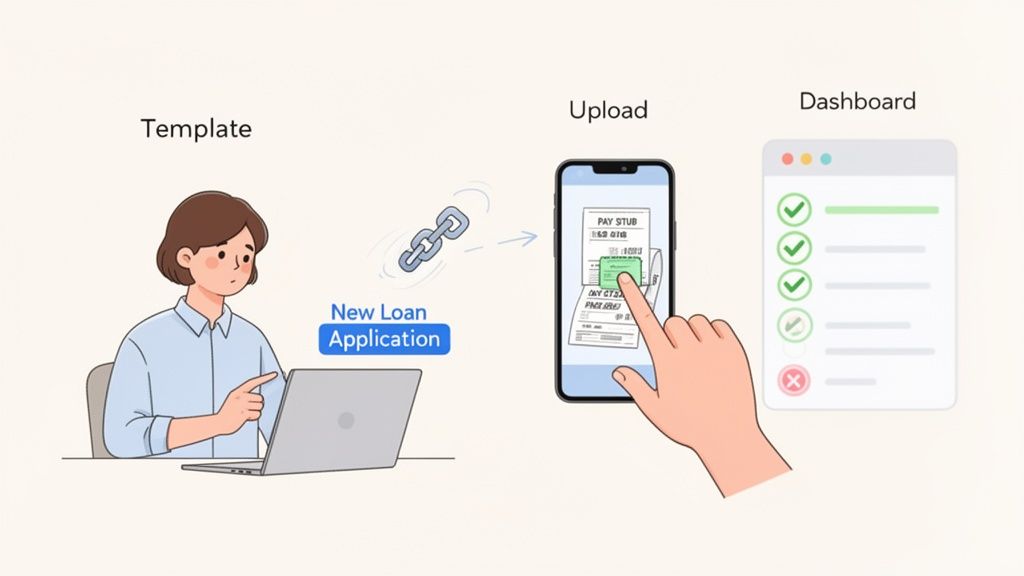
The entire interface is built to be intuitive. The goal is to make sure clients can get their part done without any confusion or having to call Alex for help. It’s a modern approach that swaps the friction of email for a smooth, professional experience.
Letting the Automation Handle the Nagging
But what happens if the client gets busy and forgets a document? This is where the magic of automated document collection truly shines. The system sees a file is missing and automatically sends a polite, pre-scheduled reminder.
No more awkward follow-up calls or "just checking in" emails from Alex. The platform takes care of the tedious but critical task of chasing down paperwork. This one feature can save professionals hours every single week. Plus, it works. Studies show that personalized, automated emails can boost open rates by 29% and click-through rates by 41%, making those follow-ups far more effective than manual ones.
The real goal of automation isn't just to collect files. It's to build a reliable, self-managing system that keeps things moving forward without you having to constantly poke and prod it.
At any point, Alex can glance at his central dashboard and see everything. He gets a real-time overview of the whole process—which documents are in, which are pending, and which he's already reviewed. This bird's-eye view turns a potentially chaotic process into an organized, manageable workflow. To better understand how different systems handle this, some resources explore various AI and human workflows for document processing.
Ultimately, this entire cycle—from the initial request to the automated reminder and final review—happens inside a structured, repeatable system. For a deeper dive into building these systems, check out our guide on how to automate your document workflow.
This example shows that automation isn't about complexity. It’s about making your work simpler, giving clients a better experience, and winning back your time.
The Real-World Benefits of Automating Document Collection
Okay, so we know how automated document collection works. But let's get to the good stuff: what's in it for your business? This isn't just about small tweaks. It’s about the real, measurable impact on your bottom line, your clients' happiness, and your ability to stay ahead of the competition.
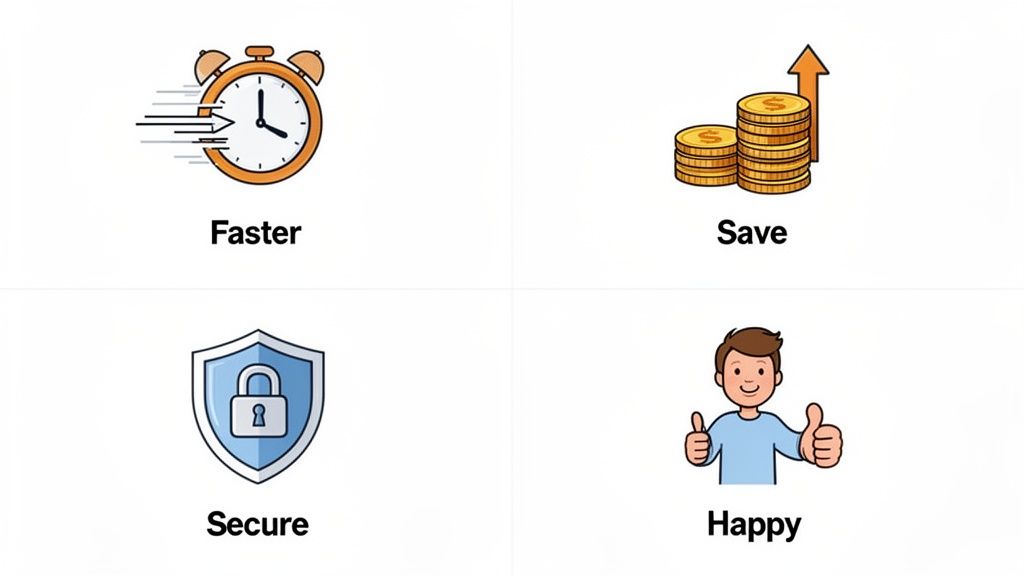
When you swap out those tedious manual tasks for a smart, automated system, you set off a chain reaction of positive results that ripple through your entire company.
Reclaim Your Time and Reduce Operational Costs
The first thing you’ll notice is the sheer amount of time you get back. Think about all those hours your team spends chasing down documents—sending follow-up emails, making reminder calls, and trying to sort through a messy inbox. It’s a huge drain on productivity and morale.
In fact, businesses that make the switch can slash the time they spend on paperwork by over 70%. Suddenly, your skilled professionals are free to do what they do best: advise clients, close deals, or innovate. They're no longer stuck being part-time administrative assistants. This massive cut in manual work directly lowers your operational costs and makes your business far more profitable.
The real win isn't just saving money on admin hours. It's about redirecting your team's expertise—your most valuable asset—back to activities that actually generate revenue.
This shift is part of a much larger trend. The market for Intelligent Document Processing (IDP), the AI that powers these tools, is expected to jump from USD 2.69 billion in 2025 to USD 7.18 billion by 2031. This explosive growth shows just how much demand there is for smarter ways to handle paperwork. You can dig into the numbers in this market analysis of intelligent document processing.
Enhance Your Client Experience and Brand Image
Let's be honest: your document collection process is often a client's first real taste of how you operate. A clunky, confusing experience with endless email chains doesn't exactly scream "professional." It just sends the message that you're disorganized.
Now, imagine sending a client a single link to a clean, branded, easy-to-use portal. They can see exactly what you need, upload files from their phone, and track their progress. It’s simple, secure, and respectful of their time. This kind of modern, seamless experience doesn't just make clients happier; it builds their trust and reinforces your brand as one that’s efficient and on top of its game.
Strengthen Security and Ensure Compliance
Email was never built to handle sensitive information securely. Sending things like financial records, contracts, or personal IDs back and forth as attachments is a huge risk for you and your clients. One accidental "reply all" or a misaddressed email could trigger a serious data breach.
Automated document collection platforms are designed to solve this exact problem. They move everything into a secure, encrypted space where your data is actually protected.
- End-to-End Encryption: Your files are locked down from the moment they're uploaded until they're stored.
- Access Control: You decide precisely who gets to see or download what. No exceptions.
- Clear Audit Trails: Every single action is logged, giving you a complete history for compliance checks.
It’s a far cry from the Wild West of email attachments and an absolute must for any business that handles confidential information.
Accelerate Turnaround Times and Win More Business
When it comes down to it, efficiency creates speed. The faster you get the documents you need, the faster you can get the job done. For a mortgage broker, that could mean closing a loan a week ahead of schedule. For an HR team, it might mean getting a new hire ready to start in half the time.
Faster turnarounds are a massive competitive advantage. Clients are thrilled, deals close sooner, and you can take on more work without burning out your team. This ability to deliver results quickly doesn't just boost your revenue—it builds a powerful reputation in the market. By automating your document collection, you're not just organizing files; you're building a faster, smarter, and more successful business.
Key Features To Look For in a Document Collection Platform
Picking the right software to automate your document collection can feel like a chore, but a few core features really separate the good from the great. Once you know what to look for, you can choose a platform that doesn't just copy your old manual process but genuinely makes it better.
Think of it like buying a car. Plenty of models will get you from point A to point B. But the ones with modern GPS, adaptive cruise control, and solid safety features are the ones that make the trip easy, efficient, and secure. The best document collection platforms are the same—they do more than just accept uploads; they give you a full toolkit to save time and keep clients happy.
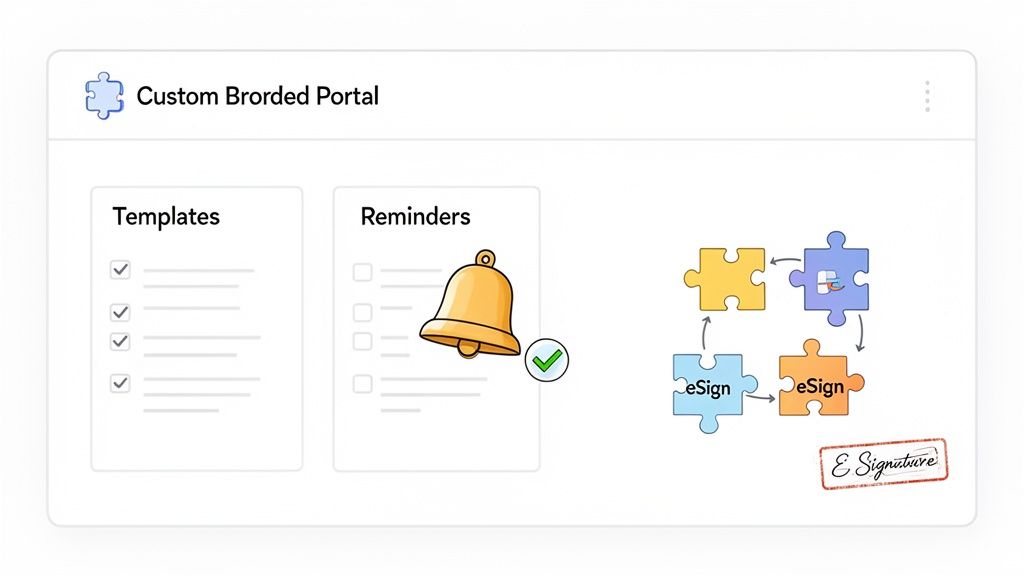
Branded Portals and Custom Checklists
First impressions count. A generic, third-party login page can look unprofessional and even a bit sketchy to your clients. A top-tier platform lets you create a custom-branded client portal with your logo and colors, which immediately builds trust and reinforces your brand.
That same level of customization should apply to your document requests. You need the ability to build clear, dynamic checklists for any situation, whether you're onboarding a new hire or processing a complex mortgage application. Even better, look for the ability to save these checklists as templates. That way, you can kick off a detailed request in seconds.
Automated Reminders and Progress Tracking
Let’s be honest, the biggest headache with manual collection is the constant follow-up. That's why automated reminders are a non-negotiable feature. The system should do the nagging for you, sending out polite, scheduled emails to clients about what's still missing. This frees up your team to focus on actual work, not chasing paperwork.
A central dashboard is your mission control. It should give you a quick, at-a-glance view of where every single client stands—what’s done, what’s pending, and what’s ready for your review. No more digging through email threads to figure out what's going on.
This kind of efficiency is why the broader Document Management System (DMS) market is projected to explode, reaching USD 29.78 billion by 2034. Industries like finance, law, and real estate are all moving toward smarter, cloud-based tools to handle their workflows.
Security and Must-Have Integrations
Beyond making things easier, your platform absolutely must be secure. When you're dealing with sensitive client data, security isn't just a feature; it's a requirement. To get a better handle on this, you should review some essential data leak prevention strategies to ensure you're protecting your clients. A proper platform provides a locked-down environment that's far safer than sending attachments over email. We dig deeper into this in our article on what makes a truly secure document intake platform.
Finally, any new tool has to play nicely with the software you already rely on. Look for key integrations that connect the dots:
- eSignature Tools: Does it connect seamlessly with services like DocuSign? Adding legally binding signatures directly into your workflow is a massive time-saver.
- Zapier: An integration with Zapier is a game-changer. It lets you connect your platform to thousands of other apps, so you can automate tasks like creating a new folder in Google Drive the moment a document is approved.
These aren't just bells and whistles. They are the features that turn a simple document request into a powerful, automated system that helps your business run smoother.
Putting It All to Work: How Different Industries Use Document Automation
It's one thing to talk about the benefits of automation in theory, but where does the rubber really meet the road? The true value shines through when you see how it solves the real-world, day-to-day headaches that plague different industries.
Let’s look at a few mini-stories to see how automated document collection makes a concrete difference for professionals just like you. This isn't about buzzwords; it's about fixing the frustrating, time-sucking problems that cost you money and peace of mind.
Legal: Keeping Case Files Locked Down and Organized
Picture a busy law firm prepping for a high-stakes case. The paralegal, Sarah, is tasked with gathering dozens of sensitive discovery documents from her client—think financial records, private emails, and signed contracts. The old way was a nightmare: a messy flurry of password-protected zip files and insecure email attachments. It was almost impossible to track what had been received and what was still missing.
With an automated document collection system, Sarah sets up a secure, encrypted client portal in just a few minutes. The client gets a single link, sees a simple checklist of every single item needed, and uploads everything directly.
- Goodbye, Confusion: The client sees exactly what they need to provide, no more guesswork.
- Fort Knox Security: All that sensitive information stays protected, which is crucial for maintaining attorney-client privilege.
- At-a-Glance Updates: Sarah’s dashboard instantly shows what’s been submitted, letting her focus on preparing for trial instead of chasing down paperwork.
HR: Making Onboarding a Breeze for New Hires
An HR department finds itself in the middle of a hiring boom, bringing on 30 new employees at once. Their manager, David, used to burn his entire week just sending individual emails, begging for IDs, certifications, and signed policy forms. It was an administrative black hole.
Now, David has a template for new hires. He sends one request link to all 30 new employees in a single go. They can easily snap a picture of their driver's license or upload a professional certification right from their phones.
Onboarding is transformed from a chaotic, manual paper chase into a smooth, professional experience. It sets a great tone for the company from day one and ensures every new team member gets off to an organized, stress-free start.
Mortgage Brokers: Closing Loans Faster Than Ever
For a mortgage broker like Maria, time is literally money. Every day she has to wait for a client's bank statements or pay stubs is another day a loan stalls. The endless email back-and-forth was notorious for delaying closings and frustrating everyone involved.
By switching to an automated portal, Maria can send clients a complete checklist for their entire loan application. Better yet, the system handles the follow-up, automatically reminding clients about any documents they still owe. The result? A process that used to drag on for weeks can now be wrapped up in a matter of days. This means Maria closes loans faster and has the bandwidth to help more clients.
Logistics: Keeping Drivers and Rigs Compliant
In the transportation world, compliance is everything. A logistics company is constantly juggling driver's licenses, insurance certificates, and vehicle inspection reports. If just one document expires, a truck can get pulled off the road, costing the company thousands in lost revenue.
An automated system doesn't just collect these documents; it actively tracks their expiration dates. The platform can be set up to automatically request an updated insurance certificate from a driver 30 days before the old one is up. This kind of proactive management keeps the entire fleet compliant, sidestepping hefty fines and costly downtime.
Immigration Consultants: Juggling Applications from Around the Globe
Think about an immigration consultant working with clients from all over the world. Each person has a unique and complex set of documents required for their visa application. Trying to manage all of that across different time zones and language barriers via email was a recipe for disaster.
Now, with a central automated document collection platform, the consultant creates custom checklists for each client based on their specific visa needs. Clients from anywhere can upload their passports, birth certificates, and financial proofs into one secure, organized space. This simple structure cuts through the confusion, dramatically reduces the risk of missing information, and helps build a perfect application file for government agencies, boosting the chances of success.
Your Simple Guide to Getting Started
Alright, let's talk about making the switch. Thinking about moving to automated document collection can feel like you’re about to tackle a massive project, but it really doesn't have to be. The trick is to break it down into small, manageable steps.
This roadmap is all about making the process feel less overwhelming and more like an achievable goal. The key is to start small. Don't try to boil the ocean—just focus on fixing your single biggest paperwork headache first.
Step 1: Find Your Biggest Bottleneck
Before you even think about looking at software, take a hard look at your current way of doing things. Where’s the real pain? Is it the endless back-and-forth chasing new clients for their intake forms? Or maybe it's the pure chaos of onboarding new hires and trying to gather all their IDs, tax forms, and certifications.
Pinpoint that one process where paperwork creates the most delays, frustration, or costly errors. That’s your pilot project. By focusing on one high-impact workflow, you make the whole thing manageable and prove the value of automation to yourself and your team, fast.
Step 2: Map Out Your Current Manual Process
Now, grab a whiteboard, a notepad, or whatever works for you, and sketch out how that one painful process works today. Who sends the first email? How are you keeping track of what’s come in and what’s still missing? When do you send the follow-up nudges?
This simple exercise is incredibly revealing. It will shine a light on all the hidden cracks in your system—the manual follow-ups, the messy email threads, and the potential security risks you might not have even noticed. Understanding these pain points is essential because it tells you exactly what you need a new system to do. It also gives you a clear "before" picture, so you can measure just how much better things get.
Choosing your first project isn't about solving every problem at once. It’s about picking one recurring, frustrating task and making it ten times better. This builds momentum and gets your team excited about the change.
Step 3: Pick a Platform and Build Your First Template
With your pilot project clearly defined, you can start looking at platforms. Look for one that feels intuitive and maybe even has pre-built templates for things you already do, like "New Client Onboarding" or "Employee Hiring."
Once you’ve found a tool that looks promising, your next job is to build your first request template. This is basically a digital checklist of all the documents you need for that bottleneck process you identified earlier. A good platform will make this easy, often with a simple drag-and-drop builder.
Here’s what your game plan could look like:
- Define the Pilot: Lock in one specific workflow (e.g., client intake for just one of your services).
- Select a Tool: Start a free trial with a user-friendly platform like Superdocu that offers templates.
- Build One Template: Create your first digital checklist for that pilot workflow.
- Test Internally: Send the request to a coworker to make sure it’s clear and works smoothly.
- Roll It Out: Go live with a small handful of trusted clients to get some real-world feedback.
- Review and Refine: Use what you learn to tweak the template before you roll it out more widely.
This step-by-step approach turns a major system upgrade into a series of small, satisfying wins.
Frequently Asked Questions
Jumping into any new software, especially one that handles your clients' important information, is bound to bring up some questions. Let's walk through the most common ones we hear about automated document collection, covering everything from security to how it plays with the other tools you already use.
Is My Clients' Sensitive Information Actually Secure?
Absolutely. In fact, a dedicated document collection platform is worlds more secure than relying on standard email. Think about it: emails can be intercepted, get sent to the wrong address by mistake, or just sit unprotected in someone's inbox. A secure portal takes those risks off the table.
This is a game-changer for anyone in legal, finance, or HR, where keeping data private isn't just good practice—it's the law. The best platforms are built with security at their core. You should look for features like:
- End-to-end encryption, which scrambles the data from the moment your client uploads it until you open it.
- Secure, compliant hosting, especially if you need to meet standards like GDPR.
- Granular access controls, giving you complete power over who on your team can see which documents.
Shifting away from insecure email attachments isn't just a small step; it's a fundamental upgrade to your security. It shows clients you're serious about protecting their information, which is a huge part of building trust.
Will My Clients Struggle to Use a Document Portal?
Quite the opposite. Modern document collection tools are designed for simplicity, making the process way easier for your clients. Instead of a messy email chain, they get a single, clean link to a page that clearly lists everything you need from them.
They can upload files right from their computer or even snap a picture with their phone—no more finding a scanner or wrestling with email attachment limits. It removes all the typical headaches and makes the experience feel professional and guided, not like a frustrating chore.
How Much of a Tech Whiz Do I Need to Be to Set This Up?
Honestly, not much at all. The leading platforms for automated document collection are made for regular business people, not developers. You'll usually find simple drag-and-drop builders, ready-to-go templates for things like onboarding new clients or employees, and easy customization options.
If you can create a Google Form or an online survey, you have all the technical skills required. You can get your first automated document request set up and sent out in just a few minutes, no coding needed.
Can This System Connect with My Other Software?
Yes, and this is where the real magic happens. Good automation platforms are designed to be team players. Many connect to thousands of other apps you already use through tools like Zapier. This means you can create powerful, hands-off workflows that run across your entire business.
For example, you can set things up so that when a client finishes uploading their documents:
- A new folder for them is automatically created in your Google Drive or Dropbox.
- Their record in your CRM is instantly updated to "Ready for Review."
- Your team gets a notification in Slack or Microsoft Teams that it's time to get to work.
This turns your document collection tool into the central hub of your workflow, making everything run smoother and saving you a ton of manual effort.
Ready to stop chasing paperwork and start automating your workflow? Superdocu makes it easy to create secure, branded client portals, automate reminders, and track everything in one place.
Start your free trial today and see how much time you can save.