
Let’s be honest. Most project problems don’t pop up in the middle of a sprint. They start way earlier—with a vague email, a random Slack message, or a "quick chat" in the hallway that leaves everyone with a different idea of what’s supposed to happen.
This is exactly where a project intake form saves the day.
A project intake form is your first line of defense. It's a simple, standardized document that forces everyone to lay their cards on the table before a single minute of work begins. Think of it as the single source of truth for a new request, capturing all the critical details like goals, deadlines, and who needs to be involved.
Stop Project Chaos Before It Starts
This isn't just about collecting data. It’s about creating clarity from the get-go. A well-designed intake form makes the requester think through their own idea, defining what success actually looks like. It immediately shifts your entire project management process from reactive to proactive.
Instead of chasing down details and correcting misunderstandings later, you start with a solid foundation. You get control right from the beginning.
The True Cost of a Missing Process
When you don't have a structured intake system, teams are forced to guess. That guesswork is expensive. In fact, organizations without a standardized process see up to 35% of their projects fail simply because of poor initial scoping and a disconnect from real business goals.
The numbers don't lie. Companies that implement digital project intake forms see a 25% jump in project approval rates and slash scope creep by a whopping 40%. They also save an average of 15 hours per project that would have been wasted on revisions. We found some fascinating stats on this over at projectmanager.com.
This form is the gatekeeper for all incoming work, making sure every single request is properly evaluated before it lands on your team's plate.
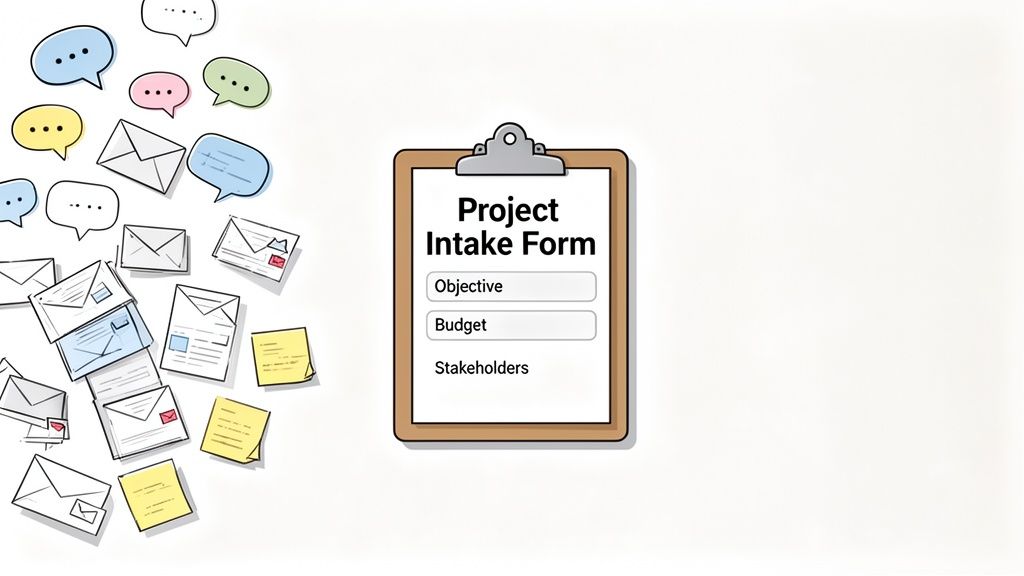
This process is all about funneling scattered ideas and conversations into one clear, actionable document.
From Information Gathering to Actionable Strategy
A great intake form is much more than a checklist; it’s a strategic tool that brings fairness and transparency to how work gets done. It helps you:
- Establish a Single Source of Truth: No more digging through month-old email threads or chat logs. Every crucial detail is documented in one spot from day one.
- Prioritize with Confidence: When every request follows the same format, you can easily compare apples to apples. This makes it so much simpler to see which projects align with company goals and deserve to be at the top of the list.
- Improve Stakeholder Alignment: The form itself forces the requester to think through their needs, which naturally leads to clearer expectations and less friction down the road.
Ultimately, this is a cornerstone of a high-functioning workflow. If you're looking to improve your team's efficiency, learning how to streamline business processes is a great next step. An intake form is your first move toward building a more organized, predictable, and successful way of managing projects.
Designing a Form That Gathers Real Insights
Let's be honest, a project intake form can be so much more than just a digital version of a suggestion box. When done right, it's a powerful diagnostic tool that forces everyone to think clearly and gives you the strategic context you need to make smart decisions. This is how you separate the high-impact initiatives from the time-sucking distractions.
Your real goal here is to get the person making the request to think critically about their own idea before it ever lands on your plate. You need to ask questions that dig into the "why" behind the request, not just the "what."
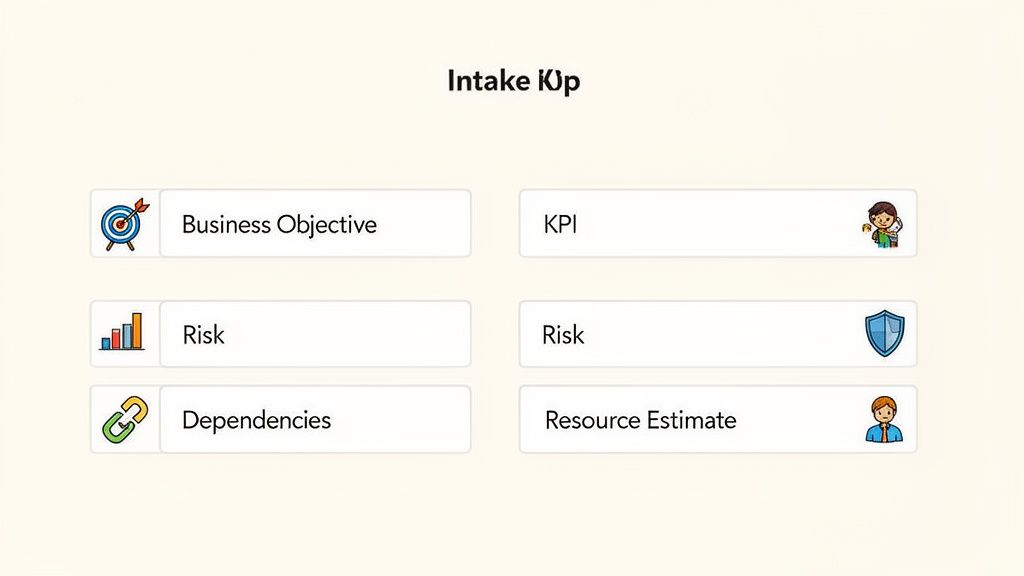
Core Fields for Strategic Evaluation
To get those genuine insights, you have to include fields that frame the project in terms of its actual business value and what it will take to get it done. From my experience, these elements are absolutely non-negotiable for any serious evaluation process.
Business Objective: This is, without a doubt, the most important field. You need to ask things like, "What specific business problem does this project solve?" or "How does this directly support our quarterly goals?" For a marketing agency, a good objective might be "Increase lead-to-customer conversion rate by 15%." For a legal firm, it could be "Achieve 100% compliance with new data privacy regulations."
Success Metrics (KPIs): This is the "how will we know we won?" question. It demands concrete, measurable outcomes. You want to push people away from vague answers like "improve brand awareness" and toward specific KPIs like "achieve a 20% increase in social media engagement."
Initial Risk Assessment: What could go wrong? Forcing people to list known risks or potential roadblocks gets them thinking proactively. I’ve seen great examples like "dependency on the engineering team's Q3 schedule" or "potential for budget overruns due to fluctuating vendor costs."
These fields are what turn your form from a simple request list into a powerful project vetting machine. Getting this kind of clarity upfront is a game-changer, and it's a principle that applies to any client-facing work. If you're looking for more on this, we've put together a guide on how to get information from clients without pulling teeth.
Essential vs Optional Project Intake Form Fields
To make things easier, I've broken down which fields I consider must-haves versus the ones that are more specialized. The essential fields give you a solid foundation for any project, while the optional ones can be added to tackle the specific needs of your team or industry.
| Field Category | Essential Fields | Optional/Advanced Fields |
|---|---|---|
| Strategy & Value | Business Objective/Problem Statement, Success Metrics (KPIs), Alignment with Company Goals | Cost-Benefit Analysis, ROI Projections, Market Research Summary |
| Logistics & Scope | Project Description, Key Deliverables, Proposed Timeline/Deadline | Detailed Task Breakdown, Out-of-Scope Items, Technical Specifications |
| Resources & Risks | Key Stakeholders, Initial Risk Assessment | Departmental Dependencies, Budget Request/Estimate, Required Skill Sets |
| Context & Background | Submitter Name & Department | Supporting Documents/Links, Client/Customer Impact, Legal/Compliance Review |
Picking the right combination of these fields will ensure you get the information you need without overwhelming the person filling out the form. It's all about finding that perfect balance.
High-Impact Fields That Prevent Future Headaches
Once you have that strategic core locked in, adding a few more practical fields can save you countless hours of follow-up emails and prevent that dreaded scope creep down the road.
A well-designed form acts as a filter, ensuring that only well-defined and strategically aligned projects consume your team's valuable time and resources. It’s your first and best defense against organizational chaos.
I always recommend including these:
- Project Dependencies: Does this project need another team, a specific piece of software, or a third-party vendor to succeed? Nailing this down early is how you avoid major bottlenecks later.
- Resource Estimates: Who do you think is needed for this? It doesn't have to be a detailed project plan, just a high-level guess at the roles required (e.g., one graphic designer, one copywriter).
- Key Stakeholders: Who is the main point of contact and who gives the final thumbs-up? Naming these people right from the start makes communication and ownership crystal clear.
The shift to smart, digital intake forms has already slashed administrative work by an incredible 50% in many organizations. Think about that—before this, a shocking 31% of projects were dead on arrival simply because of incomplete information. Today, the best forms often prompt for a cost-benefit analysis, leading to 65% of approved projects showing benefits that outweigh costs by at least two to one. You can read more about the evolution of the project intake process and see how far we've come.
Let's Automate the Intake Process and Bring It to Life
A smart project intake form is a great starting point, but the real magic begins when you automate everything that happens after someone hits "submit." This is how your form evolves from a simple data-gathering tool into a powerful engine that drives work forward.
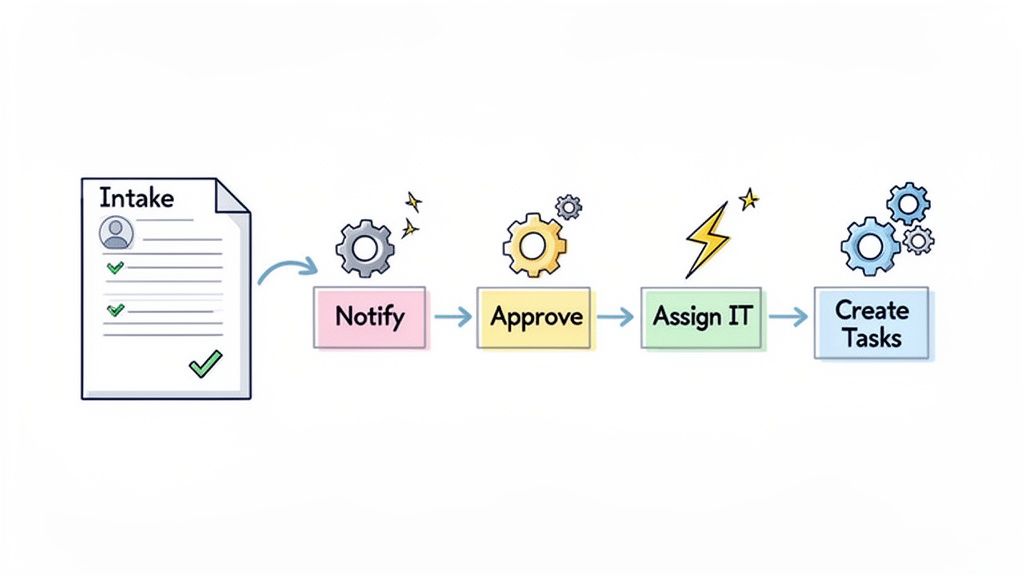
Thankfully, modern tools make this surprisingly easy. You don’t need to be a coding wizard to build an automated workflow. Most platforms now have intuitive drag-and-drop builders that let you map out your ideal process in just a few minutes.
The whole point is to get rid of the manual handoffs that always cause delays and open the door for human error.
Setting Up Smart Notifications and Routing
The moment a request is submitted, the clock is ticking. Your first and most important automation should be instant notification. No more waiting for someone to manually check an inbox—the right people need to know about the request immediately.
You can get even smarter with conditional routing. This is where you set up rules that automatically send submissions to different people based on the answers in the form itself.
Here are a few real-world examples I’ve seen work wonders:
- By Department: If the "Department" field is "Marketing," the notification goes straight to the marketing manager. If it’s "IT," it pings the help desk lead. Simple.
- By Project Type: A request for a "New Website Feature" can be routed to the product team, while a "Blog Post Request" heads over to the content lead.
- By Budget: Any project with a budget over $5,000 could automatically CC the finance team for early visibility and pre-approval.
This kind of intelligent routing gets requests to the right people instantly. It dramatically cuts down on approval times because you no longer need a human to play traffic cop.
Automation isn't just about moving faster; it's about precision. It makes sure the right information reaches the right person at the right time, every single time, without anyone having to think twice.
Creating an Interconnected Business Process
The true power of automation shines when you start linking multiple steps into one seamless workflow. A single form submission can kick off a whole series of actions across different teams, turning a basic request into a fully operational project.
Think about an HR request for onboarding a new employee. When the form gets submitted, a good automation can:
- Notify IT: Instantly create a ticket for the IT team to set up a new laptop and all the necessary user accounts.
- Alert Facilities: Trigger a separate task for the facilities team to assign a desk and get a welcome kit ready.
- Schedule a Kickoff Meeting: Automatically pop a calendar invite onto the new hire’s manager's calendar for their first day.
This is a perfect example of your intake form acting as the central hub for a complex process. Each step is handled automatically, and everyone involved knows what’s happening.
If you want to go deeper on linking these systems, you can learn more about document workflow automation and see how it applies across the business. By building these connections, you slash administrative busywork, make sure no steps are forgotten, and free up your team to focus on what they do best.
Getting Your Team to Actually Use the New Form
You’ve designed the perfect project intake form. That’s a huge win, but it's only half the battle. Now comes the real challenge: getting your team to stop firing off vague emails or dropping "quick questions" in Slack and actually use the new system.
Success here isn't about forcing a new tool on people. It's about showing them how it makes their own lives easier. The rollout strategy has to be all about the "why." You need to frame the form not as more administrative work, but as a shield against chaos and a direct line to getting their best ideas the attention they deserve.
Show Them What’s In It For Them
Let's be honest, nobody loves filling out forms. To get buy-in, you have to connect the form directly to your team's biggest headaches. Are they constantly drowning in last-minute "urgent" tasks? Explain how the form helps leadership see the full picture and prioritize work fairly. Do they get pulled into projects with murky goals? Show them how the form requires requesters to think through the details before it lands on their plate.
You can make it tangible by framing it like this:
- Fewer distractions: "This form is our new gatekeeper. It's going to drastically cut down on the number of times you get pulled from deep work for a 'quick question' that ends up derailing your entire afternoon."
- Real priorities: "When every request lives in one place, we can finally make smart, data-driven decisions about what's next. This protects your time for the projects that truly matter."
- Less rework: "Getting all the critical details from the start means we’ll spend less time on frustrating revisions and more time shipping work we're proud of."
Make It the Path of Least Resistance
If the form is hard to find or the rules are fuzzy, people will always fall back on old habits. Your job is to make using the form the easiest and most obvious option.
The goal is to weave the project intake form so deeply into your team's workflow that trying to go around it feels like more work than just using it.
First, you need to make it official. Establish a simple, non-negotiable policy: all new project requests must come through the form. No exceptions. This removes any gray area.
Then, put the form everywhere. Link to it in your team's Slack or Teams channels, drop it in your email signatures, and feature it prominently on your internal wiki or intranet. You want to eliminate "I couldn't find the link" as an excuse.
This isn't just about making things tidy; the results are real. Teams that successfully adopt a structured intake process see project timelines shorten by 20-30%. Even better, scope creep, which plagues a whopping 52% of projects, can be slashed by 45%. You can learn more about the powerful results of intake form adoption and how it drives serious efficiency.
One final tip: consider starting with a small pilot group. Pick a friendly team to test-drive the process for a couple of weeks. They’ll give you priceless feedback to smooth out any wrinkles before you roll it out to everyone, and you'll have a built-in group of champions who can vouch for the new way of working.
Turning Submissions into Strategic Decisions
A filled-out project intake form is so much more than another ticket in your backlog. It's a goldmine of business intelligence. The moment you stop treating submissions as one-off tasks and start seeing them as a complete dataset, you can make smarter, more strategic decisions that push the whole organization forward.
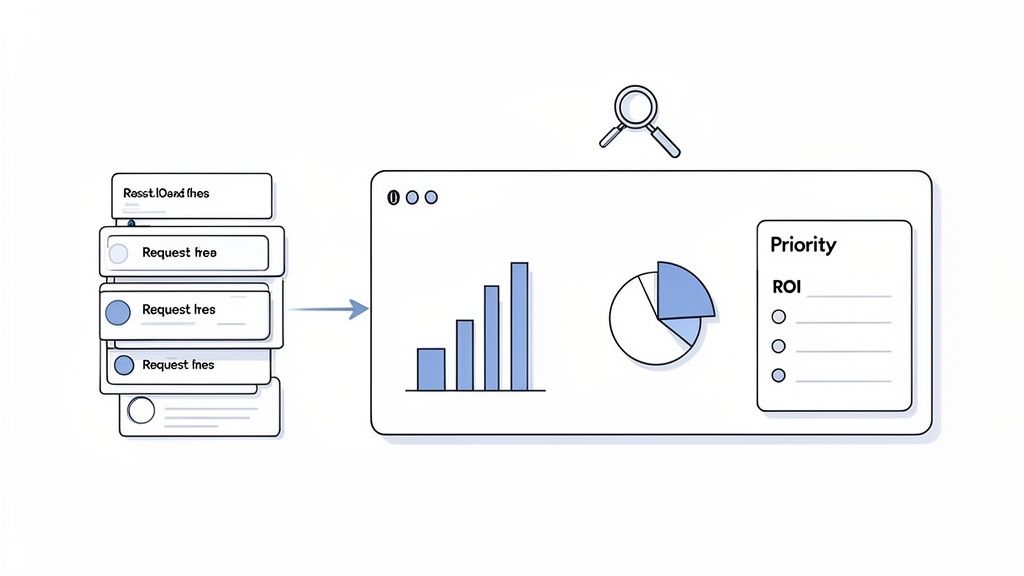
The first thing to do is get out of the silo. Stop reviewing requests one by one and pull them into a centralized dashboard. This single source of truth turns a chaotic review process into an efficient hub where you can finally compare apples to apples.
Create a Simple Prioritization Framework
To judge projects fairly, you need a consistent system. This doesn't need to be some overly complex, multi-tab spreadsheet, either. A simple scoring method based on a few key criteria can bring a ton of clarity to your decisions.
Try rating each submission on a scale of 1 to 5 across three core areas:
- Strategic Alignment: How well does this project actually support our company goals or OKRs? A project that clearly hits a top-level objective gets a high score.
- Potential ROI: What’s the expected return? We’re talking revenue, cost savings, or major efficiency gains. High-impact projects score higher.
- Resource Impact: How much time and effort will this actually take from the team? A lower drain on resources earns a better score here.
Just by adding up the scores, you get a data-backed priority list. This simple method strips out the bias and "gut feelings" that can derail a project roadmap, making sure you’re always working on what matters most.
Your intake data isn't just for planning the next project; it's a strategic asset for optimizing your entire project portfolio. It tells you where your organization is investing its time and energy.
Spotting Trends and Optimizing Over Time
The real magic happens when you start analyzing your intake data over months or even quarters. When you zoom out and look at the big picture, you start to see patterns you’d never catch otherwise.
Start asking bigger questions about what the data is telling you:
- Are certain departments constantly submitting vague or low-value requests? That might point to a need for better training or a frank discussion about their priorities.
- Do you see the same risks or dependencies popping up in project after project? This insight can help you tackle systemic problems, like a recurring bottleneck in one specific team.
- Are there common project types that almost always deliver the highest ROI? Use that info to double down on what’s working and shape future ideas.
This is how your project intake form becomes a powerful feedback loop. It helps you fine-tune your process, put your people where they can have the most impact, and make sure every project you greenlight is a deliberate step toward your biggest goals.
Your Top Project Intake Questions, Answered
Even with the perfect template, you're bound to have some real-world questions when you roll out a new process. That’s completely normal. Let's tackle some of the most common ones I hear from teams, so you can feel confident your new intake system will actually stick.
Think of this as the practical advice you need to bridge the gap between building the form and making it a success.
How Long Should This Thing Actually Be?
Keep it completable within 10-15 minutes. That’s the sweet spot. You need enough detail to make a decision, but you don't want to make it feel like homework. If the form is a monster, people will just find a way around it.
The best trick for this is using conditional logic. This just means the form intelligently shows or hides questions based on earlier answers. For example, if someone selects "New Website" as the project type, then fields for "Domain Name" and "Hosting Provider" can appear. For every other request, those fields stay hidden. It keeps the experience clean and relevant for everyone.
What's the Single Biggest Mistake I Can Make?
Easy. The biggest blunder is building a beautiful, streamlined form and then having no idea what happens after someone hits "Submit." You have to map out the entire post-submission workflow.
A project intake form without a documented process is just a suggestion box. It becomes a black hole where good ideas and urgent requests go to die, which only frustrates your team and sends them right back to firing off chaotic emails.
Before you launch, have solid answers to these questions:
- Who gets the instant notification when a new request comes in?
- Who’s on point for the initial review and assessment?
- What's our promised turnaround time for a first response?
How Often Should I Tweak the Form?
Plan on giving it a solid review at least once a year. A major business shift or strategy change should also trigger an update.
A great way to stay on top of this is to send out a quick feedback survey to your team every six months. Just ask them straight up: What's working? What's confusing? Is there a key piece of information we’re consistently missing? This little check-in keeps your form from becoming a dusty old hurdle people have to clear. It ensures the form grows with your team, not against it.
Can We Use This for Things Besides Projects?
Yes, absolutely! Once you get the hang of it, you’ll see opportunities everywhere. The core idea is simply about gathering the right information in a structured way, which applies to tons of business processes.
Just think of the possibilities:
- IT support tickets
- New hire onboarding checklists
- Client data collection
- Simple marketing content requests (like for a blog post or social media graphic)
Having a flexible system in place means you can standardize how your company collects information for almost any task, keeping everything tidy and manageable from one spot.
Ready to stop project chaos and automate your intake process? With Superdocu, you can build smart, automated forms that gather the right information every time. Start your free trial and see how easy it is to create your first workflow.