
An automated onboarding process takes all those tedious, manual jobs—like chasing down documents and sending endless reminders—and turns them into a smooth, digital workflow. The goal is to save countless administrative hours and give every new client or employee a consistently professional experience from the get-go.
Why Manual Onboarding Is Holding You Back
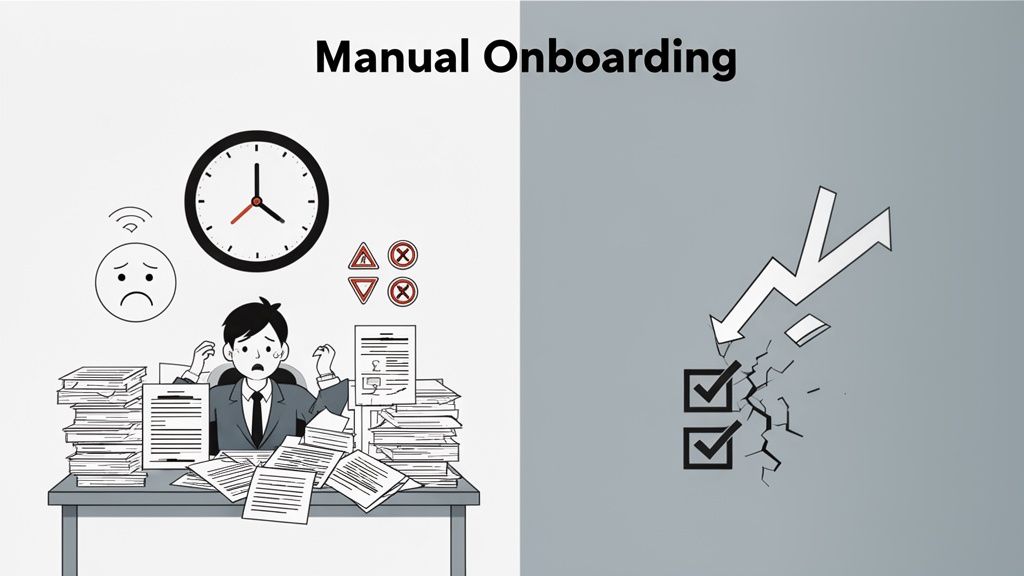
Before we dive into building a new system, let's get real about what’s wrong with the old way of doing things. The most obvious problem with manual onboarding is the time it eats up, but the hidden costs are what really hurt your business. This is about more than just paperwork; it’s about the very first impression you leave.
Think about it from the client's perspective. Their first interaction is a messy email chain clogged with PDF attachments, followed by phone calls nagging them for a missing signature. It immediately signals disorganization. For an accounting firm, this might look like a last-minute scramble to get tax forms before a deadline. In an HR department, it’s the mountain of new hire paperwork that gets in the way of actually welcoming someone to the team.
The True Cost of Inefficiency
This friction doesn't just annoy clients; it completely drains your team. Mind-numbing, repetitive tasks like data entry and checking documents kill morale and pull your best people away from the strategic work that actually moves the needle. The whole process is also a minefield for human error. One missed document or a single typo can snowball into serious compliance headaches and even financial penalties.
And these aren't just one-off stories. A major study by the Brandon Hall Group revealed that companies with a strong, automated onboarding process see an 82% increase in new hire retention. That’s a huge impact on the bottom line, especially when you consider that new hires face an average of 54 different onboarding tasks and replacing an employee can cost up to 200% of their annual salary.
The real killer with manual methods is the lack of a central hub. Information gets buried in inboxes, documents are scattered across different folders, and there’s no way to see where a client is in the process without constantly checking in.
First Impressions Are Everything
This is where automation, like the system we’ve built at Superdocu, cuts through the chaos by giving you a single, clean interface. Take a look at how it transforms the client’s view from a cluttered inbox to a clear, step-by-step portal.
A user-friendly dashboard like this shows clients exactly what’s needed from them, making the whole thing transparent and incredibly simple.
Building an effective automated onboarding process isn't just about being more efficient. It's a strategic move that makes clients happier and strengthens your reputation right from day one. You can learn more about the fundamentals in our guide on document workflow automation.
Blueprint Your Ideal Onboarding Workflow
Before you touch a single setting in Superdocu, you need a clear picture of what you want your client journey to look like. The best automation isn’t about the tech itself—it's about having a rock-solid plan. This blueprint is your foundation, making sure your new system isn't just faster, but genuinely better for you and your clients.
First things first, take a hard look at your current process. I mean, really look at it. Grab a whiteboard or even just a notebook and map out every single step from the moment a new client says "yes."
Who sends that first email? What triggers the request for documents? Where do things always seem to grind to a halt? Be honest about the bottlenecks and the time-sucks.
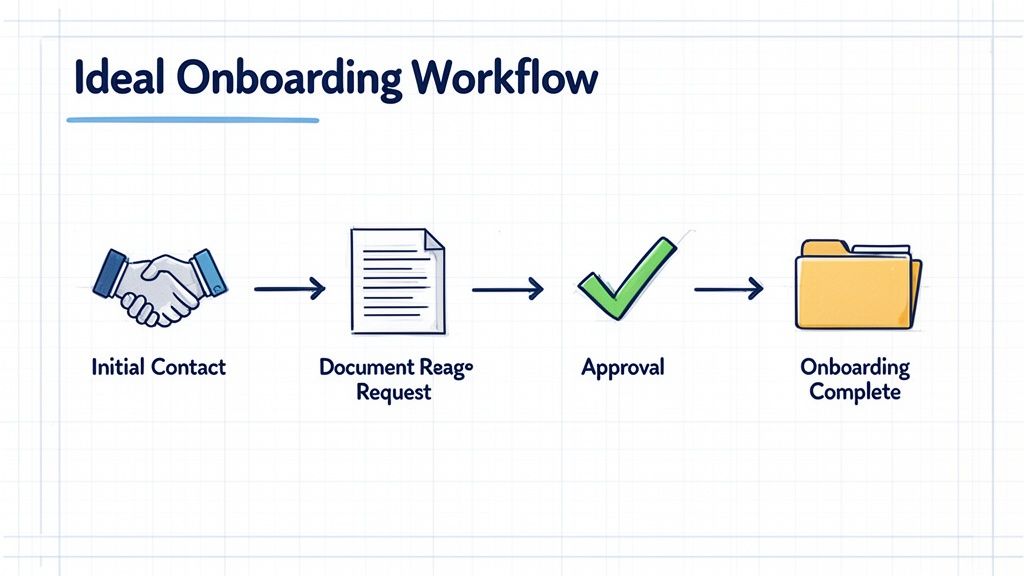
This exercise is incredibly revealing. It shines a light on all the hidden friction—the endless email chains, the mind-numbing data entry, and the hours spent just chasing people for signatures. These are your golden opportunities for automation.
Visualize the Client Journey
Let’s imagine a real estate agency trying to onboard a new tenant. Their current method is likely a chaotic mix of emails, attachments, and maybe even a few panicked phone calls.
Here’s what their manual, messy process probably looks like:
- A potential tenant shows interest, and an agent manually emails them a long list of required documents.
- The tenant sends back a flurry of separate emails with blurry photos of their ID, pay stubs, and references.
- The agent has to download each file, try to make sense of it all, and then inevitably email back asking for that one thing the tenant forgot.
- Once everything is finally in, the agent has to save it all to the right folder and let the property manager know.
It's slow, error-prone, and frustrating for everyone involved. By mapping this out, the agency can see the biggest pain point loud and clear: the entire document collection phase is a disaster. If you're looking for more ways to smooth out processes like this, our guide on how to streamline business processes is a great place to start.
Pinpoint Where Automation Can Shine
With your map in hand, you can start to see exactly where Superdocu’s features, like custom request links and pre-built templates, will make the biggest impact.
That real estate agency’s workflow could be completely transformed.
Instead of a messy email chain, the agent sends one custom link. This link takes the tenant to a branded portal where they see a clear checklist of every required document, complete with instructions and deadlines.
Think about that for a second. The tenant can upload everything right from their phone. The system automatically checks that all files are there before it even pings the agent. No more chasing. No more confusion.
To really see the difference, let’s break down how automation changes the game for common onboarding tasks.
Manual vs. Automated Onboarding Tasks Breakdown
Here's a side-by-side look at how specific tasks are transformed when you move from a manual system to an automated one with Superdocu.
| Onboarding Task | Manual Process (The Old Way) | Automated Process (The Superdocu Way) |
|---|---|---|
| Document Request | Sending a long email with a list of attachments needed. | Sharing a single, secure link to a branded client portal. |
| Client Submission | Receiving multiple emails with disorganized attachments. | Clients upload all files to a centralized, easy-to-use checklist. |
| Follow-Up | Manually tracking and sending reminder emails. | Automated reminders are sent based on your schedule. |
| Status Tracking | Guessing a client’s progress based on email replies. | A real-time dashboard shows exactly what’s been submitted. |
As you can see, it's not just about saving a few minutes here and there. It's about creating a fundamentally smoother, more professional experience for your clients and freeing up your team to focus on what really matters.
Assembling Your Automated Onboarding Machine
Alright, you’ve got your workflow blueprint. Now for the fun part: moving from paper to platform. This is where we take that map and build a real, functioning onboarding process inside Superdocu. The best part? You're not starting from scratch.
The quickest way to get rolling is to use a pre-built template. Superdocu has a bunch of options designed for specific industries like immigration law, transportation, and HR. Think of them as a head start—they come loaded with the most common document checklists and workflow steps for your field.
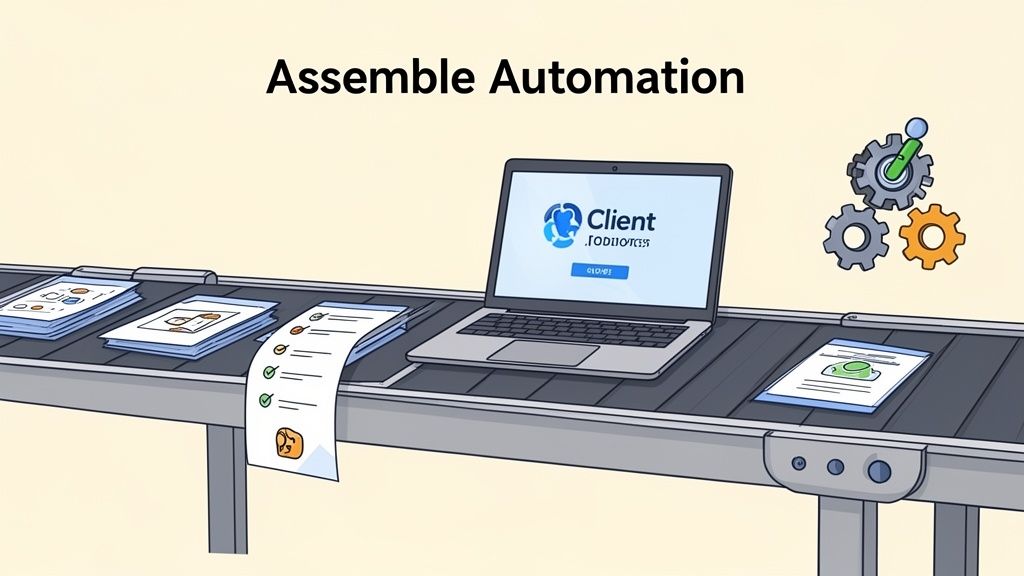
For example, if you’re an immigration consultant, you can grab a template that already asks for passports, visa applications, and proof of funds. This saves you hours of setup, letting you jump straight to customizing the details for your firm.
Customizing Your Client Portal
Think of your client portal as the digital front door to your business. It's often the very first real interaction a new client has with your process, so it needs to look and feel like you.
First thing’s first: upload your company logo and set your brand colors. It’s a small step that makes a huge difference in creating a seamless, professional experience. A well-branded portal instantly tells clients they’re in the right place. For more tips on nailing that first impression, check out our guide on building a great onboarding portal.
Next, you’ll want to tweak the document checklists. Even if you start with a template, you'll need to make it your own. It's easy to:
- Add or remove document requests to fit your exact process.
- Write clear, simple instructions for each item so clients aren't left guessing.
- Specify file types, like only allowing PDFs for contracts or JPEGs for photos.
This level of clarity cuts down on back-and-forth emails and helps you get the right documents the first time.
Setting Up Smart Automations
Now we get to the real powerhouse of your onboarding machine: the automations. This is what will save you the most time and sanity.
Your first priority should be setting up automated reminders. Forget manually chasing clients for missing documents. Instead, you can have Superdocu send follow-up emails on a schedule you define.
For instance, you could set up a friendly nudge three days before a deadline and a more firm reminder on the due date. This gentle persistence works 24/7 so you don't have to.
This single feature is a game-changer. For firms that need documents on time—like a transportation company waiting on driver licenses or an HR team processing I-9s—automating these follow-ups can slash manual administrative work by up to 80%. The need is real; research from AIHR shows that 40% of HR managers without automation spend three or more hours per person just chasing down paperwork.
Another fantastic tool is the ability to set document expiration dates. For any business dealing with compliance, this is a must-have. If you're collecting driver's licenses, professional certifications, or insurance policies, just plug their expiration dates into Superdocu. The system will automatically flag them and alert both you and the client before they expire, ensuring you stay compliant without having to track everything in a spreadsheet. Your onboarding system just became your long-term compliance partner.
Make Your Workflow Do More By Connecting Your Tools
An automated onboarding system is great, but its real power is unlocked when you connect it to the other software you use every day. Think of it less as a standalone tool and more as the central hub of your client intake process. When Superdocu talks to your other systems, it kicks off a chain reaction that handles all the tedious follow-up work for you.
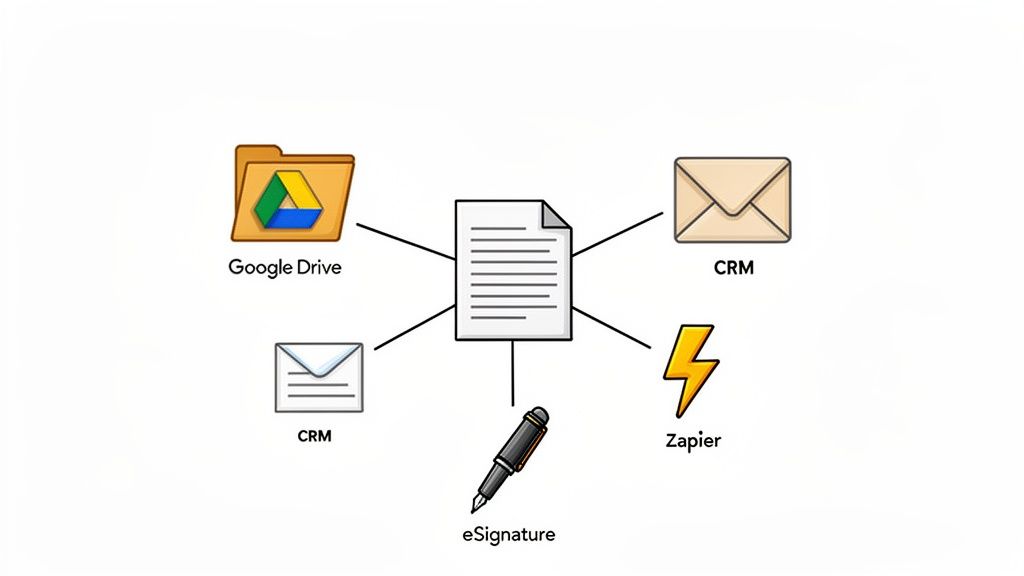
This is how you get rid of those final manual steps—the ones where someone has to remember to update the CRM or create a new project folder after the documents are in. With a connected system, it all just happens instantly.
Let Your Apps Talk to Each Other with Zapier
If you haven't used it, Zapier is basically a universal translator for your software. It lets different apps share information without needing a developer to write any code. This means you can set up Superdocu to be the starting pistol for your entire onboarding race.
Let's take a real-world example, like a law firm. Once they approve a new client's agreement and intake forms in Superdocu, a Zapier workflow (or "Zap") can fire off and automatically:
- Build a new client folder in Google Drive or Dropbox, so all future files have an organized home from day one.
- Create the client as a new contact in a CRM like HubSpot or Salesforce and tag them as "Onboarding Complete."
- Ping the legal team in a specific Slack channel, letting them know the new client is officially on board and ready for work.
This isn't just about shaving a few minutes off your day. It’s about building a reliable, error-proof system that ensures critical next steps never get missed because someone was busy or just forgot.
A Quick Guide to Creating Your First Zap
Let's build that Google Drive folder automation I just mentioned. It's surprisingly straightforward and you can get it done in just a few minutes.
- Set Your Trigger: Inside Zapier, pick Superdocu as your trigger app. The event that kicks things off will be “Document Request Approved.” Simple enough.
- Pick Your Action App: Now, choose Google Drive. This is where the magic will happen.
- Define What Happens: Select the action “Create Folder.” Here's the cool part: you can pull the client’s name directly from the Superdocu data to name the folder automatically. Something like
[Client Name] - Case Files.
And you're done. From now on, every single time you approve a client’s documents in Superdocu, a perfectly named and organized folder pops into existence. This is the heart of a truly automated onboarding process.
Add eSignatures to Create a True End-to-End Flow
For most of us, onboarding isn't truly finished until something is signed. This is where integrating an eSignature tool like DocuSign closes the final gap in your workflow, creating a seamless, fully digital journey for your new client.
Forget asking clients to print, sign, scan, and email a contract back. You can build the signature step right into your Superdocu checklist. The client finishes uploading their documents and flows directly into signing the contract—all in one go.
This simple change makes for a much smoother and more professional experience. It shows clients you value their time and dramatically cuts down on how long it takes to get contracts signed. No more chasing people down or waiting for them to find a scanner.
The whole process, from the first document request to the final binding signature, can be wrapped up in minutes. That’s how you turn a bunch of separate tasks into a single, cohesive client experience.
Getting Your Automated Process Off the Ground and Making It Better
Think of your new automated workflow as a living thing. It’s not something you just build once and then ignore. The real power comes from launching it, seeing how it works with real people, and constantly tweaking it based on what you learn. This last part is all about shifting from being the builder to being the mechanic, fine-tuning the engine for the smoothest ride possible.
Before you ever send a live request, you absolutely have to walk a mile in your client's shoes. Set up a test client using your own email and send the entire onboarding request to yourself. Go through every single step, from opening the email to the final submission.
- What does the email look like on a smartphone? Is the subject line confusing?
- When you land on the portal, is it immediately clear what to do first?
- Are the instructions for each document simple enough for someone who has no idea what you're talking about?
This is your golden opportunity to catch awkward wording, broken links, or steps that just feel clunky before a real client has to deal with them. Ironing out these wrinkles now ensures that first impression is a great one.
Using Data to See What’s Working (and What’s Not)
Once you've launched, your Superdocu dashboard is your command center. It gives you a quick, clear view of exactly where every single client is in their onboarding journey. This isn’t just for keeping tabs on things; it’s a treasure trove of information you can use to make your process even better.
Keep a sharp eye out for bottlenecks. If you see that 20% of your new clients are getting stuck on the same form, that’s a huge red flag. The problem isn't your clients—it's your process.
Maybe the instructions are vague, or the file size limit is too small. A tiny change, like rephrasing a sentence or adding a quick tip, can make a world of difference.
Your goal is to get into a rhythm of continuous improvement. The dashboard data shows you what’s happening, and direct feedback from people tells you why.
Creating a Feedback Loop That Lasts
Set up quick, regular check-ins with your team. Ask them simple questions: "What are new clients still asking about?" If you hear the same question over and over, that's a sign that the answer needs to be built directly into your workflow instructions.
And don't hesitate to ask your clients for their thoughts. A super-simple, one-question survey after they've finished—something like, "On a scale of 1-5, how easy was it to send us your documents?"—can give you incredibly valuable insights.
This kind of proactive listening turns your onboarding process from a static set of steps into a dynamic system that gets smarter over time. By constantly watching, listening, and adjusting, you ensure your workflow stays effective and easy to use for years to come.
Answering Your Questions About Automation
Making the leap to an automated onboarding system always brings up a few questions. It’s smart to think about things like setup time, security, and whether your clients will actually like it. Let’s tackle the most common concerns we hear from businesses looking to make the switch.
How Long Does This Actually Take to Set Up?
You might be surprised. Getting your first workflow up and running can take just a few hours. The biggest variable is how complex your current process is, but the good news is you aren't starting from scratch.
Grabbing a pre-built template for your industry—whether it's legal, real estate, or transportation—gives you a massive head start. If you already have a clear list of the documents you need and the steps you follow, you can genuinely have a polished, automated system ready to go the same day. And once you've built one, creating another for a different service is a matter of minutes.
Is It Really Secure?
Yes, and it’s a whole lot more secure than emailing sensitive files around. That's one of the biggest wins of using a dedicated platform like Superdocu. We’re laser-focused on data protection. Every file is protected with strong, end-to-end encryption from the moment it's uploaded.
Think about it: standard email is often unencrypted and a prime target for interception. A secure client portal is a locked box. Our systems are fully GDPR compliant and hosted in secure European data centers, offering a level of protection that email just can’t compete with.
Can I Make It Look Like My Company?
Absolutely. We know how important it is to build trust from that very first interaction. You can completely white-label the client portal with your logo and brand colors to create a consistent, professional experience.
This isn’t just about looks, either. You can customize every automated email, from the welcome message to the gentle reminders, so it sounds like it's coming directly from you. It all adds up to a seamless journey for your clients that keeps your brand front and center.
Will My Clients Get Confused by a New System?
This is a big one, but these tools are built for simplicity—especially for your clients. From their perspective, they just get a clean, simple checklist that walks them through exactly what they need to do. There’s no software to install, and they can snap a picture of a document with their phone and upload it in seconds.
Honestly, we’ve found that clients much prefer this guided process over digging through a long email chain for a list of attachments. The clarity and automated nudges actually make things less stressful for them, which means a better experience right from the start.
Ready to finally ditch the paperwork and give your clients an experience they’ll love? Get started with Superdocu and you can build your first automated workflow in minutes. Discover how Superdocu can transform your onboarding process today.