
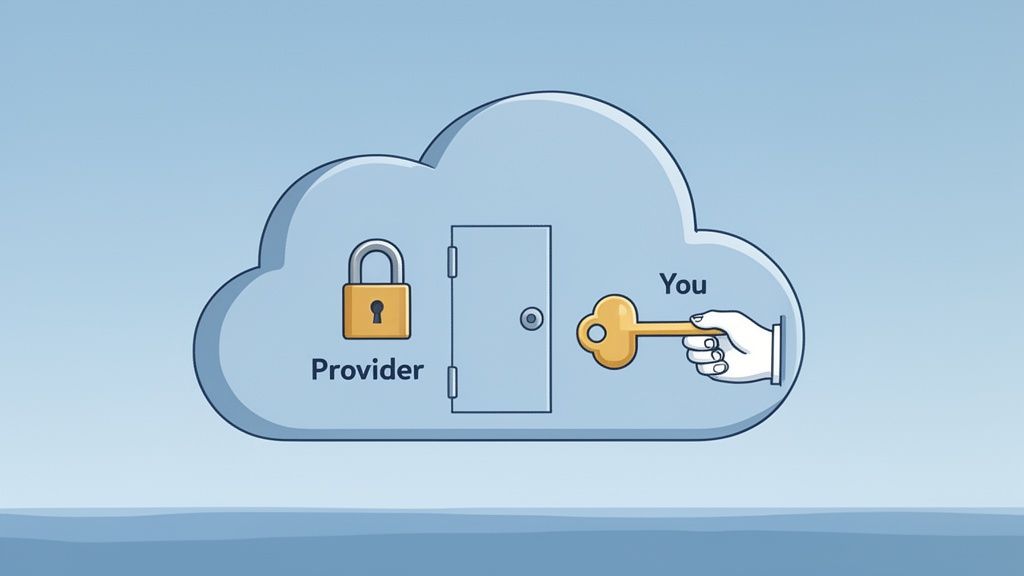
The security of your cloud storage is a team effort—a partnership between you and your provider. A good way to think about it is like a high-security bank vault. The bank (your provider) builds the impenetrable walls, installs the cameras, and guards the building. But you, and only you, hold the key to your personal safety deposit box.
How you manage that key and who you give access to is what truly keeps your sensitive documents safe.
Why Cloud Storage Security Is a Non-Negotiable
Keeping your files in the cloud is incredibly convenient, but that convenience comes with its own set of risks. For small and medium-sized businesses—especially those in legal, finance, or HR—the stakes couldn't be higher. You’re not just storing files; you're the guardian of client records, financial statements, and personal data that have immense value and strict legal protections.
This brings us to one of the most important ideas in cloud security.
Understanding the Shared Responsibility Model
The shared responsibility model is a simple but critical concept. Essentially, cloud providers like Amazon Web Services or Google Cloud are responsible for the "security of the cloud." This means they handle the big stuff: protecting the physical data centers, securing the servers, and keeping the network infrastructure safe from outside attacks.
You, on the other hand, are responsible for "security in the cloud." This is everything that happens on your end. It’s all about how you manage your data within that secure environment.
Your responsibilities typically include:
- Data Access: Deciding who gets to see, edit, or share specific files and folders.
- User Permissions: Managing what your team members can and can't do, which helps prevent accidental leaks or malicious actions from inside.
- Secure Configuration: Making sure your storage settings are properly locked down to avoid accidentally making private files public.
Think of it this way: the provider gives you a secure house, but it’s up to you to lock the doors and decide who gets a key.
This table gives a quick breakdown of how these responsibilities are typically divided.
Cloud Security Shared Responsibility Model at a Glance
| Security Area | Provider's Responsibility | Your Responsibility |
|---|---|---|
| Physical Security | Securing data centers, servers, and network hardware. | Not applicable; handled by the provider. |
| Infrastructure | Maintaining the underlying network and storage services. | Not applicable; handled by the provider. |
| Data Encryption | Often provides tools for encryption (both in-transit and at-rest). | Enabling and configuring encryption; managing your own encryption keys. |
| Identity & Access | Providing the tools to manage user accounts and permissions. | Creating strong passwords, enabling multi-factor authentication (MFA), and setting correct user permissions. |
| Data Management | Ensuring the durability and availability of your data. | Classifying your data, managing who has access, and securely deleting data when it's no longer needed. |
| Client & Endpoints | Not applicable; provider does not manage your devices. | Securing the computers, phones, and devices used to access the cloud. |
Ultimately, both you and the provider have a crucial role to play in keeping your information safe.
The Rising Tide of Cloud-Focused Threats
Failing to manage your side of this agreement can lead to serious trouble. Cybercriminals are increasingly targeting cloud storage because that's where the most valuable data lives.
The numbers are pretty stark. A staggering 82% of data breaches in recent years involved data stored in the cloud. This isn't a fluke; the trend is picking up speed, with 61% of organizations reporting they experienced a significant cloud breach in 2024 alone. If you want to dig deeper, you can find more insights on recent cloud security statistics and see how ransomware has become a top-tier threat.
This all points to one clear reality: while the cloud's foundation is strong, your own security habits are the final, and most important, line of defense.
The Five Biggest Threats to Your Cloud Data
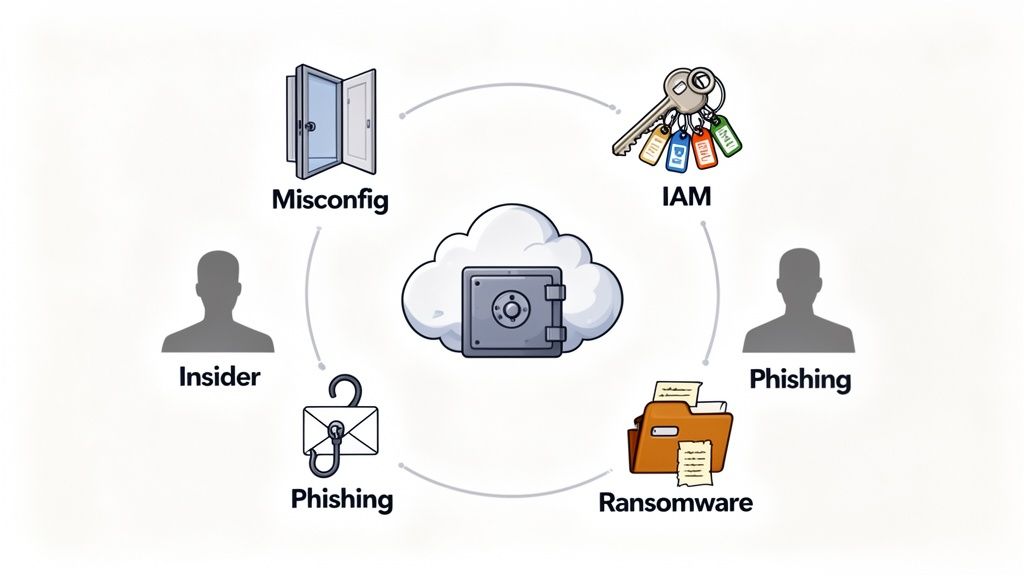
Knowing your role in the shared responsibility model is step one. Step two is getting real about the specific dangers lurking on your side of the fence. Most of the time, these threats aren’t some sophisticated, movie-style hack; they’re simple oversights that can have absolutely devastating consequences for a business.
Let's break down the five most common threats to your cloud storage, using real-world examples that make sense for any business owner.
1. Cloud Misconfiguration
Think of your cloud settings as the locks on your digital office door. A misconfiguration is exactly what it sounds like—you've left a door unlocked or a window wide open. It’s almost always human error, like leaving default settings as-is or setting up security rules incorrectly.
For instance, a team member might upload a folder full of sensitive client contracts. If they accidentally set the permission to "public" instead of "private," anyone on the internet with the link can see everything. Just like that, a simple mistake exposes financial records, personal information, and confidential business plans.
Misconfigurations are a top cause of data breaches, not because of brilliant hackers, but because they create an easy, unlocked entry point for anyone who happens to be looking.
2. Identity and Access Management Failures
If configuration is about setting the locks, then Identity and Access Management (IAM) is about deciding who gets the keys. An IAM failure is when you hand out too many keys, give them to the wrong people, or forget to get them back from folks who no longer work with you.
This is a massive and growing problem. In fact, over 70% of cloud breaches now start with a compromised identity. Cybercriminals are getting smarter, using AI to launch more convincing attacks, and it's working. It’s no wonder that 61% of organizations are worried these identity-based attacks will expose their most sensitive data. You can read more in these cybersecurity forecast findings from Google Cloud.
3. Malicious Insiders
A malicious insider is a current or former employee who decides to use their access for harm. This threat is particularly tricky because the person already has the keys to the building and knows exactly where the most valuable stuff is stored.
Imagine a disgruntled employee on their way out. Before their access is cut off, they could easily download your entire client database, proprietary financial models, or sensitive HR files to a personal device. They can walk right out the digital door with your company's crown jewels, straight to a competitor.
4. Phishing and Social Engineering
While other threats poke holes in your technology, phishing and social engineering target your people. These attacks are designed to trick users into handing over their keys—their login credentials—without a second thought.
A classic example is an email that looks like it’s from your cloud provider, urging you to "verify your account" by clicking a link. That link directs you to a pixel-perfect fake login page. The moment you type in your username and password, the attacker has them and can waltz right into your cloud storage, bypassing all your security measures.
5. Ransomware Attacks
Finally, there’s ransomware. Think of it as a thief breaking into your office, changing all the locks, and then demanding a hefty payment to let you back in. Attackers usually get in through one of the methods we've already covered—like a successful phishing attack or a misconfigured server—and then they encrypt all your files.
Suddenly, your documents are completely unreadable. All you see is a message demanding payment for a key to unlock them. For any business, a ransomware attack can be crippling, shutting down operations for days or even weeks while you scramble to get your essential data back.
Practical Steps to Lock Down Your Cloud Storage
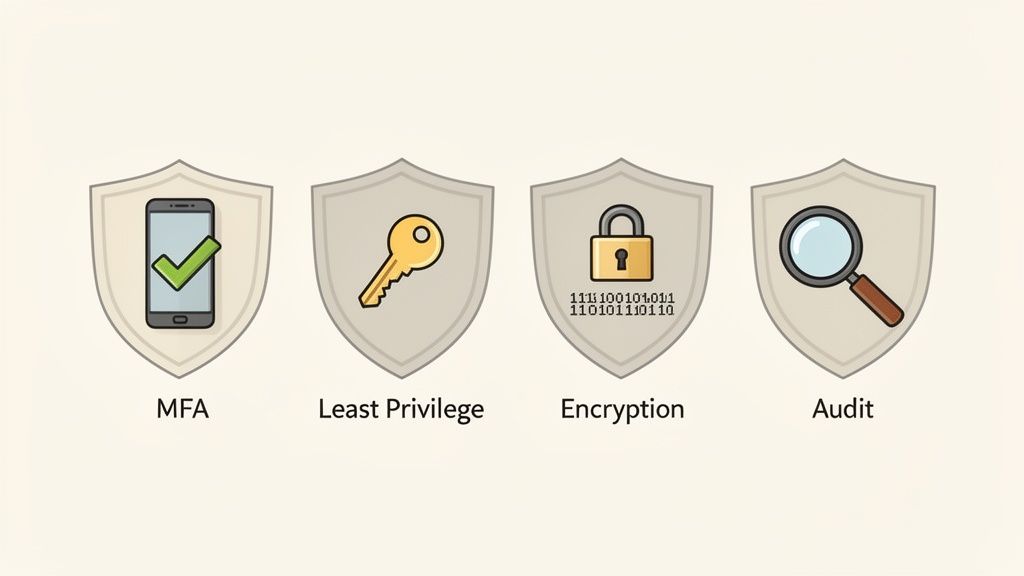
Knowing the threats is one thing, but stopping them is another. The good news is that you don't need to be a cybersecurity guru to drastically improve your cloud storage security. It all comes down to a few powerful, common-sense principles that directly shut down the most common risks.
Think of these strategies as layers of security. If a threat somehow slips past one layer, another is waiting to catch it. This multi-layered approach is the key to keeping your sensitive documents truly safe.
Turn On Multi-Factor Authentication Everywhere
If you do only one thing on this list, make it this. Enabling Multi-Factor Authentication (MFA) is the single most effective way to stop an attacker from getting into your accounts.
Think of it like needing two keys to unlock a door instead of just one. Even if a thief steals your password, they still can't get in without the second key—which is usually a code sent to your phone. It’s a simple step that stops the vast majority of account takeovers cold.
Give People Access Only to What They Need
This one sounds obvious, but it’s often overlooked. The Principle of Least Privilege (PoLP) means you should only give employees access to the specific files and folders they absolutely need to do their jobs. Nothing more.
Why is this so important? It drastically limits the damage an attacker can do if they compromise an employee's account. Instead of getting the keys to the entire kingdom, they’re stuck in one small room.
Here’s how to put it into practice:
- Create user roles with pre-set permissions like "Viewer," "Editor," or "Admin."
- Review who has access to what every few months and remove permissions people no longer need.
- Lock down sensitive folders for departments like HR or finance, so only a select few can get in.
Encrypt Everything, Always
Encryption essentially scrambles your data, making it completely unreadable to anyone who doesn't have the decryption key. It's your ultimate fallback plan. If a hacker somehow bypasses everything else and steals your files, all they'll have is a bunch of useless, jumbled code.
Crucial Tip: Your cloud provider must offer both encryption-in-transit (protecting data as it travels from your computer to the server) and encryption-at-rest (protecting it while it's sitting on their servers). You need both for complete protection.
A purpose-built cloud-based document management system often handles this heavy lifting for you. Platforms like Superdocu build these security features right in, which means you don't have to worry about configuring them yourself.
Don't "Set and Forget" Your Security
Finally, remember that security isn't a one-time task. You need to check in on it regularly. A security audit is like a routine health checkup for your cloud storage. It involves reviewing who has accessed what, looking for any strange activity, and just making sure all your security settings are still buttoned up.
These regular checks help you catch small problems—like an accidental misconfiguration—before a cybercriminal finds them and turns them into a major disaster.
Navigating Data Compliance in the Cloud
If you're in finance, law, or HR, you know that handling sensitive client documents isn't just good business—it's the law. When you shift those files to the cloud, you're also shifting your legal obligations with them. Get it wrong, and you could be looking at staggering fines and a permanent loss of client trust.
Think of regulations like Europe's RGPD or California's CCPA as the rulebook for the digital age. These laws give people specific rights over their personal information and put the responsibility squarely on businesses like yours to protect it.
Why Data Residency Matters
One of the most critical, and often overlooked, aspects of compliance is data residency. This is a simple but powerful concept: it’s the physical, real-world country where your data is stored. And it has massive legal implications.
For example, GDPR has very strict rules about moving an EU citizen's personal data outside of the European Union. If you have clients in Europe, you absolutely must store their data on servers located within the EU or in a country that meets their high data protection standards. Storing it somewhere else without the right legal frameworks in place isn't just a mistake—it’s a direct violation.
Choosing a cloud provider with servers in the right location is not a technical detail—it’s a core part of your risk management strategy. For European businesses, EU-based hosting is often a non-negotiable starting point for compliance.
Decoding Major Compliance Frameworks
While there are many different regulations out there, a few big ones apply to nearly all professional services. Getting a handle on what they require is the first step in choosing a secure cloud storage solution.
- GDPR (General Data Protection Regulation): This is the gold standard for protecting the data and privacy of people in the EU. It means you need a legitimate reason to handle someone's data, you must get their clear consent, and you have to report any breaches quickly. To get started, you can learn more about this by reviewing a comprehensive GDPR compliance checklist.
- HIPAA (Health Insurance Portability and Accountability Act): If you touch any protected health information (PHI) in the United States, HIPAA is non-negotiable. It mandates tight security controls, detailed access logs, and robust data encryption to ensure patient information stays private.
- CCPA/CPRA (California Consumer Privacy Act/Privacy Rights Act): This law gives California residents significant control over their personal data. They have the right to know exactly what information you’ve collected on them and the right to tell you to delete it.
The smart move is to pick a cloud storage platform that was built with these rules in mind from the ground up. A provider like Superdocu, which offers European hosting and integrates security directly into its service, can lift a huge weight off your shoulders. It handles much of the technical heavy lifting, so you can focus on serving your clients, not worrying about your legal risk.
How a Secure Client Portal Elevates Your Security
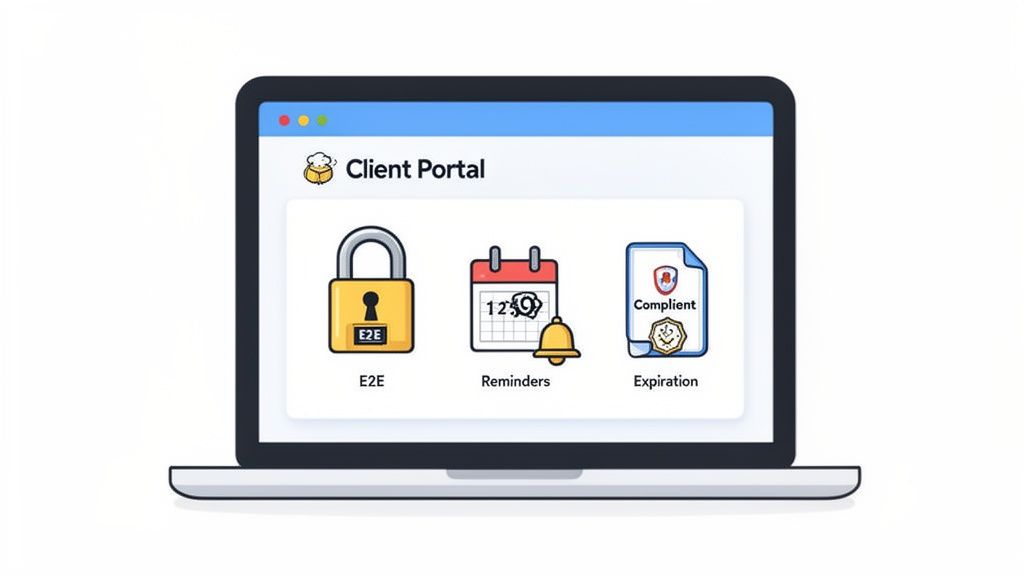
Trying to patch together individual security strategies is a start, but managing them all can quickly become a full-time job. A better approach is to use a secure client portal, which acts as a purpose-built fortress for your documents. It bakes all these best practices into a single, professional interface that makes security simple for both you and your clients.
Think of it this way: you wouldn't give a client a master key to your entire office building. Instead, you'd welcome them into a secure, private meeting room. A client portal does the same for your digital files, creating a controlled environment designed specifically for safe document exchange. It eliminates the risks that come with sending generic file-sharing links over email.
Preventing Phishing with a Trusted Interface
One of the biggest headaches in security is teaching clients how to spot a phishing attempt. A branded client portal cuts through the noise by giving them a familiar, trusted place to log in every single time. When they see your logo and branding, they know they’re in the right place. That makes them far less likely to fall for a fake login page designed to steal their credentials.
This consistent experience builds trust and gets your clients in the habit of only sharing sensitive files within that secure space. It replaces risky email attachments and confusing download links with one reliable front door for all their documents. This is a direct counterpunch to social engineering—anything that shows up outside the portal immediately looks suspicious.
A secure portal naturally trains your clients to be safer. It sets a clear expectation: all real document requests will come through one official, branded channel, making it easy for them to spot and ignore fraudulent emails.
End-to-End Encryption as the Standard
Most cloud storage providers talk about encryption, but the way they implement it makes all the difference. A top-tier client portal ensures your files are protected with end-to-end encryption, which is the gold standard for the security of cloud storage.
This means a document is scrambled on your device before it ever gets sent and is only unscrambled when the intended recipient opens it. No one in between—not even the service provider—can peek at the file. This provides complete protection whether the data is moving or sitting on a server, making it useless to anyone who might try to intercept it.
Automating Data Lifecycle and Compliance
Keeping documents safe isn't just about protecting them from outsiders; it's also about knowing when to let them go. Holding onto data for longer than necessary is a liability that can put you on the wrong side of compliance regulations.
A secure portal helps you automate this crucial process with handy built-in features:
- Automated Reminders: You can set up notifications to ping clients when documents are about to expire. This ensures you always have up-to-date information without having to chase people down manually.
- Expiration Tracking: Assign clear expiration dates to sensitive files. This helps enforce your data retention policies and automatically shrinks your digital footprint over time.
- Built-in Compliance: Platforms designed for professional services often come with features that simplify following rules like GDPR, such as offering EU-based hosting and clear data processing agreements. You can see how a secure document intake platform is designed from the ground up to handle these requirements.
By pulling all these pieces together, a secure portal turns a complex security puzzle into a smooth, professional workflow. It shifts your firm from a reactive, defensive crouch to a proactive security stance that protects your data and builds unshakable client confidence.
Common Questions About Cloud Storage Security
Even after sorting out your strategy, it’s natural to have a few nagging questions about keeping your files safe in the cloud. Getting straight answers is key to feeling confident about protecting your business and your clients' information. Let's clear up some of the most common concerns business owners have.
Think of this as the final piece of the puzzle, giving you the clarity you need to move forward.
How Can I Tell if My Cloud Provider Is Secure?
Choosing a provider you can trust is the bedrock of your cloud security. But don't just take their marketing claims at face value—you need to look for actual proof that they take protecting your data seriously.
A good provider will be upfront and transparent about their security measures.
Here are a few non-negotiables to look for:
- Compliance Certifications: Check for certifications like ISO 27001 or SOC 2. These aren't just fancy badges; they mean an independent expert has rigorously audited and approved their security setup.
- Encryption Details: They should state, in plain English, that they use strong encryption for your data both "in transit" (as it travels to their servers) and "at rest" (while it's stored). This is a fundamental requirement.
- Data Residency Options: Your provider must be able to tell you exactly where your data is physically stored. If you have clients in Europe, you'll need EU-based hosting to stay on the right side of GDPR.
You can usually find this information on a dedicated "Security" or "Trust Center" page on their website. If it’s hard to find, that should give you pause.
Is My Data Safer on My Own Server or in the Cloud?
This is a classic question, and the answer can be surprising. For most small to medium-sized businesses, a top-tier cloud provider offers security that's light-years ahead of what you could manage with an in-house server.
Just think about the resources. Major cloud providers employ entire teams of the world's best security professionals who work 24/7 to fend off threats. They pour millions into physical security for their data centers, sophisticated threat detection, and non-stop software updates.
Trying to match that level of security on your own is practically impossible for most SMBs. The cost and specialized knowledge required are enormous. When you partner with the right cloud service, you're essentially hiring a global security force to guard your digital assets.
This frees you up to focus on what you can control: managing who has access to your data and promoting smart security habits within your team.
What Is the Difference Between Privacy and Security?
People often use these terms interchangeably, but they mean very different things. It’s crucial to understand the distinction.
- Security is all about protecting your data from anyone who shouldn't have access to it. It’s the digital equivalent of locks on the door, an alarm system, and a security guard—the technical measures that keep intruders out.
- Confidentialité is about controlling how personal information is collected, handled, and shared. It's guided by policies and laws, like GDPR, that dictate what an organization is allowed to do with data, even if it's perfectly secure.
You can absolutely have security without privacy. For instance, your files might be locked down tight from hackers, but if your provider’s terms of service let them scan your documents to sell you ads, your privacy is gone. Real data protection needs both: strong security to keep data safe and a firm commitment to user privacy. Always take a few minutes to read the privacy policy.
Ready to stop worrying about document security and start focusing on your business? Superdocu provides a secure, branded client portal with end-to-end encryption and EU-based hosting to keep your data safe and compliant. Transform your document collection process today.