
Let's be honest: chasing clients for documents through endless email chains is a nightmare. It's slow, messy, and frankly, a huge security risk. For both you and your clients, it’s a process filled with frustration.
The right way to handle document requests is with a modern, centralized system, like a secure client portal. This approach swaps chaos for clarity, protecting sensitive information and giving your clients a polished, professional experience right from the start.
Why Your Email-Based Document Request Process Is Broken

If you're still relying on back-and-forth emails to gather what you need, you're creating friction without even realizing it. Clients get lost in long, confusing threads, and crucial attachments are inevitably buried or missed. But this manual method isn't just inefficient—it’s a serious security liability.
Standard email is rarely encrypted, leaving sensitive data exposed. This old-school approach also fails to provide a clear audit trail, making it nearly impossible to prove when a file was sent, received, or even opened. This is a massive problem, especially in regulated fields like finance, legal, or healthcare, where compliance isn't optional.
The Real Price of a Messy System
The hidden costs of a manual system pile up fast. Just think of the hours your team wastes sending follow-up emails, double-checking submissions, and trying to organize files downloaded from a dozen different places. This administrative drag pulls your people away from the work that actually matters.
It also wrecks the client experience. When clients have to dig through their inbox for instructions or get confused by unclear requests, it makes your business look disorganized. It chips away at the trust you’re trying so hard to build.
Failing to adopt a structured workflow doesn't just drive up your operational costs. It's a missed opportunity to build client confidence with a smooth, professional onboarding experience.
A Better Way: The Centralized Hub
A modern document collection system solves these problems head-on. It gives clients a single, secure place to upload files, see what’s still needed, and check their progress. The benefits are immediate and obvious.
- Top-Notch Security: Files are protected with end-to-end encryption, keeping sensitive client data safe.
- Effortless Compliance: The system automatically creates a detailed audit log, tracking every single action.
- Smarter Efficiency: Automation takes over reminders and follow-ups, freeing up your team for more important work.
To see the difference, let's compare the old way with the new.
Comparing Document Request Methods
| Fonctionnalité | Traditional Method (Email & Attachments) | Modern Method (Secure Portal & Automation) |
|---|---|---|
| Security | Low. Unencrypted, vulnerable to interception. | High. End-to-end encryption, access controls. |
| Efficiency | Very low. Manual follow-ups, disorganized. | Very high. Automated reminders, centralized dashboard. |
| Client Experience | Poor. Confusing, frustrating, time-consuming. | Excellent. Clear, simple, one-stop-shop. |
| Audit Trail | None. No reliable record of actions. | Complete. Automatic, detailed logs for compliance. |
| Organization | Chaotic. Files scattered across inboxes. | Centralized. All documents in one secure place. |
The move towards intelligent document processing isn't just a fleeting trend—it's a fundamental shift in how successful businesses get things done. The market for this technology is expected to hit $6.78 billion by 2025, and more than 80% of companies are planning to invest more in document automation.
Using these tools is no longer a luxury; it’s essential to stay competitive. You can learn more about these powerful document processing statistics and see what they mean for businesses like yours.
Designing Your Document Collection Workflow
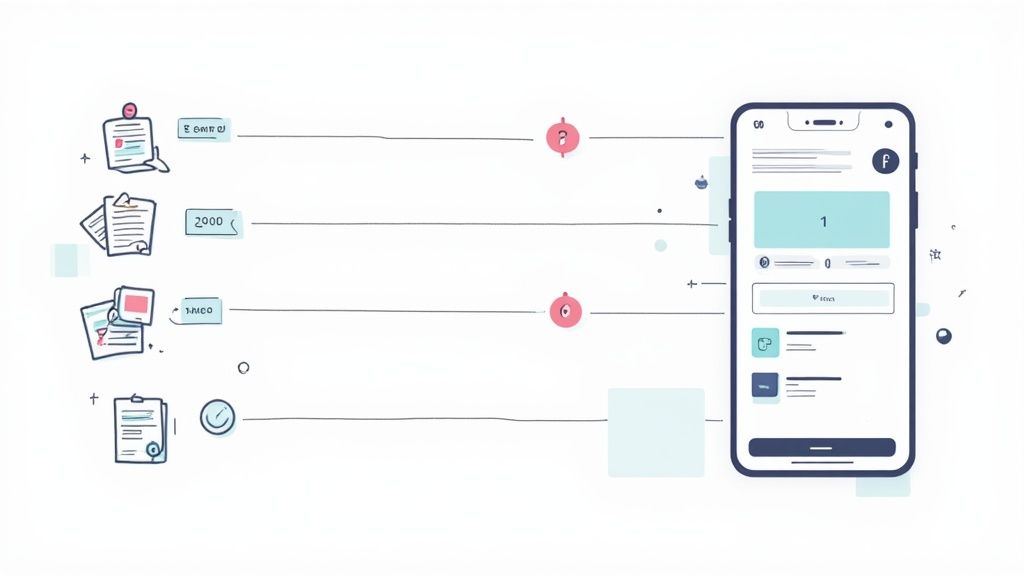
A solid document request process doesn't start with a frantic email. It begins with a smart, repeatable plan. Taking the time to design an efficient workflow is the most impactful thing you can do to make life easier for both your team and your clients. This blueprint builds consistency, slashes errors, and establishes a professional tone right from the start.
The real goal here is to build a system so straightforward that your clients instantly get what you need, how to send it, and what comes next. When you get this right, you eliminate the endless back-and-forth that drains everyone's time and energy.
First, Define and Categorize Everything
You can't ask for documents effectively if you don't know exactly what you need. The first step is to map out every single document required for your most common processes. Ditch the one-size-fits-all mindset. The paperwork for a new hire is completely different from what’s needed for a home loan.
Once you have your lists, group them into logical categories. A real estate agent, for instance, might create separate checklists for "New Buyer Intake," "Seller Listing Docs," and "Tenant Application."
- For New Buyer Intake: Pre-approval letter, proof of funds, photo ID.
- For Tenant Application: Last two pay stubs, reference letters, credit report authorization form.
This isn't just about staying organized. This simple act of categorizing lets you build reusable templates so that a critical document is never missed again.
Create a Flawless Client Portal Experience
Think of your client portal as the digital front door to your business. It needs to be secure, dead simple to use, and reflect your brand's professionalism. When a client logs in, they should know what to do without needing a user manual.
A great portal should always have:
- A Branded Look and Feel: Your logo and brand colors build trust and make the experience feel cohesive.
- Crystal-Clear Checklists: A simple list shows clients what’s required, what they’ve already uploaded, and what’s still outstanding.
- Progress Indicators: Visuals like a progress bar give people a sense of accomplishment and a little nudge to finish up.
The whole point of a client portal is to centralize everything and get rid of confusion. If a client still has to email you asking, "What's next?" then the portal isn't doing its job.
By giving them one secure hub for everything, you sidestep the security headaches of email and the mess of files scattered across different platforms.
Crafting Messages That People Actually Read
How you ask for documents makes all the difference. A vague, generic request just creates confusion and delays. On the other hand, a clear, empathetic message guides your client through the process without a hitch. That initial request really sets the tone for the entire relationship.
So, lose the robotic templates. Write your messages like a human, and try to answer questions before they're even asked.
Think about this weak request:
"Please upload your documents."
Now, compare it to something much better:
"Hi Alex, to get started on your mortgage application, could you please upload the three items listed below by Friday? You’ll find a secure upload link for each one. Just let us know if you run into any trouble!"
The second example works because it's personal, it gives a clear deadline, and it tells the person exactly where to put the files. If you want to go deeper on this, our complete guide to the document collection process has more practical tips.
At the end of the day, a successful workflow is built on clarity and a bit of empathy. By mapping out your needs, offering a great portal, and communicating clearly, you make the tedious process of requesting documents much smoother for everyone.
Putting Your Follow-Ups on Autopilot

Let's be honest: manually chasing clients for documents is one of the biggest time-sucks in any business. It’s tedious, repetitive, and keeps your team from focusing on what really matters. This is where automation isn't just a nice-to-have; it's your most valuable player. It turns a manual chore into a hands-off, efficient system.
When you set up an automated follow-up sequence, you guarantee every client gets consistent, professional communication without you lifting a finger. This isn't about pestering them. It's about providing helpful, timely nudges that keep the ball rolling and show your clients you're on top of everything.
Building Your Smart Reminder Schedule
An effective reminder strategy is all about timing and tone. You don't want to bombard your clients, but you can't let deadlines just drift by, either. The sweet spot is a schedule that gently ramps up the urgency as a due date gets closer. This systematic approach is miles ahead of sending random manual emails whenever you happen to remember.
For a typical two-week deadline, a good starting point would be a simple three-touch sequence:
- The Friendly Nudge (7 Days Out): Send a low-pressure check-in. This is just to see if they have any questions and to gently remind them the deadline is on the horizon.
- The Gentle Push (3 Days Out): Here, the tone gets a bit more direct. Remind them of the specific documents you're still waiting on and re-state the due date.
- The Final Reminder (Due Date): This is the last call. Make it clear that the deadline is today and briefly explain why submitting the documents now is important to avoid delays.
This kind of multi-touch approach keeps your request top-of-mind without feeling aggressive. Most modern document collection platforms let you fully customize these schedules, so you can dial in the perfect cadence for your specific clients and projects.
The Power of Expiration Dates
Nothing creates a healthy sense of urgency quite like a deadline. Setting an expiration date on your document request link is a simple but incredibly powerful way to encourage people to act fast. An open-ended request can easily get buried at the bottom of a client's to-do list, but one that expires on a specific date signals that the task is time-sensitive.
This also serves a key security purpose. Leaving secure upload links active forever can create unnecessary risk. By setting them to expire, you automatically close that door once the collection window has passed, tightening your security. It’s a win-win: clients are motivated to act, and your process becomes more secure.
Setting an expiration date isn’t about being strict; it's about being clear. It communicates that timelines matter and helps you manage your project pipeline by preventing requests from lingering in limbo for weeks or months.
Crafting Messages That Get Results
The actual words you use in your automated reminders are crucial. The goal is to be helpful, not harassing. Ditch the generic, robotic text. Instead, write clear, concise, and friendly messages that guide the client toward finishing the task.
For example, a final reminder shouldn't just say, "Your documents are due." A much better message would be something like:
"Hi Jordan, just a final reminder that your three remaining documents are due today to keep your application moving. If you need any help, please let us know. You can complete your submission here: [Link]."
This message works because it’s personal, specific about what’s needed, and explains the "why" (to keep their application moving). It even offers help. That small human touch can make a huge difference in your submission rates. To learn more, check out our guide on how automated reminders for document collection can completely change your workflow.
By putting these simple automations in place, you’ll spend less time chasing and more time doing.
Connecting Your Tools for Maximum Efficiency
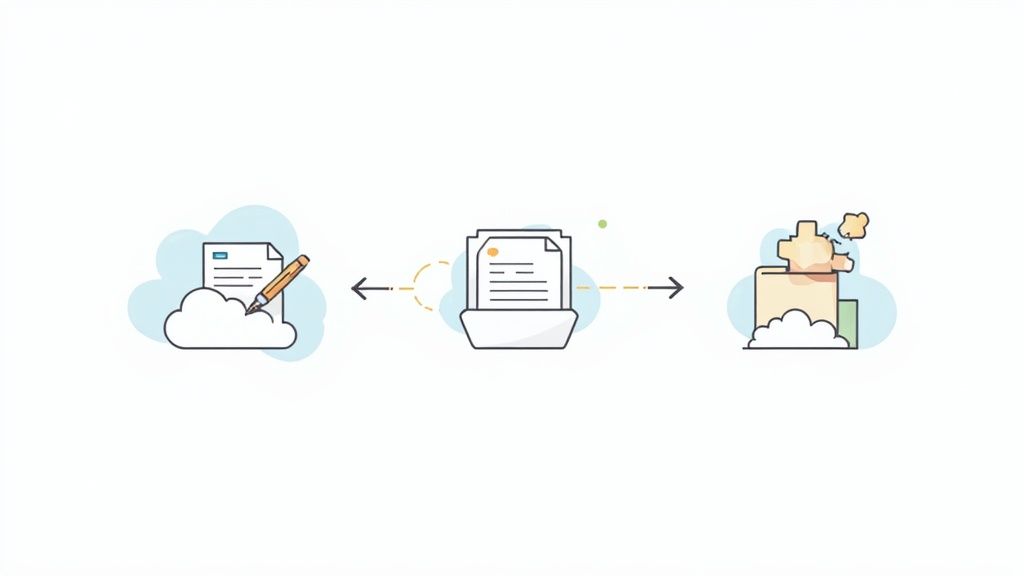
A document portal on its own is useful, but when it talks to the other software you use every day, it becomes a powerhouse. Hooking your tools together is what stops you from having to do all that tedious, manual work that kills productivity. It’s how you turn a bunch of separate tasks into one smooth, automated workflow that saves time and cuts down on human error.
The real magic happens when your data flows freely between systems. Just picture this: a client uploads a signed contract, and it automatically gets saved to the right cloud folder while pinging your team on Slack. No one has to lift a finger. That kind of efficiency isn't a pipe dream; it's how you scale your business and give clients a much better experience.
Integrating eSignatures for a Seamless Experience
One of the best connections you can make is with an eSignature platform. Let's be honest, asking a client to download a form, print it, sign it, scan it, and then re-upload it is a painful process. It creates friction and delays right when you need momentum.
By integrating a tool like DocuSign or Dropbox Sign directly into your document requests, you merge signing and submission into one fluid step.
- How it works: A signature request simply becomes another item on the client's checklist.
- The client experience: They click a button, sign the document right there in the portal, and watch the task get marked as complete.
- The benefit: This breaks up a major bottleneck. It's faster for the client and guarantees you get a legally binding document back without any hassle.
Automating Your Workflow with Zapier and Make
What if you could build little automations that handle all the repetitive tasks that pop up after a document is submitted? That's exactly what tools like Zapier or Make (which used to be Integromat) are for. They act as a bridge, connecting your document portal to literally thousands of other apps.
You don't need to be a developer to get this working. You just create simple "if this, then that" rules that automate your specific process.
By connecting your core business applications, you build a central nervous system for your operations. Information moves where it's needed, when it's needed, all without manual intervention. This is how you reclaim hours of administrative time each week.
Real-World Automation Examples
Let’s get practical. Here are a few ways these integrations can completely change how you request documents and process the information you receive. These simple workflows can have a massive impact on your team's day-to-day.
Example 1: The New Client Onboarding Trigger
A new client finishes uploading their documents. That one action can kick off a whole sequence of events:
- Create a Folder: A new client folder instantly appears in your Google Drive or Dropbox, perfectly named and organized.
- Notify Your Team: A message automatically posts to your #new-clients channel in Slack, letting everyone know it's time to get started.
- Update Your CRM: The client's record in HubSpot or Salesforce gets updated with a tag like "Onboarding Docs Received."
Example 2: The Project Management Kickstart
A customer submits their initial project brief through your portal.
- Create a Task: A new task is automatically created in your project management tool, whether it’s Asana, Trello, or ClickUp.
- Assign the Project: The task is assigned to the right project manager, with the submitted brief already attached.
- Log the Time: You could even have it create an entry in your time-tracking software to officially log the project's start.
These are the kinds of connections that transform a simple document tool into the command center for your entire operation. To see what’s possible, it’s worth exploring the full range of document collection integrations you can set up. When you link the tools you already rely on, you build an efficient, automated system that truly works for you.
Putting It All to Work: Real-World Scenarios for Your Industry
The need to get documents from clients is universal, but how you do it depends entirely on your line of work. A one-size-fits-all approach just doesn’t cut it when you’re dealing with sensitive information, tight deadlines, and specific compliance rules. Let's look at how a smart, secure document request system plays out in the real world for a few different professions.
These examples show the shift from chasing down documents in messy email chains to running a tight, professional, and secure operation.
Legal and Discovery Processes
For any law firm, managing documents is the lifeblood of the practice. The discovery process alone can mean wrestling with thousands of files, from contracts and financial records to endless email threads. Trying to manage that over email isn't just a headache; it's a massive security and compliance risk waiting to happen.
This is where a secure client portal really changes the game. Instead of asking a client to attach highly sensitive files to an email, you send them a single, encrypted link to a secure portal.
- Client Intake: Get new clients up and running fast by requesting engagement letters, IDs, and initial case files in one neat package.
- Discovery Management: Build out detailed checklists for discovery. This lets clients or opposing counsel upload specific documents right where they belong, so nothing gets lost.
- Evidence Submission: Every single file upload is time-stamped, creating a crystal-clear audit trail. This is absolutely essential for establishing a chain of custody and hitting court deadlines.
For legal teams, a defensible process is everything. A system with a detailed audit log proves who uploaded what and when, removing the kind of ambiguity that can get you in trouble down the road.
This kind of structured workflow keeps privileged information locked down and documents every step for compliance. It’s no longer a chaotic scramble; it's a controlled process.
Mortgage and Real Estate Transactions
The real estate and mortgage worlds are buried in paperwork. From loan applications to deeds and disclosures, the sheer volume of documents can easily overwhelm clients and put closings at risk. The pressure is always on, and one missing signature can stall the entire transaction.
A better system helps brokers and agents guide their clients through this maze with clarity.
Mortgage Application Example
Imagine a loan officer creating one comprehensive request for a new mortgage. Instead of a long, confusing email, the client gets a clean checklist with dedicated upload spots for:
- Recent pay stubs and W-2s
- Bank statements from the last two months
- Signed tax returns
- A copy of their driver's license
The system can be set up to send out friendly reminders as the closing date gets closer, making sure all the financials are in on time. This proactive follow-up eliminates those last-minute fire drills and gives borrowers a sense of confidence and control.
Human Resources Onboarding
Hiring someone new triggers a flurry of time-sensitive paperwork. HR teams have to collect everything from I-9s and tax forms to signed policy acknowledgments. When you're onboarding several people at once, doing this manually is a recipe for mistakes and makes for a clunky first impression.
A streamlined workflow makes the whole experience feel smooth and professional. The new hire simply gets one link with a checklist of everything they need to do before day one.
This doesn't just save your HR team countless administrative hours. It gives your new employees a fantastic, organized experience right from the very beginning.
Immigration and Visa Applications
If there’s one field where document precision is non-negotiable, it’s immigration. A single missing signature or an outdated form can cause major delays or even get an entire application denied. Immigration pros have to meticulously request documents that are often deeply personal and incredibly time-sensitive.
You need absolute accuracy and a way to track countless deadlines across different cases. This is made even tougher by the fact that global immigration trends can shift without warning.
For instance, disruptions from visa bans and limited appointment availability are always a concern. Recent data showed F-1 student visa issuance dropped by 12% from January to April compared to the year before. You can read more about these global immigration trends and visa statistics to get a sense of the pressures involved. A dedicated system is crucial for managing these tight timelines.
Using a portal, immigration consultants can create specific checklists for each visa type. This ensures clients submit the right versions of forms, proper translations, and all the required supporting evidence. Setting up automated reminders that are tied to embassy deadlines helps keep every application on track and reduces a ton of stress for the client.
Document Request Checklist by Industry
While every business is unique, certain patterns emerge. The key is to map out your specific needs and find a system that supports them, from the types of documents you handle to the compliance rules you live by.
Here’s a quick look at some common document requests and key considerations across different industries.
| Industry | Common Documents to Request | Key Consideration |
|---|---|---|
| Juridique | Engagement Letters, Discovery Files, Evidence | Chain of Custody & Confidentiality |
| HR | I-9 Forms, W-4s, Signed Handbooks, Certifications | PII Security & Onboarding Experience |
| Immobilier | Purchase Agreements, Disclosures, Property Deeds | Transaction Deadlines & Accuracy |
| Mortgage | Pay Stubs, Bank Statements, Tax Returns, IDs | Data Security & Borrower Confidence |
| Immigration | Visa Forms, Passports, Birth Certificates, Translations | Form Version Control & Deadlines |
| Transport | Driver's Licenses, Vehicle Registrations, Insurance | Compliance & Expiration Tracking |
This table isn't exhaustive, but it highlights how different professions have their own set of critical documents and priorities. Tailoring your request process to these specifics is what separates a smooth operation from a chaotic one.
Got Questions About Requesting Documents? We've Got Answers.
No matter how smooth your workflow is, questions are going to come up. Requesting documents is more than just a simple task; it’s a mix of security, technology, and a little bit of client psychology. Figuring out the common sticking points ahead of time will save you countless headaches down the road.
Let's dig into the questions I hear most often from professionals trying to get their document collection process dialed in. These are practical, real-world answers to help you clear any hurdles before they trip you up.
What Is the Most Secure Way to Request Sensitive Documents?
Hands down, the best method is a dedicated client portal with end-to-end encryption. Let's be clear: standard email was never designed to handle sensitive files like tax returns, passports, or medical records. It's shockingly easy to intercept, and attachments can linger on servers for years, long after you've hit "delete."
A secure portal encrypts files from the moment they leave your client's device until they're safely stored on your end—both in transit and at rest. When you're vetting platforms, get picky about their security specs.
Here’s what you should be looking for:
- Access Controls: Can you control precisely who sees or downloads a file? You absolutely should be able to.
- Detailed Audit Trails: You need a clear log of every single action—who uploaded what, and when. This isn't just nice to have; it's often a compliance requirement.
- Compliance Certifications: Depending on your field, things like SOC 2, GDPR, or HIPAA compliance are non-negotiable.
Security isn't just about protecting your client's information—it's about protecting your entire business. A data breach from a sloppy document request can absolutely tank your reputation and your finances.
When you use a professional, secure tool, you're sending a powerful message to your clients: "I take your privacy seriously." That's a huge trust-builder right from the start.
How Can I Encourage Clients to Submit Documents Faster?
Getting clients to move quickly is all about making the process ridiculously easy for them. The more friction you can remove, the faster you'll get what you need. Think less about nagging and more about being incredibly helpful.
First off, give them a simple, numbered checklist. Nothing kills momentum like ambiguity. Tell them exactly what you need. Second, make sure your portal is mobile-friendly. A huge number of your clients will be snapping photos of documents with their phones. A clunky mobile experience is a guaranteed bottleneck.
Next, set up automated reminders to give them a gentle nudge a few days before the deadline. And finally, be straight with them about why the deadline matters. If a delay on their end will pause their project, just say so—politely and professionally—in your initial request. A little well-framed urgency can work wonders.
Is It Better to Ask for All Documents at Once?
For most cases, yes. A single, comprehensive request is almost always the way to go. It gives your client a full picture of everything needed, all in one shot. Psychologically, this feels much more manageable than being hit with a random stream of requests over days or weeks.
But there’s an exception to every rule. For really long or complex projects—think a multi-stage legal case or a phased construction project—breaking it down can prevent your client from feeling completely overwhelmed.
You could structure it by phase:
- Phase 1: Initial intake and identity verification.
- Phase 2: Financial disclosures and background documents.
- Phase 3: Final approvals and signed agreements.
The trick is to group documents logically. Even when you split requests, each phase should feel like its own complete, self-contained checklist. This keeps the momentum going without making the entire process feel like an impossible mountain to climb. The one thing to avoid at all costs is sending a constant drip of one-off requests. That’s just a recipe for confusion and frustration.
Ready to stop chasing documents and start building a smarter workflow? Superdocu gives you the tools to create secure, branded client portals, automate your reminders, and get the files you need faster. See how Superdocu can transform your document collection process today.