
Tired of chasing clients for documents through a tangled mess of emails? Document collection software is the solution. It's a specialized tool that automates how you gather files from clients and partners, replacing chaotic email threads with a single, secure online portal.
What Is Document Collection Software Anyway?

Think of it like giving your business a smart, digital front desk. Instead of digging through your inbox, hunting for that one missing attachment, or manually ticking off a checklist in a spreadsheet, this tool handles it all for you. It automatically requests the files you need, sorts them, and keeps them secure. Everything lives in one organized place.
That’s the basic idea behind document collection software. It takes the headache out of gathering paperwork. The old way—sending an email and hoping for the best—is a recipe for disaster. It leads to delays, wrong file versions, and a whole lot of frustration for you and your client.
Moving From Manual Chaos to Automated Control
Let’s be honest, the traditional way of collecting documents is broken. We've been cobbling together a system with email, spreadsheets, and random cloud storage folders, but none of these tools were ever meant for this job. The result? A messy, inefficient process that eats up a huge chunk of the day. All that time spent chasing paperwork is time not spent on actual, valuable work.
This is where the software changes the game. It gives you a proactive, central hub to manage everything. You're no longer just reacting to whatever your client happens to send over; you're setting the rules from the start.
Here's what that shift looks like in practice:
- You get a structured process. Create clear, reusable request lists so every client provides the exact same information, every single time. No more guesswork.
- Your clients get a better experience. They get a professional, easy-to-use portal to upload files and see exactly what’s still needed. It’s clean and simple.
- You get total visibility. A central dashboard shows you the status of every single request, so you always know who has sent what and who needs a nudge.
- You ditch the administrative grind. Automated reminders handle the follow-up for you. No more awkward "just checking in" emails.
By swapping disorganized inboxes for a purpose-built platform, you reclaim hours, slash human error, and look far more professional from the very first conversation.
At the end of the day, document collection software isn't just about getting files a little faster. It’s about building a reliable, secure, and professional system that makes your entire operation run smoother and keeps your clients happy. It’s the difference between disorganized chaos and structured, predictable control.
What to Look For: The Features That Actually Matter
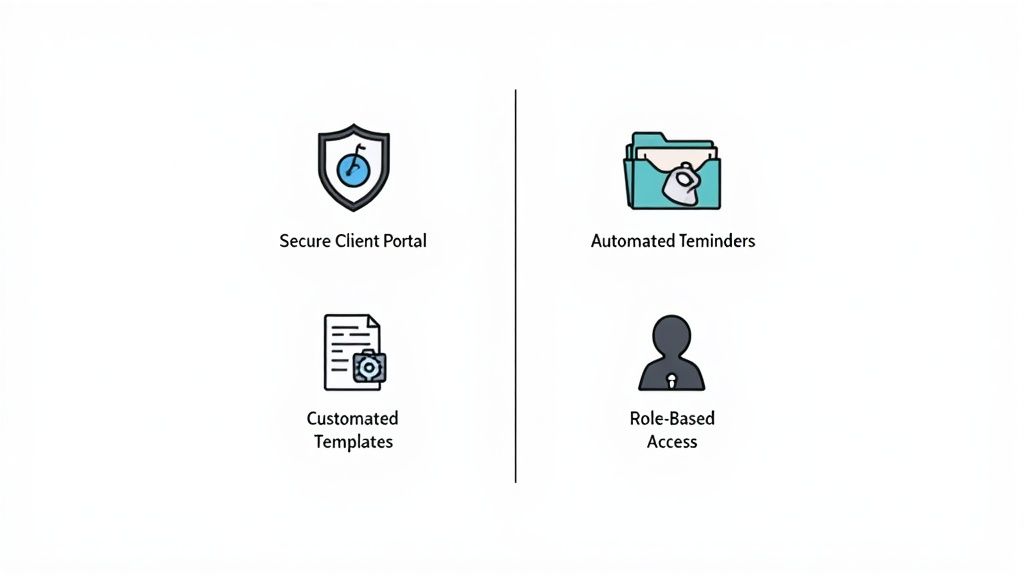
It’s one thing to talk about document collection in theory, but it’s the specific features that really make a difference in your day-to-day work. The right tools are built to solve the exact headaches you’re dealing with right now—the endless email chains, the missed attachments, the security worries.
Let's dig into the core features that turn a frustrating, manual process into a smooth, professional operation. There’s a good reason the market for this software is valued at around USD 2.51 billion and climbing. In our increasingly remote world, giving clients a secure and simple way to share documents isn't just a nice-to-have; it's a fundamental business need.
Secure and Branded Client Portals
First impressions count. When you need sensitive information, asking a client to email it over can feel a bit flimsy. Sending them to a professional, secure online portal, on the other hand, immediately builds confidence.
Think of a secure client portal as your private, digital handshake. It’s a branded online space where your clients can log in and see a crystal-clear list of what you need. They can upload files, see what’s been approved, and ask questions, all in one place.
This completely changes the client experience:
- The old way: A long, confusing email lands in their inbox with a laundry list of attachments. They’re left to download, save, rename, and hope they attached the right versions.
- The new way: They get a single link to a clean, professional portal with your logo on it. A simple checklist shows exactly what’s needed, what’s done, and what’s left.
A portal turns a clunky email exchange into a premium client experience. It sends a clear message: you respect their time and take their data security seriously.
Automated Reminders and Notifications
Let’s be honest, how much of your team's day is spent chasing people for documents? Those "just following up" emails are a huge time sink, and frankly, they can feel a little awkward for everyone involved.
This is where automation is your best friend. Relances automatiques are the workhorse of any good document collection platform. You can set a custom schedule of polite, persistent nudges that go out automatically to clients with outstanding items. The second they upload the file, the reminders stop. This one feature alone regularly saves teams several hours every week.
Customizable Request Templates
Your processes have a rhythm. Whether you're onboarding a new employee or processing a loan application, you probably ask for the same set of documents over and over again. So why start from scratch every single time?
Customizable request templates let you build and save standardized document checklists for all your repeatable workflows. Create the perfect onboarding package or mortgage application list once, then reuse it with a click. It's a simple idea, but it guarantees consistency, saves a ton of time, and dramatically cuts down on human error.
To illustrate the difference, here's a quick comparison of the old way versus the new way.
Comparing Manual vs Automated Document Collection
This table shows just how much things change when you move from traditional methods to a dedicated software solution.
| Process Step | Manual Method (Email & Spreadsheets) | Automated Method (Document Collection Software) |
|---|---|---|
| Requesting Documents | A lengthy, custom email is drafted for each client. | A pre-built, branded template is sent via a secure portal link. |
| Tracking Submissions | Manually updating a spreadsheet; prone to human error. | The software provides a real-time dashboard of submitted and pending items. |
| Sending Reminders | Team members manually send follow-up emails, one by one. | Automated, scheduled reminders are sent until the documents are received. |
| Security & Storage | Files are scattered in inboxes; high risk of data breaches. | Documents are encrypted and stored in a centralized, secure location. |
| Client Experience | Confusing and frustrating; clients are unsure of status. | Clear, simple, and professional; clients can track their progress. |
The contrast is pretty stark. Automation doesn't just make your team's life easier; it fundamentally improves security and the way your clients perceive your business.
Role-Based Access Controls and Document Verification
Not everyone in your organization needs to see every client’s sensitive financial statements or personal IDs. Role-based access controls are a crucial security feature that lets you decide exactly who can view, approve, or manage certain documents.
This helps you protect confidential information and maintain compliance with data privacy laws like GDPR. It’s about giving the right people the right level of access, and no more.
This is also key for confirming that the documents you receive are legitimate. Many platforms have a dashboard where your team can review submissions, approve them, or request a revision with a click. For businesses needing to confirm the authenticity of IDs, passports, or other official papers, it's wise to see how these systems work with dedicated document verification software. This adds a powerful layer of security, ensuring that only authorized staff can access and validate critical information.
How Automation Transforms Your Daily Workflow
While it's easy to get lost in feature lists, the true magic of document collection software is how it reshapes your team’s everyday reality. It’s not just about getting files from A to B. It’s about fundamentally changing how your team works, freeing them from the administrative grind to focus on what they do best.
This shift is why the broader document management market, valued at USD 7.16 billion, is set to grow at an incredible 16.6% annually. Companies are rapidly ditching clunky, paper-based systems for the cloud. You can dive deeper into these trends on Mordor Intelligence.
Reclaiming Time and Boosting Your Bottom Line
Think about it. How many hours does your team sink into writing follow-up emails each week? Or manually ticking off items on a spreadsheet? These are the repetitive, soul-crushing tasks that kill productivity.
Automation completely flips the script. Set up automated reminders, and the system becomes your polite, persistent assistant, nudging clients until every document is in. Those hours your team gets back can be poured into work that actually moves the needle.
- Financial Advisors can focus on brilliant portfolio strategies instead of hounding clients for tax forms.
- Legal Teams can build a stronger case instead of chasing down signed NDAs.
- HR Managers can create an amazing onboarding experience instead of drowning in paperwork.
The return on investment here isn't just about cutting administrative costs. It's about unleashing your experts to do the high-value work they were hired for, which in turn drives client satisfaction and business growth.
Suddenly, an administrative cost center transforms into a profit driver. A more efficient team can handle more clients or more projects without you needing to hire more people. That’s a direct boost to your profitability.
Strengthening Security and Ensuring Compliance
Let’s be honest: email is a terrible, insecure way to handle sensitive documents. Inboxes are prime targets for cyberattacks, and a simple misclick can send confidential files to the wrong person, creating a data breach nightmare.
Document collection software moves this entire exchange into a secure, dedicated space. It’s like moving a high-stakes conversation from a crowded public square into a private, soundproof room.
Here’s how it protects you:
- End-to-End Encryption scrambles your data from the moment it’s sent to the moment it’s stored, making it useless to anyone who shouldn't have it.
- Granular Access Controls mean you decide exactly who sees what, protecting client privacy down to the individual file.
- Comprehensive Audit Trails give you a time-stamped record of every single action—who viewed a file, who approved it, and when. This isn't just nice to have; it's essential for proving compliance with regulations like GDPR or HIPAA.
These aren't just technical bells and whistles. They’re your shield against crippling fines and reputational damage.
Elevating the Client Experience
Your document collection process is often a client’s first real taste of what it’s like to work with you. A messy, confusing chain of emails sends a clear message: disorganized and unprofessional.
A clean, modern client portal does the exact opposite. It tells them you’re on top of your game and that you respect their time. This smooth experience not only gets you the documents you need faster but also builds trust and reinforces your brand’s quality from day one.
You’re not just fixing an internal workflow; you’re building a better, stronger relationship with every single client. To see how all this comes together, check out our guide on streamlining your document collection processes.
Real-World Use Cases Across Different Industries

Any software is only as good as the problems it solves in the real world. While the idea of automating document collection sounds simple enough, how it actually works can look completely different from one industry to the next. Every profession has its own unique paper trail, compliance headaches, and client expectations.
To really get a feel for how versatile these tools are, let's look at how different professionals are using them to fix specific, nagging issues. It’s less of a one-size-fits-all solution and more like a Swiss Army knife, where each tool is perfectly designed for a particular job.
From legal pros to HR managers, the day-to-day pain points might vary, but the core solution—a secure, automated system for getting the right documents from the right people—is a game-changer across the board.
Legal and Accounting: Where Security is Everything
For law firms and accountants, security isn't just a nice-to-have feature; it's the bedrock of their entire practice. The information they handle, whether it's sensitive case files or private financial data, is a huge liability if it's not managed properly. Trying to send these files over standard email is like shipping cash in a plain envelope—it’s just asking for trouble.
A legal team, for instance, can set up a secure client portal to gather everything from initial intake forms to signed retainer agreements and discovery documents. This creates a clear, defensible chain of custody, showing precisely who touched what file and when.
Think about an accounting firm during the madness of tax season. Instead of drowning in a chaotic swamp of emails with random W-2s and 1099s attached, they can give each client a personalized, secure link. This link opens a simple checklist showing exactly which tax documents are needed.
This simple switch transforms a high-risk, messy process into a secure, professional experience that builds client trust from day one.
This isn't just about avoiding a data breach. It's about slashing the administrative busywork of chasing and organizing files, freeing up lawyers and accountants to focus on the work that actually requires their expertise.
Human Resources: Taming the Onboarding Beast
Onboarding a new employee can feel like climbing a mountain of paperwork. You have tax forms, I-9s, direct deposit info, signed handbooks—the list goes on, and every single item is essential for staying compliant. Trying to track all of this manually for several new hires at once is a recipe for mistakes and frustrating delays.
This is where document collection software comes in. HR departments can create standardized onboarding kits that are ready to go. With one click, they send a new hire a link to a company-branded portal where they can securely upload everything that’s needed.
It makes the whole experience better for everyone involved:
- For the New Hire: They get a straightforward checklist they can complete from any device. It’s a clean, modern first impression of the company.
- For the HR Team: A dashboard provides a real-time snapshot of every new hire's progress. No more manually updating tracking spreadsheets.
- For Compliance: Automated reminders nudge people to complete their forms on time, ensuring everything is in order before their first day.
Real Estate and Mortgage: Accelerating the Deal
The real estate and mortgage industries run on documents. A single transaction can generate dozens of files, from purchase agreements and inspection reports to bank statements and proof of funds. Getting all of this from buyers, sellers, and lenders can turn into a logistical nightmare.
Mortgage brokers, especially, get a massive boost from these platforms. They can create a detailed checklist for a loan application, outlining every single financial document needed. The client portal gives applicants a secure, central hub to upload highly sensitive information like pay stubs and tax returns.
This organized approach puts the entire loan cycle on the fast track. Brokers can instantly see what’s missing, request revisions, and package the complete file for the underwriters. The result? Faster approvals and clients who are actually happy with the process. It takes what was once a slow, frustrating paper chase and turns it into a quick, digital workflow.
How to Choose the Right Software for Your Needs
Picking the right document collection software can feel like a huge task, but it really just boils down to one thing: matching the tool’s strengths to what your business actually does every day.
Think of it like buying a car. A two-seater sports car looks great, but it’s the wrong choice if you’re hauling a team of five to a job site. In the same way, a massive enterprise system loaded with features you'll never touch is just expensive overkill for a small firm that needs a simple, secure way to get files from clients.
The trick is to look past the slick marketing and focus on four pillars that will make or break the tool in your daily workflow. Get these right, and you'll have a platform that saves you time and makes your clients happy. Get them wrong, and you've just bought yourself a new source of frustration.
Start with Security and Compliance
Before you even glance at a feature list, you have to know if a platform can be trusted with your data. This is non-negotiable. For anyone handling sensitive information—whether you're in a law firm, an HR department, or a mortgage brokerage—security isn't just a nice-to-have feature. It’s the entire foundation of your client relationships. A data breach doesn't just cause a headache; it can ruin your reputation.
When you're talking to vendors, demand specifics. Vague promises of being "secure" aren't good enough.
- Look for Real Certifications: Ask about standards like SOC 2 Type II, which is a rigorous audit of a company's security controls. If you're in healthcare, HIPAA compliance is a legal must-have. And for anyone with European clients, RGPD is essential.
- Insist on End-to-End Encryption: Your data needs to be protected both in transit (as it's being uploaded) and at rest (when it's sitting on a server). End-to-end encryption ensures that even if someone intercepted the data, it would be completely unreadable.
- Check for Audit Trails: A solid system will keep a detailed, tamper-proof log of every single action—who viewed a file, who downloaded it, and when. This is your proof of compliance if an issue ever comes up.
This intense focus on security is why the market for these tools is booming. The document control software market is expected to grow from USD 3.6 billion to USD 9.6 billion by 2035, mostly because businesses need features that cut down on human error and enforce strict compliance rules. You can dig deeper into these trends over at Future Market Insights.
Evaluate Integrations with Your Existing Tools
No software works in a bubble. A great document collection tool needs to play nicely with the other systems you already rely on. If it can't connect to your current software, you’re just creating more work for your team by forcing them to manually move data from one place to another—which completely defeats the point.
Before you even start looking at vendors, make a quick list of your must-have connections. It might look something like this:
- Cloud Storage: Google Drive, Dropbox, OneDrive
- CRM: Salesforce, HubSpot
- eSignature Tools: DocuSign, HelloSign
- Automation Platforms: Zapier, Make
A platform with good integrations becomes the central hub for your client information, not just another disconnected island. It ensures that once a document is collected, it automatically gets routed to the right person or system, creating a workflow that actually flows.
Prioritize Usability for Everyone
Let's be blunt: a powerful tool that nobody wants to use is worthless. The software has to be dead simple for two very different groups of people: your team and your clients. If either group struggles, you’ve got a problem.
For your internal team, the interface should feel clean and logical. Can they set up a new document request in a minute or two? Is the dashboard for tracking progress easy to understand at a glance?
For your clients, the experience has to be even simpler. They need to be able to drag, drop, and upload files without needing a user manual. A clunky, confusing portal will just lead to frustrated phone calls and a flood of support emails—the very things you're trying to eliminate. This is where free trials are golden. Use them to test-drive the experience from both sides. And if you need more guidance, our post on choosing a great tool for collecting documents breaks down more helpful criteria.
Consider Scalability and Pricing Models
Finally, think about the future. The software you choose today should be able to keep up as your business grows tomorrow. Ask vendors how their platform handles more—more clients, more documents, more team members. Is it easy to add another user or upgrade your plan?
And of course, take a hard look at the price tag. Most tools use a subscription model, but the details matter. You'll see per-user fees, tiered plans with different feature sets, and sometimes usage-based pricing. Watch out for hidden costs like extra fees for storage, priority support, or API access. You want a plan that fits your budget now but gives you a clear and affordable path to scale up when you need to.
Got Questions? We've Got Answers
It's natural to have questions. You've seen what this kind of software can do, but now you're wondering about the practical stuff. A new tool is a big decision, and it’s smart to look at it from every angle before you jump in.
We've been there. To make sure you feel totally confident, we’ve put together answers to the questions we hear most often from businesses just like yours. Think of it as a final gut-check before you move forward.
How Long Does This Take to Set Up?
This is usually the first question on everyone's mind—no one has time for a six-month implementation project. The good news? Modern, cloud-based tools are built to get you going fast. For most businesses, you're looking at hours, not weeks.
Getting started usually boils down to three simple steps:
- Brand your client portal. Just upload your logo and pick your company colors. It’s a small touch that makes a huge difference in client experience.
- Create your first request templates. You can start from scratch or, even better, use a pre-built template for things like new client onboarding or loan applications.
- Invite your team. Getting your colleagues on board and setting their permissions is typically a quick, painless process.
Now, if you’re planning something more complex, like a custom API integration with your company’s internal software, that might take a few weeks to map out. But any good provider will give you a clear onboarding plan and plenty of support to make sure the whole process is as smooth as possible.
The bottom line is this: the days of painful, long-winded software rollouts are pretty much over. Most document collection tools are designed to deliver value almost immediately.
Is This Really Secure Enough for Client Data?
Yes, and honestly, it’s one of the biggest reasons to make the switch. A dedicated platform is infinitely more secure than juggling sensitive files over email, which is notoriously leaky and prone to human error.
Reputable platforms are built from the ground up to protect confidential information. They use a layered security approach to keep your data safe at every turn. Look for these non-negotiables:
- End-to-end encryption that scrambles data while it's being uploaded and while it's stored. Think of it as putting the information in a digital vault that no one can crack.
- Role-based access controls so you can decide exactly who on your team can see, edit, or approve certain documents. No more accidental CC's on sensitive files.
- Detailed audit trails that log every single action taken in the system. It’s a permanent, time-stamped record that’s a lifesaver for compliance.
Top-tier providers also hold certifications for international security standards like SOC 2 Type II and comply with industry-specific rules like HIPAA for healthcare or RGPD for handling data from EU citizens. Always ask a potential vendor to show you their security credentials—it’s a must.
What Do These Tools Usually Cost?
You'll almost always find pricing is a subscription, billed monthly or annually (with annual plans usually saving you a bit of money). While the details vary from one company to another, the pricing models generally fall into three main buckets. Figuring out which one fits you best will help you manage your budget.
Here’s what you’re likely to see:
- Per-User Pricing: You pay a flat fee for each team member using the software. It’s simple, predictable, and works well for teams of any size.
- Tiered Plans: Vendors offer different packages (think: Starter, Pro, Enterprise) that come with more features and higher limits as you go up. A basic tier might cap your client count, while higher tiers unlock things like API access or custom branding.
- Usage-Based Pricing: Some platforms charge based on how much you use the service—for instance, by the number of document requests you send or the amount of data you store. This can be a great option if your workload ebbs and flows.
Most vendors offer a free trial, and you should absolutely take advantage of it. It's the best way to know if the software actually works for your team's day-to-day grind. And when comparing prices, look past the big number on the website. Ask about potential add-on costs for extra storage, priority support, or specific integrations.
Will This Connect With the Other Software We Use?
It should, and you should insist on it. A document collection tool is helpful on its own, but it becomes a true powerhouse when it talks to the other software you rely on every day. Good integrations are what turn a bunch of separate tasks into a single, automated workflow.
Most of the leading platforms are built to play nicely with common business tools, including:
- Cloud Storage: Google Drive, Dropbox, OneDrive, and Box.
- CRM Systems: Salesforce and HubSpot.
- Accounting Software: QuickBooks and Xero.
- eSignature Tools: DocuSign.
Many also use connector platforms like Zapier to link up with thousands of other apps without you needing to write a single line of code. Before you sign on the dotted line, make a quick list of your "must-have" integrations and confirm the vendor supports them. This is the key to creating a system where information flows exactly where you need it to, without anyone having to lift a finger.
Ready to get rid of the administrative busywork and give your clients an experience they'll love? Superdocu offers a secure, intuitive, and highly automated platform to handle all your document collection needs. Start your free 7-day trial of Superdocu today and see just how easy it is to get up and running.